Free trial
A free entry point is advertised. Registering grants 10 credits, and the homepage invites visitors to turn a photo into an artwork for free before signing up.
Learn moreTurn any photo into a painted artwork in the style of 80+ famous artists.
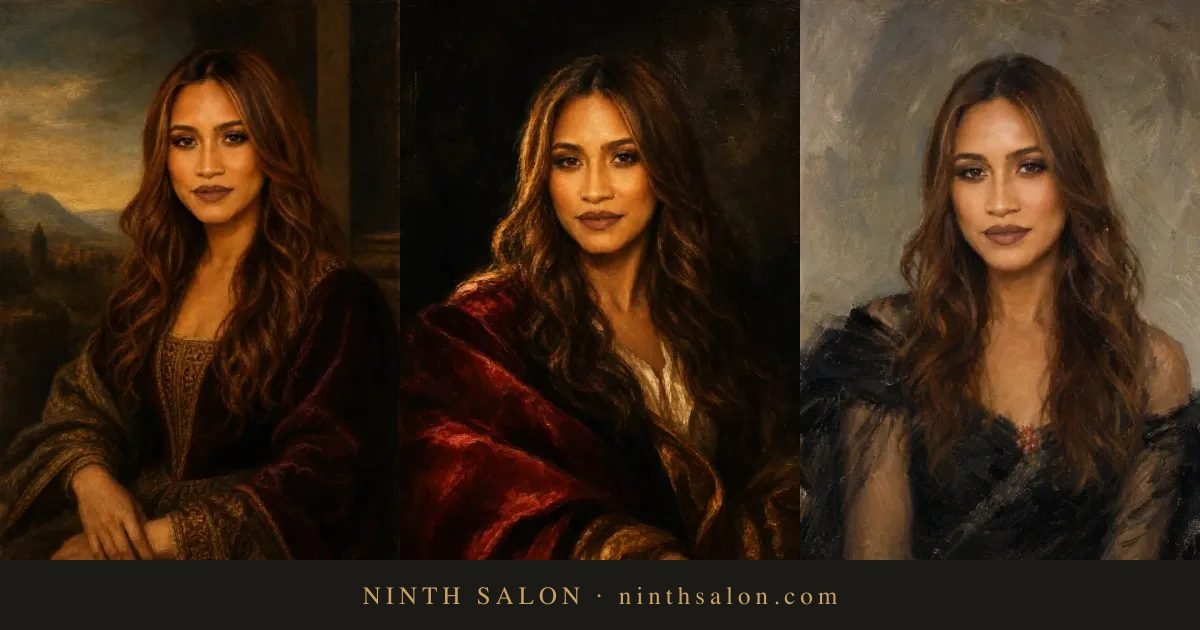
ARTROBOT is a family portrait maker tool that turns any photo into a painted artwork in the style of 80+ famous artists. ArtRobot repaints photos in the style of famous artists and movements, from Impressionism and Baroque to Anime and Pixel Art, with pet, family and landscape portrait options and HD or 4K exports.
ArtRobot is a browser based style transfer service that repaints photographs in the manner of well known artists and art movements. The premise is simple: a user supplies a photo, picks a style from a library the site describes as 80+ masters across 9 art eras (with the marketing copy elsewhere citing 150+ styles), and receives a finished image. The company describes its engine as an algorithm inspired by the human brain, one that separates the stylistic elements of a reference image from the content of the source photo and recombines them. Users can also upload their own style reference instead of choosing from the catalogue. The style library leans heavily on recognisable names and movements. There are pages for Impressionism, Expressionism, Baroque, Cubism, Renaissance, Ukiyo-e and Da Vinci, alongside modern and pop-culture adjacent options such as Anime, Cartoon, Storybook Animation, Pixel Art and Pop Art. A second axis of pages targets subjects rather than movements: Pet Portrait, Family Portrait, Landscape Art and Portrait Gift, which frames the output as a personalised present. Output can be downloaded as a profile avatar, phone wallpaper or desktop background, and the site advertises HD and 4K exports for printing. In practice the workflow is asynchronous rather than instant. The homepage states that the service takes the image and the style, processes it in the background and emails the user when the artwork is ready, so it suits people preparing a gift or a print rather than those iterating in a live canvas. Finished pieces are kept in cloud storage and can be browsed in a public gallery for inspiration before committing a photo. The tool sits in the same territory as one-click style transfer apps and the style filters built into general image editors. ArtRobot's differentiator is depth of art history rather than editing control: it is aimed at gift buyers, pet owners, family archivists and casual creators who want a convincing painted look from an ordinary snapshot, not at artists who need layer level manipulation. A free registration is offered, with 10 credits granted on sign up.
A free entry point is advertised. Registering grants 10 credits, and the homepage invites visitors to turn a photo into an artwork for free before signing up.
Learn moreThe homepage advertises a free starting allowance rather than a price list: new accounts receive 10 credits and unregistered visitors get a smaller trial, described as three times fewer opportunities. No subscription tiers, per image rates or credit costs appear on the homepage, so paid pricing has to be checked inside the product.
Learn moreStyle transfer powered by neural networks, with a catalogue the site describes as 80+ masters across 9 art eras (150+ styles in its feature list). Users can pick from movements and artist styles or upload their own reference. Exports come in HD and 4K plus avatar, wallpaper and desktop background sizes, and finished work is stored in cloud storage. A public gallery shows examples.
Learn more AI Angels400+ customizable AI girlfriends for NSFW chat, voice calls, and roleplay
 Candy AIExperience the future of companionship with AI friends who chat, role-play, and connect with you on a human level.
 ourdream.aiA vast AI roleplay platform with millions of characters for chat, images, video and voiceAI Angels400+ customizable AI girlfriends for NSFW chat, voice calls, and roleplayCandy AIExperience the future of companionship with AI friends who chat, role-play, and connect with you on a human level.ourdream.aiA vast AI roleplay platform with millions of characters for chat, images, video and voice