Support
Support is handled by email at support@portraitai.app. The site footer also links to separate privacy and terms pages hosted on docs.portraitai.app. No help centre, live chat or community forum is referenced on the homepage.
Turn a selfie into an 18th century painted portrait
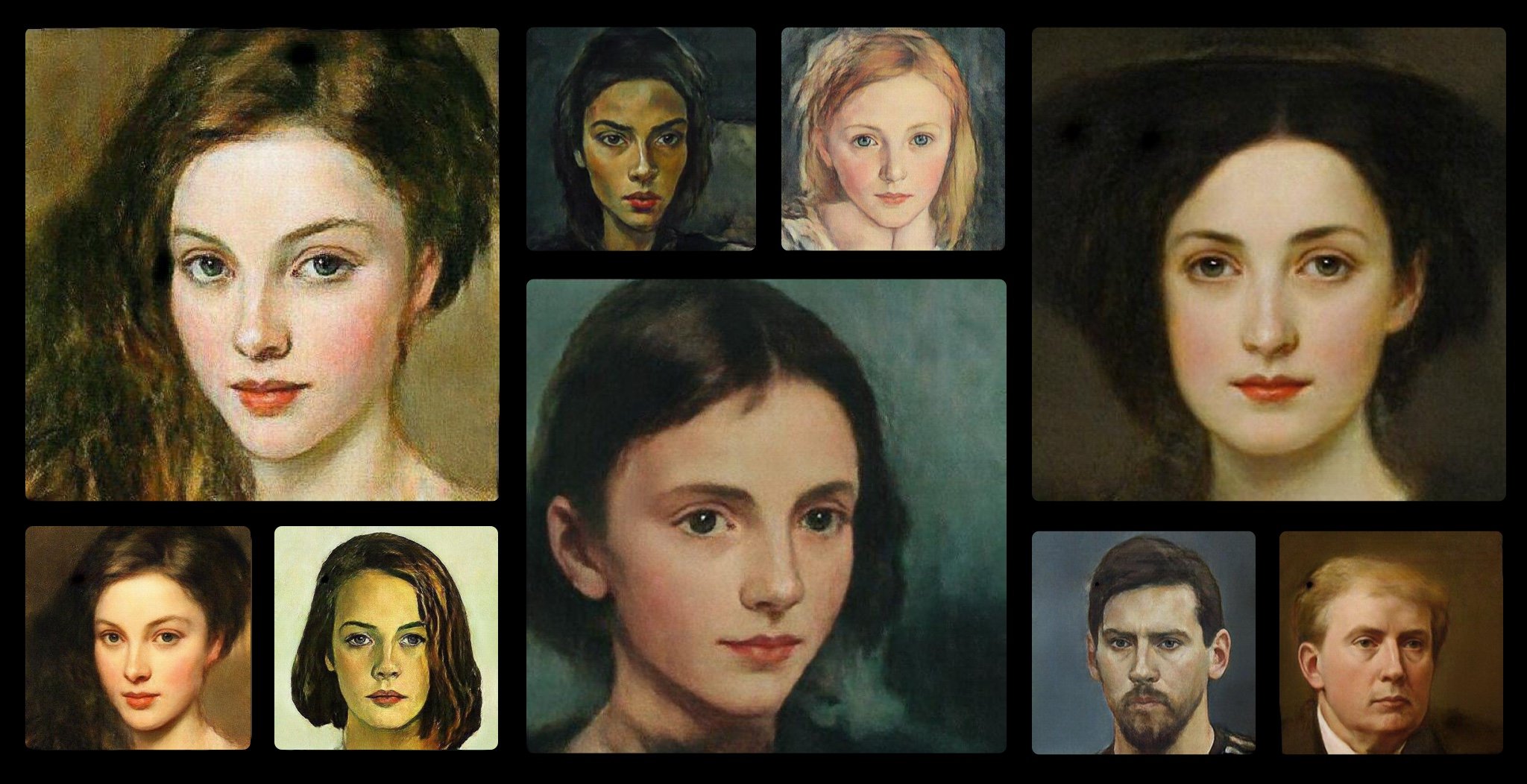
PortraitAI is an AI panorama tool that turns a selfie into an 18th century painted portrait. PortraitAI repaints a selfie as a classical 18th century portrait. Upload a clean, glasses free headshot on the website for the signature effect, or install the iOS or Android app for a wider library of 100+ filters including Cartoon and Portrait HD styles.
PortraitAI is a photo transformation tool that repaints a selfie as a classical 18th century portrait. The premise is narrow and deliberate: rather than offering a generic filter pack, the site leads with one signature effect, the kind of oil painted likeness you would expect to see hanging in a country house. Upload a face photo, let the model do its work, and get back a stylised portrait in period costume and brushwork. The site is candid about input quality, which matters more here than in most photo apps. It asks for a passport style photo: face forward, no glasses, and a large face area in the frame. That guidance is worth taking seriously, because style transfer models that work from faces tend to struggle with occlusion and small subjects. A clean, well lit headshot gives the model the most to work with, while a group shot or a dark, angled selfie is likely to produce a softer or less convincing result. The browser experience is intentionally minimal. A single upload area sits at the centre of the page, with drag and drop or click to browse as the two input routes. The fuller feature set, described as 100+ filters spanning Cartoon, Portrait HD, Halloween and Child styles, lives in the iOS and Android apps rather than on the web page. Anyone who wants variety beyond the historical portrait look should plan on installing the mobile app; the website is best treated as a quick single effect demo and a download gateway. PortraitAI sits in the same territory as the many avatar and style transfer apps that appeared alongside Lensa and similar tools. Its differentiator is thematic focus rather than technical breadth: it does one era well and leans on the app for everything else. It suits people who want a novelty portrait for a profile picture, a gift, or a party invitation, and it is simple enough that no image editing knowledge is required.
Support is handled by email at support@portraitai.app. The site footer also links to separate privacy and terms pages hosted on docs.portraitai.app. No help centre, live chat or community forum is referenced on the homepage.
The homepage centres on one effect: converting an uploaded selfie into an 18th century painted portrait. Input guidance calls for a passport style photo with no glasses and a large face area. The iOS and Android apps expand this to 100+ filters across Cartoon, Portrait HD, Halloween and Child styles. Uploading is handled by drag and drop or a file picker.
 AI Angels400+ customizable AI girlfriends for NSFW chat, voice calls, and roleplay
 Candy AIExperience the future of companionship with AI friends who chat, role-play, and connect with you on a human level.
 ourdream.aiA vast AI roleplay platform with millions of characters for chat, images, video and voiceAI Angels400+ customizable AI girlfriends for NSFW chat, voice calls, and roleplayCandy AIExperience the future of companionship with AI friends who chat, role-play, and connect with you on a human level.ourdream.aiA vast AI roleplay platform with millions of characters for chat, images, video and voice