Ask by Slite

Ask your company knowledge base a question and get a sourced answer.

Beginner API
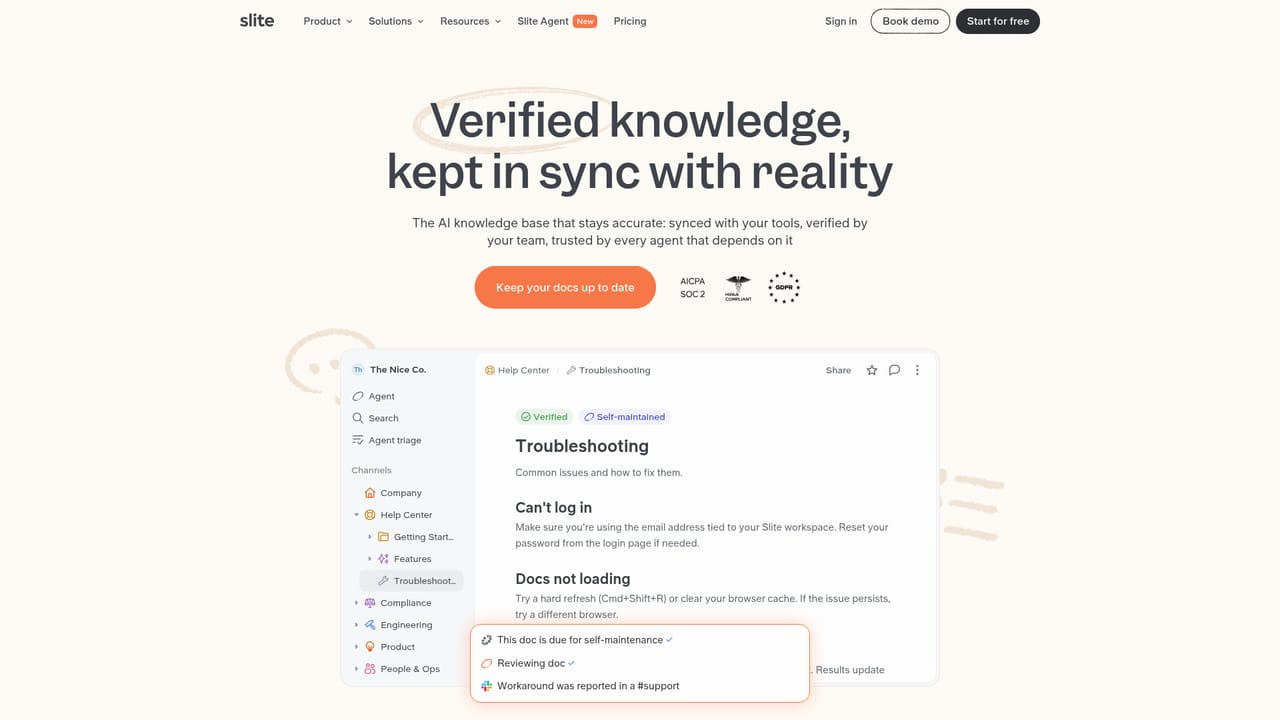
Screenshot of Ask by Slite, Ask your company knowledge base a question and get a sourced answer

What is Ask by Slite?

Ask by Slite is an AI search tool. Ask is Slite's AI assistant that answers questions using your workspace documents and connected apps, citing sources and respecting document permissions. It works in the browser via a Chrome extension and answers questions automatically inside Slack channels.

Ask is the AI answer layer built into Slite, the collaborative knowledge base. Instead of scanning a search results page for a document that may contain what you need, a team member types a plain question and receives a direct answer assembled from the workspace content, with the underlying documents cited so the response can be checked. Slite positions it as a replacement for the dead end of an empty search: the information usually exists somewhere, and Ask cross-references sources to surface it quickly. The feature extends beyond Slite's own pages. Connected apps feed additional sources into the same answer flow, and source filters let a user limit a query to verified documents when accuracy matters more than coverage. A Chrome extension keeps the assistant available inside the browser, and in Slack, Ask listens to channel conversations and answers questions automatically without waiting for someone to invoke it. Permissions carry over from normal search, so a person only receives answers drawn from documents they are allowed to view and workspace data stays separated from other customers. Practical use cases cluster around onboarding and internal support. New hires can ask how a process works rather than interrupting a colleague, and repeated questions in Slack can be deflected by automatic answers. Ask also reports knowledge gaps when an answer looks thin or outdated, which gives documentation owners a prompt to fix the source. Users can request a format, such as bullet points or a beginner-friendly explanation, and the assistant accepts questions in multiple languages and translates the relevant content. Typing a keyword produces suggested questions drawn from existing team content. Ask competes with AI search layers in Notion, Confluence and dedicated enterprise search products. The distinction is that it is inseparable from Slite's own editor, channels and verification model, so it makes most sense for teams already storing knowledge there, or willing to migrate. Buyers evaluating standalone answer engines should weigh whether tying retrieval to one knowledge base is acceptable.

How do you use Ask by Slite?

  1. 1Set up or open your Slite workspace
    Ask works against Slite workspace content, so start by creating a workspace or opening an existing one and confirming the documents you want searchable are there.
    Ask by Slite — Set up or open your Slite workspace
  2. 2Connect your external sources
    Link the apps where knowledge also lives so answers can draw on them alongside Slite documents. Check which sources are available for your plan.
  3. 3Mark key documents as verified
    Use doc verification on the pages you consider authoritative, then filter Ask to verified sources when you need an answer you can rely on.
  4. 4Ask a question and inspect the sources
    Type a question in natural language. Review the cited documents behind the answer and refine the wording or requested format if the response is too broad.
  5. 5Add the Chrome extension
    Install the extension to query Ask from the browser without switching tabs, which suits quick lookups during other work.
  6. 6Enable answers in Slack
    Connect Slack so Ask can respond to questions raised in channels automatically, reducing repeated questions routed to senior staff.

Pros and cons

Pros

  • Answers cite the underlying documents, so claims can be verified rather than trusted blindlyAI
  • Respects existing document permissions, returning only content the asking user can already viewAI
  • Slack mode replies to questions in channels without being explicitly triggeredAI
  • Source filters and doc verification let teams restrict answers to trusted materialAI
  • Accepts questions in multiple languages and translates relevant contentAI

Cons

  • Value depends entirely on how complete and current the Slite workspace is; thin documentation yields thin answersAI
  • Retrieval is tied to Slite and its connectors, so teams on Confluence or Notion would need to migrate or duplicate contentAI
  • No public pricing for Ask itself; cost is bound to Slite plans that require a sales conversation for larger teamsAI
  • Automatic Slack answering may need tuning to avoid noise in busy channelsAI
  • Gap detection flags missing knowledge but does not write or fix the documentation for youAI

How much does Ask by Slite cost?

Integrations

Slite states that Ask draws on connected external apps alongside the knowledge base, and that Slack is supported, including automatic answering in channels. The help center also references an API and MCP. The homepage does not list a complete integration catalog.

Features

Ask combines workspace content with connected apps to answer questions directly, citing sources and cross-checking documents. Source filters and verification support trust, permission rules limit answers to viewable documents, and gap detection highlights outdated or missing knowledge. A Chrome extension keeps answers in the browser, Slack integration answers channel questions automatically, and questions can be phrased in multiple languages.

Frequently asked questions about Ask by Slite

  • Does Ask by Slite have an API?
    Yes, Ask by Slite offers an API.
  • How do you use Ask by Slite?
    The walkthrough on this page covers 6 steps: 1. Set up or open your Slite workspace 2. Connect your external sources 3. Mark key documents as verified 4. Ask a question and inspect the sources 5. Add the Chrome extension 6. Enable answers in Slack.
  • What platforms does Ask by Slite support?
    Ask by Slite is available on Web App and Browser extension.
  • What does Ask by Slite integrate with?
    Slite states that Ask draws on connected external apps alongside the knowledge base, and that Slack is supported, including automatic answering in channels. The help center also references an API and MCP. The homepage does not list a complete integration catalog.
  • What are the limitations of Ask by Slite?
    Value depends entirely on how complete and current the Slite workspace is; thin documentation yields thin answers. Retrieval is tied to Slite and its connectors, so teams on Confluence or Notion would need to migrate or duplicate content. No public pricing for Ask itself; cost is bound to Slite plans that require a sales conversation for larger teams.

Status

StatusActive
Views0
Outbound clicks0
Added10/22/2026

Platforms

Web AppBrowser extension

Pricing

FreemiumSubscription