Free trial
A 30-day risk-free trial is advertised on the pricing page, and cancellation can be done directly from the dashboard.
Learn moreBuild custom AI assistants, smart forms and automated flows without code

AskSpot.ai is a chatbot builder tool that builds custom AI assistants, smart forms and automated flows without code. No-code builder for AI assistants, smart forms and automated flows, with knowledge sources, lead capture, webhooks, white label options and bring your own API key on every plan.
AskSpot is a no-code platform for building AI assistants, interactive forms and automated workflows. The core idea is that a business should be able to launch a conversational agent, a lead capture form or a multi-step automation in minutes rather than waiting on a development cycle. Everything is assembled visually through a drag and drop flow builder, so the people closest to the customer conversation can build and adjust the tool themselves. The product covers three overlapping jobs. Assistants and bots handle open ended conversation, IntelliForms collect structured answers from visitors, and the flow builder strings steps together into a repeatable process. Knowledge grounding is handled through several source types: uploaded files, web pages, question and answer pairs, RSS feeds, Google Sheets and Google Docs. That mix suits support FAQs, internal document search, product recommendation and intake forms where the bot needs to ask a few questions before routing the result somewhere. AskSpot is aimed at small businesses, growing teams and enterprises that want control over both model choice and cost. A bring your own API key model sits underneath every plan, and keys can be set per bot, so an organisation can point different assistants at different providers. Logs, lead capture, webhooks and chat limiting round out the operational side, which is the part most chatbot builders leave thin. Where it fits among alternatives: it sits closer to a workflow and lead generation tool than to a pure prompt playground. Teams comparing it with general purpose chatbot builders should look at the flow builder, the white label and custom domain options on higher plans, and the fact that model costs are billed separately through your own provider account rather than bundled into the subscription.
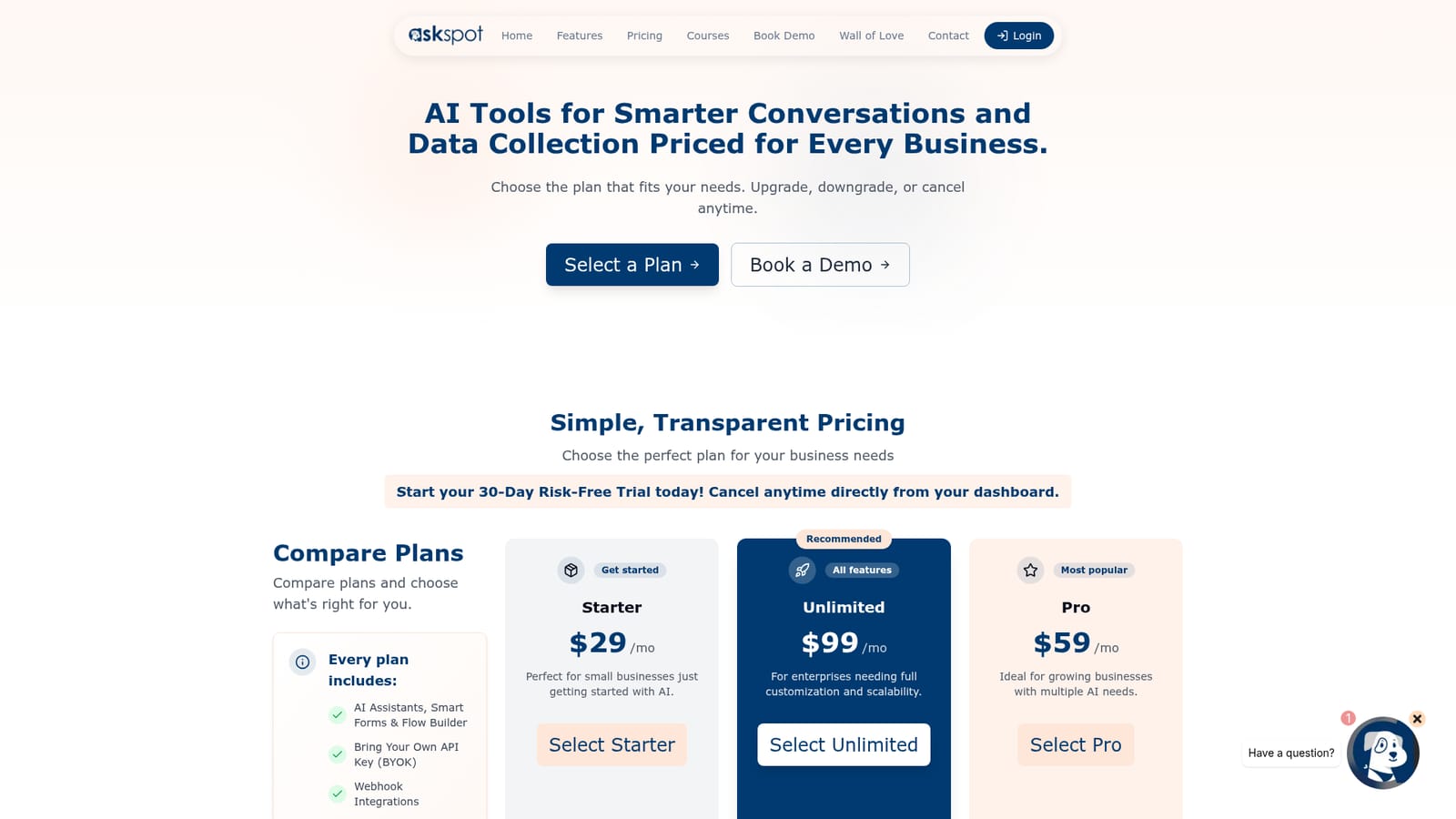
A 30-day risk-free trial is advertised on the pricing page, and cancellation can be done directly from the dashboard.
Learn moreThree subscription tiers: Starter at $29 per month for small businesses, Pro at $59 per month for growing businesses with multiple AI needs, and Unlimited at $99 per month for enterprises needing full customisation and scalability. Every plan includes the flow builder, bring your own API key, webhooks, chat logs, lead capture, and the ability to upgrade or cancel at any time.
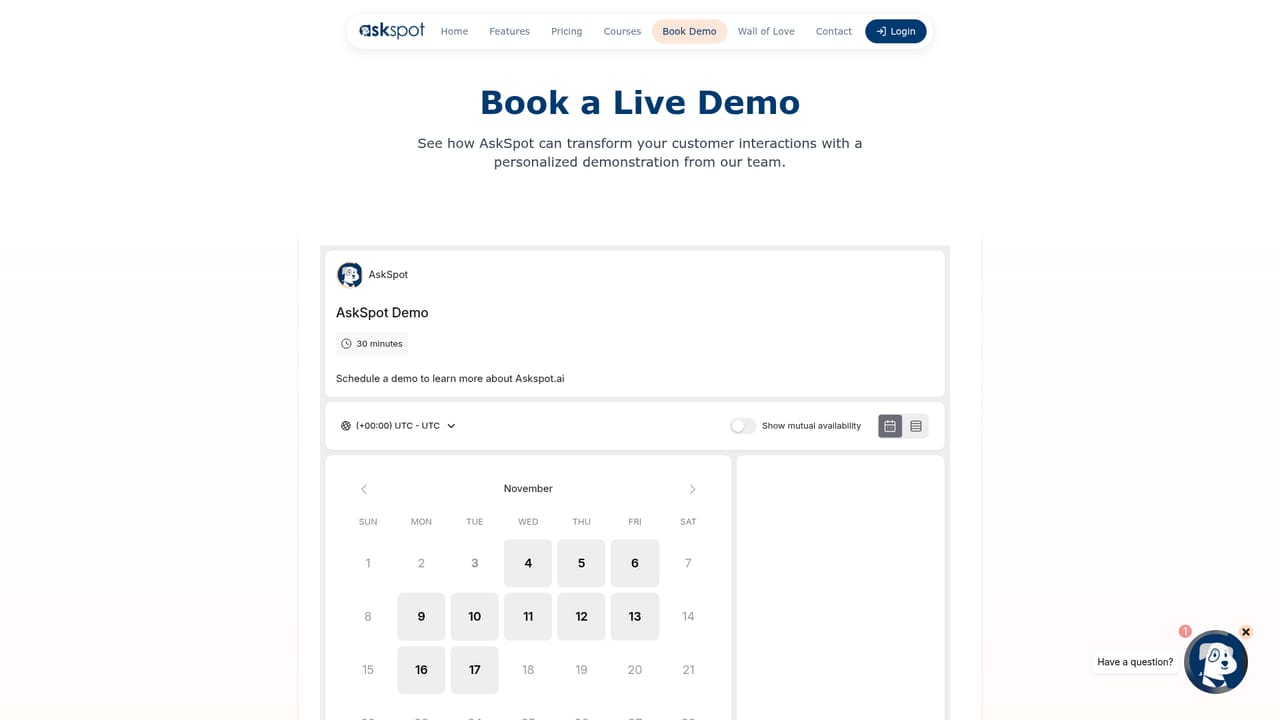
Learn moreA demo can be booked through the site, and the pricing page includes a frequently asked questions section covering the trial, API keys, plan switching and CRM integration.
Learn moreWebhook integrations are included on every plan, and Google Sheets and Google Docs can be used as knowledge sources. The pricing page does not list named CRM connectors, so CRM routing is done through webhooks.
Assistants, bots and IntelliForms share one builder, with a drag and drop visual flow builder for multi-step conversations. Knowledge can be grounded in files, web pages, Q&A pairs, RSS feeds, Google Sheets and Google Docs. Operational features include chat logs and export, chat limiting, a lead capture engine, prompt library, visibility controls and webhooks. Higher tiers add white label bots and custom domain support.
 AI Angels400+ customizable AI girlfriends for NSFW chat, voice calls, and roleplay
 Candy AIExperience the future of companionship with AI friends who chat, role-play, and connect with you on a human level.
 ourdream.aiA vast AI roleplay platform with millions of characters for chat, images, video and voiceAI Angels400+ customizable AI girlfriends for NSFW chat, voice calls, and roleplayCandy AIExperience the future of companionship with AI friends who chat, role-play, and connect with you on a human level.ourdream.aiA vast AI roleplay platform with millions of characters for chat, images, video and voice


