Free trial
A 7-day free trial is offered on the yearly Personal plan and on the Professional and Business plans.
Learn moreA cloud AI agent that makes phone calls and runs errands for you

Assindo iOS is a productivity tool. Assindo is a cloud-hosted personal AI agent that makes and screens phone calls, searches the web, posts to X and LinkedIn, and schedules tasks, with mobile and browser apps and an MCP connector for Claude.
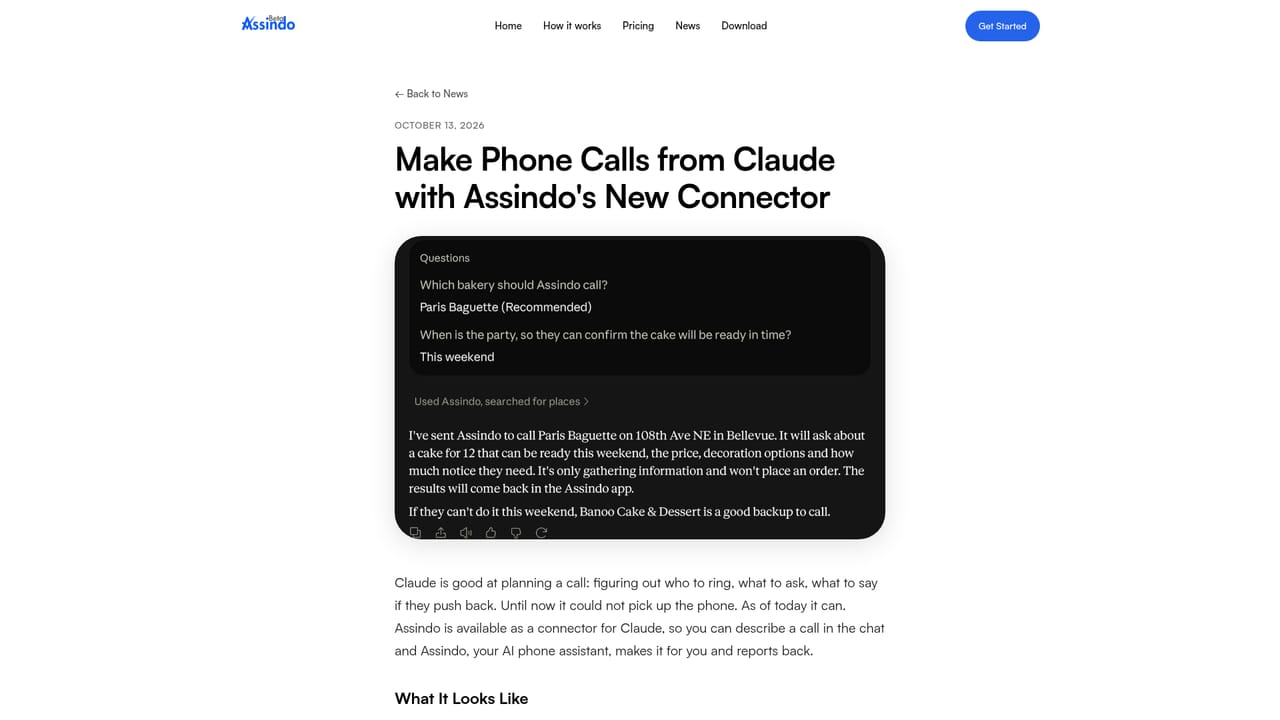
Assindo is a personal AI agent aimed at people who want errands handled without running their own infrastructure. Instead of asking users to buy hardware, install Docker or manage API keys, it runs on a dedicated cloud server provisioned for each account and is used through an iPhone app, an Android app or a browser client. The emphasis is on acting in the real world: it places and answers phone calls, searches the web, posts to X and LinkedIn, and schedules work for later. In practice, a user gives an instruction in chat, such as booking a barber appointment or finding a nearby repair shop, and the assistant carries it out. On outgoing calls it can navigate phone menus and wait on hold. On incoming calls it screens the caller, takes a message and turns the important details into follow-up tasks on a to-do list. Completed work appears in a task view, and push notifications signal when something finishes. Social posts are drafted in chat and reviewed before publishing, and any task can be set for a specific future time. Assindo also works as an MCP connector. Claude, Meta Muse and OpenClaw can hand a phone call to Assindo through a remote server address, sign in with the user's Assindo account, and read back the call summary later. Calls draw on the plan's minutes, and the connector itself carries no extra charge. The assistant follows the same rules as in the app, including business hours only and no redialing of someone who declined. Among alternatives, the product positions itself against self-hosted agents such as OpenClaw, trading deep customization for convenience and a non-technical setup. Plans are tiered by monthly call minutes, tasks and messages, so heavy callers will reach limits sooner than casual users, while an Enterprise tier covers unlimited usage, custom tool integrations and API access.
A 7-day free trial is offered on the yearly Personal plan and on the Professional and Business plans.
Learn morePersonal is $9.99/month ($99.99/year), Professional $24.99/month ($249.99/year), Business $59.99/month ($599.99/year). Plans differ in call minutes, tasks and messages. Enterprise is custom, with unlimited usage and API access.
Learn moreCommunity support on Personal, email support on Professional, priority support on Business, and dedicated support on Enterprise.
Works as an MCP connector (mcp.assindo.com/mcp) for Claude, Meta Muse and OpenClaw, and other apps supporting remote MCP with OAuth. Enterprise adds custom tool integrations and API access.
Learn moreCall screening and handling, calls turned into tasks, outgoing call automation, phone menu navigation and hold, web search, X and LinkedIn posting, task scheduling, local business discovery, code execution, multiple languages, in-chat updates.


