Audio Enhancer AI

Strips background noise and sharpens speech in podcasts, voice notes and voiceovers.

Beginner
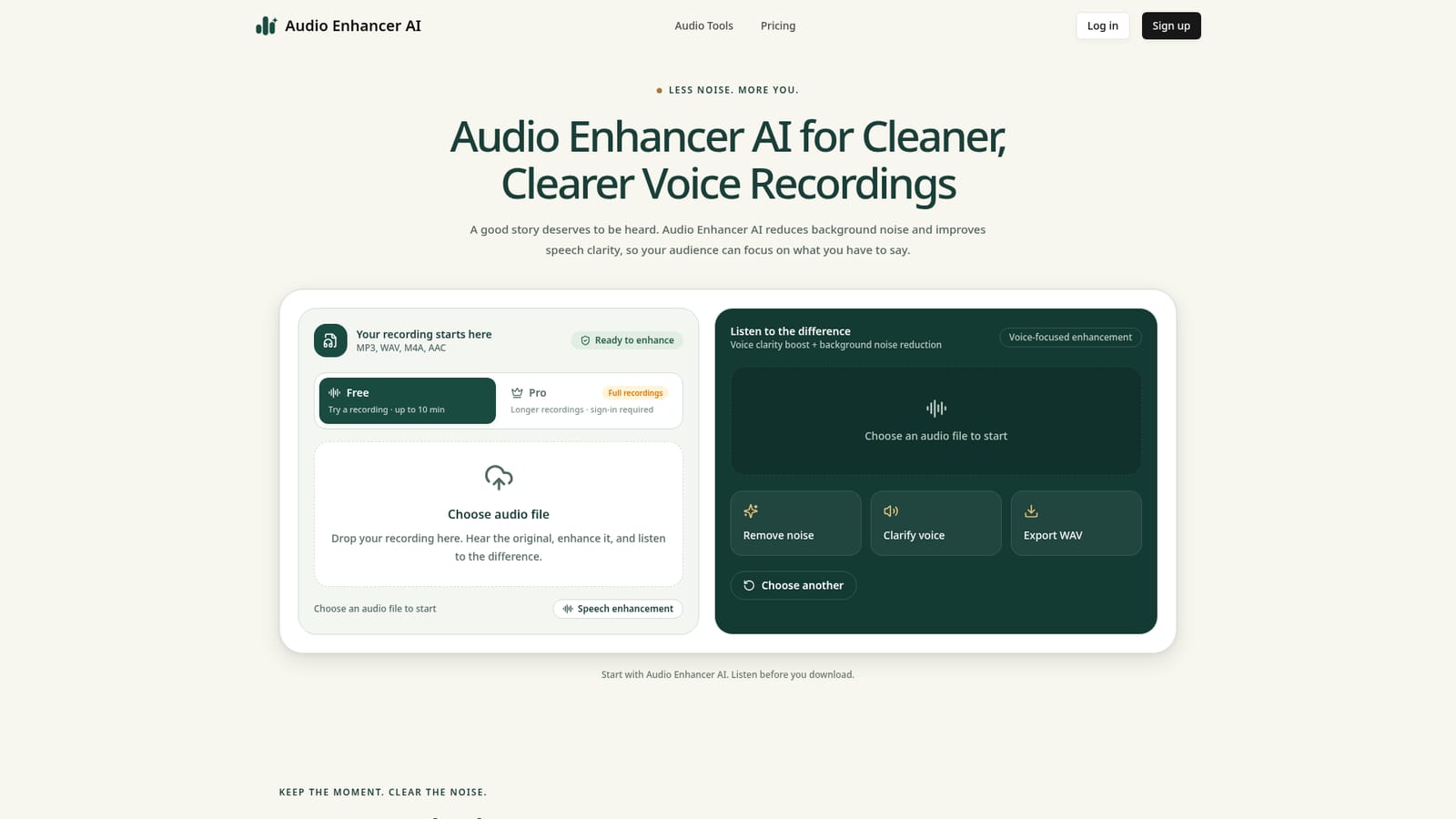
Screenshot of Audio Enhancer AI, Strips background noise and sharpens speech in podcasts, voice notes and voiceovers

What is Audio Enhancer AI?

Audio Enhancer AI is an audio editing tool. Audio Enhancer AI reduces background noise and sharpens speech clarity in podcasts, interviews, voice notes, and voiceovers, with free in-browser processing and a paid cloud tier for longer files.

Audio Enhancer AI is a browser based tool built to clean up spoken word recordings. It targets two specific problems: background noise (fan hum, hiss, room tone) and muddy or unclear speech. Rather than trying to be a full audio workstation, it focuses narrowly on making voice recordings easier to listen to, and it explicitly does not generate synthetic voices, master music, or separate stems. The tool is aimed at people who record spoken audio as part of their work but are not audio engineers: podcasters, interviewers, course creators, people capturing lectures, and anyone who voices over video content. It also suits casual use cases like cleaning up a voice memo or an old phone recording before sharing it. Because the workflow has no plugins, mixers, or technical settings to configure, it is accessible to someone with no prior audio editing experience. In practice, a user drops in an MP3, WAV, M4A, or AAC file, lets the tool process it, then compares the original and enhanced playback side by side before deciding whether to keep the result. The free tier runs locally in the browser and is capped at 10 minute recordings, which keeps short clips private and fast. Audio Enhancer AI Pro adds cloud processing for longer files (up to 300 MB) with no fixed duration limit, though it requires an account and each cloud job has a 15 second minimum processing charge. Output is always exported as WAV. Compared with general purpose audio editors or digital audio workstations, Audio Enhancer AI trades flexibility for simplicity: it will not master a song or isolate instruments, but for a single task, cleaning up spoken audio before an edit or upload, it removes the need to learn a more complex tool. It fits best as an early step in a workflow, ahead of video editing, episode assembly, or narration mixing.

How do you use Audio Enhancer AI?

  1. 1Upload your recording
    Choose an MP3, WAV, M4A, or AAC file from your device to start the enhancement process on the homepage.
    Audio Enhancer AI — Upload your recording
  2. 2Run the enhancement
    Let the tool reduce background noise and improve speech clarity automatically; for recordings under 10 minutes this happens locally in the browser.
  3. 3Compare original and enhanced playback
    Listen to both versions side by side on the same phrase to judge whether the enhancement actually improves clarity for your recording.
  4. 4Download the cleaned WAV
    Save the enhanced version as a WAV file to use in your podcast edit, course video, or voiceover project.
  5. 5Upgrade to Pro for longer files
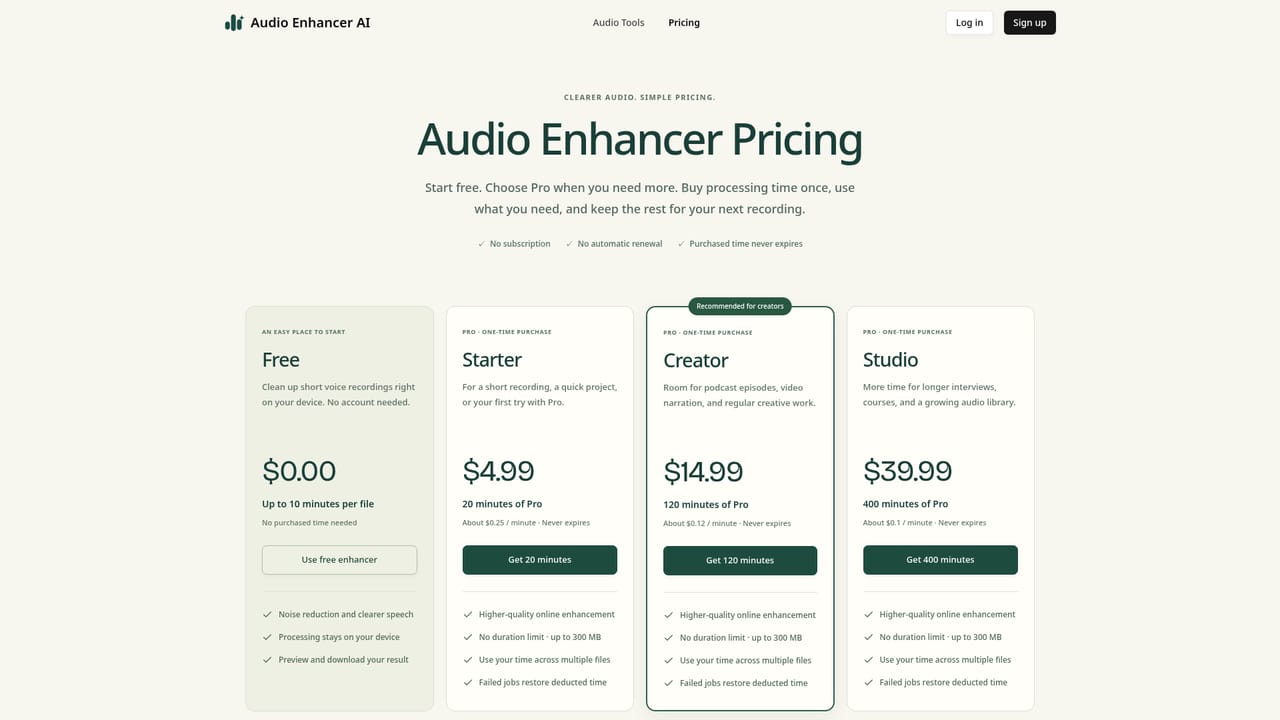
    For recordings over 10 minutes or up to 300 MB, sign in and use Pro cloud processing, reviewing pricing details beforehand.
    Audio Enhancer AI — Upgrade to Pro for longer files

Pros and cons

Pros

  • Lets you preview original versus enhanced audio before committing to a downloadAI
  • Works directly in the browser for short recordings with no account neededAI
  • Simple three step workflow with no mixers, plugins, or technical settings to learnAI
  • Accepts common spoken audio formats (MP3, WAV, M4A, AAC) and exports clean WAV filesAI

Cons

  • Free tier is capped at 10 minute recordings and limited to mono, 16 kHz outputAI
  • Not built for music, singing, or stem separation, and may alter musical audio if used that wayAI
  • Heavy echo, clipping, overlapping voices, or speech buried deep in noise may remain unclearAI
  • No direct video file support; audio must be exported from video and re-imported after processingAI
  • Pro cloud processing requires sign-in and uploading audio, which some privacy conscious users may avoidAI

How much does Audio Enhancer AI cost?

Pricing

Audio Enhancer AI is free for browser based recordings up to 10 minutes. Pro supports cloud processing for files up to 300 MB with no fixed duration cap, requires sign-in, and bills cloud jobs with a 15 second minimum processing time.

Learn more

Support

Support is available through a contact page and an email contact link; a changelog page documents product updates.

Learn more

Features

Reduces background noise and sharpens speech clarity in spoken audio; accepts MP3, WAV, M4A, and AAC; exports WAV; offers side by side original versus enhanced playback comparison; dedicated tools for podcasts, voiceovers, voice memos, and general noise removal.

Learn more

Frequently asked questions about Audio Enhancer AI

  • How much does Audio Enhancer AI cost?
    Audio Enhancer AI is free for browser based recordings up to 10 minutes. Pro supports cloud processing for files up to 300 MB with no fixed duration cap, requires sign-in, and bills cloud jobs with a 15 second minimum processing time.
  • How do you use Audio Enhancer AI?
    The walkthrough on this page covers 5 steps: 1. Upload your recording 2. Run the enhancement 3. Compare original and enhanced playback 4. Download the cleaned WAV 5. Upgrade to Pro for longer files.
  • What platforms does Audio Enhancer AI support?
    Audio Enhancer AI is available on Web App.
  • What are the limitations of Audio Enhancer AI?
    Free tier is capped at 10 minute recordings and limited to mono, 16 kHz output. Not built for music, singing, or stem separation, and may alter musical audio if used that way. Heavy echo, clipping, overlapping voices, or speech buried deep in noise may remain unclear.

Status

StatusActive
Views0
Outbound clicks0
Added10/17/2026

Platforms

Web App

Pricing

FreeFreemiumPaid