AutoReach

Autonomous AI SDR that finds and qualifies B2B leads while you sleep.

Beginner API
Screenshot of AutoReach, Autonomous AI SDR that finds and qualifies B2B leads while you sleep

What is AutoReach?

AutoReach is an AI task generator tool. AutoReach runs a continuous agent that finds local businesses, scores each lead 1-10, drafts personalized emails and call scripts, and learns from your approvals. Credit pricing starts at $5, with monthly plans from $29.

AutoReach is a continuous, agentic lead generation tool built for B2B sales teams, agencies, and founders who need a steady flow of qualified prospects without manual list building. Its agent runs in cycles: it searches Google Places for local businesses, scans each company website for contact details and business intel, assigns a 1-10 quality score, and drafts a personalized email plus a call script for every lead that clears your threshold. You set the target location, your product offering, the quality bar, and a credit budget, then choose single-run or continuous mode. In conditional mode the agent pauses only when it is uncertain, letting you approve, reject, or trust its recommendations. The learning loop is the core differentiator. Every thumbs up or down, and every per-lead approve or reject during review, becomes training data. The agent builds memory of the business types you prefer and varies its search queries each cycle to surface more of the same. A live dashboard streams every action, while a separate analytics view breaks down pipeline value, reply sentiment, credit spend by stage, and email A/B test results. A built-in chat assistant answers plain-English questions about your leads, workflows, and credit usage at 1 credit per message. Pricing is credit-based. Subscriptions run from $29/mo for 300 credits to $199/mo for 5,000, and pay-as-you-go packs start at $5 for 50 credits. Credits never expire, and each action has a fixed cost: 1 credit for a search, qualify, email draft, call script, or chat message, 2 credits for a website scan. The homepage claims a per-qualified-lead cost around $0.07, a fraction of traditional data providers or an SDR hire. Compared with Apollo or ZoomInfo, AutoReach is lighter on database breadth and heavier on autonomous execution and personalization, so it suits teams that already know their ideal customer profile and want outreach drafted for them.

How do you use AutoReach?

  1. 1Create your account
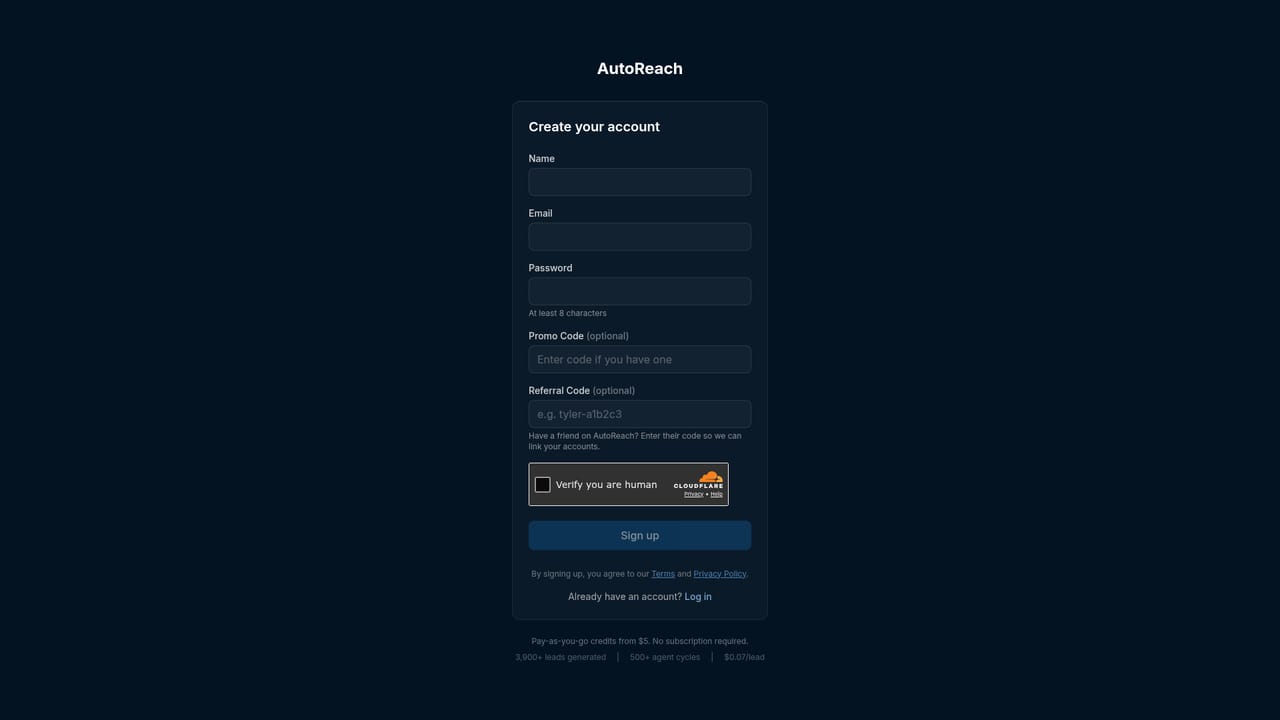
    Register on the AutoReach site with your email. After sign-in you land on the dashboard where workflows and credits are managed.
    AutoReach — Create your account
  2. 2Configure the agent
    Set your search query, target location, product offering, quality threshold, and a maximum credit budget. Pick single-run or continuous mode.
  3. 3Watch the first cycle
    Open the live agent view to follow each stage: business search, website scan, AI qualification, outreach drafting, and sending. The status panel shows credit usage in real time.
  4. 4Review and teach
    In conditional mode the agent pauses on uncertain leads. Approve or reject each one; every decision is stored and feeds the agent's memory.
  5. 5Inspect the reasoning
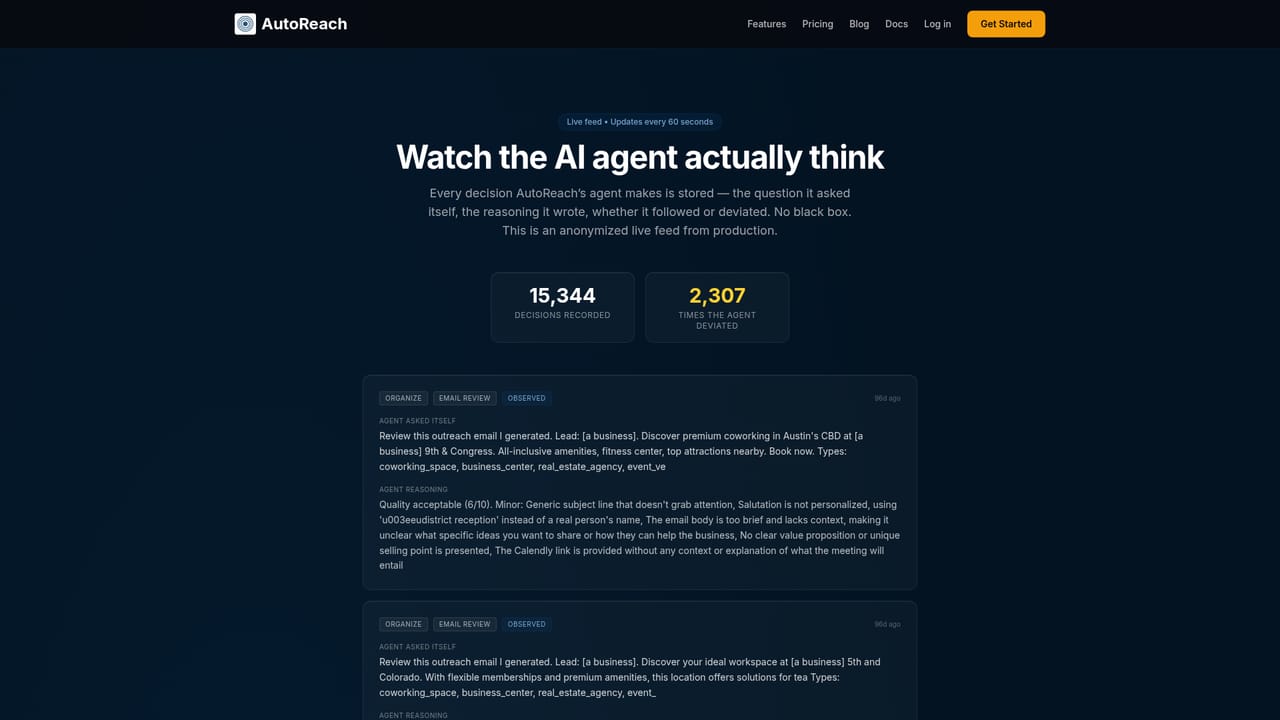
    Use the agent thinking feed to read the stored rationale behind each decision, including flagged weaknesses in drafted emails, so you can refine the setup.
    AutoReach — Inspect the reasoning
  6. 6Track results and scale
    Check the analytics dashboard for pipeline value, reply sentiment, and credit spend by stage. Adjust the budget or move to continuous mode as the accept rate improves.

Pros and cons

Pros

  • Continuous agent mode keeps sourcing and qualifying leads cycle after cycle without manual runs.AI
  • Per-lead quality scoring with an adjustable threshold filters weak prospects before you spend on outreach.AI
  • The learning loop turns simple approve or reject decisions into better search queries and scoring over time.AI
  • Credit budget controls stop workflows automatically, so spend cannot run past a set limit.AI
  • Transparent per-action credit costs (1 to 2 credits) make cost per lead easy to forecast.AI

Cons

  • Sourcing is limited to Google Places, so non-local or enterprise B2B segments may be poorly covered.AI
  • Drafted emails need review before sending, as the agent itself flags issues like generic personalization and missing social proof.AI
  • Credit-based pricing can be hard to predict for high-volume teams; a 100-lead pipeline with scans and drafts consumes several hundred credits.AI
  • CRM integrations and API access are gated to higher tiers, which limits starter users.AI
  • No free tier is documented; access starts with a $5 credit pack.AI

How much does AutoReach cost?

Pricing

Credit-based. Monthly plans: Starter $29/mo for 300 credits, Growth $79/mo for 1,500 credits, Scale $199/mo for 5,000 credits. Pay-as-you-go packs: 50 credits for $5, 200 for $15, 1,000 for $49; credits never expire. Actions cost 1 credit (search, qualify, email draft, call script, chat) or 2 credits (website scan).

Learn more

Support

Email support is included on Starter, with priority support on Growth and dedicated support on Scale. No other support channels are detailed on the homepage.

Integrations

CRM integrations are listed on the Growth plan and API plus MCP access on the Scale plan; the homepage does not name specific CRM vendors or endpoints.

Features

Continuous agent mode, AI lead scoring (1-10) with auto-filtering, website intel scans, AI email drafts and call scripts, agent memory that learns from approvals, configurable human-in-the-loop (autonomous, manual, conditional), credit budget caps, live agent dashboard, analytics with reply sentiment and A/B tests, and a pipeline-aware chat assistant.

Frequently asked questions about AutoReach

  • How much does AutoReach cost?
    Credit-based. Monthly plans: Starter $29/mo for 300 credits, Growth $79/mo for 1,500 credits, Scale $199/mo for 5,000 credits. Pay-as-you-go packs: 50 credits for $5, 200 for $15, 1,000 for $49; credits never expire. Actions cost 1 credit (search, qualify, email draft, call script, chat) or 2 credits (website scan).
  • Does AutoReach have an API?
    Yes, AutoReach offers an API.
  • How do you use AutoReach?
    The walkthrough on this page covers 6 steps: 1. Create your account 2. Configure the agent 3. Watch the first cycle 4. Review and teach 5. Inspect the reasoning 6. Track results and scale.
  • What platforms does AutoReach support?
    AutoReach is available on Web App.
  • What does AutoReach integrate with?
    CRM integrations are listed on the Growth plan and API plus MCP access on the Scale plan; the homepage does not name specific CRM vendors or endpoints.
  • What are the limitations of AutoReach?
    Sourcing is limited to Google Places, so non-local or enterprise B2B segments may be poorly covered. Drafted emails need review before sending, as the agent itself flags issues like generic personalization and missing social proof. Credit-based pricing can be hard to predict for high-volume teams; a 100-lead pipeline with scans and drafts consumes several hundred credits.

Status

StatusActive
Views0
Outbound clicks0
Added10/21/2026

Platforms

Web App

Pricing

PaidSubscription