Support
Developer documentation covers integration overviews and platform specific guides for web, Unity, Unreal, iOS and Android. Business enquiries go through a contact form linked from the homepage.
Learn moreTurn a selfie into a realistic, rigged 3D avatar you can export anywhere
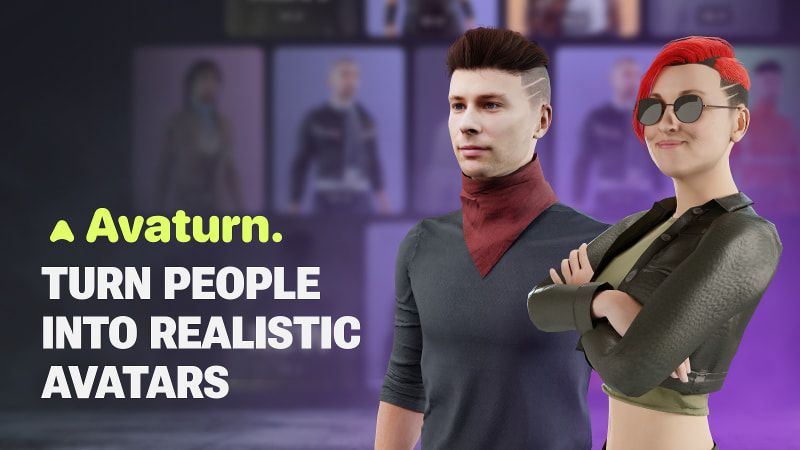
Avaturn is an avatar presentation tool that turns a selfie into a realistic, rigged 3D avatar you can export anywhere. Avaturn converts a selfie into a realistic, rigged 3D avatar with ARKit blendshapes, over 10,000 customization combinations, and export to Blender, Unity, Unreal and other 3D tools, plus SDK plugins for embedding avatar creation inside games and apps.
Avaturn is a browser based 3D avatar creator built around a single idea: a photograph is enough to produce a recognizable, realistic digital double. Users upload a selfie, and the platform's generative AI reconstructs a 3D head and body that keeps the person's likeness rather than drifting into a generic mannequin. From there, a customization layer covers body types, hairstyles, clothing and accessories, and the company states that more than 10,000 distinct looks can be assembled from those options. The result is an avatar that feels like the user rather than a costume. The practical value shows up in how avatars leave the platform. Finished models export as 3D files and load into Blender, Unity, Unreal Engine, Maya, Cinema4D or any other 3D environment. Each avatar ships with a standard humanoid body rig, ARKit blendshapes and visemes, so facial expression and lip sync work without extra rigging. That makes the output compatible with Mixamo animation libraries and with VTubing software, which widens the audience beyond game studios to streamers, motion capture users and animation teams. For product builders, Avaturn also works as an embedded component. A plugin opens at runtime inside a game or app, the player creates an avatar from a selfie, and the session loads that character back in, which lets titles replace generic placeholders with the player's own face. SDKs and API references are documented for web, Unity, Unreal, iOS and Android. The main audience is therefore split between individuals who want a personal 3D likeness and developers who need an avatar pipeline without building one in house. Compared with generic character generators, Avaturn trades stylistic range for likeness and pipeline readiness: it is less a toy for cartoon avatars and more a production step between a photo and a rigged asset. Teams that need stylized or non-human characters may find the humanoid focus limiting, and anyone working offline will notice the web dependency. The cost of entry is low, with the creation hub reachable directly from the site.
Developer documentation covers integration overviews and platform specific guides for web, Unity, Unreal, iOS and Android. Business enquiries go through a contact form linked from the homepage.
Learn morePlugins and SDKs embed avatar creation at runtime for games and apps, with documented integration for web, Unity, Unreal Engine, iOS and Android, plus an API covered in the developer docs.
Learn moreSelfie to 3D avatar generation with preserved likeness, customization across body types, hairstyles, clothes and accessories with more than 10,000 possible looks, and export as a 3D model for Blender, Unity, Unreal Engine, Maya, Cinema4D and similar environments. Avatars include a standard humanoid rig, ARKit blendshapes and visemes, working with Mixamo animations and VTubing software.
 AI Angels400+ customizable AI girlfriends for NSFW chat, voice calls, and roleplay
 Candy AIExperience the future of companionship with AI friends who chat, role-play, and connect with you on a human level.
 ourdream.aiA vast AI roleplay platform with millions of characters for chat, images, video and voiceAI Angels400+ customizable AI girlfriends for NSFW chat, voice calls, and roleplayCandy AIExperience the future of companionship with AI friends who chat, role-play, and connect with you on a human level.ourdream.aiA vast AI roleplay platform with millions of characters for chat, images, video and voice