Free trial
A 14-day Pro trial requires no card. The Free tier is permanent and includes every artefact type, input modality and integration export, limited to 3 lifetime generations and 1 project.
Learn moreTurns meeting talk into Jira-ready stories, bugs and decisions
Own Backlog.cloud? Verify ownership to get a dofollow link

Backlog.cloud is an AI summarizer tool that turns meeting talk into Jira-ready stories, bugs and decisions. Meeting bot and artefact generator for agile teams: it joins Zoom, Teams or Meet calls, applies ceremony-specific extraction rules, and outputs sourced user stories, bugs, decisions, RAID entries and process models directly into Jira, Azure DevOps, Linear, GitHub, Notion or ClickUp.
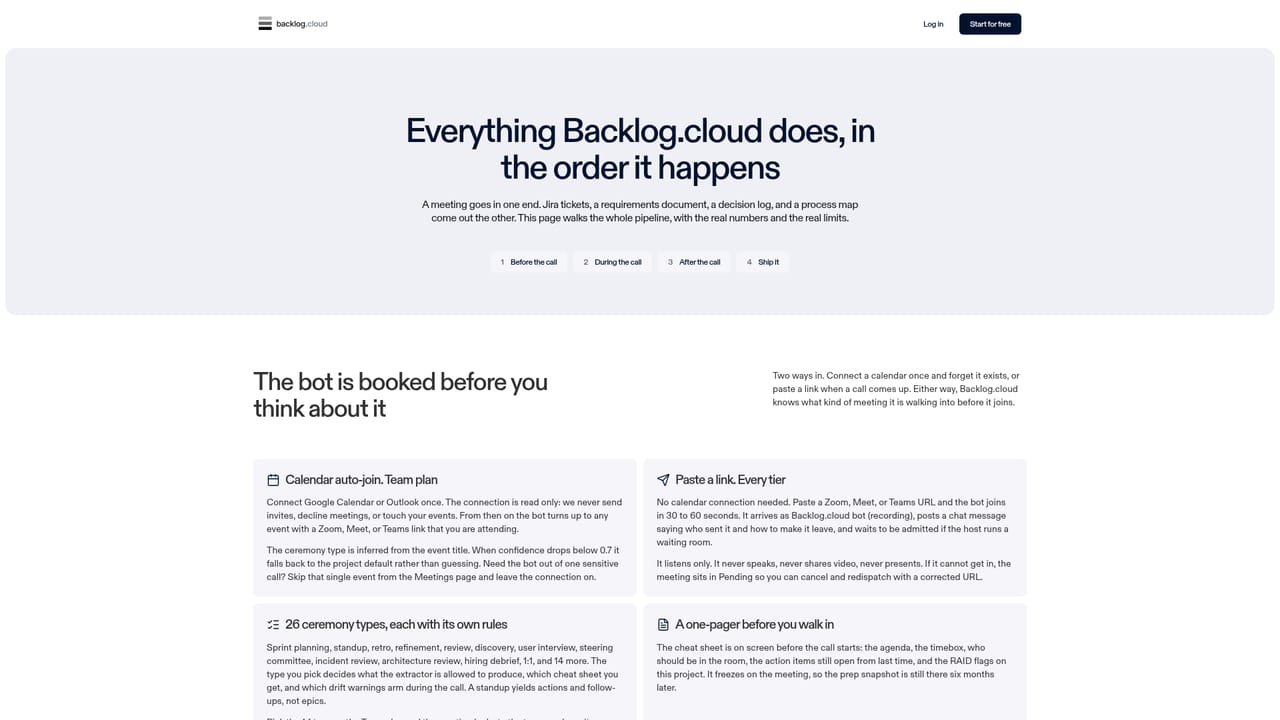
Backlog.cloud is a meeting intelligence tool aimed at delivery teams, not at general note taking. It joins a Zoom, Google Meet or Microsoft Teams call through a paste-link bot and produces structured work items rather than a transcript summary: user stories with acceptance criteria, bugs, tasks, epics, spikes, requirements, a RAID log, decisions, actions, minutes and BPMN process models. Output is pushed into Jira, Azure DevOps, Linear, GitHub Issues, Notion or ClickUp with field mapping and correctly formatted descriptions, and can also be exported as multi-sheet XLSX, per-platform CSV archives, Word documents or .bpmn files. The distinguishing idea is ceremony awareness. Before the bot joins, the user picks from 26 meeting types (standup, planning, refinement, retro, post-mortem, bug triage, PI planning, 1:1 and others), each with its own extraction rules. A retro yields themes and improvement actions, while a post-mortem yields decisions, RAID entries and a timeline. A pre-meeting one-pager shows the agenda, time-box, carried-over action items and what the bot will and will not capture. During the call a sidebar ticks off agenda steps and flags drift, such as no blockers raised by minute eight or a retrospective with no improvement named. Grounding is handled per artefact: every item carries a source quote from the transcript and a confidence rating, and a second verifier pass discards items whose quote does not appear in the transcript. Anything rated low is flagged for review before it is pushed. Meetings are contractually excluded from AI training, and the vendor describes TLS in transit, AES-256 at rest and SOC 2 Type 2 infrastructure. Backlog.cloud fits teams already committed to an agile backlog tool and willing to pay per seat for automation around it. Buyers who just want a searchable meeting archive will find it heavy, and the ceremony picker only pays off if the team genuinely runs those formats.
A 14-day Pro trial requires no card. The Free tier is permanent and includes every artefact type, input modality and integration export, limited to 3 lifetime generations and 1 project.
Learn moreFree: £0, 3 lifetime generations, 1 project, no card. Pro: £18/month billed annually (£24 monthly), 50 finished backlogs a month, 15 bot hours, 20 projects. Team: £22/user/month annually (£29 monthly), unlimited generations, pooled bot hours, calendar auto-join and 1:1 privacy mode. Enterprise is quoted on request. Prices exclude VAT.
Learn moreAn always-on help chatbot grounded in the in-product docs is available and does not consume generation quota. Enterprise adds a signed DPA, a customer DPIA pack and a named support contact, with API and SLA scoped per contract. General enquiries go to support@backlog.cloud.
Output pushes to Jira Cloud (ADF descriptions), Azure DevOps, Linear, GitHub Issues, Notion and ClickUp, with CSV per platform and XLSX or Word downloads. Inputs come from Zoom, Google Meet, Microsoft Teams, and on Team, Google Calendar and Outlook auto-join.
Learn more26 ceremony types with distinct extraction rules, a pre-meeting cheat sheet, live agenda tracking and drift alerts, 12 artefact types (stories, bugs, tasks, epics, spikes, requirements, RAID, decisions, actions, minutes, process model, discovery pack), source quotes and high/medium/low confidence on every item, a second verifier pass, retagging after the fact, and exports to six backlog tools plus XLSX, CSV, Word and BPMN.
Learn more AI Angels400+ customizable AI girlfriends for NSFW chat, voice calls, and roleplay
 Candy AIExperience the future of companionship with AI friends who chat, role-play, and connect with you on a human level.
 ourdream.aiA vast AI roleplay platform with millions of characters for chat, images, video and voiceAI Angels400+ customizable AI girlfriends for NSFW chat, voice calls, and roleplayCandy AIExperience the future of companionship with AI friends who chat, role-play, and connect with you on a human level.ourdream.aiA vast AI roleplay platform with millions of characters for chat, images, video and voice


