Free trial
A Try for free button on the homepage leads to the creation page. The limits of the free use are not described on the homepage.
Learn morePreview new haircuts on your own selfie before visiting the barber
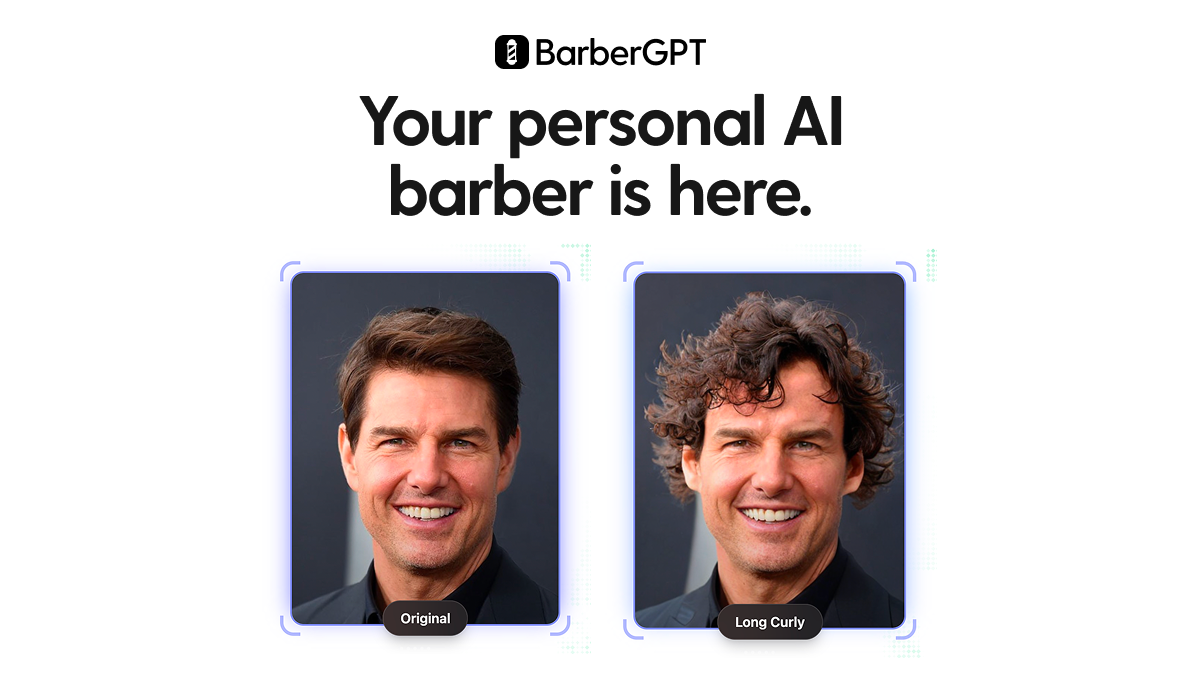
BarberGPT is a web app that turns an uploaded selfie into a preview of a new hairstyle. Users upload a photo, choose a style, and get an AI-generated result, which helps them judge a cut before sitting in a barber's chair.
BarberGPT is a web-based hairstyle visualizer that takes a selfie and shows how the person might look with a different cut. The idea is simple: instead of describing a haircut to a stylist and hoping the result matches, a user can see a rendered version of the style on their own face first. The homepage frames it as a personal AI barber, and it leans on before-and-after examples, including a celebrity demo with a middle-part style, to show the kind of output to expect. The workflow has four stages. A user uploads a selfie, picks a style, waits while the AI generates the transformation, and then reviews the result. The site's FAQ topics point to practical details such as supported hair types and lengths, the range of hairstyles that can be generated, how to upload an image, why an output may not match expectations, data security, and whether results can be saved or shared. The answers themselves are not shown on the homepage, so buyers should read them on the site before relying on specifics. The audience is mostly people weighing a visible change: someone with long hair considering a short cut, someone thinking about cutting dreads, or someone curious how a different style would look. The testimonials on the page follow that pattern, with customers describing the tool as a way to build confidence before committing. It also works as a light, shareable novelty, as one reviewer used it to show a spouse how they would look with hair. Among alternatives, BarberGPT is narrower than general image editors and generative image tools. It does not try to be a full photo studio; it focuses on one job, hair, and wraps it in a short guided flow that needs no editing skill or prompt writing. That focus makes it quick to try, though it also means anyone wanting broader retouching, outfit changes or background work will need a different product. The site reports a user base above 1.6 million and a 4.9 out of 5 rating, figures that come from the vendor itself.
A Try for free button on the homepage leads to the creation page. The limits of the free use are not described on the homepage.
Learn moreThe homepage offers a Try for free button but does not list plan prices. Testimonials mention a verified purchase, which suggests paid access, and the FAQ includes a question about costs, but the answer is not shown.
Learn moreThe homepage FAQ lists questions about errors, mismatched outputs and data security, but no support channel such as email or chat is shown.
Selfie upload, a choice of hairstyles, AI-generated before-and-after transformations, and a four-step flow from upload to results. The FAQ also references hair types and lengths, saving and sharing results, and troubleshooting.
 AI Angels400+ customizable AI girlfriends for NSFW chat, voice calls, and roleplay
 Candy AIExperience the future of companionship with AI friends who chat, role-play, and connect with you on a human level.
 ourdream.aiA vast AI roleplay platform with millions of characters for chat, images, video and voiceAI Angels400+ customizable AI girlfriends for NSFW chat, voice calls, and roleplayCandy AIExperience the future of companionship with AI friends who chat, role-play, and connect with you on a human level.ourdream.aiA vast AI roleplay platform with millions of characters for chat, images, video and voice