Hairstyle Changer by LEMONO AI

Preview new hairstyles on your own portrait photo in the browser

Beginner
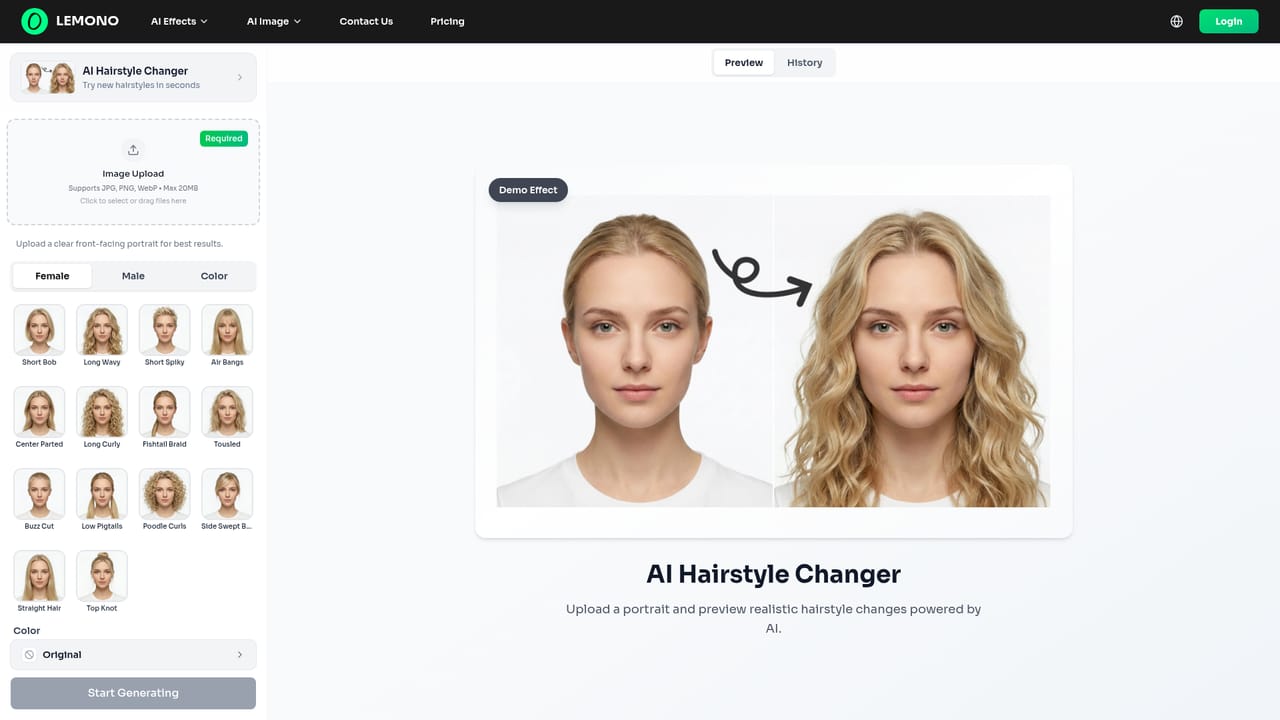
Screenshot of Hairstyle Changer by LEMONO AI, Preview new hairstyles on your own portrait photo in the browser

What is Hairstyle Changer by LEMONO AI?

Hairstyle Changer by LEMONO AI is an image editing tool. Hairstyle Changer is a LEMONO AI photo effect that previews new hairstyles on an uploaded portrait. It runs in the browser alongside the platform's clothes, background, video and image generation tools.

Hairstyle Changer is the AI photo effect inside LEMONO AI, a web platform that bundles video effects, photo editing and image generation. The tool takes an uploaded portrait and renders a preview of how a different hairstyle would look on the same person, so users can test a cut or style before committing to it in real life or before using it in a creative project. The workflow is built around a single photo. A user opens the hairstyle page, uploads a portrait, picks the style they want to see, and receives a generated image. LEMONO AI describes the results as realistic previews, and the same interface logic is shared with its other photo tools such as the clothes changer, teeth whitening and background changer. Because everything sits under one account, someone can run a hairstyle preview, swap the background, and then animate the result with one of the video effects without moving to another service. The homepage FAQ addresses registration, watermarks on exports, asset storage and commercial use, but the answers are not visible in the source, so those details need to be checked on the site itself. The audience is mostly casual and social users who want to experiment with their look, along with creators who need quick portrait variations for posts, thumbnails or character concepts. Salon-style consultation use is plausible, though nothing on the page positions it as a professional styling product. It is also not a general retouching suite: the focus is on one transformation, applied to a supplied portrait. Among alternatives, Hairstyle Changer competes with dedicated virtual try-on apps and with general image editors that offer hair edits as one feature among many. Its distinguishing point is breadth under one roof: photo effects, image-to-image redrawing, text-to-image generation and several video effect generators live on the same platform. Buyers who only need hair previews may find single-purpose apps simpler, while those who want to chain several AI effects will find the bundled approach more convenient.

How do you use Hairstyle Changer by LEMONO AI?

  1. 1Open the hairstyle changer page
    Go to the AI Hairstyle Changer page on LEMONO AI. It is listed under AI Photo Effects on the homepage.
    Hairstyle Changer by LEMONO AI — Open the hairstyle changer page
  2. 2Upload a clear portrait
    Choose a portrait photo where the face and current hair are clearly visible. Well-lit, front-facing images tend to give the AI more to work with.
  3. 3Select the style to preview
    Pick the hairstyle you want to try from the options the page offers, then start the generation.
  4. 4Review and compare results
    Check the generated preview against the original photo and rerun with a different style if the result is not what you wanted.
  5. 5Extend the image with other tools
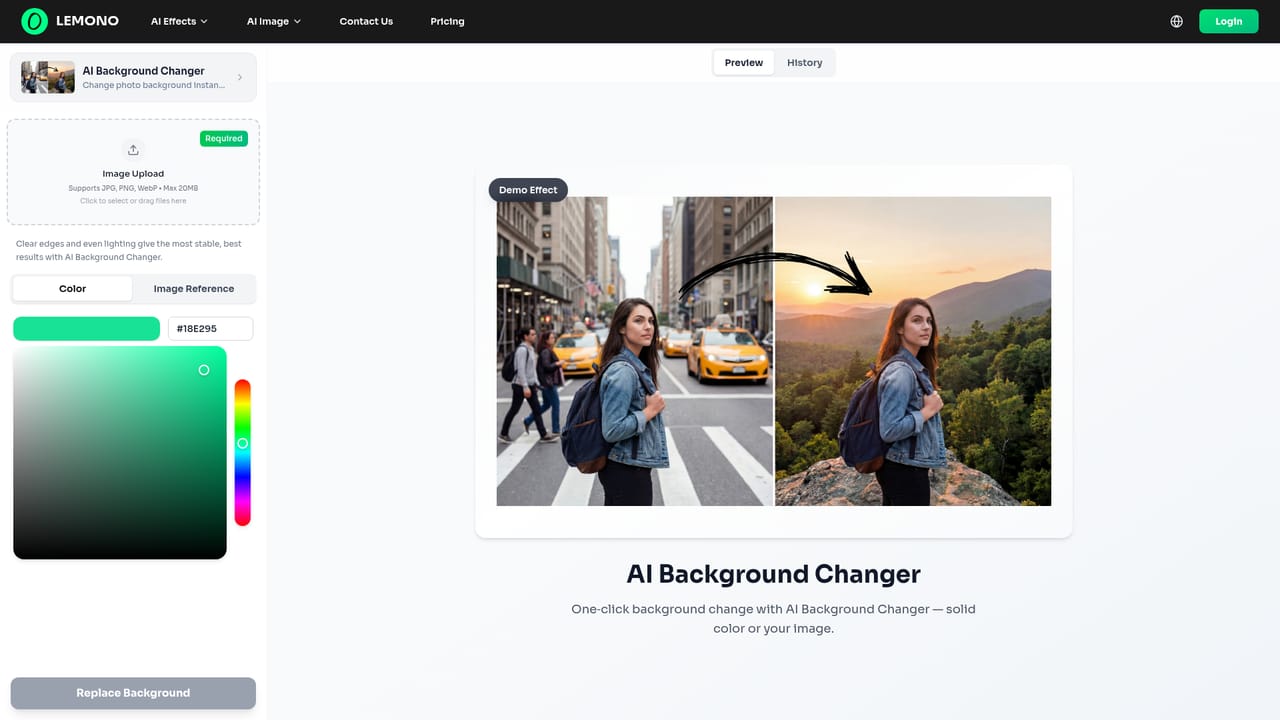
    Use the background changer or image-to-image tool to continue editing the result for social posts or creative projects.
    Hairstyle Changer by LEMONO AI — Extend the image with other tools

Pros and cons

Pros

  • Focused single-photo workflow: upload a portrait and get a hairstyle previewAI
  • Sits alongside clothes, teeth, background and Ghibli effects on one platformAI
  • Can be combined with image-to-image, text-to-image and video effects for follow-up workAI
  • Browser-based, so no software installation is describedAI
  • Homepage positions the platform as fast and aimed at creatorsAI

Cons

  • Homepage does not show pricing, plan limits or credit costs for this toolAI
  • Watermark, registration and commercial-use answers are collapsed FAQ items with no visible textAI
  • No stated control over hair color, length or style libraries on the homepageAI
  • Platform mixes many unrelated effects, so it is less specialized than a dedicated hair try-on appAI
  • No API, integrations or mobile apps are mentionedAI

How much does Hairstyle Changer by LEMONO AI cost?

Features

Realistic hairstyle previews from an uploaded portrait. The wider LEMONO AI platform adds clothes changing, teeth whitening, background changing, Ghibli-style conversion, image-to-image, text-to-image and several AI video effect generators.

Learn more

Frequently asked questions about Hairstyle Changer by LEMONO AI

  • How do you use Hairstyle Changer by LEMONO AI?
    The walkthrough on this page covers 5 steps: 1. Open the hairstyle changer page 2. Upload a clear portrait 3. Select the style to preview 4. Review and compare results 5. Extend the image with other tools.
  • What platforms does Hairstyle Changer by LEMONO AI support?
    Hairstyle Changer by LEMONO AI is available on Web App.
  • What are the limitations of Hairstyle Changer by LEMONO AI?
    Homepage does not show pricing, plan limits or credit costs for this tool. Watermark, registration and commercial-use answers are collapsed FAQ items with no visible text. No stated control over hair color, length or style libraries on the homepage.

Status

StatusActive
Views0
Outbound clicks0
Added10/18/2026

Platforms

Web App

Pricing

Freemium