Support
The homepage shows a chat widget for reaching the team, but no help centre, documentation or email contact is listed.
Trained on your photos, delivering 72 themed shots a week

beb.ai is an AI influencers tool. beb.ai trains an AI model on 20 to 30 uploaded photos of a person or product, then delivers 72 new themed images every week across 9 backgrounds. Aimed at marketers and small brands that want consistent visuals without design skills.
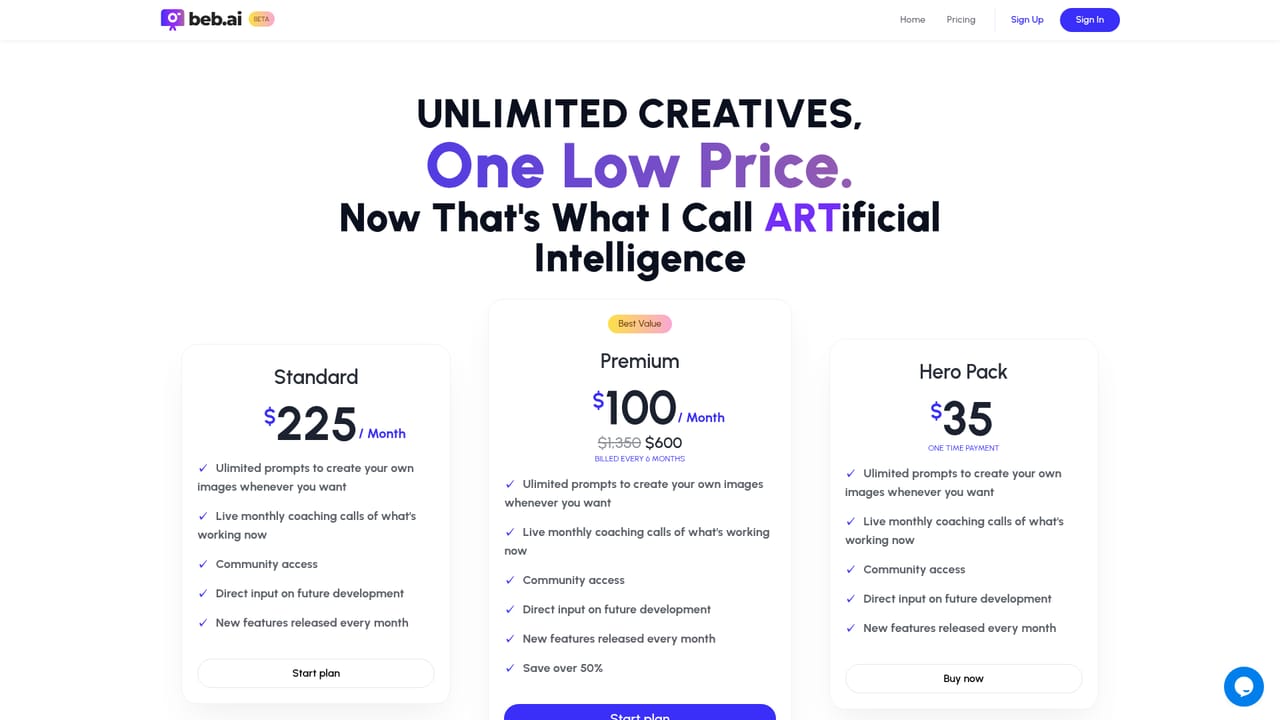
beb.ai is a photo generation service built around a single, narrow promise: you hand over photos of a person or a product, and the system learns what that subject looks like, then produces new images of it in situations you never actually photographed. The site frames the output around marketing use cases (social posts, ads, campaign material, holiday cards) while making clear that vanity projects and general entertainment are equally valid reasons to use it. The workflow is deliberately short. You upload roughly 20 to 30 photos, and the site asks for variety rather than polish: different locations, different camera angles, different facial expressions and emotions. That spread is what gives the model enough signal to reproduce the subject convincingly later. Training then runs on beb.ai's side and can take up to 24 hours. Once it finishes, the product settles into a weekly rhythm: 72 new photos arrive each week, spread across 9 different themes and 9 different backgrounds. There is no prompt box to wrestle with and no design software to learn, which is the core of the pitch. The homepage pushes this hard with the line that zero design skills are required, and the customer quotes it displays lean on the same idea: looking polished without hiring a designer. The obvious audience is small business owners, solo marketers, coaches and creators who need a steady stream of on-brand imagery but have neither a photographer nor a retoucher on call. Product variants are supported too, since the site describes the AI as learning the unique features of your product, not just your face. Compared with prompt driven image generators, beb.ai trades flexibility for consistency: you cannot ask for an arbitrary scene through text, but you get a repeating, scheduled supply of shots of the same subject. That makes it closer to a subscription photo studio than to a general purpose image tool. The site is thin on specifics. Pricing figures, plan tiers and cancellation terms are not stated on the homepage, so the linked pricing page is the place to check before committing. Training also means uploading personal or product imagery to a third party, which deserves a look at the terms.
The homepage shows a chat widget for reaching the team, but no help centre, documentation or email contact is listed.
Upload 20 to 30 varied photos of a person or a product, and beb.ai trains a model on the subject's distinctive features, which the site says can take up to 24 hours. After training, subscribers get 72 new photos every week across 9 themes and 9 backgrounds. Suggested uses include social posts, pattern interrupt ads, campaign material and holiday cards.
 AI Angels400+ customizable AI girlfriends for NSFW chat, voice calls, and roleplay
 Candy AIExperience the future of companionship with AI friends who chat, role-play, and connect with you on a human level.
 ourdream.aiA vast AI roleplay platform with millions of characters for chat, images, video and voiceAI Angels400+ customizable AI girlfriends for NSFW chat, voice calls, and roleplayCandy AIExperience the future of companionship with AI friends who chat, role-play, and connect with you on a human level.ourdream.aiA vast AI roleplay platform with millions of characters for chat, images, video and voice