Free trial
A free trial is offered: the homepage includes a Start a Free Trial link that opens the monthly plan flow.
Learn moreMulti-model AI coding workspace with a built-in IDE and instant deploy

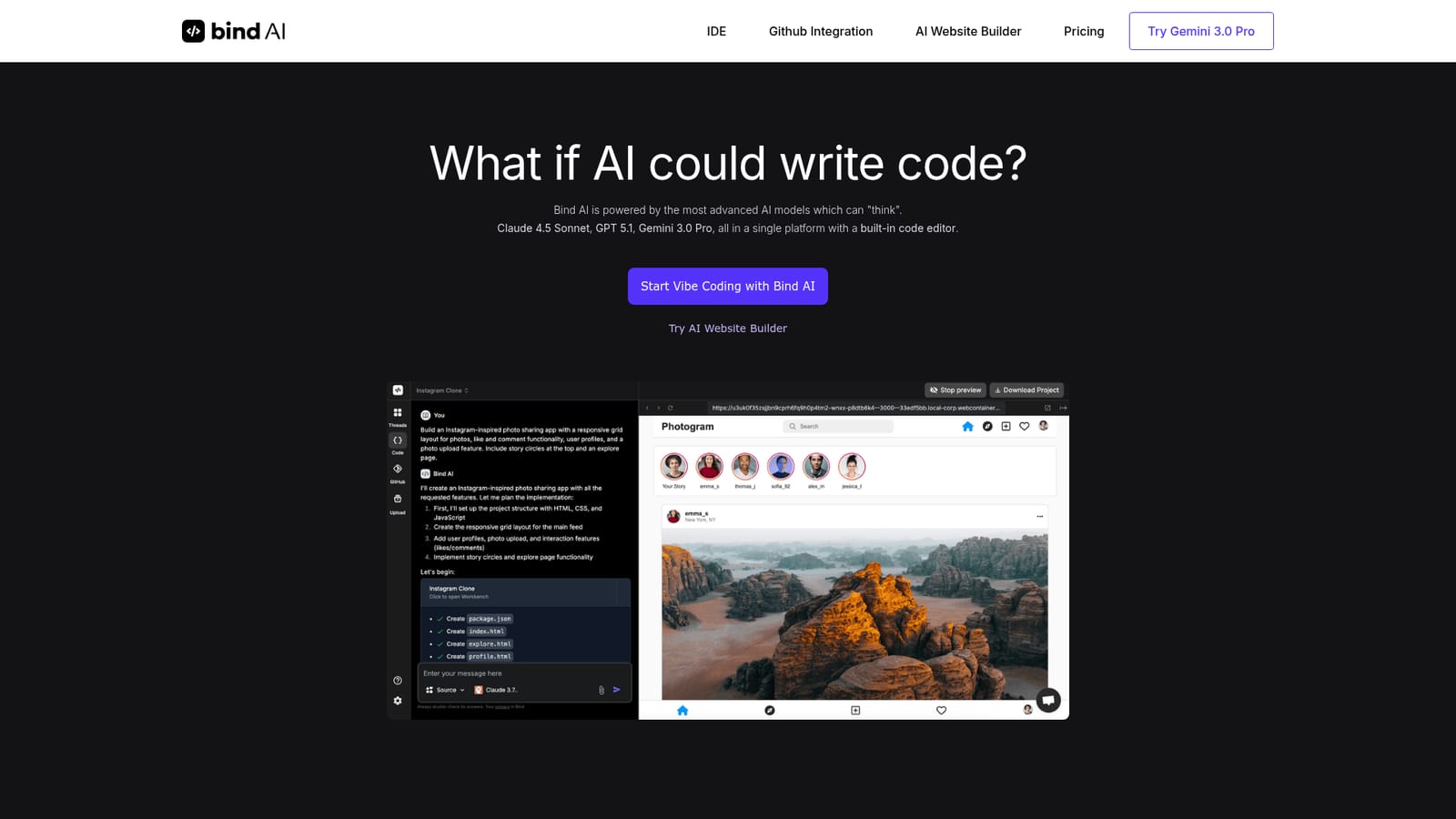
Bind is an app creation tool. Bind AI combines a code editor with chat access to 15+ frontier models (Claude 4.5 Sonnet, GPT 5.1, Gemini 3.0 Pro), letting users generate, edit, run and deploy full-stack web apps from prompts, with GitHub sync and instant Vercel previews.
Bind AI is a browser-based development environment that pairs a code editor with chat access to a large roster of frontier language models. The premise is straightforward: describe the app you want, let the model draft it, then edit, run and preview the result without leaving the tab. The homepage advertises more than 15 models, naming Claude 4.5 Sonnet, GPT 5.1 and Gemini 3.0 Pro among them, and lets users switch between them per task inside a single subscription. The pitch leans on three things: generation, execution and shipping. The built-in IDE accepts AI-written code and lets you adjust it by hand, the runtime handles Python, React, NextJS and NodeJS applications, and previews can be pushed live to Vercel. A library of sample prompts gives newcomers a starting point, with templates for a Twitter-style microblog, an Airbnb-style rental marketplace, a Spotify-style player, an Instagram-style photo feed, a Trello-style kanban board and a full e-commerce storefront. The AI Website Builder sub-product targets landing pages and WordPress plugins, so the scope stretches past pure application code. GitHub sync is the collaboration angle. Repositories, code files and documents can be pulled into Bind so a team can iterate on features, chase bugs or bring a new engineer up to speed with the model working from the actual codebase rather than a pasted snippet. The marketing positions Bind as an alternative to Lovable, Cursor and Replit, which places it in the same conversation as AI-first editors and app generators. Non-technical founders prototyping an idea and engineers who want a second pair of hands on a repository are both plausible fits, though the editor-first workflow rewards people who can read the generated code. Where it sits among alternatives depends on how much control you want. Fully generative website tools hide the code; Bind keeps it visible and editable, which suits users who intend to maintain what they build. Anyone comparing options should verify current model availability and deployment limits directly, since the model lineup on the homepage will drift over time.
A free trial is offered: the homepage includes a Start a Free Trial link that opens the monthly plan flow.
Learn moreThe homepage references a single subscription covering 15+ models and links to a monthly plan, but does not publish prices or tier details on the page itself.
Learn moreGitHub is the documented integration for syncing repositories, code files and documents. Vercel is named as the deployment target for previews.
Built-in IDE with AI chat across 15+ models (Claude 4.5 Sonnet, GPT 5.1, Gemini 3.0 Pro and others), editable AI-generated code, execution of Python, React, NextJS and NodeJS apps, instant Vercel deployment, a sample prompt library covering common app types, an AI Website Builder for landing pages and WordPress plugins, and GitHub repository sync.
Learn more AI Angels400+ customizable AI girlfriends for NSFW chat, voice calls, and roleplay
 Candy AIExperience the future of companionship with AI friends who chat, role-play, and connect with you on a human level.
 ourdream.aiA vast AI roleplay platform with millions of characters for chat, images, video and voiceAI Angels400+ customizable AI girlfriends for NSFW chat, voice calls, and roleplayCandy AIExperience the future of companionship with AI friends who chat, role-play, and connect with you on a human level.ourdream.aiA vast AI roleplay platform with millions of characters for chat, images, video and voice


