bitHuman

Real-time AI avatars that give LLM and voice agents a face

Advanced API
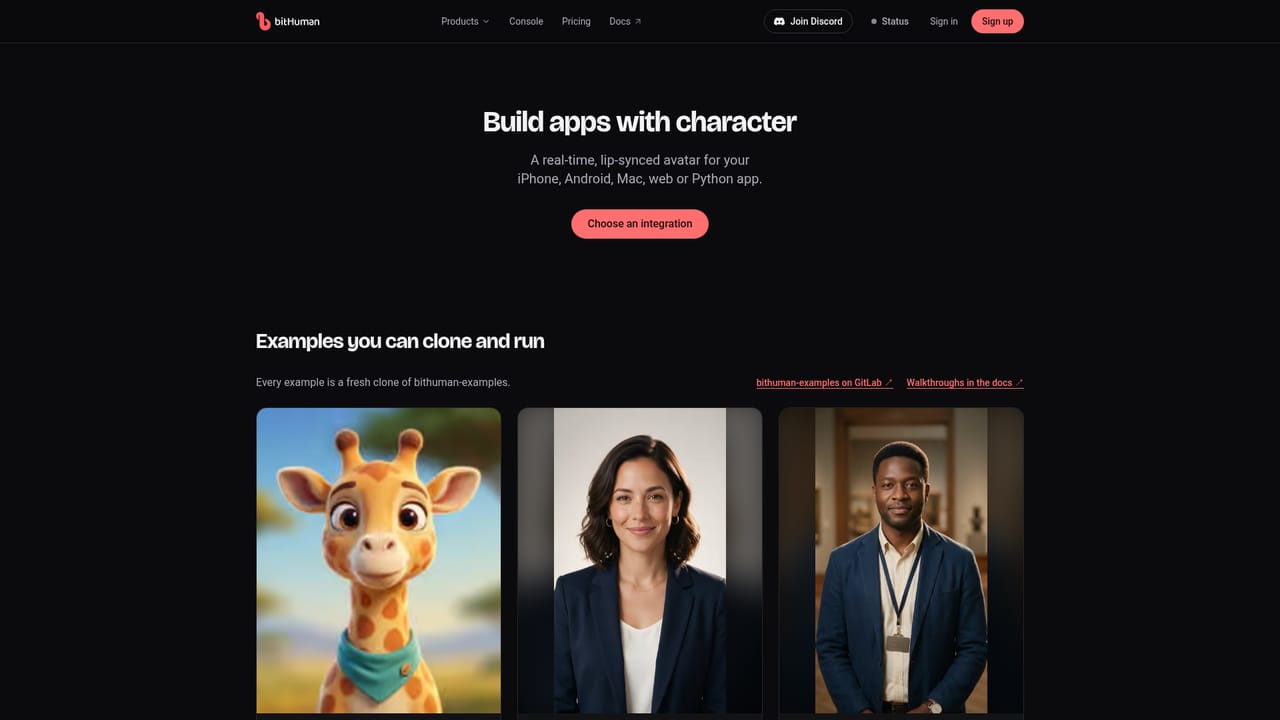
Screenshot of bitHuman, Real-time AI avatars that give LLM and voice agents a face

What is bitHuman?

bitHuman is an avatar tool. bitHuman provides real-time, lip-synced AI avatars for LLM and voice agents, with SDKs for iPhone, Android and Python, a web iframe embed, talking-video export and enterprise self-hosting. A character gallery and clip maker let non-developers try it.

bitHuman is a platform for putting a animated, speaking face on top of an LLM or voice agent. Its pitch is "AI with character": a developer supplies the conversation and the audio, and bitHuman renders a lip-synced avatar that reacts in real time. The avatars range from photoreal people to stylized 3D creatures such as a gnome wizard, a small robot and a red panda barista, and a user can also build a character from their own photo. The product has two sides. For casual use, the site hosts a gallery of ready-made characters that can be talked to live, plus a quick clip maker where a typed line is spoken by a chosen character and every result is labelled as an AI character. A connector address also lets ChatGPT or Claude call bitHuman, so a chat assistant can be asked to produce a clip or start a live talk after a one-time setup. For builders, the focus is on-device rendering. The Essence 2 and Expression 2 models run inside the app on iPhone (Swift package), Android (Kotlin) and through a Python SDK, with the code samples showing a loop that feeds audio samples in and pulls rendered frames out. The app keeps responsibility for the conversation, playback and display. Other routes include a web embed through a single iframe, a talking video generated as an MP4 from an audio file, and self-hosted deployment on a company's own servers for enterprise customers, who are directed to a sales contact. Live demos show the range of intended uses: a barista avatar that takes an order and hands off to a phone-scan payment, a pitch deck that presents itself and can be interrupted, and a shopping agent that reads a live product catalog and fills a cart. Compared with hosted video-avatar services that stream rendered video from the cloud, bitHuman leans toward local rendering and SDK control, which suits product teams building companions, kiosks, tutors and sales assistants who want the face inside their own application rather than in a separate widget.
How do you use bitHuman?

  1. 1Talk to a sample character
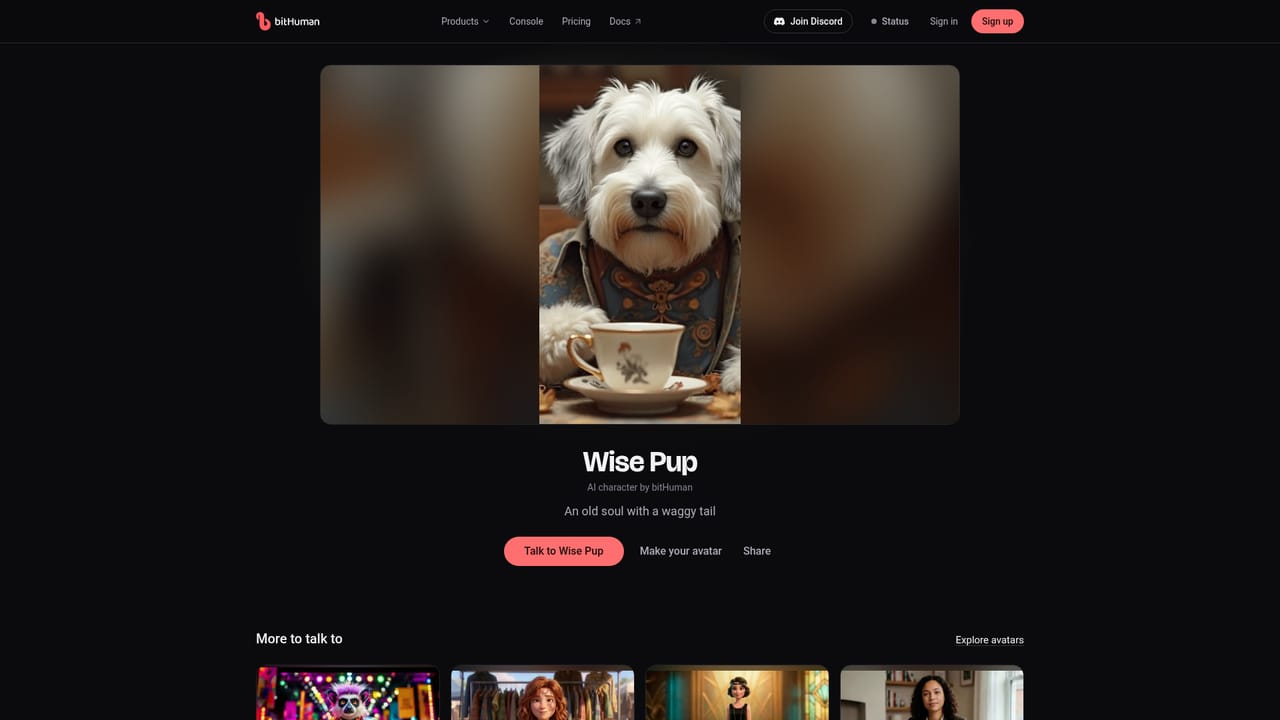
    Open a character page such as Wise Pup and start a live conversation to judge lip-sync and responsiveness. The microphone turns on when tapped.
    bitHuman — Talk to a sample character
  2. 2Browse the character gallery
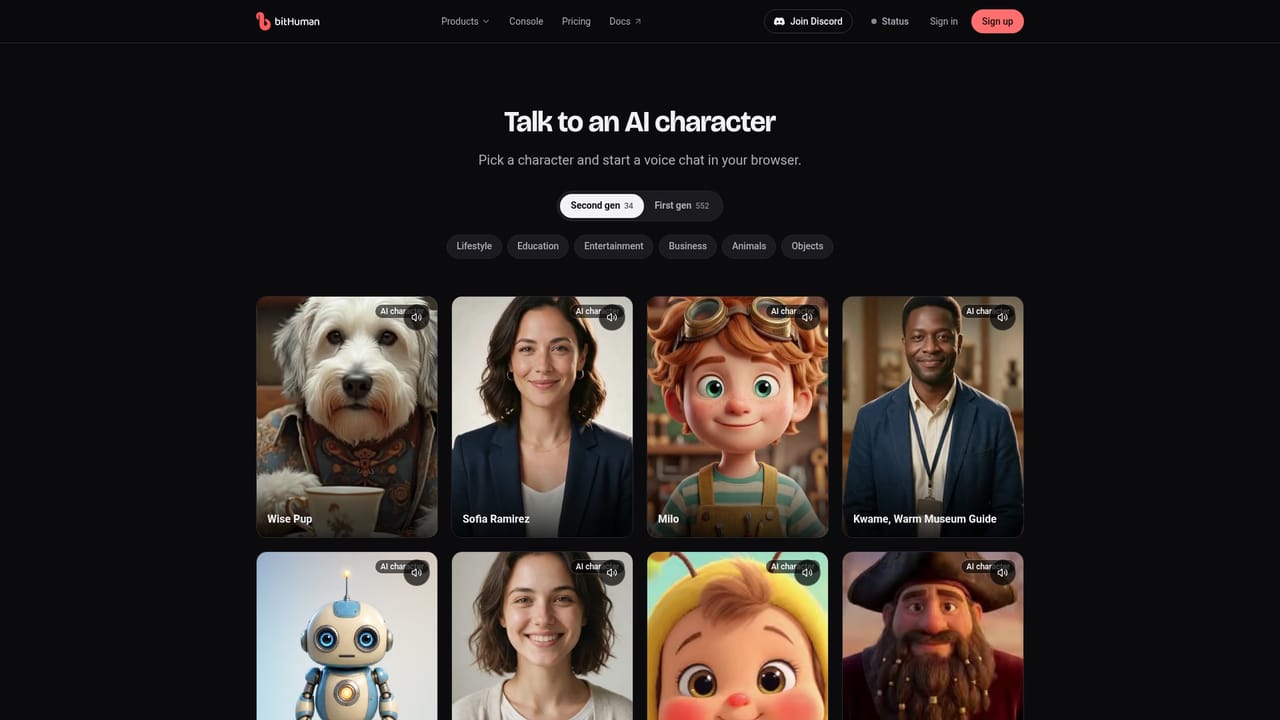
    Look through the full list of photoreal and stylized characters to find a style that fits your product, or note the option to make your own from a photo.
    bitHuman — Browse the character gallery
  3. 3Pick an SDK path
    Read the developer page to choose between the iPhone, Android and Python SDKs, and to find the ChatGPT and Claude connector guide.
    bitHuman — Pick an SDK path
  4. 4Follow a platform example
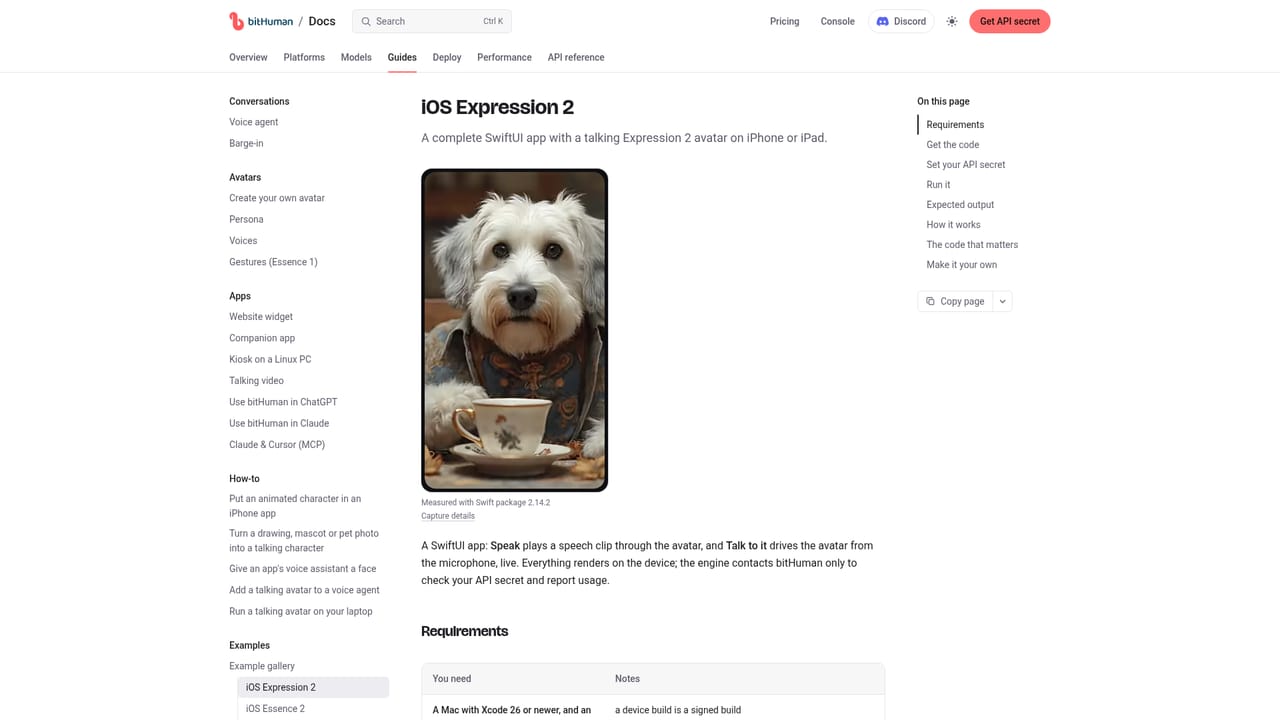
    Use the iOS example to render a talking character in a SwiftUI app, or the Android example for a Kotlin app. Feed audio in and display the returned frames.
    bitHuman — Follow a platform example
  5. 5Try the web embed or a talking video
    For a browser page, follow the web app guide to add a live avatar with one iframe. For offline output, generate an MP4 from an audio file.

Pros and cons

Pros

  • Avatars render on the device through Swift, Kotlin and Python SDKs, giving app teams direct controlAI
  • Wide range of character styles, from photoreal people to stylized 3D creaturesAI
  • Live demos and a clip maker let anyone test quality before writing codeAI
  • Several integration routes: native SDKs, a web iframe, MP4 talking videos and self-hostingAI
  • Connector address allows use from ChatGPT and Claude without custom codeAI

Cons

  • The app must supply its own conversation logic, audio playback and frame displayAI
  • No pricing is published on the homepage, and enterprise use goes through a sales contactAI
  • Native SDKs assume developer skills in Swift, Kotlin or PythonAI
  • On-device rendering depends on the capability of the user's hardwareAI
  • Custom characters from a photo are mentioned but their setup is not explained on the homepageAI

How much does bitHuman cost?

Free trial

The homepage offers free demos and a clip maker to try characters, but it does not describe a formal trial or plan.

Learn more

Support

Documentation covers platform examples and guides, and a contact-sales route is offered for enterprise needs. The homepage does not describe other support channels.

Learn more

Integrations

Swift package for iPhone, Kotlin SDK for Android, a Python package, a web iframe, and an MCP connector address for ChatGPT and Claude. Works with any LLM or voice agent that supplies the audio.

Learn more

Features

Real-time lip-synced avatars, a gallery of photoreal and stylized characters, custom characters from a photo, a type-a-line clip maker, live demos, on-device Essence 2 and Expression 2 rendering, a web iframe embed, MP4 talking videos and enterprise self-hosting.

Learn more

Frequently asked questions about bitHuman

  • Does bitHuman offer a free trial?
    The homepage offers free demos and a clip maker to try characters, but it does not describe a formal trial or plan.
  • Does bitHuman have an API?
    Yes, bitHuman offers an API.
  • How do you use bitHuman?
    The walkthrough on this page covers 5 steps: 1. Talk to a sample character 2. Browse the character gallery 3. Pick an SDK path 4. Follow a platform example 5. Try the web embed or a talking video.
  • What platforms does bitHuman support?
    bitHuman is available on Web App, iOS, Android, MacOS and Linux.
  • What does bitHuman integrate with?
    Swift package for iPhone, Kotlin SDK for Android, a Python package, a web iframe, and an MCP connector address for ChatGPT and Claude. Works with any LLM or voice agent that supplies the audio.
  • What are the limitations of bitHuman?
    The app must supply its own conversation logic, audio playback and frame display. No pricing is published on the homepage, and enterprise use goes through a sales contact. Native SDKs assume developer skills in Swift, Kotlin or Python.

Status

StatusActive
Views0
Outbound clicks0
Added10/18/2026

Platforms

Web AppiOSAndroidMacOSLinux

Pricing

Paid