CharaLab

Browser-based AI character generator for text and photo prompts

Beginner
Screenshot of CharaLab, Browser-based AI character generator for text and photo prompts

What is CharaLab?

CharaLab is a browser-based AI character generator that turns text descriptions or uploaded photos into characters in anime, 3D, realistic, fantasy and other styles, with free use and optional paid credits.

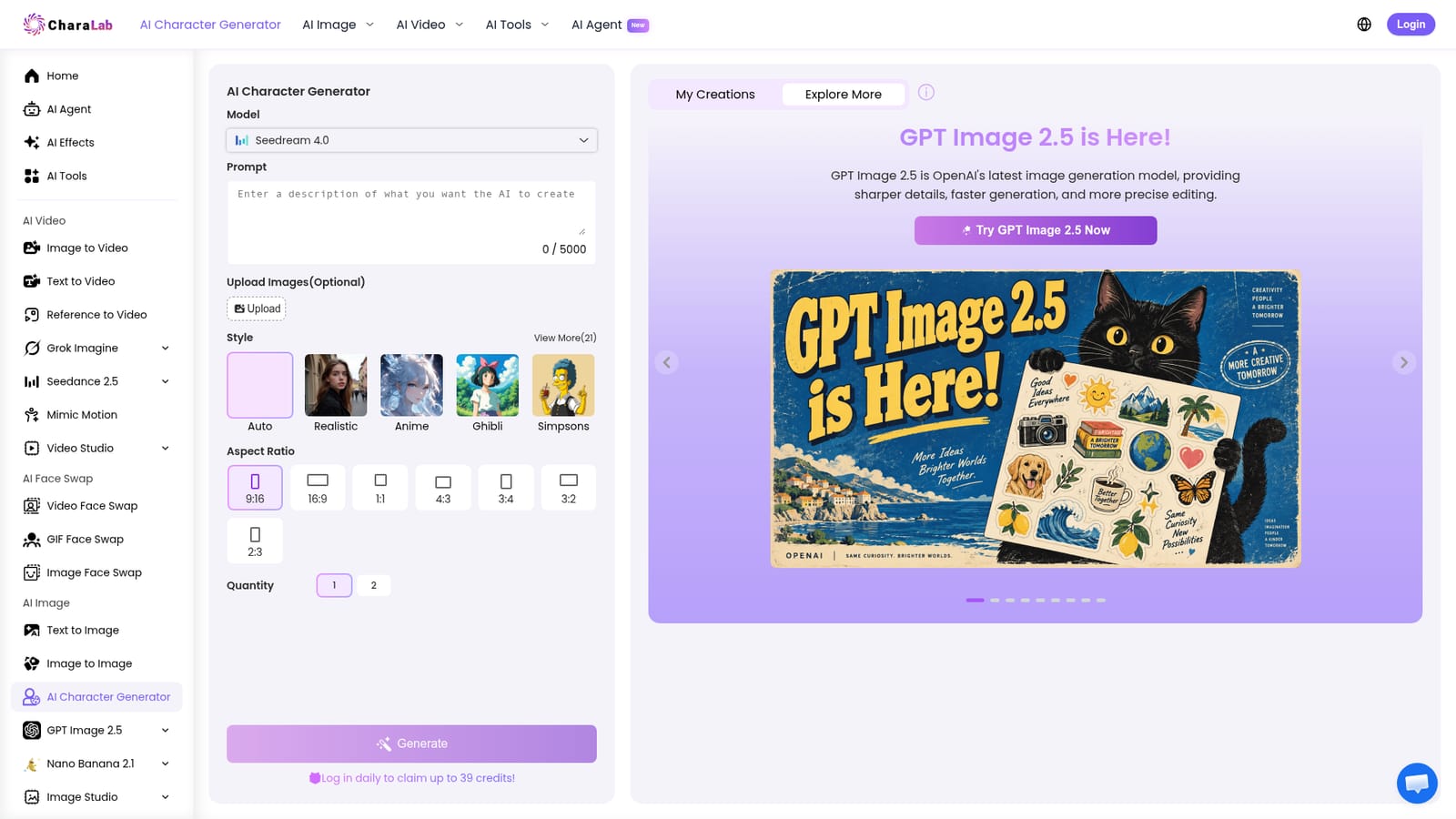
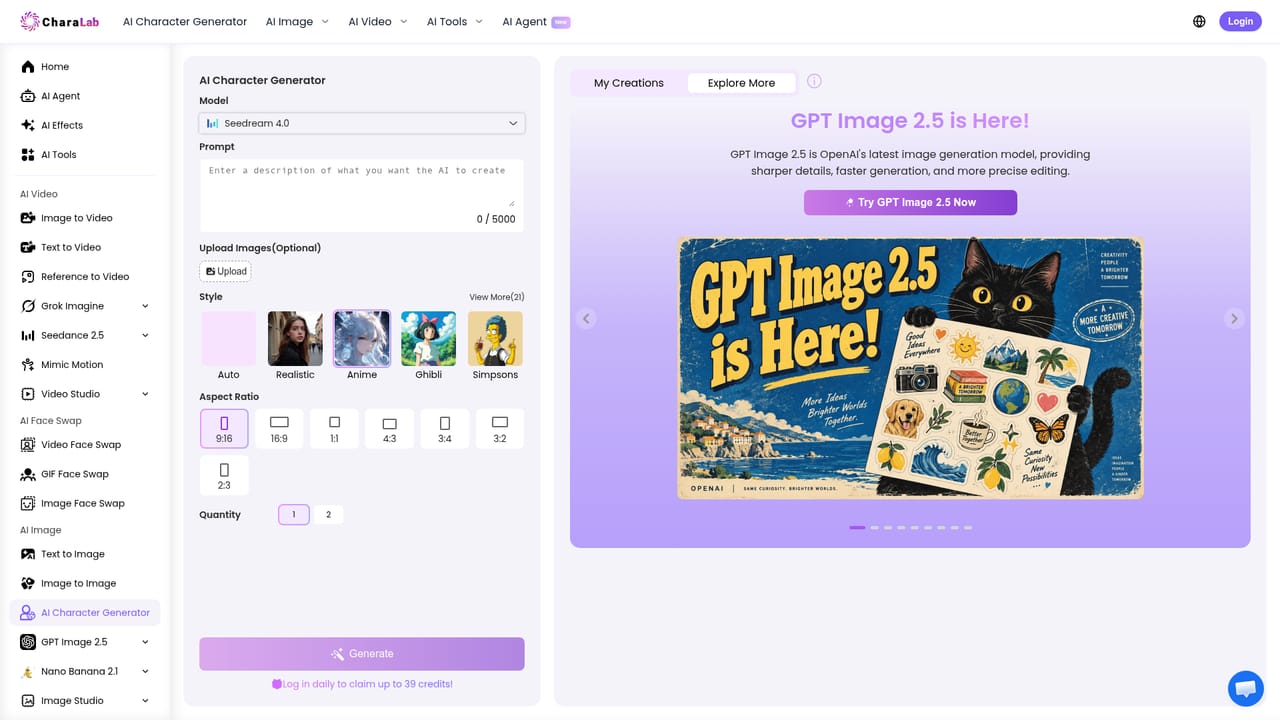
CharaLab is a web-based image generator aimed at one job: turning a written description or an uploaded photo into a finished character illustration. The page behind this listing is its dedicated character tool, where a prompt of up to 5,000 characters can cover appearance, personality and style. An optional image upload lets the generator start from a real portrait instead of text alone. The workflow is short. A user picks an underlying model (the selector lists CharaLab's own option alongside Nano Banana, Seedream, OpenAI and FLUX families), writes the prompt, chooses a style, sets an aspect ratio and generates one or two images at a time. The style picker offers 21 presets, including Auto, Realistic, Anime, Ghibli and Simpsons, and ratios run from portrait 9:16 to landscape 16:9 and square. Results can be downloaded and shared. Separate landing pages cover 3D, fantasy, anime, cartoon, superhero, Pokémon and Studio Ghibli looks, so the same engine is tuned for different genres. The audience is wide but practical: novelists, comic creators and game developers who need concept art for a cast, plus casual users who want to see themselves as an anime figure or a superhero. The site states that generated characters can be used commercially, for example in novels, comics or games. It also says the tool does not require an account, though a daily login reward of credits is advertised, and a pricing page and a limited-time discount banner point to paid tiers. Within the wider market, CharaLab sits between general text-to-image services and dedicated avatar makers. Its strength is breadth: the same account also offers image-to-video, face swap, text-to-audio and other effects. The main caveat stated by the site is that a generated character cannot be edited afterward, so refinement means rewriting the prompt and generating again.
How do you use CharaLab?

  1. 1Open the character generator
    Go to the AI character generator page. No payment details are needed to start, and the site says an account is not required for basic use.
    CharaLab — Open the character generator
  2. 2Describe the character
    Type a specific prompt covering appearance, personality and style. Optionally upload a photo to base the character on a real portrait.
  3. 3Pick a model, style and ratio
    Choose an image model, select one of the style presets such as Realistic, Anime or Ghibli, then set the aspect ratio and number of images.
  4. 4Generate and review
    Press Generate and check the result. Because edits are not supported, refine the wording of the prompt and run again if the character is off.
  5. 5Try a genre-specific page
    For a focused look, such as anime characters, use the dedicated anime generator page and repeat the same prompt flow.
    CharaLab — Try a genre-specific page
  6. 6Download or share
    Save the finished image locally or post it to social media. Check the pricing page if more credits are needed.
    CharaLab — Download or share

Pros and cons

Pros

  • Accepts both text prompts and photo uploads, so characters can start from an idea or a real portraitAI
  • 21 style presets plus dedicated pages for anime, 3D, fantasy, cartoon, superhero, Pokémon and Ghibli looksAI
  • Offers a choice of underlying image models, including Nano Banana, Seedream, OpenAI and FLUX optionsAI
  • Free to try without payment details, and the site says no account is needed for the generatorAI
  • Commercial use of generated characters is allowed, for novels, comics or gamesAI

Cons

  • Generated characters cannot be modified afterward, so any fix means rewriting the prompt and starting overAI
  • Only one or two images can be generated per run, which slows exploring many design variationsAI
  • Paid plan details are not shown on the character page, so the real cost of heavy use is unclearAI
  • The site pushes many unrelated tools (face swap, kissing videos), which can make the character workflow feel dilutedAI

How much does CharaLab cost?

Free trial

The generator is stated to be completely free to use without an account, and a daily login reward gives up to 39 credits.

Learn more

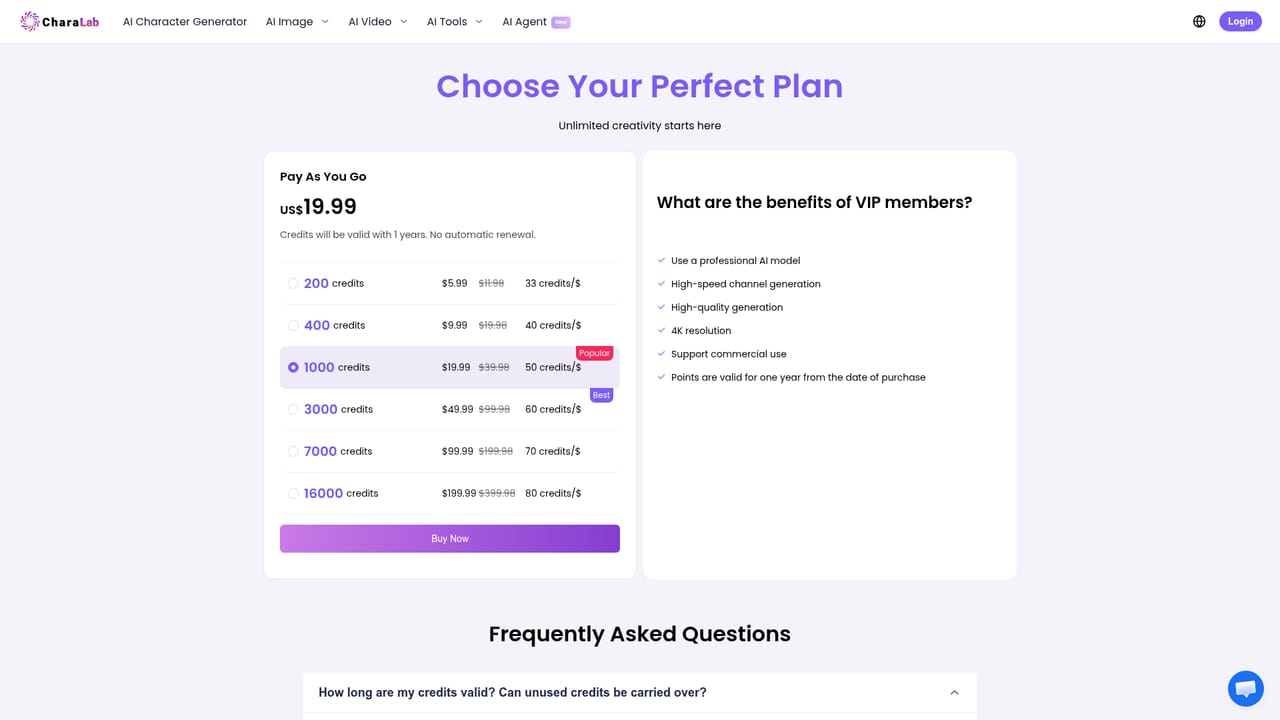
Pricing

The character generator is described as free with no payment details required, and logging in daily grants up to 39 credits. A pricing page and a limited-time 50% off banner indicate paid options, but amounts are not shown on the homepage.

Learn more

Features

Text-to-character and photo-to-character generation, a prompt field of up to 5,000 characters, 21 style presets, multiple image models, seven aspect ratios, one or two images per run, downloads, and related tools for video, face swap and audio.

Frequently asked questions about CharaLab

  • How much does CharaLab cost?
    The character generator is described as free with no payment details required, and logging in daily grants up to 39 credits. A pricing page and a limited-time 50% off banner indicate paid options, but amounts are not shown on the homepage.
  • Does CharaLab offer a free trial?
    The generator is stated to be completely free to use without an account, and a daily login reward gives up to 39 credits.
  • How do you use CharaLab?
    The walkthrough on this page covers 6 steps: 1. Open the character generator 2. Describe the character 3. Pick a model, style and ratio 4. Generate and review 5. Try a genre-specific page 6. Download or share.
  • What platforms does CharaLab support?
    CharaLab is available on Web App.
  • What are the limitations of CharaLab?
    Generated characters cannot be modified afterward, so any fix means rewriting the prompt and starting over. Only one or two images can be generated per run, which slows exploring many design variations. Paid plan details are not shown on the character page, so the real cost of heavy use is unclear.

Status

StatusActive
Views0
Outbound clicks0
Added10/18/2026

Platforms

Web App

Pricing

Freemium