Square Face Icon Generator

AI square face icons from a text prompt or a face photo

Beginner
Screenshot of Square Face Icon Generator, AI square face icons from a text prompt or a face photo

What is Square Face Icon Generator?

Square Face Icon Generator is an avatar tool. A web-based AI generator that turns text prompts or face photos into stylized square face icons, exported as watermark-free PNG or JPG files for avatars, apps and branding. Login and credits are required.

Square Face Icon Generator is a browser-based AI tool that produces stylized square face icons from either a written prompt or an uploaded face photo. It is aimed at a narrow job: avatars and icons whose composition is built around a square frame, with centered features, symmetry and balanced proportions, rather than the loose, free-form portraits that general avatar makers tend to return. The workflow is short. A user either types a description of the face they want or uploads a photo, optionally adding a prompt alongside the image. A single Generate button runs the conversion, which the site says costs 10 credits per run, and the result appears as a square icon that can be saved. Trying the generator requires logging in first. Finished icons are exported as PNG or JPG files, and the site states that they carry no watermark and may be used in commercial projects. The audience listed on the homepage covers creators, developers, designers and teams who want consistent, modern face icons without design skills. The consistency angle is the most practical selling point: the tool says several icons can be generated in one visual style, which suits team directories, app user lists, community profiles and branded collections where mismatched avatars look sloppy. The photo-to-icon route is meant to keep a person's identity recognizable while restyling it. Among alternatives, it sits between broad AI avatar generators and general image generators. Those offer more styles, editing controls and output formats, but they usually need prompt tuning to hold a square, centered face. This tool trades breadth for a single focused result and a very low learning curve. The homepage gives no detail on credit pricing tiers, resolution limits, supported photo sizes or an API, so buyers needing fine control, batch processing or integrations should check those points before committing.
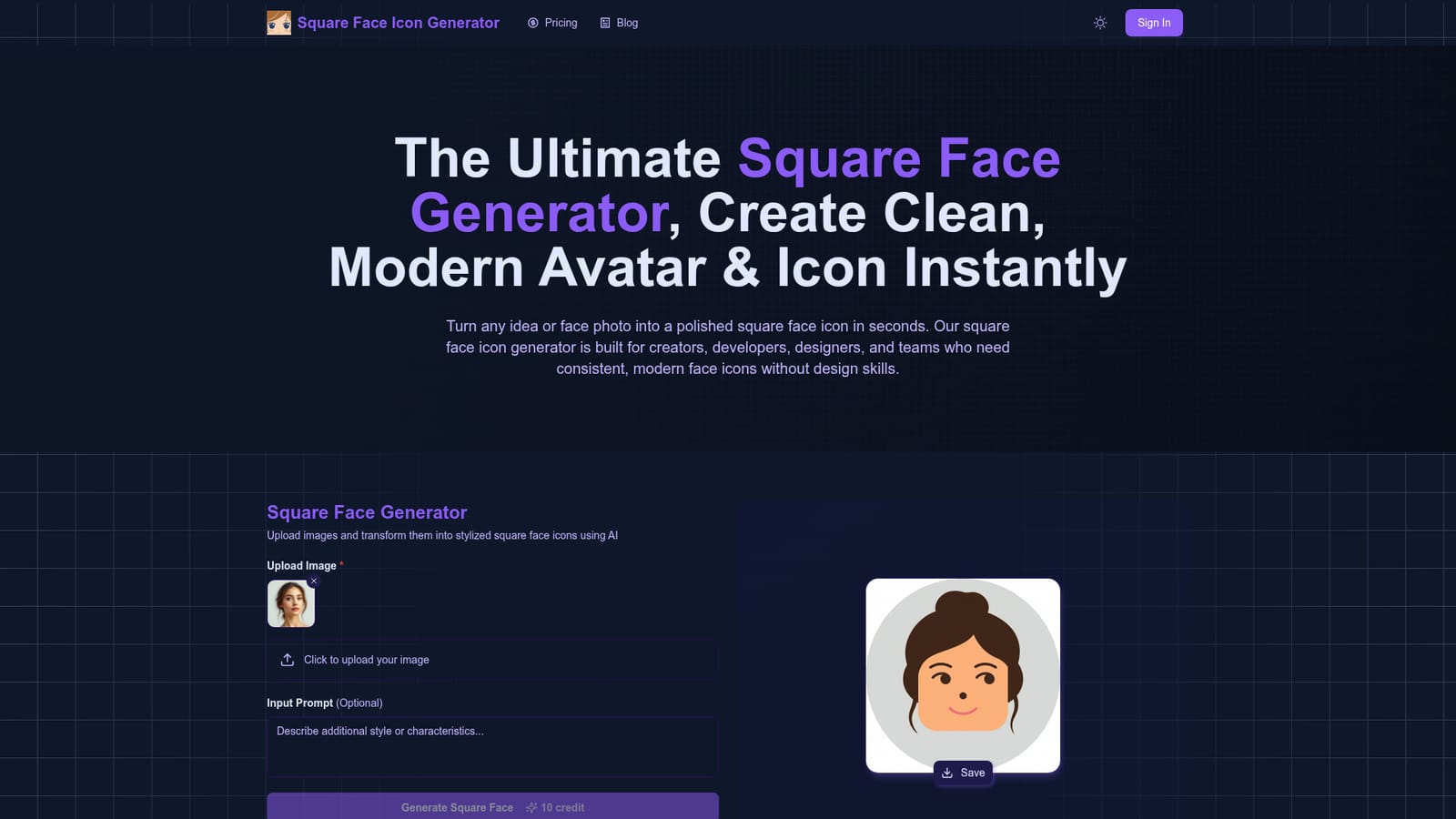
How do you use Square Face Icon Generator?

  1. 1Open the generator and log in
    Go to the homepage and sign in, since generation is not available to anonymous visitors. Check your credit balance, because each run costs 10 credits.
    Square Face Icon Generator — Open the generator and log in
  2. 2Choose your input
    Upload a clear face photo, or write a descriptive prompt for the face you want. The prompt field is optional when a photo is supplied.
  3. 3Run the generation
    Click Generate Square Face and wait briefly while the icon is rendered. Speed depends partly on your network connection.
  4. 4Review and download
    Check that the centered, square result matches what you need, then save it as a PNG or JPG. Repeat with the same style of prompt to build a consistent set.

Pros and cons

Pros

  • Accepts both text prompts and real face photos, so users can start from an idea or from an existing portraitAI
  • Output is composed for square layouts with centered features, which suits avatars and app iconsAI
  • Can produce multiple icons in one consistent style for teams, apps or collectionsAI
  • Exports PNG or JPG files without a watermark, with commercial use stated as allowedAI
  • Single Generate button and no design skills required, so the learning curve is minimalAI

Cons

  • Generation requires logging in and spends credits (10 per run), and the homepage gives no plan or price detailsAI
  • Narrow scope: it makes square face icons only, with no visible editing, layering or style controlsAI
  • No integrations, API or batch workflow is mentioned, which limits use in automated design pipelinesAI
  • Resolution, photo size limits and style options are not specified, so output quality is hard to judge in advanceAI
  • Photo uploads of real faces raise privacy questions, and the homepage says nothing about data handlingAI

How much does Square Face Icon Generator cost?

Pricing

The homepage shows a cost of 10 credits per generation but gives no plan names, prices or credit bundle details.

Learn more

Support

The FAQ says questions can be sent through Discord or by email. No documentation or help centre is described.

Features

Prompt-to-icon and photo-to-icon generation, square composition with centered facial features, fast rendering, consistent style sets for multiple icons, and PNG or JPG export without watermark, stated as usable commercially.

Frequently asked questions about Square Face Icon Generator

  • How much does Square Face Icon Generator cost?
    The homepage shows a cost of 10 credits per generation but gives no plan names, prices or credit bundle details.
  • How do you use Square Face Icon Generator?
    The walkthrough on this page covers 4 steps: 1. Open the generator and log in 2. Choose your input 3. Run the generation 4. Review and download.
  • What platforms does Square Face Icon Generator support?
    Square Face Icon Generator is available on Web App.
  • What are the limitations of Square Face Icon Generator?
    Generation requires logging in and spends credits (10 per run), and the homepage gives no plan or price details. Narrow scope: it makes square face icons only, with no visible editing, layering or style controls. No integrations, API or batch workflow is mentioned, which limits use in automated design pipelines.

Status

StatusActive
Views0
Outbound clicks0
Added10/18/2026

Platforms

Web App

Pricing

Paid