Free trial
A free plan is offered for getting started, per the homepage. It is a free tier rather than a stated time limited trial, and its limits are not described.
Learn moreBuild a chatbot from your own files and site content, then embed it

BotGPT is an AI chat bot tool that builds a chatbot from your own files and site content, then embed it. BotGPT turns uploaded PDFs or crawled website content into a custom chatbot that can be embedded on a site in minutes.
BotGPT is a chatbot builder for websites. You supply the knowledge: upload PDF files or let the service crawl your site, and it assembles a conversational assistant that answers visitor questions from that material. The finished bot is embedded on a website or blog, where it handles inquiries in a support or sales capacity without a human present. The build process is deliberately short. An account is created, source content is added by upload or crawl, and the assistant is generated from it. Deployment follows as a copy and paste embed step, and the vendor frames the whole sequence as a matter of minutes rather than a development project. Because the bot is derived from the material supplied, answers are tied to that content instead of a generic model's general knowledge. The advertised range of uses is broad: customer support, sales, user engagement, plus vertical roles such as a legal assistant, accounting assistant, fitness assistant or financial planner assistant. In practice that means the tool is aimed at small businesses, site owners and teams that want a self-serve assistant without engineering work, and at anyone who needs a question answering layer over a document collection. Among chatbot builders, BotGPT is positioned as a simple, data first option rather than a deep automation platform. The homepage says nothing about API access, third party connectors, analytics or human handoff, so buyers needing those capabilities should verify them before committing. A free plan and a separate pro plan exist, with pricing details on a dedicated page. Teams comparing heavier orchestration tools will find this narrower; teams that mainly want a quick bot trained on their own documents are the intended audience.
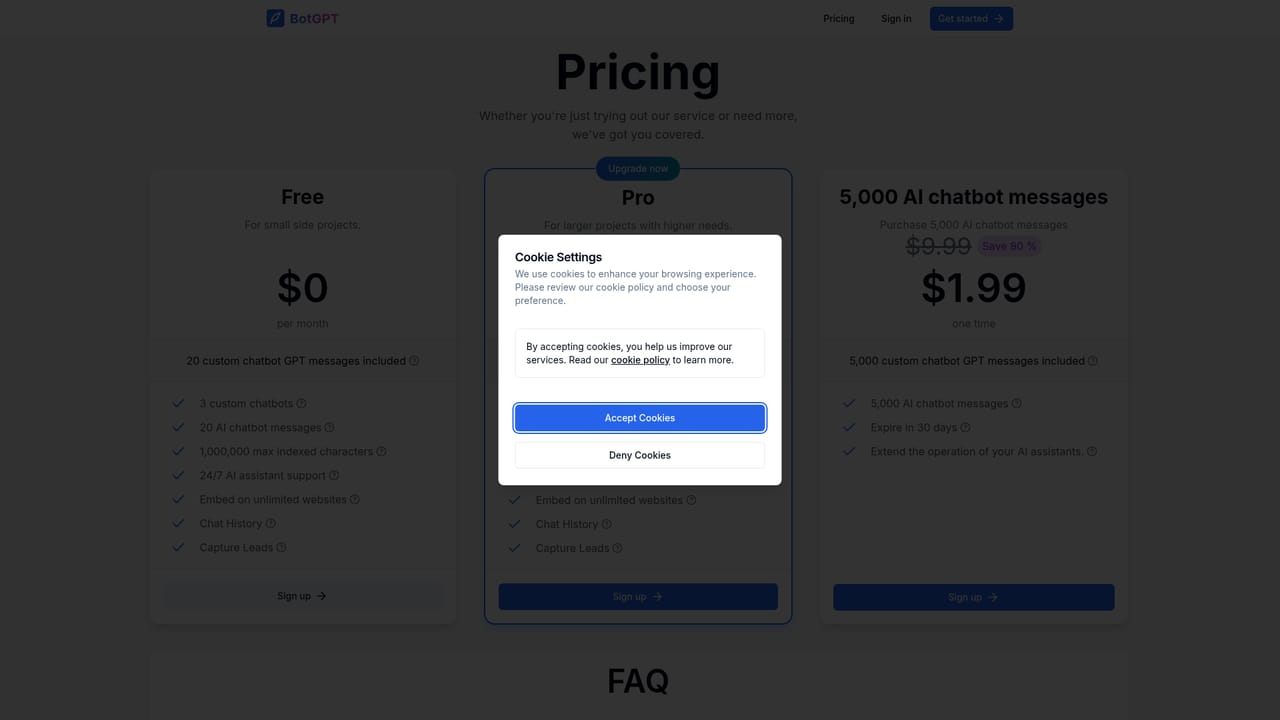
A free plan is offered for getting started, per the homepage. It is a free tier rather than a stated time limited trial, and its limits are not described.
Learn moreThe homepage refers to a free plan and a pro plan, with pro details on a dedicated pricing page. Specific prices, message quotas and data limits are not given on the homepage.
Learn moreCore features: chatbot creation from uploaded PDF files or crawled website content, instant question answering over that data, and an embeddable widget for websites and blogs. The vendor positions the bot for customer support, sales, engagement and vertical assistants such as legal, accounting, fitness or financial planning. API access, integrations and analytics are not mentioned.
 AI Angels400+ customizable AI girlfriends for NSFW chat, voice calls, and roleplay
 Candy AIExperience the future of companionship with AI friends who chat, role-play, and connect with you on a human level.
 ourdream.aiA vast AI roleplay platform with millions of characters for chat, images, video and voiceAI Angels400+ customizable AI girlfriends for NSFW chat, voice calls, and roleplayCandy AIExperience the future of companionship with AI friends who chat, role-play, and connect with you on a human level.ourdream.aiA vast AI roleplay platform with millions of characters for chat, images, video and voice


