Free trial
A free preview of the datasets is promoted on the site; whether a separate time-limited trial exists is not stated on the homepage.
Learn moreValidate startup ideas with AI tool traffic and monetization signals.

Build Or Not is an AI aggregators tool. A data platform for screening startup ideas against AI tool traffic trends, payment-platform referral signals and a backlink database, with explicit methodology notes on estimation limits.
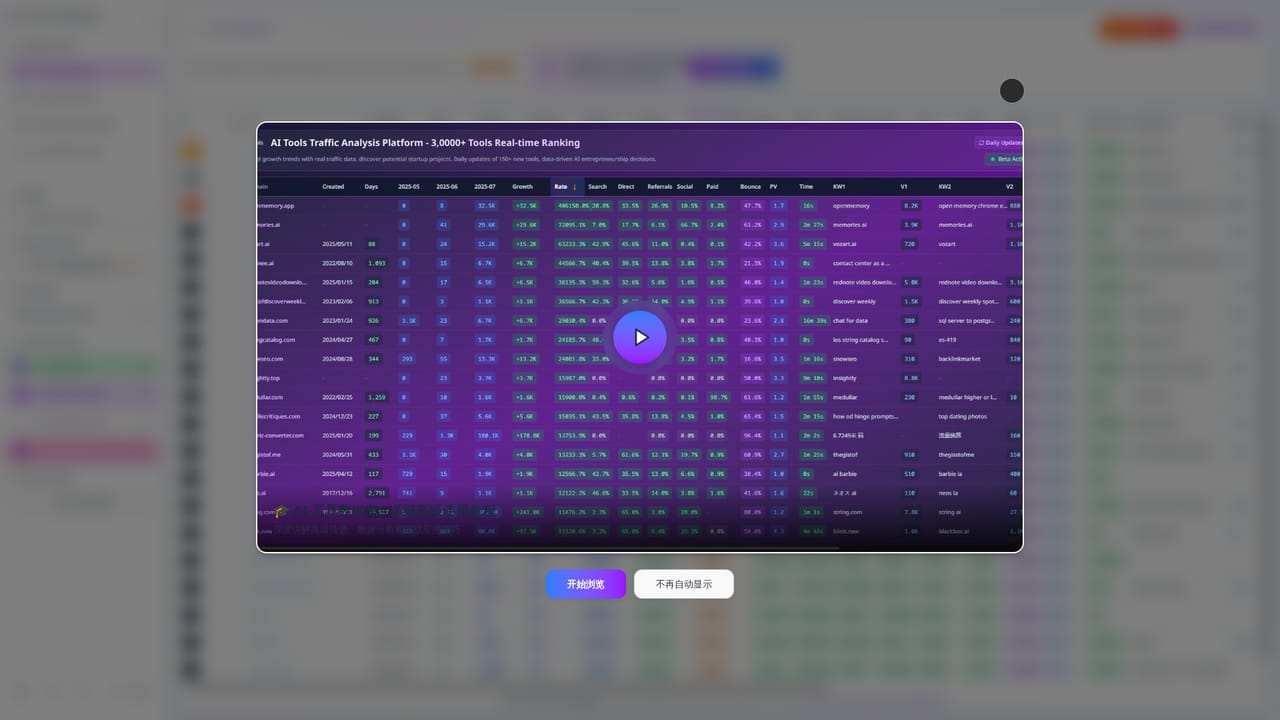
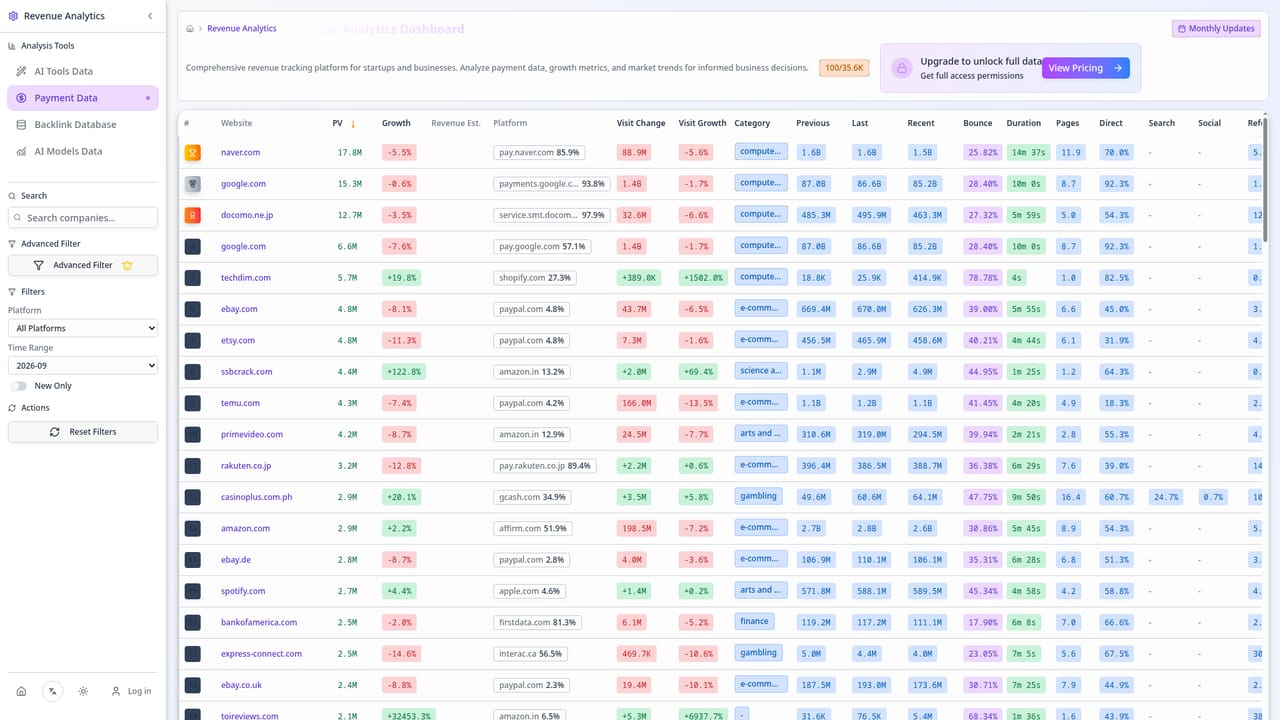
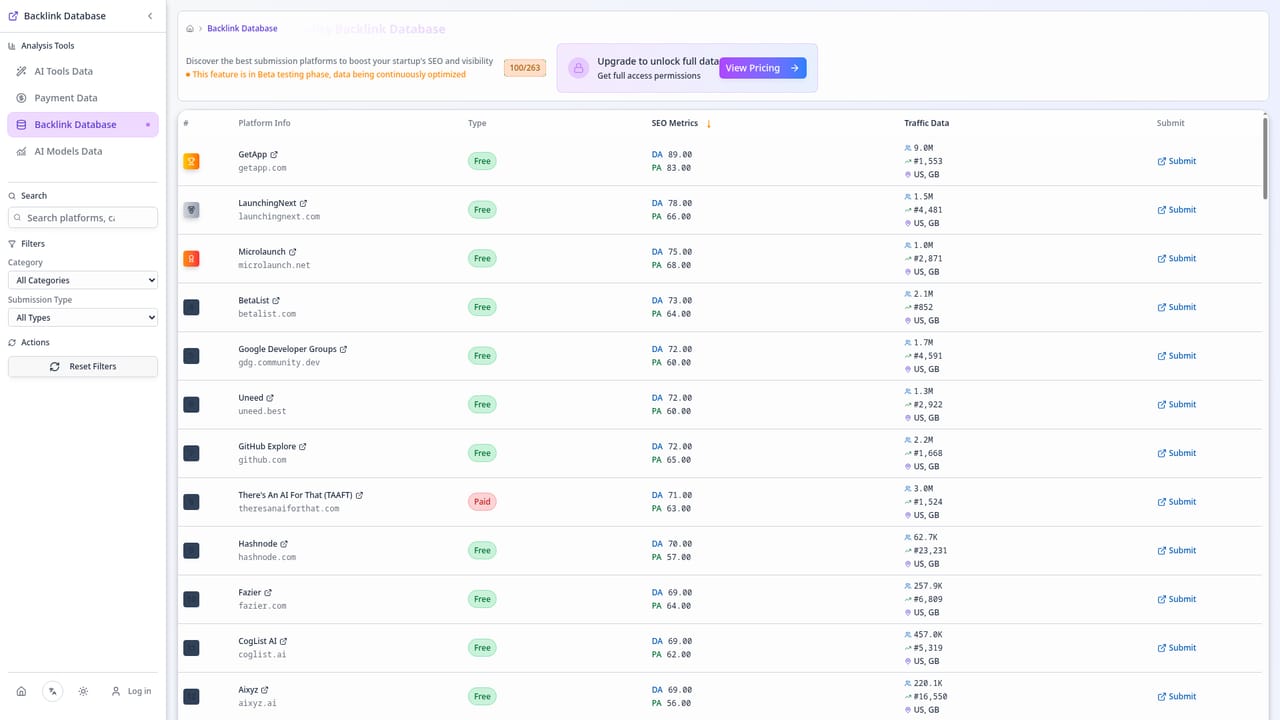
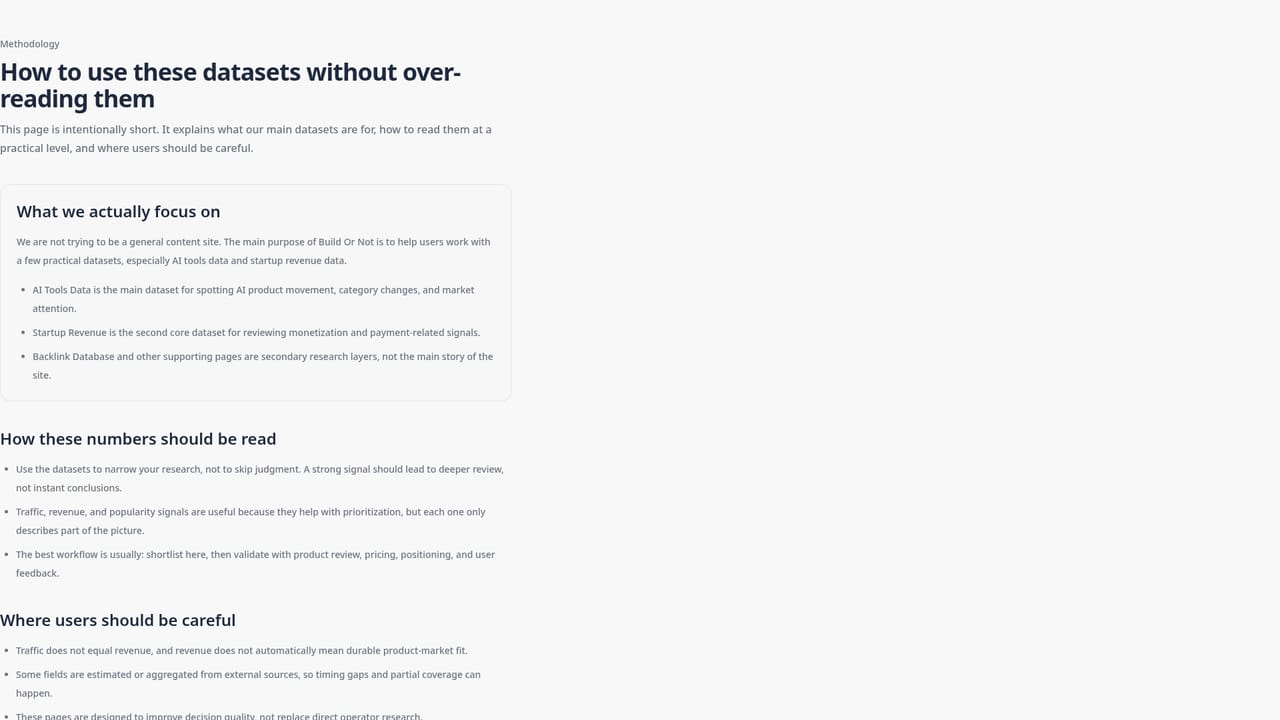
Build Or Not is a research platform for founders who want market evidence before committing engineering time. Rather than generating idea lists, it assembles traffic, growth and monetization signals around websites and AI tools so a broad concept can be narrowed to a shortlist worth deeper investigation. The core asset is a dataset of roughly 155,760 project records with preview coverage anchored to September 2026, sourced from Similarweb-style traffic signals, payment-page observations and curated backlink records. The workflow centers on two tables. The AI tool growth ranking lists projects with three monthly visit values, latest growth in absolute and percentage terms, domain registration age, first search keyword and its volume, top market, bounce rate and pages per visit. A companion research table lets you search the sample, filter to positive-growth tools only, and compare those columns side by side. From there, the startup revenue view cross-checks payment-platform demand: it ranks fast-growing websites newly appearing as referral sources to processors such as Apple, PayPal, Shopify and Midtrans, with estimated site growth attached. A third table surfaces promotion channels (directories, launch platforms, technical communities) with submission method, authority score and a verification state. The tool suits indie founders, small product teams and analysts who are past the brainstorming stage and want to compare candidate niches against observable demand. It is less useful for someone seeking an idea generator or autogenerated market reports. The team is explicit about limits: traffic and payment-page visits are directional, not audited revenue, and nothing here is investment advice. Missing values stay missing rather than being filled with fallback numbers, and data sources are labeled with their update cycles. Treat Build Or Not as a screening layer that complements customer interviews and keyword tools, not as a replacement for them.
A free preview of the datasets is promoted on the site; whether a separate time-limited trial exists is not stated on the homepage.
Learn moreThe site has a dedicated pricing page offering a free preview plus paid access, but the homepage does not state specific prices or tier details, so figures should be confirmed on that page.
Learn moreIncludes an AI tool traffic growth ranking with three monthly visit values and growth rates, a searchable research table with positive-growth filtering, engagement metrics (bounce rate, pages per visit), a payment-platform referral ranking for fast-growing sites, a curated backlink and promotion-channel database, and a published methodology covering sources and estimation limits.
Learn more AI Angels400+ customizable AI girlfriends for NSFW chat, voice calls, and roleplay
 Candy AIExperience the future of companionship with AI friends who chat, role-play, and connect with you on a human level.
 ourdream.aiA vast AI roleplay platform with millions of characters for chat, images, video and voiceAI Angels400+ customizable AI girlfriends for NSFW chat, voice calls, and roleplayCandy AIExperience the future of companionship with AI friends who chat, role-play, and connect with you on a human level.ourdream.aiA vast AI roleplay platform with millions of characters for chat, images, video and voice


