Who Codes Best?

Benchmark your coding prompts across dozens of AI models before you commit.

Intermediate
Screenshot of Who Codes Best, Benchmark your coding prompts across dozens of AI models before you commit

What is Who Codes Best??

Who Codes Best? is an AI aggregators tool. Independent comparison site that runs coding prompts across dozens of AI models and agents, publishing generated code with timing, cost and user ratings so developers can pick the right model for their work.

Who Codes Best? is an independent comparison hub for AI coding models and coding agents. The site collects code samples produced by a large roster of models (41 at last count, spanning Anthropic, OpenAI, Google and others) against shared prompts, then publishes the output beside practical metrics such as generation time, token cost and crowd ratings. A spiral matrix prompt, for instance, appears with the full generated function, a 13.7 second generation time, a $0.0007 cost and a 3.9 out of 5 user score. That mix of exact benchmarks and subjective votes is the core of the offer. The audience is developers and engineering leads deciding where to spend model budgets, and the site assumes a fair amount of technical literacy. Code samples carry topic tags such as beginner, algorithm, function and general, so a reader can filter toward the kind of work they actually ship. Head to head pages put two models side by side, for example Claude Opus 4.1 against GPT-5 or Gemini 2.5 Pro against Claude Opus 4.1, while separate agent profiles cover tools like Cursor, GitHub Copilot, Claude Code, OpenAI Codex and Aider. A news section tracks releases with benchmark context, including a piece arguing that SWE-bench results need scrutiny of scaffold effects and reproducibility rather than a single leaderboard number. In practice the workflow is simple: read existing snippets, open a comparison, or submit a prompt and let the platform run it against many models so speed, quality and cost can be weighed for your own task. It sits in the evaluation layer rather than the generation layer. You still write code in Cursor or Claude Code. Who Codes Best? is where you work out which model deserves the subscription, with daily updates intended to keep pace with releases that arrive faster than most teams can test them.

How do you use Who Codes Best??

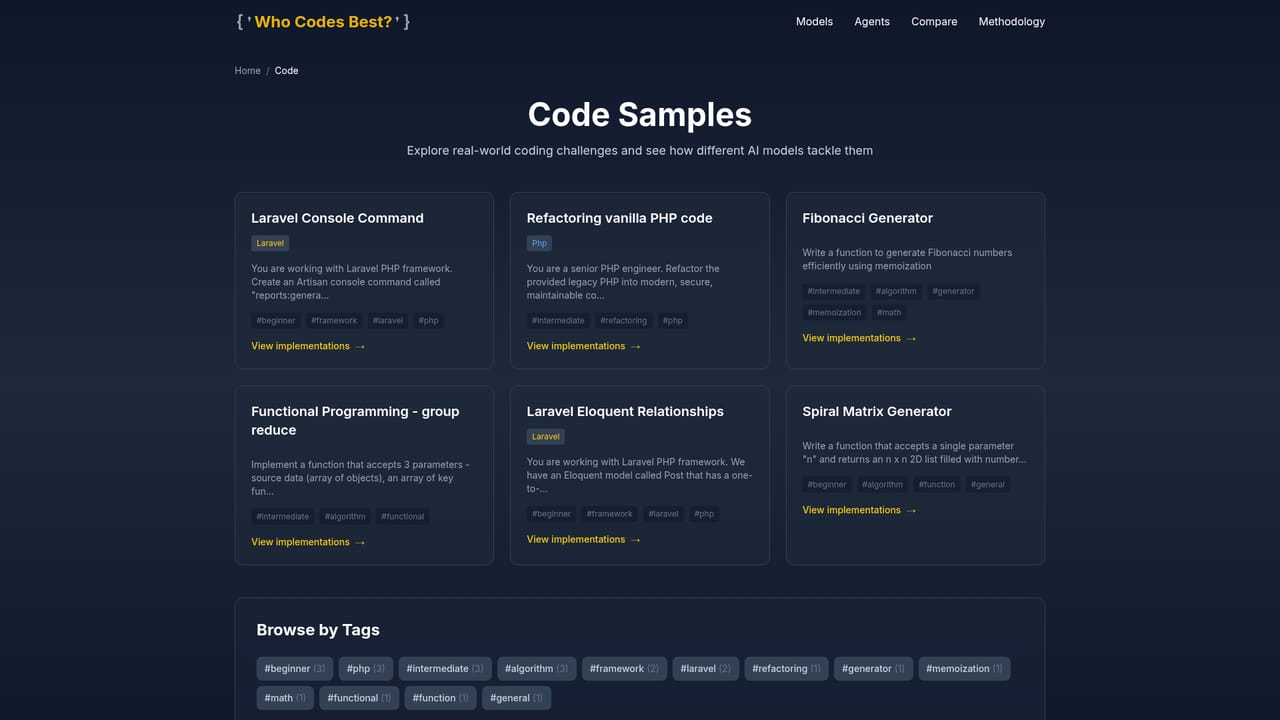
  1. 1Browse existing code samples
    Start on the code page to see snippets generated by different models against the same prompt, each tagged by topic and paired with timing and cost figures. This gives a baseline before you test anything yourself.
    Who Codes Best? — Browse existing code samples
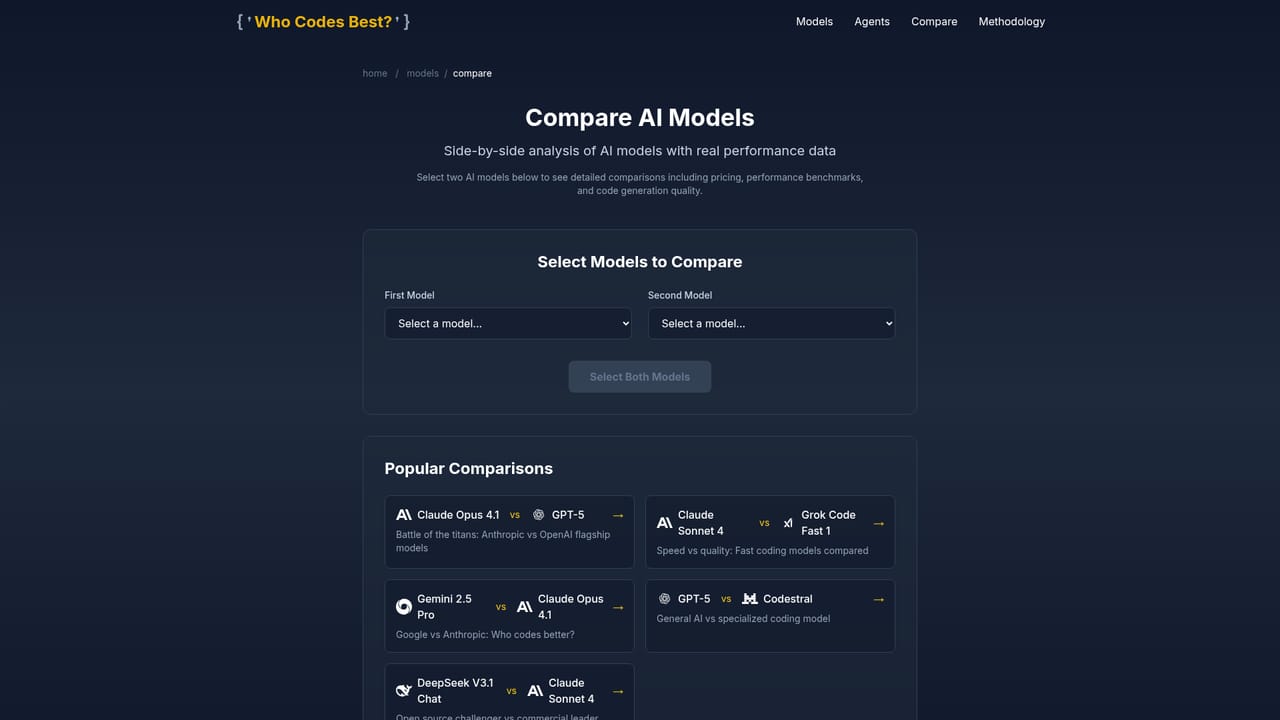
  2. 2Open a head to head model comparison
    Pick a comparison pair such as Claude Opus 4.1 versus GPT-5, or browse the full comparison index to find the matchup closest to your stack.
    Who Codes Best? — Open a head to head model comparison
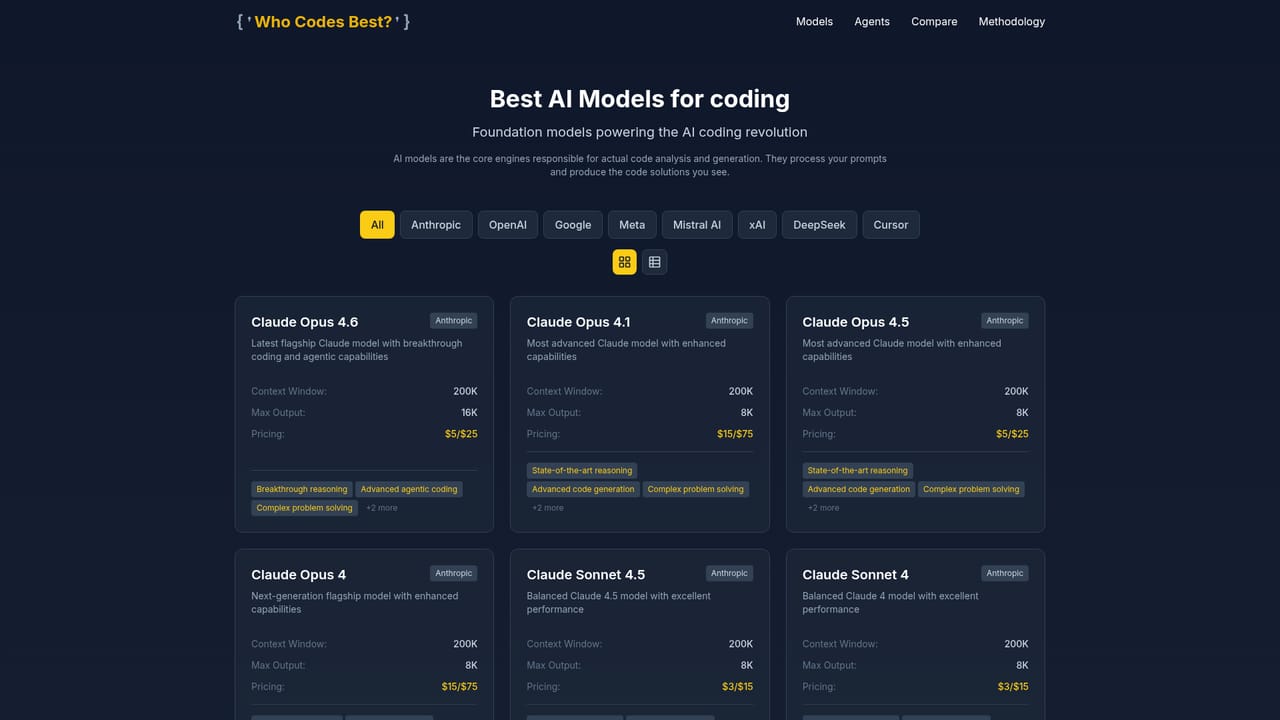
  3. 3Check individual model profiles
    Model pages gather a single model's results in one place, which is useful when you have already shortlisted a provider and want the full record.
    Who Codes Best? — Check individual model profiles
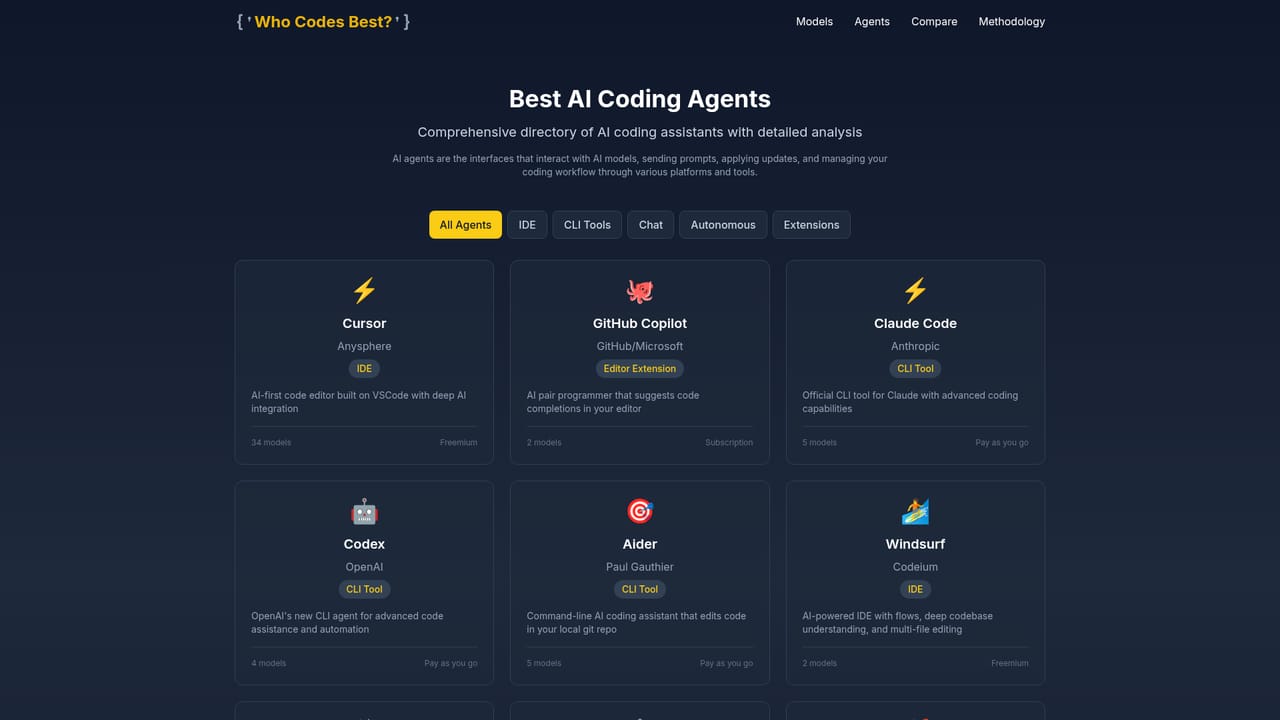
  4. 4Review the coding agents
    Agent profiles cover editor and CLI assistants like Cursor, GitHub Copilot, Claude Code, Codex and Aider, so you can compare tools rather than only underlying models.
    Who Codes Best? — Review the coding agents
  5. 5Submit your own prompt
    Use the submit task page to enter a prompt from your own project and have it run across the supported models. Expect to wait while generation completes, then compare speed, quality and cost.

Pros and cons

Pros

  • Scores a large model roster (41 models) on identical prompts, which makes side by side reading genuinely comparableAI
  • Each code sample shows generation time and token cost, so quality judgments sit next to real spend numbersAI
  • Covers coding agents such as Cursor, GitHub Copilot and Claude Code, not just raw model APIsAI
  • Readers can submit their own prompts, so comparisons can reflect a specific project rather than generic tasksAI
  • News coverage adds context on benchmark hygiene and release pricing instead of repeating leaderboard headlinesAI

Cons

  • User ratings come from an open voting audience, so sample sizes and reviewer expertise are not disclosedAI
  • Daily updates help with freshness but make any single comparison page a moving target for decision recordsAI
  • The site measures code output, not the surrounding editor experience or repository context that agents depend onAI
  • No account, saved prompt sets or team workspace is described, so repeated evaluation is manualAI
  • Benchmark prompts skew toward short standalone functions, which can understate performance on large multi file codebasesAI

How much does Who Codes Best? cost?

Features

Prompt based benchmarking across 41 AI models, ranked code snippets tagged by topic (beginner, algorithm, function, general), head to head model comparisons with 820 logged matchups, profiles for 10+ coding agents, per sample generation time and cost, community star ratings, a submit your own prompt workflow, daily updates and a news section on model releases and benchmark methodology.

Learn more

Frequently asked questions about Who Codes Best?

  • How do you use Who Codes Best??
    The walkthrough on this page covers 5 steps: 1. Browse existing code samples 2. Open a head to head model comparison 3. Check individual model profiles 4. Review the coding agents 5. Submit your own prompt.
  • What platforms does Who Codes Best? support?
    Who Codes Best? is available on Web App.
  • What are the limitations of Who Codes Best??
    User ratings come from an open voting audience, so sample sizes and reviewer expertise are not disclosed. Daily updates help with freshness but make any single comparison page a moving target for decision records. The site measures code output, not the surrounding editor experience or repository context that agents depend on.

Status

StatusActive
Views0
Outbound clicks0
Added10/22/2026

Platforms

Web App

Pricing

Free