BurningBridgesAI.app

Turn one photo into the Drake Burning Bridges video, song included

Beginner
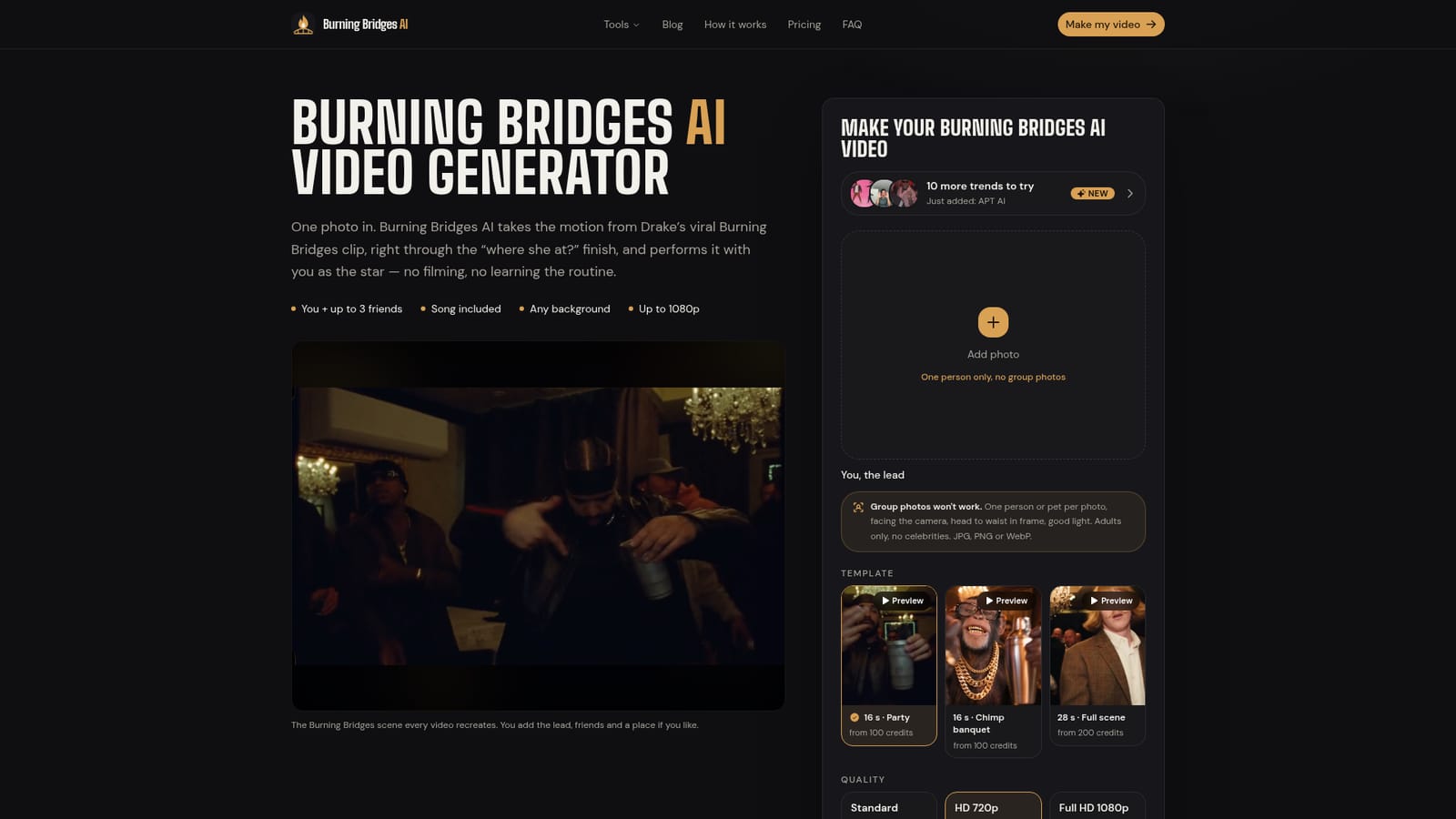
Screenshot of BurningBridgesAI.app, Turn one photo into the Drake Burning Bridges video, song included

What is BurningBridgesAI.app?

BurningBridgesAI.app is a fun tool that turns one photo into the Drake Burning Bridges video, song included. A web-based generator that places a user's photo, or a pet's, into the Drake Burning Bridges viral clip with the song included. Credit-based pricing, up to 1080p output, plus ten other trend templates sharing one balance.

BurningBridgesAI.app is a single-purpose web studio that recreates a viral Drake clip with the user as the star. The user uploads a photo of themselves or a pet, and the service performs the full sequence from the clip: the slow grin at the lens, the dance in a banquet hall, the arms-wide rapping, and the closing "where she at?" gesture with a pointed finger. The song is bundled, so the output is ready to post without separate audio work. The target audience is social creators who want to join a meme trend quickly without filming or learning choreography. There is no prompt to write and no timeline to edit, because the motion is preloaded. The user adds a clear photo (head to waist, even light, one subject per image), optionally adds up to three friends or pets and a photo of a new setting, then chooses a 16 or 28 second version and a resolution. Rendering takes a few minutes, the tab can be closed meanwhile, and the finished file waits in a studio area for download. Output runs from 480p to 1080p, and the site publishes guides on posting with the sound on TikTok, Reels and Shorts and labeling the result as AI. Billing is credit based rather than subscription based. Credits are bought in packs, stay valid for 12 months, work across every template on the site, and are refunded automatically when a render fails. The site lists ten other trend templates, including APT AI, Bad Times AI and Raindance AI, so the credit balance is not tied to one clip. The rules are strict: adults only, no celebrities, no minors, and group photos are rejected as a single subject. Compared with general text-to-video tools, this product trades flexibility for speed and predictability. It cannot produce arbitrary scenes, but it needs no prompting skill. Users wanting custom footage will find broader video generators more suitable, while those chasing one specific trend get a faster path here. The site states it is not real footage and carries no stated affiliation with Drake.

How do you use BurningBridgesAI.app?

  1. 1Choose a clear source photo
    Pick a portrait or square shot of one adult or one pet, head to waist in frame, with even light and a visible face. Avoid sunglasses, heavy filters and group shots.
    BurningBridgesAI.app — Choose a clear source photo
  2. 2Add friends or a new setting
    Optionally upload up to three more photos for the crowd and one photo of a different place. Both are skippable.
  3. 3Select length and quality
    Choose a 16 or 28 second template, then Standard 480p, HD 720p or Full HD 1080p. Cost in credits is shown beside each option.
    BurningBridgesAI.app — Select length and quality
  4. 4Sign in, buy credits and generate
    Sign in, pick a credit pack if the balance is empty, and press Generate. Rendering takes a few minutes and the tab can be closed.
  5. 5Download and post with the sound
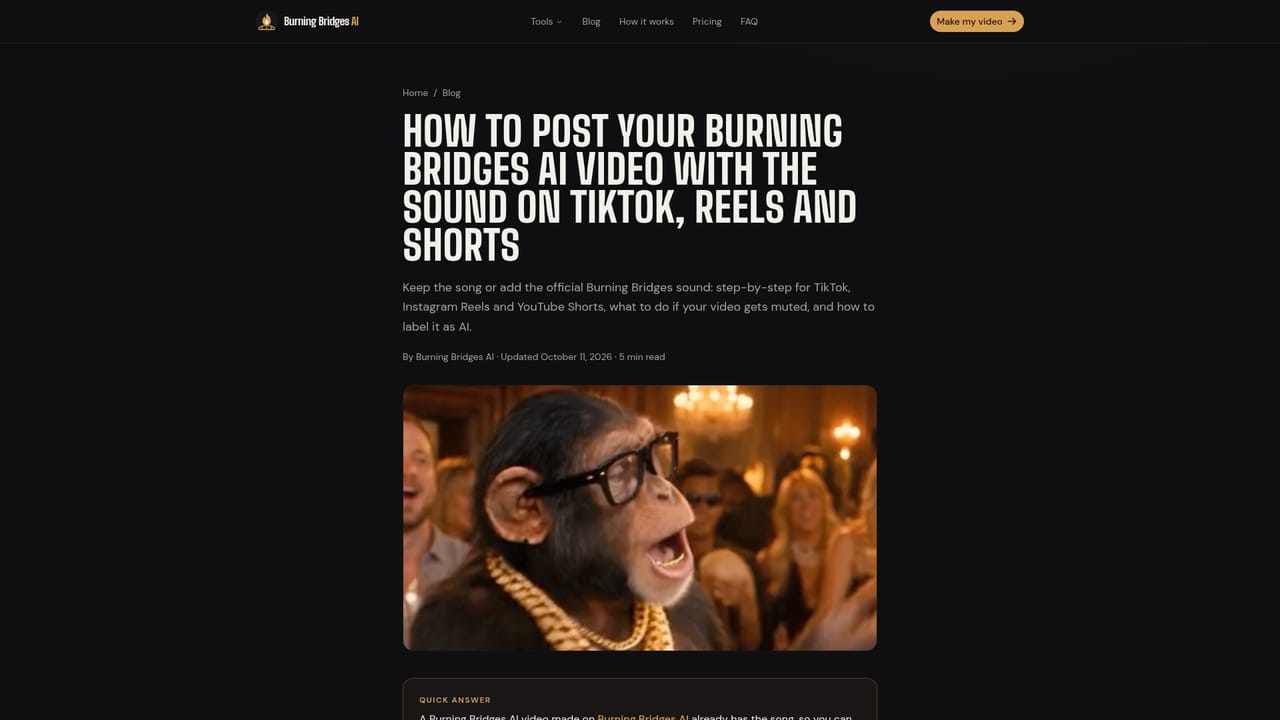
    Download the finished clip from the studio and follow the guide for keeping the song on TikTok, Reels and Shorts, including AI labeling.
    BurningBridgesAI.app — Download and post with the sound

Pros and cons

Pros

  • No prompt writing or editing: the Burning Bridges motion is preloaded, so one photo and one click produce a finished clipAI
  • Song is included, which removes separate audio work for TikTok, Reels and Shorts postsAI
  • Pay-per-video credits with no subscription, valid for 12 months, and failed renders are refunded automaticallyAI
  • One credit balance covers ten other trend templates, so the purchase is not tied to a single memeAI
  • Supports friends or pets in the crowd and an optional custom background photo, with output up to 1080pAI

Cons

  • Single fixed choreography per template, so it cannot produce custom scenes or original footageAI
  • Photo rules are strict: one subject per image, adults only, no celebrities, and group photos do not workAI
  • Full HD costs six times the standard price (600 credits for 16 s), so higher quality burns credits quicklyAI
  • Value depends on a passing meme trend, and the site notes the output is AI-generated, not real footageAI
  • Sign-in is required before generating, and the homepage offers no free tier or trial detailsAI

How much does BurningBridgesAI.app cost?

Pricing

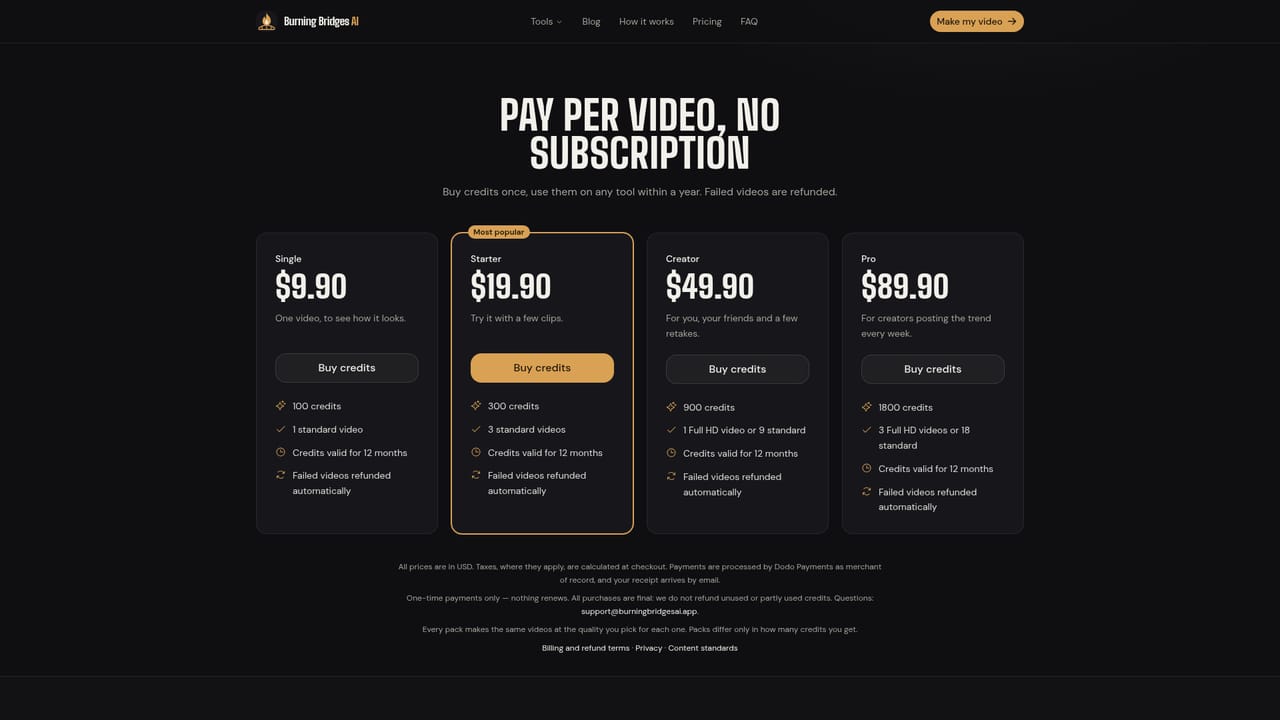
Pay per video with credit packs, no subscription: Single $9.90 (100 credits), Starter $19.90 (300), Creator $49.90 (900), Pro $89.90 (1800). Credits last 12 months and failed videos are refunded. A 16 s clip costs 100, 200 or 600 credits at 480p, 720p or 1080p.

Learn more

Features

One-photo Drake Burning Bridges video with the song included, optional friends (up to three) and custom background, 16 or 28 second versions, 480p to 1080p output, background rendering with studio download, and ten extra trend templates.

Learn more

Frequently asked questions about BurningBridgesAI.app

  • How much does BurningBridgesAI.app cost?
    Pay per video with credit packs, no subscription: Single $9.90 (100 credits), Starter $19.90 (300), Creator $49.90 (900), Pro $89.90 (1800). Credits last 12 months and failed videos are refunded. A 16 s clip costs 100, 200 or 600 credits at 480p, 720p or 1080p.
  • How do you use BurningBridgesAI.app?
    The walkthrough on this page covers 5 steps: 1. Choose a clear source photo 2. Add friends or a new setting 3. Select length and quality 4. Sign in, buy credits and generate 5. Download and post with the sound.
  • What platforms does BurningBridgesAI.app support?
    BurningBridgesAI.app is available on Web App.
  • What are the limitations of BurningBridgesAI.app?
    Single fixed choreography per template, so it cannot produce custom scenes or original footage. Photo rules are strict: one subject per image, adults only, no celebrities, and group photos do not work. Full HD costs six times the standard price (600 credits for 16 s), so higher quality burns credits quickly.

Status

StatusActive
Views0
Outbound clicks0
Added10/18/2026

Platforms

Web App

Pricing

Paid