TrendSwap

Turn one portrait into a viral meme video, no prompts needed

Beginner
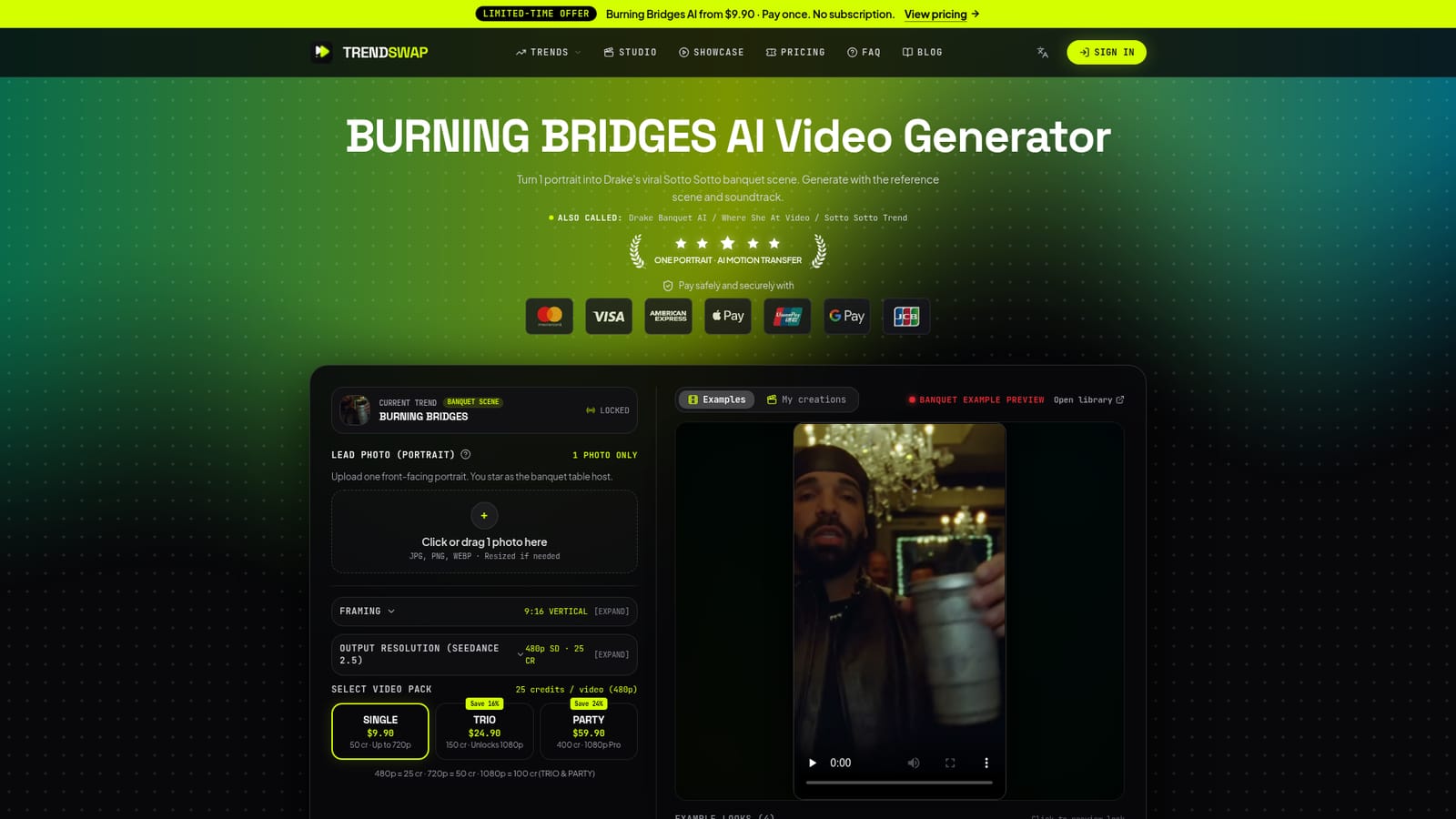
Screenshot of TrendSwap, Turn one portrait into a viral meme video, no prompts needed

What is TrendSwap?

TrendSwap is a fun tool that turns one portrait into a viral meme video, no prompts needed. TrendSwap converts one portrait into a watermark-free viral meme video, led by a Drake Burning Bridges banquet template with synced audio. Credits are sold in one-time packs, with no subscription and automatic credit return on failed jobs.

TrendSwap is a browser-based generator that places a single portrait inside a ready-made viral video scene. Its lead template recreates the Drake "Burning Bridges" banquet clip, also known as the Sotto Sotto or "Where She At" trend, with the user's face and outfit taking the head of a candlelit dining table. The site runs on a roster of fixed meme templates rather than an open prompt box, so the choreography, handheld camera sway, crowd reactions and soundtrack are already decided before anything is uploaded. In practice the flow is short. The user uploads one front-facing portrait (JPG, PNG or WEBP), picks 9:16 vertical framing and an output resolution, then spends credits to start the job. Rendering takes roughly two to four minutes, and the result is an MP4 with the reference audio mixed in and no watermark. Credits cost 25 for 480p, 50 for 720p and 100 for 1080p, and they are sold in one-time packs instead of a subscription. A failed or timed-out generation returns its credits automatically. Beyond the banquet scene, the roster lists eight templates, including a cat dance swap, a tiny knight, a Dominican street freestyle, a skeleton dance and a zombie love story, with clip lengths from 8 to 26 seconds. The tool suits social creators who want to ride a trend while it is current and have no interest in writing prompts, matching beats in an editor or filming anything. The site also supplies caption ideas and a hashtag cluster for TikTok, Reels and Shorts posting. Safety checks filter celebrity and minor likenesses, and uploads are meant to be of the user or of consenting adults. Compared with general text-to-video or image-to-video platforms, TrendSwap trades flexibility for speed and predictability. Output length and style follow the template, so it is a poor fit for original storytelling, but a good fit for quick, repeatable meme content built on one photo.

How do you use TrendSwap?

  1. 1Open the Burning Bridges template
    Start on the homepage, where the current Burning Bridges banquet scene is loaded in the studio. Other templates are reachable from the video roster.
    TrendSwap — Open the Burning Bridges template
  2. 2Upload one clear portrait
    Add a single front-facing JPG, PNG or WEBP photo with even lighting and visible eyes. Waist-up or full-body shots keep the outfit accurate.
  3. 3Choose resolution and a credit pack
    Keep 9:16 framing and pick 480p, 720p or 1080p. Buy a Single, Trio or Party pack to cover the credits the render needs.
  4. 4Generate and review the clip
    Start the job and wait about two to four minutes. Check the video and audio in the studio, then download the watermark-free MP4.
  5. 5Read the full how-to guide
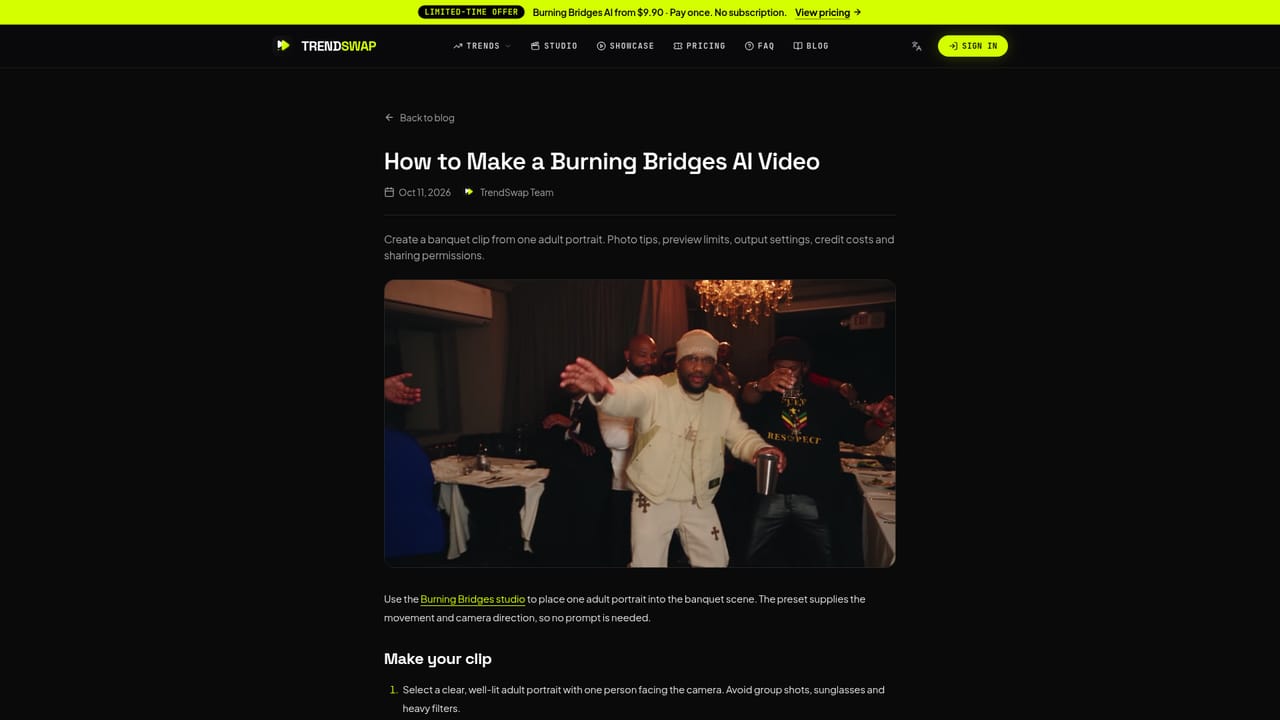
    The site's blog walks through making a Burning Bridges video in more detail, including tips for getting the best likeness.
    TrendSwap — Read the full how-to guide
  6. 6Try other templates
    Browse the video library to see example outputs and pick another trend such as Smalltown Boy or Bulin 47 for your next clip.
    TrendSwap — Try other templates

Pros and cons

Pros

  • Needs only one portrait and no prompt writing, so the learning curve is close to zeroAI
  • Reference soundtrack is baked into the MP4, removing separate beat matching in an editorAI
  • Exports are watermark-free and framed 9:16 for TikTok, Reels and ShortsAI
  • Failed or timed-out generations return their credits automaticallyAI
  • Credits are sold as one-time packs that do not expire, with no recurring subscriptionAI

Cons

  • Output is locked to preset templates, so users cannot direct scenes, scripts or camera movesAI
  • Clip length and style follow the reference, which limits original or branded contentAI
  • Trend-based templates may date quickly as the memes fadeAI
  • Celebrity and minor likenesses are blocked, and results depend on a clear, well-lit front-facing photoAI
  • Higher resolutions cost more credits, and 1080p is only available in the larger packsAI

How much does TrendSwap cost?

Pricing

One-time credit packs, no subscription: Single $9.90 for 50 credits (up to 720p), Trio $24.90 for 150 credits (1080p unlocked), Party $59.90 for 400 credits. Videos cost 25 credits at 480p, 50 at 720p and 100 at 1080p. Credits do not expire.

Learn more

Features

Single-portrait motion transfer into preset viral scenes, 9:16 output at 480p, 720p or 1080p, synced reference audio, watermark-free MP4 export, automatic credit return on failure, eight live templates, and caption and hashtag suggestions for posting.

Frequently asked questions about TrendSwap

  • How much does TrendSwap cost?
    One-time credit packs, no subscription: Single $9.90 for 50 credits (up to 720p), Trio $24.90 for 150 credits (1080p unlocked), Party $59.90 for 400 credits. Videos cost 25 credits at 480p, 50 at 720p and 100 at 1080p. Credits do not expire.
  • How do you use TrendSwap?
    The walkthrough on this page covers 6 steps: 1. Open the Burning Bridges template 2. Upload one clear portrait 3. Choose resolution and a credit pack 4. Generate and review the clip 5. Read the full how-to guide 6. Try other templates.
  • What platforms does TrendSwap support?
    TrendSwap is available on Web App.
  • What are the limitations of TrendSwap?
    Output is locked to preset templates, so users cannot direct scenes, scripts or camera moves. Clip length and style follow the reference, which limits original or branded content. Trend-based templates may date quickly as the memes fade.

Status

StatusActive
Views0
Outbound clicks0
Added10/18/2026

Platforms

Web App

Pricing

Paid