Capacities

A connected notes studio for people who think for a living.

Beginner
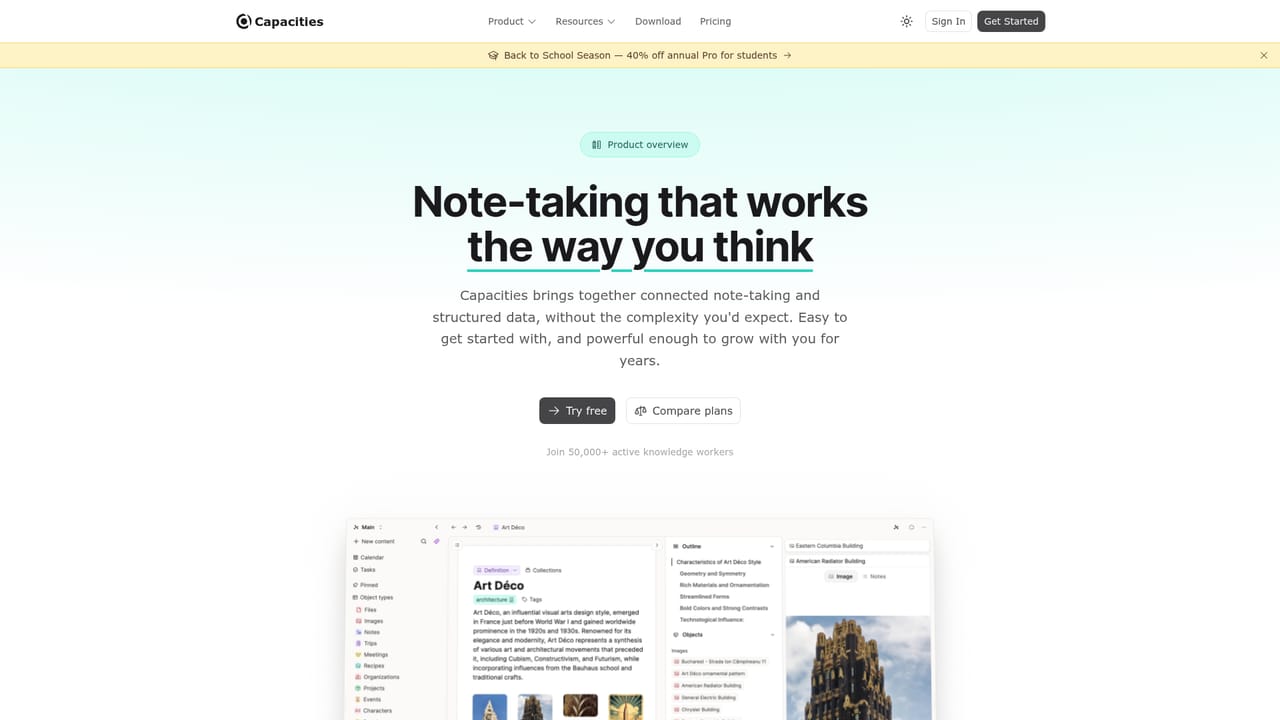
Screenshot of Capacities, A connected notes studio for people who think for a living

What is Capacities?

Capacities is an object-based note-taking and knowledge management app for individuals. Daily notes capture ideas fast, structured object types organise people, books, projects and meetings, and backlinks plus Related Content reveal connections. Available on web, desktop and mobile, with a free plan and EU hosting.

Capacities is a note-taking and knowledge management application built around objects rather than folders. Instead of filing notes into nested directories, users create structured object types such as Person, Book, Project or Meeting, each carrying its own properties, and link them freely. A daily note acts as a low-friction inbox: you write first and organise later, and connections between objects accumulate over time. Backlinks show every reference to an object, while a Related Content feature scans your writing and surfaces places where you touched on the same subject without linking it. The product is aimed at individual knowledge workers, including writers, researchers, students, developers, managers and founders, rather than teams. The company states it builds for individuals, avoids collaboration features and enterprise bloat, and is funded by users rather than venture capital. In practice a session starts with the daily note, where you capture whatever is in front of you. As material accumulates, you promote a meeting to a Meeting object or a book to a Book object, adding the object types you actually need. Daily notes then link back to those objects, and the graph grows without a filing decision at every step. Capacities also handles saved links and images, and the marketing shows a task dashboard where status and priority sit in context next to the related notes. Custom object types and an AI Assistant are highlighted for writers planning characters, worlds and research banks. The app is available on the web plus Mac, Windows, Linux, iOS and Android, and data is hosted in EU data centres with encryption and GDPR compliance. Among personal knowledge tools, Capacities sits between the freeform graph approach of Roam Research and Obsidian and the database flexibility of Notion. It trades configuration depth for a built-in structure that works out of the box: the homepage explicitly pitches no plugin rabbit holes and no markdown syntax to memorise. Full export to standard formats is offered, so the lock-in risk is lower than with some rivals. Pricing details beyond a free forever plan and a student discount on annual Pro are not spelled out on the homepage, so buyers should confirm current tiers before committing.

How do you use Capacities?

  1. 1Create your account and open the app
    Sign up from the start page and launch Capacities in the browser. The free plan requires no credit card, so you can explore before choosing a paid tier.
    Capacities — Create your account and open the app
  2. 2Write your first daily note
    Open today's daily note and capture whatever is on your mind. There is no structure to set up and no filing decision to make at this stage.
  3. 3Create an object type you need
    Turn a note into a structured object, for example a Meeting, Book or Project. Add only the object types you actually use so the system stays lean.
  4. 4Link objects and follow backlinks
    Connect an object to related notes and check its backlinks panel to see every reference. This is where the network starts replacing folders.
  5. 5Review Related Content suggestions
    Let Capacities scan your notes for places where you wrote about an object without linking it, then confirm the connections that make sense.
  6. 6Read the product tour for deeper features
    The product page walks through the object model, custom object types and the AI Assistant so you can plan how your workspace will grow.
    Capacities — Read the product tour for deeper features

Pros and cons

Pros

  • Object model removes constant folder decisions and keeps notes structured without setup.AI
  • Related Content surfaces unlinked mentions, which goes beyond standard backlinks.AI
  • Daily note as inbox lowers the barrier to capturing thoughts before organising them.AI
  • Free forever plan with no credit card requirement and full export in standard formats.AI
  • Native apps on Mac, Windows, Linux, iOS and Android plus the web app.AI

Cons

  • No collaboration features, so it is unsuitable for teams working in shared documents.AI
  • The object model takes adjustment if you are used to plain folders or documents.AI
  • Homepage does not list integrations, so the surrounding ecosystem is unclear.AI
  • Pricing beyond the free plan is not detailed on the homepage, complicating comparison.AI
  • AI Assistant is mentioned but its scope and limits are not described on the homepage.AI

How much does Capacities cost?

Pricing

The homepage advertises a free forever plan with no credit card required. A Pro tier exists and annual Pro is offered at 40 percent off for students during the Back to School promotion. Exact prices for Pro are not listed on the homepage, so check the current plan details before subscribing.

Learn more

Features

Core features include object types with properties, linking between any two objects, backlinks, Related Content for unlinked mentions, daily notes as an inbox, saved links and images, a task dashboard with status and priority in context, custom object types, an AI Assistant, and full export to standard formats. Data is encrypted and hosted in EU data centres under GDPR.

Learn more

Frequently asked questions about Capacities

  • How much does Capacities cost?
    The homepage advertises a free forever plan with no credit card required. A Pro tier exists and annual Pro is offered at 40 percent off for students during the Back to School promotion. Exact prices for Pro are not listed on the homepage, so check the current plan details before subscribing.
  • How do you use Capacities?
    The walkthrough on this page covers 6 steps: 1. Create your account and open the app 2. Write your first daily note 3. Create an object type you need 4. Link objects and follow backlinks 5. Review Related Content suggestions 6. Read the product tour for deeper features.
  • What platforms does Capacities support?
    Capacities is available on Web App, iOS, Android, MacOS, Windows and Linux.
  • What are the limitations of Capacities?
    No collaboration features, so it is unsuitable for teams working in shared documents. The object model takes adjustment if you are used to plain folders or documents. Homepage does not list integrations, so the surrounding ecosystem is unclear.

Status

StatusActive
Views0
Outbound clicks0
Added10/22/2026

Platforms

Web AppiOSAndroidMacOSWindowsLinux

Pricing

FreemiumSubscription