Free trial
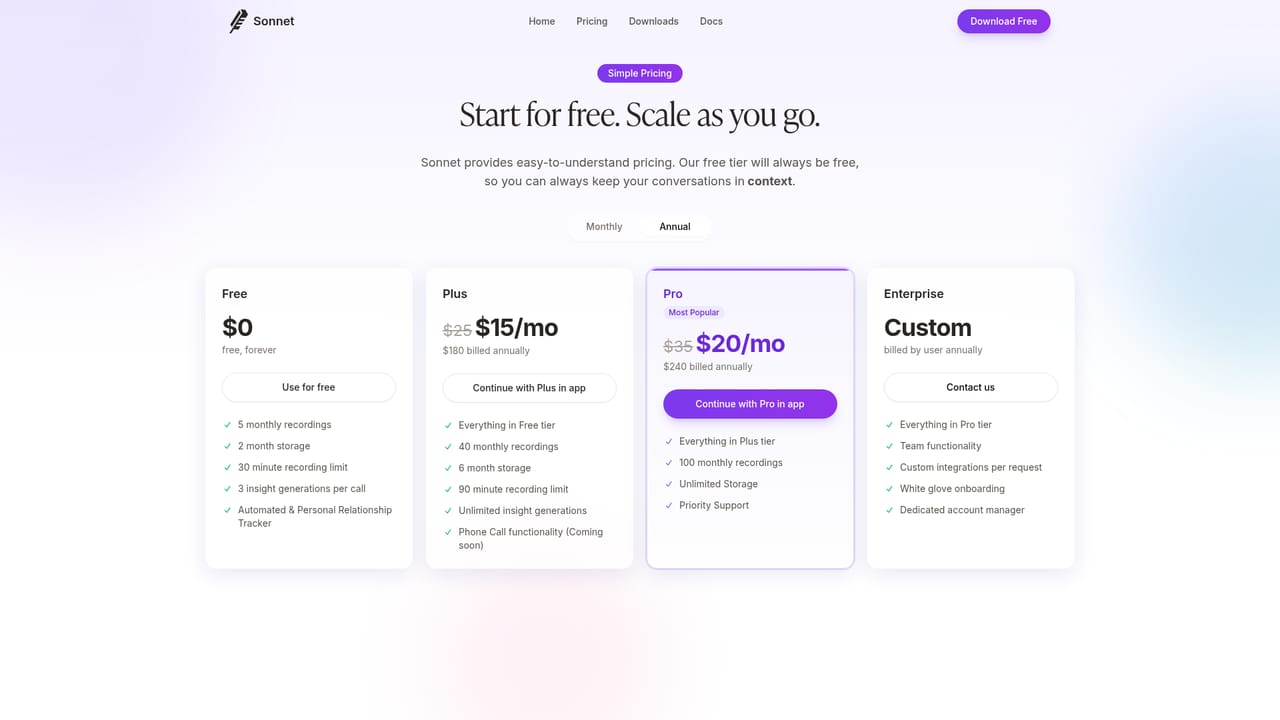
A free tier offers five notes per month without a credit card, functioning as an ongoing free plan rather than a time-limited trial.
Learn moreAI meeting assistant that records, transcribes, and extracts action items.

Sonnet AI records and transcribes meetings without a bot, using device audio to work across Zoom, Meet, Teams, Discord and Slack. It generates templated notes, extracts action items with assignees and deadlines, tracks relationships, and keeps everything searchable.
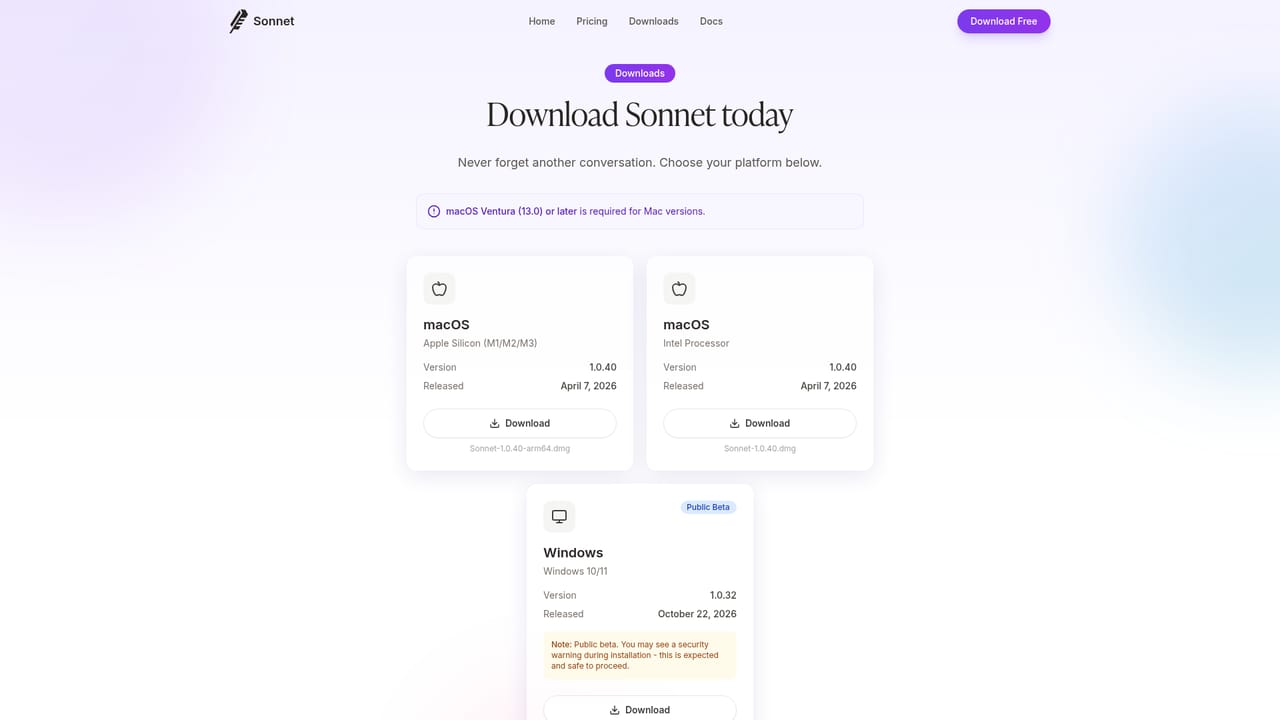
Sonnet AI is a meeting assistant built around a simple premise: the conversation should be the focus, not the note taking. It captures audio directly from your device, so there is no bot to admit to the call and no integration to configure. That means it works across Zoom, Google Meet, Microsoft Teams, Discord, Slack and essentially any other platform that plays sound on your machine. Before a meeting it surfaces AI-generated profiles of the participants, during the call it records and transcribes in real time, and after the call it turns the transcript into notes, action items and updates to your relationship records. The product leans on templates rather than a single generic summary format. Dozens of domain-specific templates cover sales, legal, medical and recruiting scenarios, and the output can include tables, concept maps and other structured layouts. Action items are extracted automatically with assignees and deadlines, and relationship tracking builds context-rich profiles of the people you meet. A searchable archive means past conversations stay accessible, and meeting reminders appear before calls so you can review context in advance. Sonnet AI is aimed at professionals who live in back-to-back calls: sales teams maintaining CRM hygiene, recruiters tracking candidates, lawyers and clinicians who need structured records, and founders or operators who want their meetings to produce follow-ups without manual effort. The downloadable desktop app for Mac and Windows is the primary experience, with a companion mobile app listed as launching soon. Because it relies on device audio rather than native connectors, it suits people who meet across many platforms and do not want per-tool setup. Among meeting assistants, Sonnet's differentiators are the no-bot recording model and the breadth of note templates. The trade-off is that a desktop app is required, and the mobile experience is not yet available. A free tier of five notes per month with no credit card makes it easy to evaluate against bot-based notetakers before committing.
A free tier offers five notes per month without a credit card, functioning as an ongoing free plan rather than a time-limited trial.
Learn moreThe homepage lists a free tier of five notes per month with no credit card required. Paid plans and their rates are not shown on the homepage; the pricing page is the place to compare tiers.
Learn moreDocumentation is available through the docs site. The homepage does not describe support channels or response times.
Learn moreSonnet states that no integrations are needed: it captures device audio and therefore works with Zoom, Google Meet, Microsoft Teams, Discord, Slack and other platforms.
Core features include no-bot audio recording, real-time transcription, customizable AI notes with tables and concept maps, a template gallery for sales, legal, medical and recruiting, automatic action items with assignees and deadlines, relationship tracking, meeting reminders, a searchable archive, and a desktop app for Mac and Windows with a mobile companion app listed as coming soon.
 AI Angels400+ customizable AI girlfriends for NSFW chat, voice calls, and roleplay
 Candy AIExperience the future of companionship with AI friends who chat, role-play, and connect with you on a human level.
 ourdream.aiA vast AI roleplay platform with millions of characters for chat, images, video and voiceAI Angels400+ customizable AI girlfriends for NSFW chat, voice calls, and roleplayCandy AIExperience the future of companionship with AI friends who chat, role-play, and connect with you on a human level.ourdream.aiA vast AI roleplay platform with millions of characters for chat, images, video and voice


