Free trial
The app is free to download and a free signup tier exists, but the homepage does not describe a time limited trial of the paid plans.
Learn moreAn AI editor that cuts, captions and styles your footage in minutes
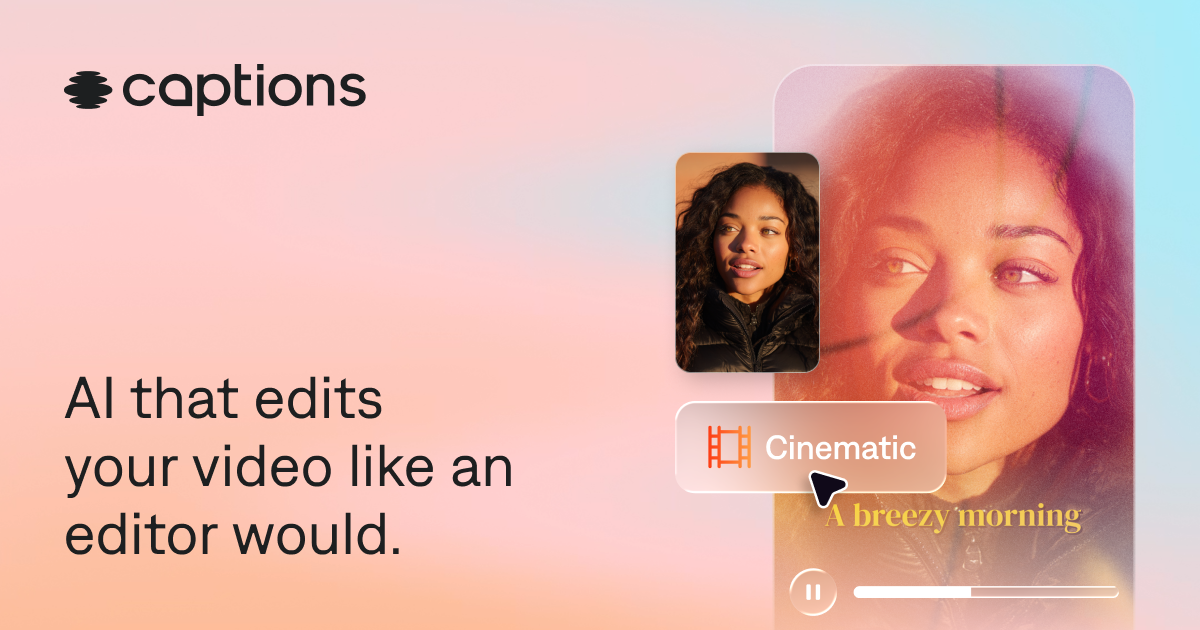
Captions is an AI video editor that cuts scenes, adds B-roll, captions, music and avatars from a single upload, with prompt based revisions. Built for creators, podcasters and marketing teams making short form and ad content, with a free signup and paid plans for the full feature set.
Captions is an AI video editor built around the idea that most of post production can be handled by a model that reads your footage and makes editorial choices. You upload a clip or record inside the app, pick one of the available styles (the site lists options such as Prism Pro, Paper II, Prime, Elevate, Sketch, Lens, Vista and others), and the system cuts scenes, adds B-roll, applies custom zooms and transitions, and lays in music. The site pitches this as skipping post production entirely, with prompts available for revisions when the first pass is not right. Beyond the one-shot edit, the product bundles the tasks that usually send creators into separate apps. Auto captions with stylized fonts, subtitle translation across 100+ languages, background noise removal, eye contact correction, pause and filler word trimming, generated royalty free music and sound effects, and AI avatars all live in the same workspace. The avatar tools cover two routes: generate a digital presenter from a library, or build an AI twin of yourself and reuse it across videos with prompt driven changes to outfits, backgrounds and product inserts. A chat based editor accepts plain language instructions, which is the main reason the product claims no editing experience is required. It is aimed at social media creators, podcasters clipping long conversations, small teams producing video ads and product demos, and anyone making tutorials or short form content for vertical and horizontal formats. The stated user count is 20 million, which points to a consumer and prosumer base rather than a film pipeline. Compared with manual editors like Premiere or CapCut, Captions trades granular timeline control for speed and automated taste. Compared with other AI first editors, its differentiator is the combination of full video restyling and a persistent AI avatar of the user. Signing up is free, but the homepage is explicit that the best features sit behind a subscription. Anyone who needs frame accurate control, complex multicam work or detailed color grading will find the automated approach limiting. For fast, repeatable short form output, it is a credible option.
The app is free to download and a free signup tier exists, but the homepage does not describe a time limited trial of the paid plans.
Learn moreSigning up is free and some features work without paying, but the homepage states that a subscription is needed to unlock all capabilities and professional quality output. Specific plan tiers and prices are listed on the pricing page rather than the homepage.
Learn moreAI Edit restyles an entire video from a chosen style, cutting scenes and adding B-roll and transitions. Supporting tools include auto captions with stylized fonts, subtitle translation in 100+ languages, AI twins and generated avatars, eye contact correction, background noise removal, pause and filler word trimming, prompt based text to edit, and generated royalty free music and sound effects.
Learn more AI Angels400+ customizable AI girlfriends for NSFW chat, voice calls, and roleplay
 Candy AIExperience the future of companionship with AI friends who chat, role-play, and connect with you on a human level.
 ourdream.aiA vast AI roleplay platform with millions of characters for chat, images, video and voiceAI Angels400+ customizable AI girlfriends for NSFW chat, voice calls, and roleplayCandy AIExperience the future of companionship with AI friends who chat, role-play, and connect with you on a human level.ourdream.aiA vast AI roleplay platform with millions of characters for chat, images, video and voice