Postless

Turn your product demo into short social videos that are ready to post.

Beginner
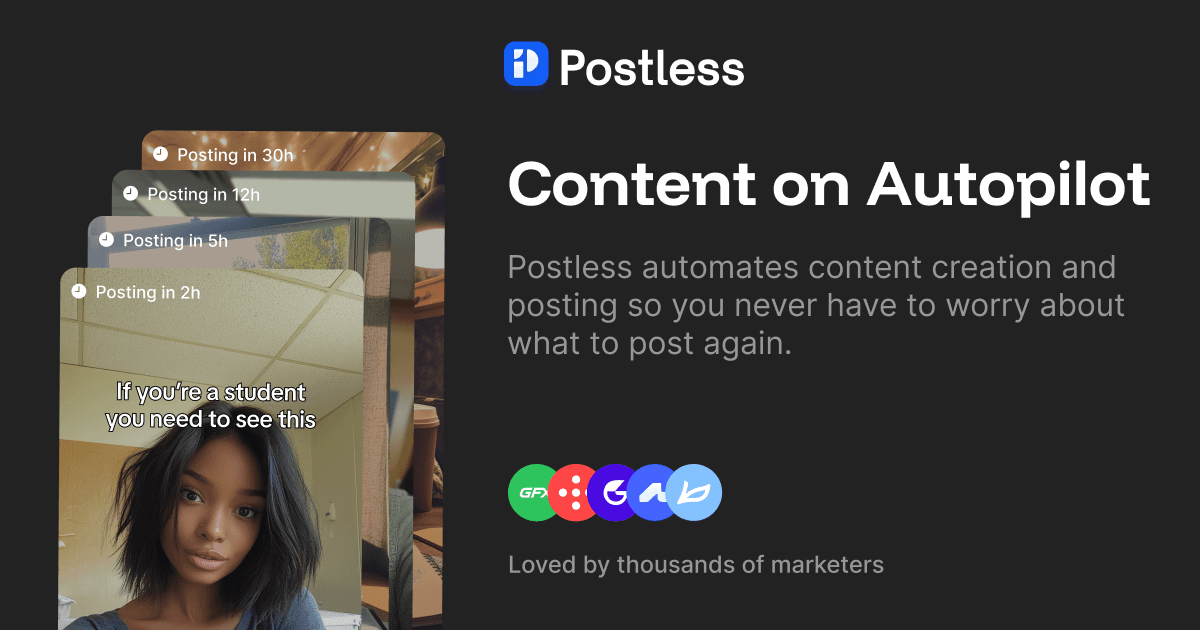
Screenshot of Postless, Turn your product demo into short social videos that are ready to post

What is Postless?

Postless is a make reels AI tool that turns your product demo into short social videos that are ready to post. An AI content platform that converts a product demo and a short product description into scroll ready short videos for TikTok, Instagram Reels and YouTube Shorts, pairing AI avatars with generated hooks and UGC or meme templates.

Postless is an AI content tool built around a single, narrow job: taking a product demo and turning it into short vertical videos that look at home on TikTok, Instagram Reels and YouTube Shorts. Instead of handing you a general purpose video editor, it asks for context about your product, takes a screen recording of it in use, and then assembles posts in the UGC and meme formats that dominate short form feeds. The workflow is deliberately linear. You describe what your product does and what makes it worth talking about, upload footage of it in action, and Postless returns a set of content suggestions. From there you pick the direction you like and generate the video. Every post pairs three ingredients: an AI creator pulled from a roster of avatars, a hook written to earn the first few seconds of attention, and a template that gives the clip its structure. Hooks can be regenerated without limit, so a single demo can be reangled many times over. Two kinds of buyer get the most from it. Solo founders and small product teams who know short video matters but have neither the time to shoot it nor the appetite to learn an editor are the obvious fit. Lean marketing teams that need a steady posting cadence rather than a handful of polished hero clips are the second. Plans are sized by monthly video volume, starting at 15 and scaling to 150, with the higher tiers adding custom AI avatars alongside the shared roster. Postless sits somewhere between an AI video generator and a social content scheduler, though scheduling is not there yet: videos are produced for you to review and share yourself, with automatic publishing described as coming soon. That places it closer to tools like Arcads or Creatify, which also lean on AI presenters and scripted hooks, than to timeline based editors. If the work needs nuanced color grading, original footage shot on set, or long form narrative, this is the wrong tool. If the need is a repeatable pipeline from product demo to scroll ready short, it is tightly scoped to exactly that.

How do you use Postless?

  1. 1Describe your product and its angle
    Start in the app and enter what your product does plus what makes it worth talking about. This context steers the hooks and suggestions that follow.
  2. 2Upload a product demo recording
    Add a screen recording of the product in action. That clip becomes the visual starting point for every video generated from this session.
  3. 3Generate and refresh content suggestions
    Request a set of content suggestions, then refresh them whenever you want a different angle. Review the options and keep the ones worth building.
  4. 4Pick a creator, hook and template
    Choose an AI avatar from the roster, select a hook (or generate more), and settle on a UGC or meme template that fits the product.
  5. 5Generate, review and share
    Render the video, check the result, and share it yourself. Automatic scheduling is not live yet, so publishing stays in your hands for now.

Pros and cons

Pros

  • Pipeline is built for one job, so there is no timeline editing to learnAI
  • Hooks can be regenerated without limit, which makes reangling one demo easyAI
  • Avatar roster is available on every plan, with custom avatars from the mid tier upAI
  • Templates cover the two formats short feeds actually reward: UGC and memeAI
  • Video volume scales from 15 to 150 per month as posting cadence growsAI

Cons

  • No automatic publishing yet, so review and posting remain manual workAI
  • No free tier or trial is stated, which means paying before testing the outputAI
  • Entry plan at 15 videos a month is thin for teams posting dailyAI
  • Footage quality still depends on the demo you upload; weak recordings stay weakAI
  • Limited to short form vertical formats, with no support for longer contentAI

How much does Postless cost?

Pricing

Three monthly tiers billed by video volume. Starter is $19.99 per month for 15 videos, Essential is $49.99 for 40 videos plus 10 custom AI avatars, and Scale is $99.99 for 150 videos plus 30 custom avatars. All tiers include AI content suggestions, unlimited AI hooks, every UGC avatar and all templates.

Learn more

Support

Support is handled through a frequently asked questions section on the homepage that covers what the tool does, how the workflow runs, available formats, customization options and publishing. No dedicated help centre is listed.

Integrations

Automatic posting to social platforms is not live yet; the homepage describes scheduling as coming soon. Videos are generated for the user to review and share manually.

Features

Covers the full path from product demo to finished short: AI content suggestions on demand, unlimited hook generation, a roster of AI creators, custom avatars on the Essential and Scale plans, and UGC and meme templates built for TikTok, Reels and Shorts. No editing experience is required, and no timeline work is involved.

Frequently asked questions about Postless

  • How much does Postless cost?
    Three monthly tiers billed by video volume. Starter is $19.99 per month for 15 videos, Essential is $49.99 for 40 videos plus 10 custom AI avatars, and Scale is $99.99 for 150 videos plus 30 custom avatars. All tiers include AI content suggestions, unlimited AI hooks, every UGC avatar and all templates.
  • How do you use Postless?
    The walkthrough on this page covers 5 steps: 1. Describe your product and its angle 2. Upload a product demo recording 3. Generate and refresh content suggestions 4. Pick a creator, hook and template 5. Generate, review and share.
  • What platforms does Postless support?
    Postless is available on Web App.
  • What does Postless integrate with?
    Automatic posting to social platforms is not live yet; the homepage describes scheduling as coming soon. Videos are generated for the user to review and share manually.
  • What are the limitations of Postless?
    No automatic publishing yet, so review and posting remain manual work. No free tier or trial is stated, which means paying before testing the output. Entry plan at 15 videos a month is thin for teams posting daily.

Status

StatusActive
Views0
Outbound clicks0
Added10/21/2026

Platforms

Web App

Pricing

PaidSubscription