Free trial
A free trial is available via the sign-up link on the homepage. No trial length or usage limits are stated in the source.
Learn moreAutomated QA for voice and chat AI agents: test, monitor, and self improve.

Cekura is an AI chat bot tool. Cekura provides automated QA for voice and chat AI agents through pre-production simulations, production call monitoring, adversarial red-teaming, and cross-provider benchmarking. It targets engineering and QA teams that need release gates and drift detection before and after launch.
Cekura is a testing and observability platform for teams building voice and chat AI agents. It addresses a specific gap in the agent development lifecycle: the period between prototype and production, and the long tail of live calls after launch. Rather than relying on manual spot checks, Cekura runs automated simulations against an agent to surface instruction-following failures, tool call errors, and conversational quality issues before real users encounter them. The platform organizes work into three loops. Pre-production simulation generates thousands of synthetic conversations across diverse personas, including adversarial scenarios designed to probe for jailbreaks, PII leaks, and off-script behavior. Production monitoring watches live calls for drift, surfacing changes in sentiment, latency, and task completion. The improvement loop takes flagged failures, reproduces them in simulation, generates an eval, and suggests prompt patches, with the option to re-run the gate automatically. A benchmarking feature lets teams run identical scenarios across providers such as Vapi, Retell, ElevenLabs, and custom stacks to compare reliability, latency, and interruption handling. Cekura is aimed at engineering and QA teams running voice agents in production or preparing a launch, particularly in regulated sectors where reliability matters. The homepage cites Five9, PwC, Deloitte, and Twin Health as customers, and notes HIPAA, SOC 2, and GDPR compliance as defaults. It fits alongside agent builders and telephony platforms rather than replacing them: the tool assumes an existing agent and adds the test harness and monitoring layer on top. Teams comparing voice agent vendors can use the benchmarking feature as a bake-off, while teams already committed to a stack can use simulations as a release gate. The main tradeoff is that value depends on how much the team invests in writing and maintaining realistic test scenarios.
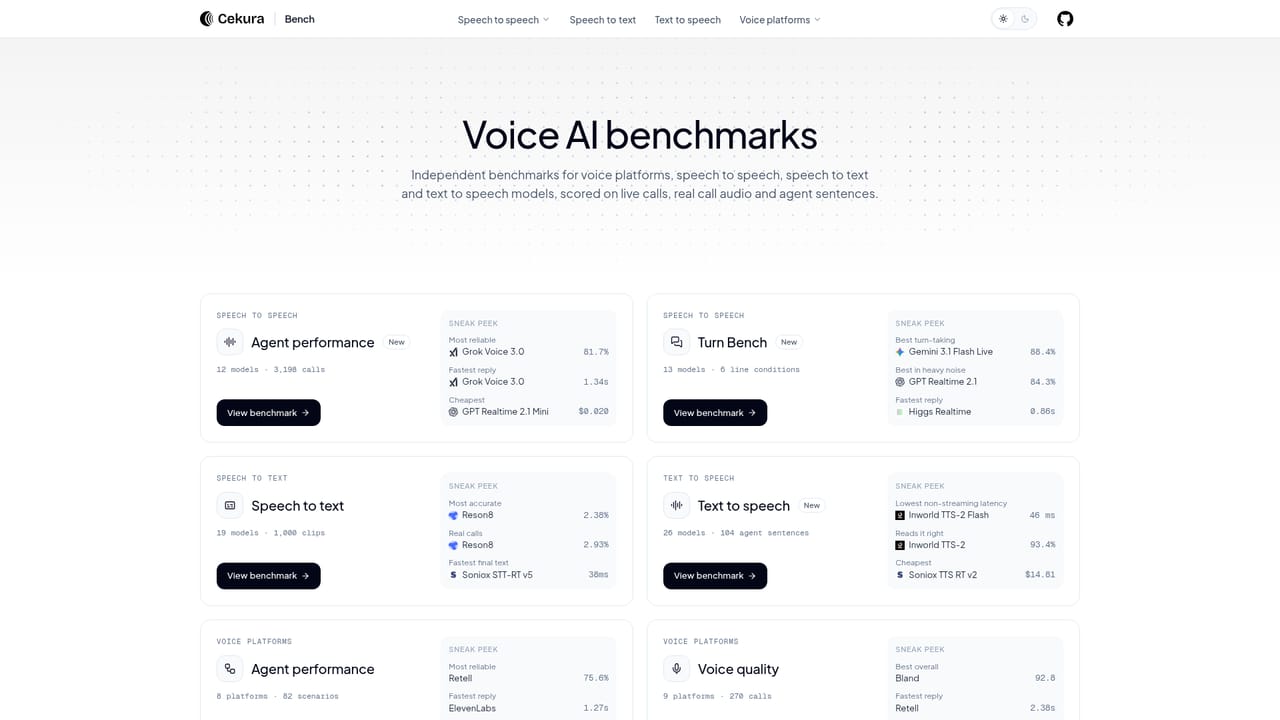
A free trial is available via the sign-up link on the homepage. No trial length or usage limits are stated in the source.
Learn moreIntegrations listed on the homepage include Five9, Pipecat, LiveKit, ElevenLabs, Vapi, Cisco, Synthflow, Retell, and Bland. No detail is provided on connector depth or API access.
Core features include pre-production simulation with synthetic personas, production monitoring with live drift detection, adversarial red-teaming for jailbreaks and PII leaks, cross-provider benchmarking, and a self-improving loop that flags issues and suggests prompt fixes. The homepage also positions the platform for instruction-following, tool call, and conversational quality testing.
 AI Angels400+ customizable AI girlfriends for NSFW chat, voice calls, and roleplay
 Candy AIExperience the future of companionship with AI friends who chat, role-play, and connect with you on a human level.
 ourdream.aiA vast AI roleplay platform with millions of characters for chat, images, video and voiceAI Angels400+ customizable AI girlfriends for NSFW chat, voice calls, and roleplayCandy AIExperience the future of companionship with AI friends who chat, role-play, and connect with you on a human level.ourdream.aiA vast AI roleplay platform with millions of characters for chat, images, video and voice


