Cerebro

Turn videos, articles and PDFs into searchable, connected knowledge

Beginner
Screenshot of Cerebro, Turn videos, articles and PDFs into searchable, connected knowledge

What is Cerebro?

Cerebro is an AI search tool that turns videos, articles and PDFs into searchable, connected knowledge. Cerebro turns videos, articles, books and PDFs into a searchable knowledge base and lets you ask natural language questions about them through its AI assistant, Nova.

Cerebro is a knowledge management workspace built around a simple premise: most of what you read, watch and listen to is lost shortly after you finish it. The product takes videos, articles, books and PDFs, converts them into a searchable library, and lets you interrogate that library in plain language. Its AI assistant, Nova, answers questions about your saved material and points back to the exact sources, so a two hour podcast with one useful segment no longer requires scrubbing through the timeline. In practice the workflow is deliberately light. You paste a link or upload a document, Cerebro extracts the key points, and the material joins a growing knowledge network where related ideas from separate sources link together. The notebook layer, organized around the PARA method (projects, areas, resources, archives), gives that material a home and a writing surface. The stated audience is broad: students working through lecture notes and papers, teachers structuring lesson plans, marketers tracking industry material, developers keeping documentation and snippets, journalists sifting interviews, and founders juggling everything at once. Where does it sit among alternatives? The comparison the site invites is with general note tools such as Notion. Cerebro's pitch is that notes alone still leave you searching, whereas an AI layer over your saved content lets you ask rather than dig. That puts it closer to research and reading assistants than to pure note taking, though the notebook and PARA structure mean it wants to be your primary information home rather than a sidecar. Buyers should treat it as a second brain for consumed content, not a project management suite. A few caveats are worth stating plainly. The homepage is long on outcomes and short on mechanics: there is no published detail on storage limits, how many sources a query can draw on, supported file types beyond articles and PDFs, or the accuracy of extracted key points. Pricing is not shown on the page at all, so cost has to be checked directly. There are free tools offered as a separate product surface, but whether a full trial of the main app exists is not stated. Readers who need audit level citations, enterprise controls or offline access should verify those before committing.

How do you use Cerebro?

  1. 1Review what Cerebro offers
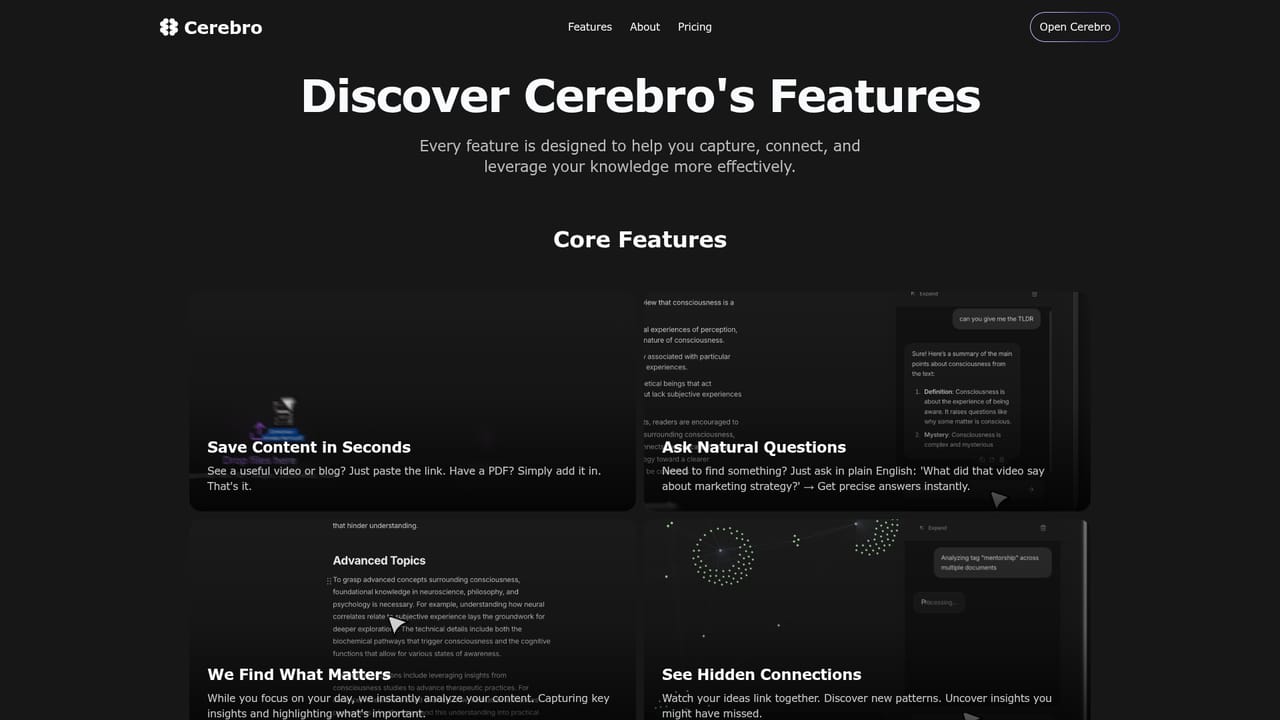
    Start on the features page to see the full capability set, including content capture, Nova summaries, key point extraction and the connected knowledge network, before creating anything.
    Cerebro — Review what Cerebro offers
  2. 2Try the free tools first
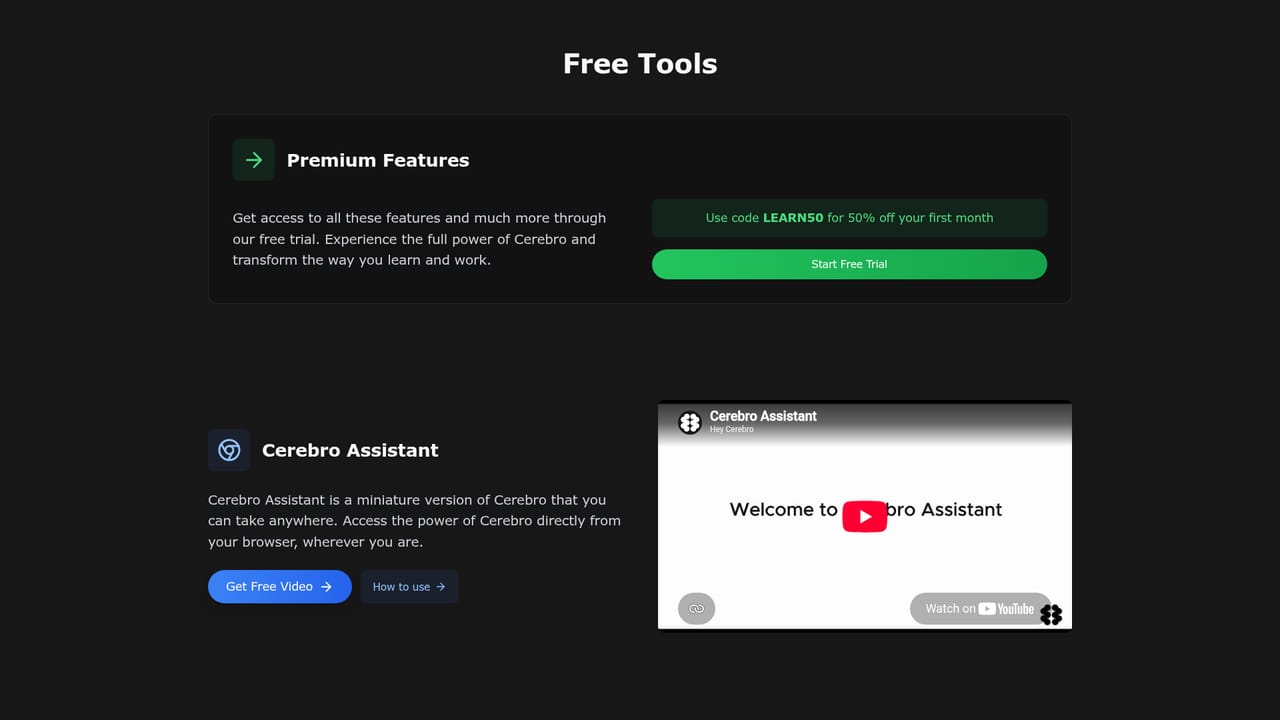
    The free tools page offers standalone utilities that show how Cerebro processes and summarizes content, which is a low risk way to judge output quality.
    Cerebro — Try the free tools first
  3. 3Add your first source
    Once signed in, paste a video or article link, or upload a PDF. Cerebro converts the material into searchable knowledge and extracts the important parts automatically.
  4. 4Ask Nova a question
    Use the assistant to query your saved content in natural language, such as asking what a specific video said about a topic, and check the sources returned with each answer.
  5. 5Organize with the PARA method
    Move saved material into projects, areas, resources and archives inside the notebook so references stay findable as the library grows.
  6. 6Watch connections form
    Keep adding content and review the links Cerebro draws between sources, using those patterns to spot ideas you would otherwise have missed.

Pros and cons

Pros

  • Plain English questions return answers with the original sources attached, which beats hunting through tabs and foldersAI
  • Saving material is a paste or upload away, so the habit is easy to keep compared with manual note takingAI
  • Automatic key point extraction shortens long videos and articles without requiring you to watch or read them in fullAI
  • The PARA method is built into the notebook, giving newcomers a ready structure instead of a blank pageAI
  • Free tools are available to test the underlying approach before committing to the main productAI

Cons

  • No pricing information on the homepage, so cost and plan limits have to be confirmed elsewhere before you invest timeAI
  • Supported file types beyond articles and PDFs are not specified, leaving document coverage unclearAI
  • Accuracy of extracted insights and Nova's answers cannot be judged from the marketing material aloneAI
  • No stated integrations with the reading, video or reference tools people already useAI
  • Suitability for large personal libraries or team sharing is unaddressed on the pageAI

How much does Cerebro cost?

Features

Core features include turning videos, articles, books and PDFs into a searchable knowledge base, automatic key point extraction, and natural language answers from the Nova assistant with sources cited. A PARA structured notebook handles writing and organization, and the system surfaces links between related content as the library expands. A separate set of free tools is offered on the site.

Learn more

Frequently asked questions about Cerebro

  • How do you use Cerebro?
    The walkthrough on this page covers 6 steps: 1. Review what Cerebro offers 2. Try the free tools first 3. Add your first source 4. Ask Nova a question 5. Organize with the PARA method 6. Watch connections form.
  • What platforms does Cerebro support?
    Cerebro is available on Web App.
  • What are the limitations of Cerebro?
    No pricing information on the homepage, so cost and plan limits have to be confirmed elsewhere before you invest time. Supported file types beyond articles and PDFs are not specified, leaving document coverage unclear. Accuracy of extracted insights and Nova's answers cannot be judged from the marketing material alone.

Status

StatusActive
Views0
Outbound clicks0
Added10/22/2026

Platforms

Web App

Pricing

Freemium