Free trial
The basic model can be tried without logging in, five times per day. A separate trial center is advertised for trying more clothes change models for free, and invites earn extra credits.
Learn moreSwap outfits on your own photos with a garment image and AI synthesis
Own Change Clothes AI? Verify ownership to get a dofollow link
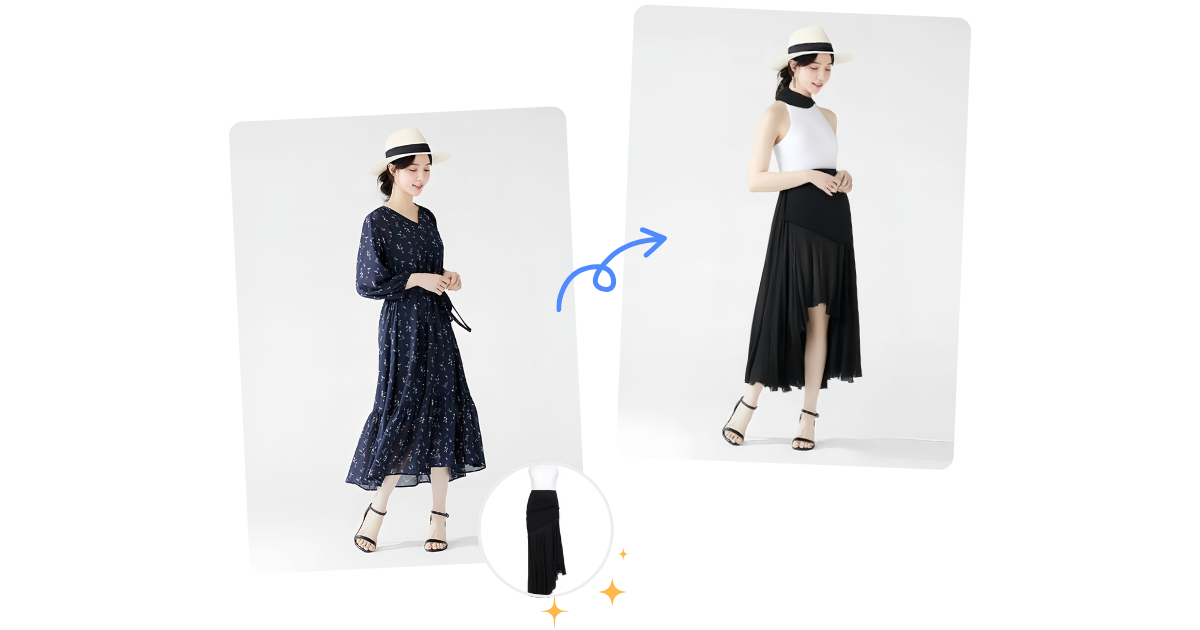
Change Clothes AI is a change clothes tool. A no install, browser based clothes changer that composites a garment photo onto a portrait in seconds. Free daily runs on the basic model make it a low risk way to test virtual try on for shopping decisions, outfit planning and social content.
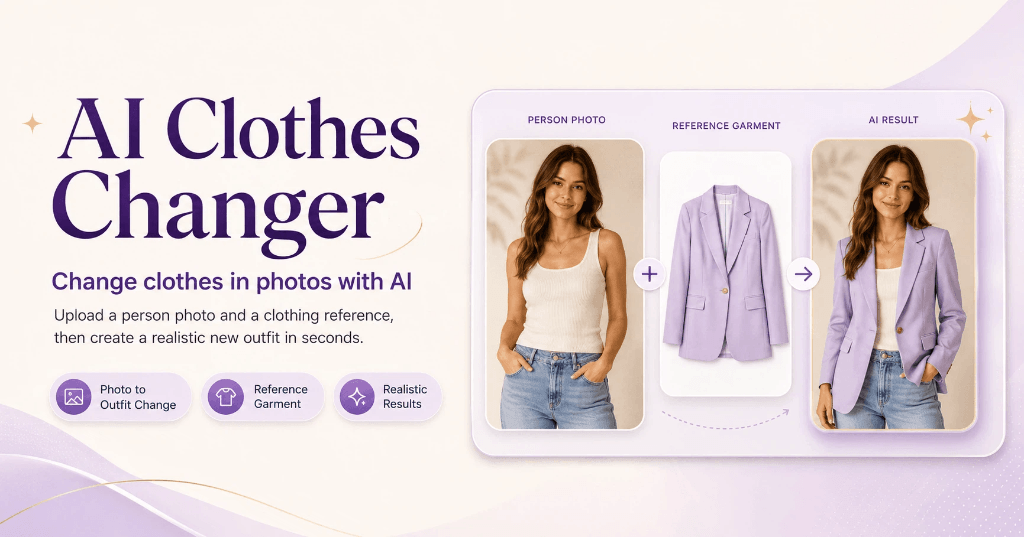
Change Clothes AI is a browser based virtual try on tool that puts a chosen garment onto a photo of a person. The workflow is deliberately narrow: one portrait goes in, one clothing image goes in, and the service returns a synthesized picture of that person wearing that garment. It sits in the same space as consumer wardrobe apps and ecommerce fit previews, but the interaction model is closer to an image editor than to a shopping assistant. There is no catalogue behind it and no size chart, only two uploads and a render. In practice the quality of the output depends heavily on the inputs. The site asks for a clear, front facing portrait with good lighting and a distinguishable existing outfit, plus a garment shot taken from a front facing angle. The AI reads body shape, pose and the boundaries of the current clothing, then analyzes the garment's shape, color, pattern and texture before blending the two with attention to lighting, shadows and fabric folds. The team states a typical render arrives in roughly 10 to 30 seconds, and that complex poses or obscured body parts can hurt the result. Published examples cover dresses, shirts, short and long skirts, shorts and trousers. Two escape hatches extend the core feature. A text prompt mode lets users describe clothing instead of sourcing a garment photo, and a color control targets recoloring rather than full replacement. Model choice and a single item versus full outfit toggle add some control over the render. Uploads accept jpg, png and webp files under 5MB. The tool is aimed at shoppers weighing an online purchase, people planning outfits for an event, and social media users producing style content. The site also pitches fashion and ecommerce businesses that want shoppers to try before buying and cut returns, though there is no API or storefront plugin mentioned, so that use case means manual renders per customer. The free tier (basic model, no login, five runs daily) makes it easy to test against alternatives before committing.
The basic model can be tried without logging in, five times per day. A separate trial center is advertised for trying more clothes change models for free, and invites earn extra credits.
Learn moreThe homepage confirms a free trial and mentions affordable paid plans that unlock unlimited outfit changes, remove ads for paid users, and are promoted through an invite scheme for free credits. No plan names, prices or quota figures are published on the homepage.
Learn moreSupport runs through email at dreamspire.team@gmail.com. The site states there is no dedicated community forum and no local install option, so questions and feedback go directly to the team.
Upload a portrait and a garment image to get a synthesized try on photo in roughly 10 to 30 seconds. Supports basic and pro models, single item or full outfit mode, a garment category selector, a text prompt path for describing clothes, a color change option, and drag and drop uploads of jpg, png or webp files under 5MB.
Learn more AI Angels400+ customizable AI girlfriends for NSFW chat, voice calls, and roleplay
 Candy AIExperience the future of companionship with AI friends who chat, role-play, and connect with you on a human level.
 ourdream.aiA vast AI roleplay platform with millions of characters for chat, images, video and voiceAI Angels400+ customizable AI girlfriends for NSFW chat, voice calls, and roleplayCandy AIExperience the future of companionship with AI friends who chat, role-play, and connect with you on a human level.ourdream.aiA vast AI roleplay platform with millions of characters for chat, images, video and voice