Free trial
The meta description invites users to try Chariot for free, but the homepage does not state the length or limits of a free trial.
Learn moreAI web developer that builds a site from a chat prompt

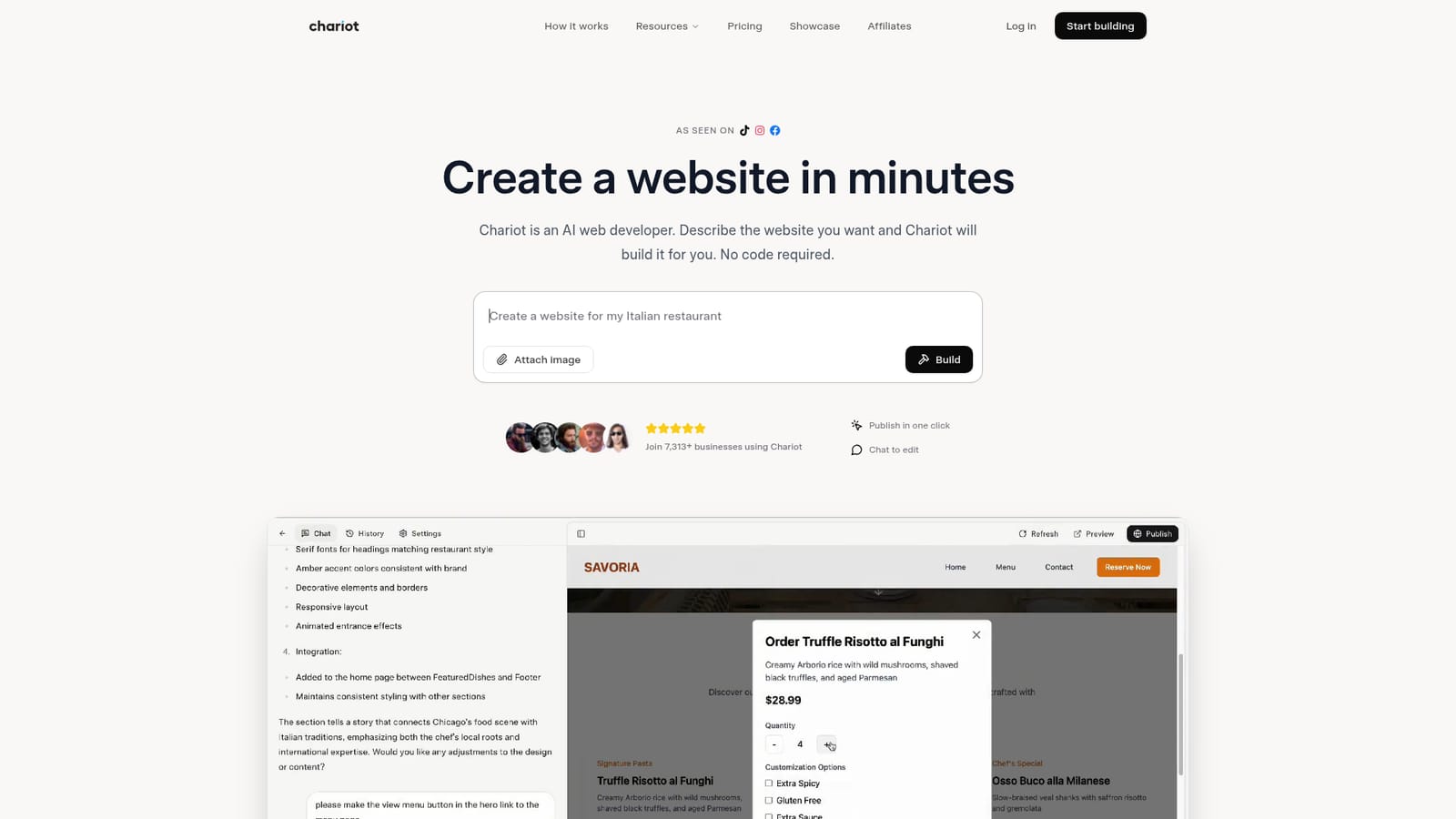
Chariotai is an app creation tool. Chariot is an AI website builder where you describe your site in a chat and it generates a professional, publishable website in minutes, with unlimited revisions and one click hosting.
Chariot is an AI web developer that turns a plain language description into a finished website. You describe your business, your goals, or the pages you need, and Chariot generates a professional site with the structure and content in place. The interface is a conversation: you type what you want (for example, a site for an Italian restaurant), optionally attach images, and press Build. From there you review the result and request changes in the same chat until the site looks right. The tool targets busy small business owners, founders, and independent operators who need an online presence but lack the time or skills for traditional builders. Chariot pitches itself against agencies and DIY platforms, claiming a much faster turnaround and unlimited revisions. Once you are satisfied, publishing happens in one click, and Chariot handles hosting and domains behind the scenes, so you do not configure servers or DNS yourself. The workflow has three stages: describe, review and refine, then publish. A chat example on the homepage shows the assistant asking follow-up questions (such as opening hours) before generating the site, which suggests the build process is iterative rather than a single shot. Finished projects on the site include a mobile detailing service, a digital studio, and a venture capital fund, showing that the output covers more than restaurants and bakeries. Chariot sits in the same space as other AI website builders and code generation tools. Its main differentiator is the conversational editing model and the promise of unlimited revisions at a published price point. Compared with hiring a developer or agency, it removes the long timeline and high cost; compared with conventional site builders, it removes the learning curve and manual layout work. The trade-off is less direct control over design details, since changes go through the chat rather than a visual editor.
The meta description invites users to try Chariot for free, but the homepage does not state the length or limits of a free trial.
Learn moreThe homepage lists a starting price of 17 dollars per month for Chariot and compares it with agency costs of 1,000 to 10,000 dollars and DIY builders at 20 to 50 dollars per month. Payment methods and full plan tiers are not detailed on the homepage.
Learn moreThe homepage includes an FAQ section covering getting started, build time, payment methods, cancellation, and site types, but does not describe direct support channels.
Chariot generates websites from a chat prompt, supports image attachments in the prompt, allows iterative revisions through conversation, and publishes sites in one click with hosting handled by the platform. It is positioned for users with no technical skills.
Learn more AI Angels400+ customizable AI girlfriends for NSFW chat, voice calls, and roleplay
 Candy AIExperience the future of companionship with AI friends who chat, role-play, and connect with you on a human level.
 ourdream.aiA vast AI roleplay platform with millions of characters for chat, images, video and voiceAI Angels400+ customizable AI girlfriends for NSFW chat, voice calls, and roleplayCandy AIExperience the future of companionship with AI friends who chat, role-play, and connect with you on a human level.ourdream.aiA vast AI roleplay platform with millions of characters for chat, images, video and voice


