Childbook

AI children's book creator with characters that stay consistent page to page

Beginner API
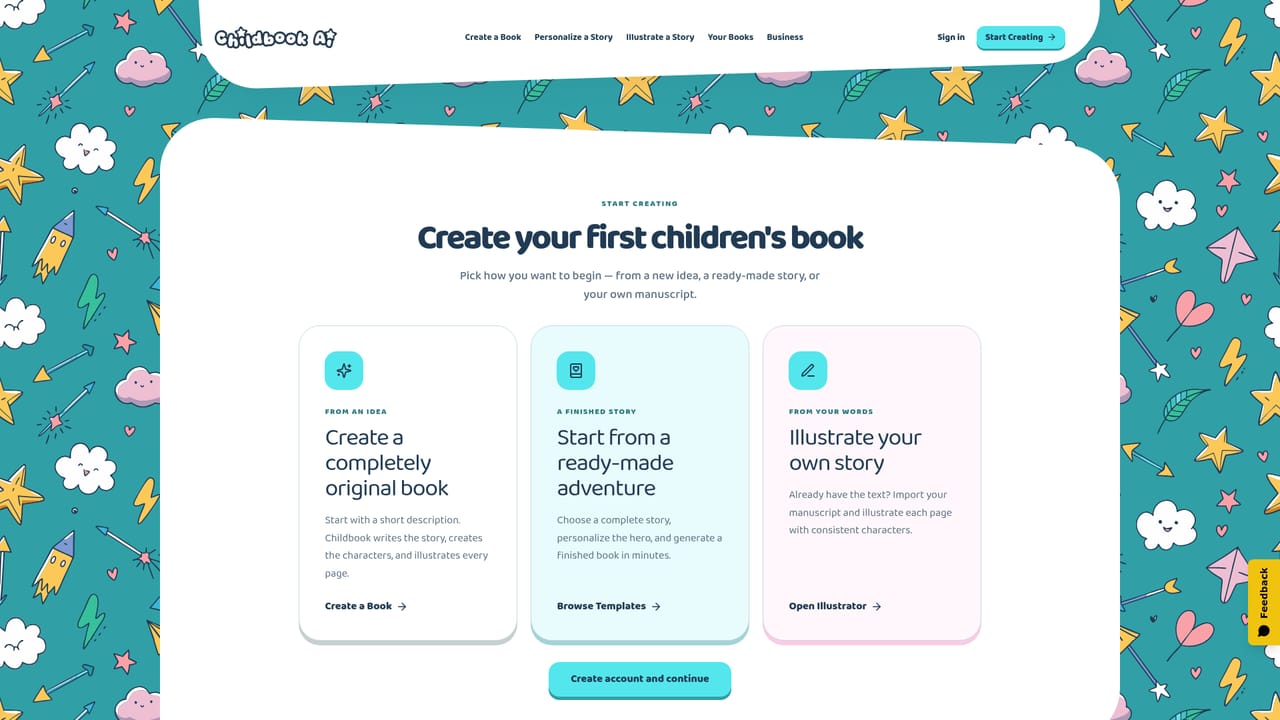
Screenshot of Childbook, AI children's book creator with characters that stay consistent page to page

What is Childbook?

Childbook generates full illustrated children's books, including story text, layout and a cover, with characters designed to stay consistent across every page. Text can come from an AI-written idea or a manuscript you supply, and a child's photo can become the hero.

Childbook is an AI platform for producing complete illustrated children's books rather than loose image sets. A user starts with a rough idea, a full manuscript, or a ready-made template, and the system assembles the story, the artwork, the cover and the page layout into one finished volume. The core promise is character consistency: a hero built from a written description or an uploaded photo is meant to stay recognizable from the first page through the back cover, which is the part most image generators handle poorly. The workflow splits into two entry points. From an idea, Childbook writes the story and generates everything around it. From your words, the Illustrator tool takes text the user already has, builds matching characters, and produces an illustration for each page. Either path allows rewriting text, regenerating a single illustration, and adjusting layout or cover without rebuilding the whole project. Output is a downloadable PDF, with printed softcover ordering available on top. The audience is broad. Families use it as a personalized gift service, dropping a child's photo in as the protagonist. Teachers and homeschooling parents build stories around a pupil's interests or a topic under study. Authors and illustrators treat it as a production shortcut that turns a manuscript into a formatted, illustrated book, and the Business tier adds a commercial license, watermark removal, reusable templates and white-label output for people selling what they make. The monthly plans scale capacity rather than features: Hobby allows up to 20 books and 100 illustration credits with a 32-page ceiling, Premium raises that to 50 books, 250 credits and 40 pages plus a printed-book credit, and Business pushes to 200 books and 1,000 credits. Bulk generation, API access, webhooks and storefront workflows sit outside the self-serve plans and require a separately negotiated custom arrangement, so high-volume automated sellers should expect a sales conversation rather than a checkout.

How do you use Childbook?

  1. 1Pick your starting point
    Decide whether to build from an idea, illustrate text you already wrote, or personalize a ready-made template. Each option opens a different editor flow.
    Childbook — Pick your starting point
  2. 2Set up the main character
    Describe the hero's appearance in words or upload a photo. This character becomes the anchor that the rest of the book's illustrations are matched against.
    Childbook — Set up the main character
  3. 3Generate the story and illustrations
    Childbook writes the narrative if needed, then produces artwork for each page along with a cover and a full book layout.
  4. 4Revise page by page
    Rewrite any text, regenerate individual illustrations, and adjust the layout or cover until the book reads the way you want.
  5. 5Download or order in print
    Export the finished book as a PDF for sharing, or place an order for a printed softcover. Printing and shipping are charged on top of any plan.

Pros and cons

Pros

  • Character consistency is treated as the central design goal, not an afterthought to image generationAI
  • Two distinct paths cover both blank-page creators and authors arriving with finished textAI
  • Page-level editing lets a single weak illustration or line of text be regenerated without redoing the bookAI
  • Photo-based personalization makes gifts and classroom materials genuinely individualAI
  • Business tier includes a commercial license, no watermark, templates and white-label outputAI

Cons

  • No free trial is mentioned on the homepage, so evaluation requires committing to a $19 monthly planAI
  • Page counts are capped by tier (32 on Hobby, 40 on Premium), which constrains longer chapter booksAI
  • Printing and shipping are billed separately and the $20 Premium credit does not cover shippingAI
  • API, bulk generation, webhooks and storefront workflows are excluded from self-serve plans and need a custom dealAI
  • Illustration credits are the real bottleneck for heavy revision, and unused credits only roll over at 50 percentAI

How much does Childbook cost?

Pricing

Three monthly subscriptions in USD: Hobby at $19 (20 books, 100 illustration credits, 32 pages per book), Premium at $29 (50 books, 250 credits, 40 pages, plus a $20 monthly credit toward a printed softcover), and Business at $99 (200 books, 1,000 credits, commercial license, no watermark, priority queue). Yearly billing is offered at two months off. Printing and shipping are extra.

Learn more

Integrations

API access, bulk generation, webhooks and storefront workflows exist only under a separately agreed custom plan and are not part of the self-serve Business subscription. No third-party integrations are listed on the homepage.

Features

Generates complete books: story text, consistent characters, per-page illustrations, cover and layout. Characters can be built from descriptions or uploaded photos and regenerated individually. Users can import their own manuscript into the Illustrator workflow, edit text and layout, download a PDF, or order a printed copy. The Business plan adds commercial licensing, watermark removal and white-label output.

Learn more

Frequently asked questions about Childbook

  • How much does Childbook cost?
    Three monthly subscriptions in USD: Hobby at $19 (20 books, 100 illustration credits, 32 pages per book), Premium at $29 (50 books, 250 credits, 40 pages, plus a $20 monthly credit toward a printed softcover), and Business at $99 (200 books, 1,000 credits, commercial license, no watermark, priority queue). Yearly billing is offered at two months off. Printing and shipping are extra.
  • Does Childbook have an API?
    Yes, Childbook offers an API.
  • How do you use Childbook?
    The walkthrough on this page covers 5 steps: 1. Pick your starting point 2. Set up the main character 3. Generate the story and illustrations 4. Revise page by page 5. Download or order in print.
  • What platforms does Childbook support?
    Childbook is available on Web App.
  • What does Childbook integrate with?
    API access, bulk generation, webhooks and storefront workflows exist only under a separately agreed custom plan and are not part of the self-serve Business subscription. No third-party integrations are listed on the homepage.
  • What are the limitations of Childbook?
    No free trial is mentioned on the homepage, so evaluation requires committing to a $19 monthly plan. Page counts are capped by tier (32 on Hobby, 40 on Premium), which constrains longer chapter books. Printing and shipping are billed separately and the $20 Premium credit does not cover shipping.

Status

StatusActive
Views0
Outbound clicks0
Added10/21/2026

Platforms

Web App

Pricing

PaidSubscription