Free trial
A free start is advertised with watermark free export up to 4K 60fps, so no separate trial period is described.
Learn moreBrowser-based video and 3D editing with a conversational AI agent

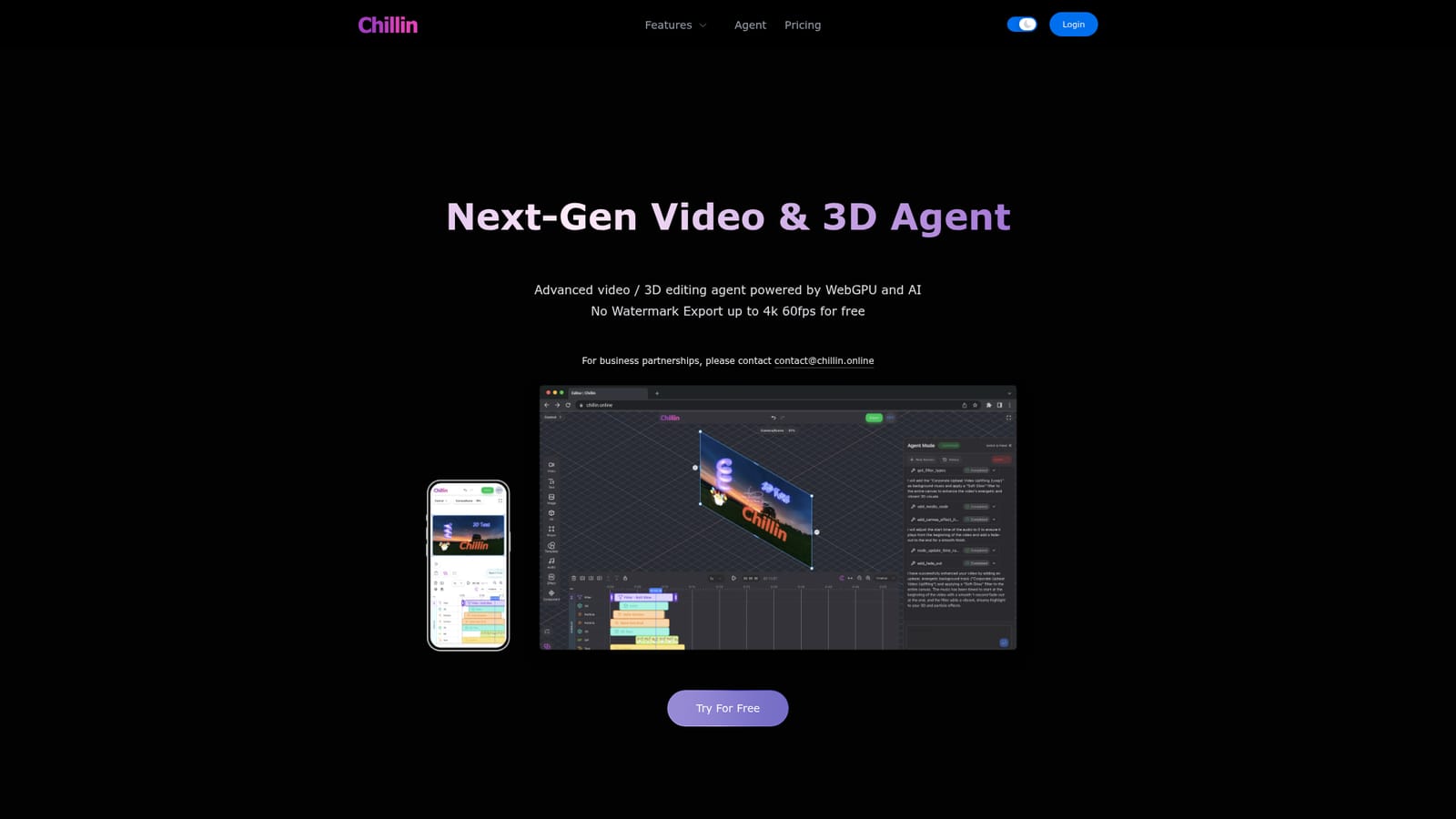
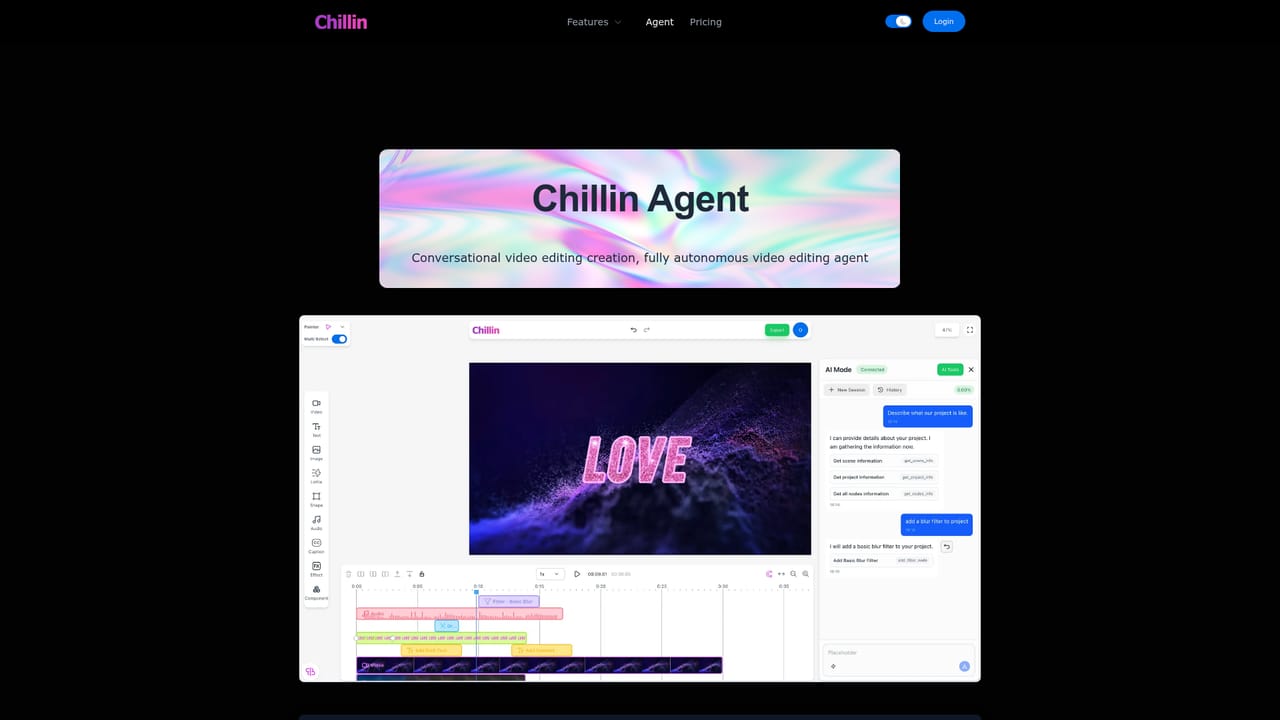
Chillin is a WebGPU-powered browser editor that pairs a conversational video and 3D editing agent with AI captions in over 100 languages, text to speech, image generation, Lottie import and preset 3D scenes. Free exports are watermark free up to 4K 60fps.
Chillin is a browser-based video and 3D editing studio built around a conversational agent. Instead of assembling a timeline clip by clip, you describe the result you want and the agent works through the edit, which makes it a different proposition from conventional nonlinear editors. The whole environment runs on WebGPU, so rendering and 3D preview happen in the browser tab rather than in a desktop install. The editor covers the ground most short-form work needs. AI captioning handles video and audio in more than 100 languages served from Chillin's servers, and captions can also be imported as SRT or VTT files and animated. Text to speech produces human-like voiceover, image generation turns prompts into stills, and a one-click short video generator combines prompt, AI voice and captions into a finished clip. Supporting utilities including background removal and audio extraction are free and available before you start editing. The 3D side is where Chillin differs from typical web editors. Keyframes for paths, easing curves and gradients sit on a WebGPU timeline with live 3D preview, Lottie and SVG animations import with preview and render to export, and audio can be visualized as a synced waveform. Preset scenes range from a lofi rain room and a mineral museum to a product teardown view and a modular configurator. Tone adjustment and LUTs (cinematic, vintage, vibe, studio) apply directly on the timeline. The tool suits creators producing shorts, brand intros and social clips who want AI assistance without leaving the browser, and it is approachable for beginners thanks to a light and dark interface plus instant language switching. Export is watermark free up to 4K at 60fps. Anyone needing frame-accurate multi-track craft or a deep plugin ecosystem will find the agent-led workflow less granular than a traditional editor.
A free start is advertised with watermark free export up to 4K 60fps, so no separate trial period is described.
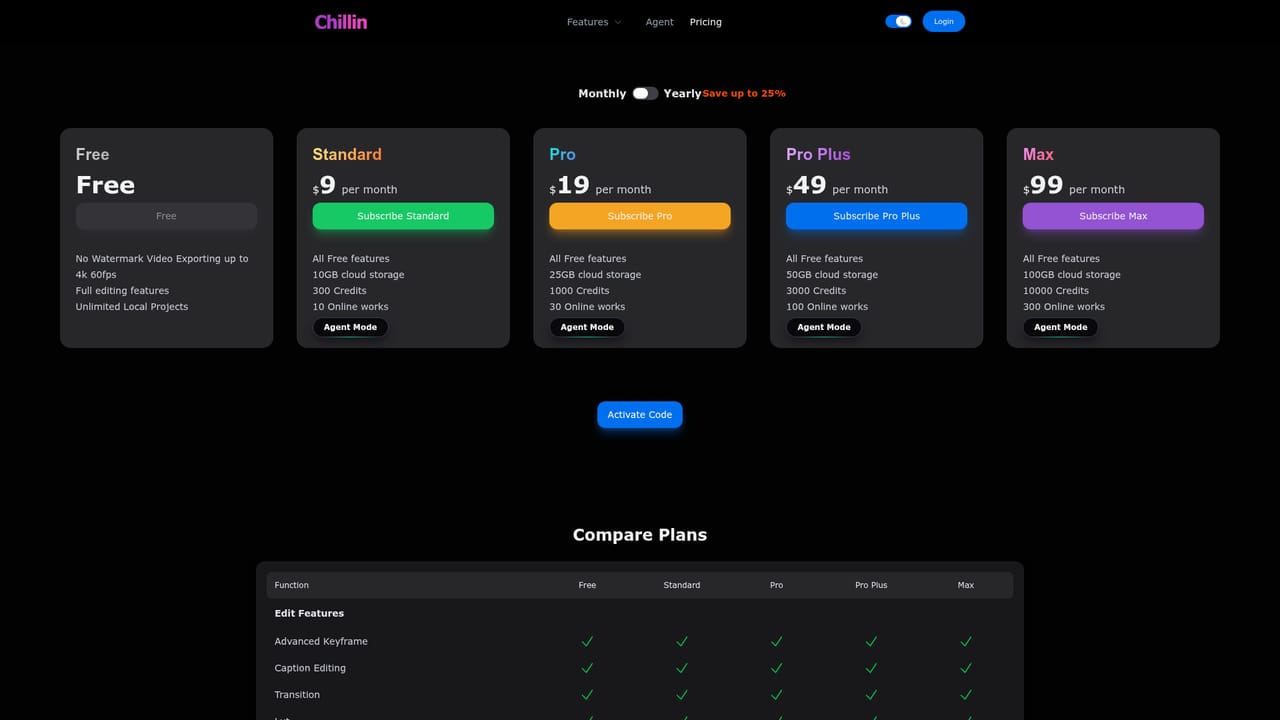
Learn moreThe homepage states that export without a watermark is free at up to 4K 60fps and offers a free start, so a no-cost tier exists. Specific plan tiers, limits and paid prices are not stated on the homepage and live on the pricing page.
Learn moreBusiness partnership enquiries go to contact@chillin.online. No help centre, documentation portal or community support channel is described on the homepage.
The homepage mentions Lottie and SVG animation import plus SRT and VTT subtitle files. No third-party account or platform integrations are listed.
Conversational video and 3D editing agent, AI captions in over 100 languages with SRT and VTT import, text to speech, text to image, one-click short video generation, background removal, audio extraction, WebGPU keyframe timeline, Lottie and SVG animation, soundwave visualization, LUTs, dark mode and global language switching.
 AI Angels400+ customizable AI girlfriends for NSFW chat, voice calls, and roleplay
 Candy AIExperience the future of companionship with AI friends who chat, role-play, and connect with you on a human level.
 ourdream.aiA vast AI roleplay platform with millions of characters for chat, images, video and voiceAI Angels400+ customizable AI girlfriends for NSFW chat, voice calls, and roleplayCandy AIExperience the future of companionship with AI friends who chat, role-play, and connect with you on a human level.ourdream.aiA vast AI roleplay platform with millions of characters for chat, images, video and voice