ClickClaw.AI

Deploy autonomous AI agents in minutes, without servers or code

Beginner
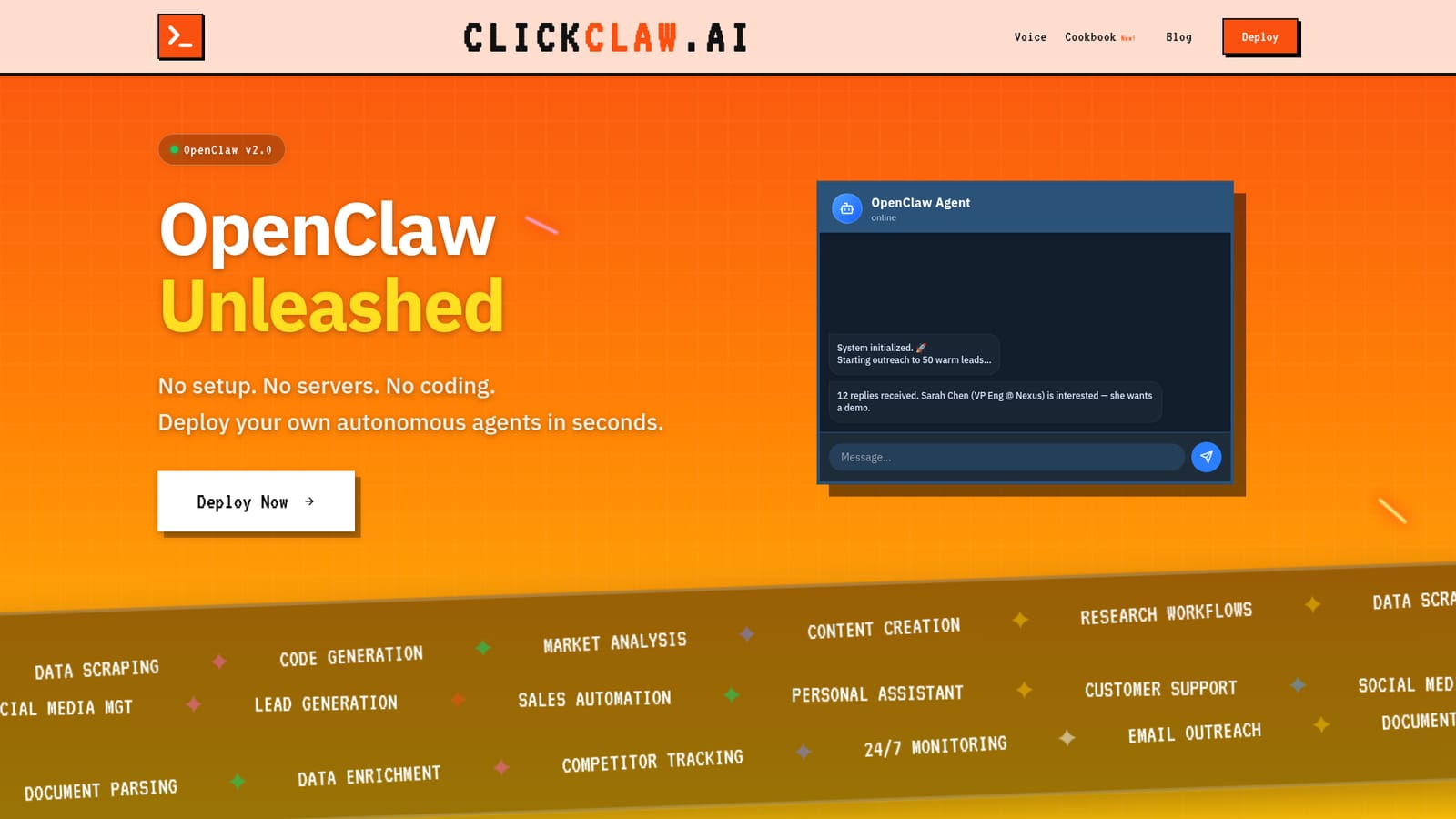
Screenshot of ClickClaw.AI, Deploy autonomous AI agents in minutes, without servers or code

What is ClickClaw.AI?

ClickClaw.AI is an AI chat bot tool. A managed hosting service for OpenClaw autonomous agents. Pick an agent, click deploy and chat with it in Telegram, with no servers, dependencies or coding required. Flat monthly plans start at 15 dollars.

ClickClaw.AI is a hosting service for autonomous AI agents built on the OpenClaw engine. Instead of provisioning a machine, installing dependencies and babysitting a process, users pick an agent from a catalogue, click deploy and start chatting with it. The pitch is aimed squarely at the gap between people who want a personal or business agent and the setup work that normally comes with running one. The company frames the alternative as either a 599 dollar Mac Mini plus two days of configuration or a generic hosted assistant that the user does not really control. In practice the platform takes care of the infrastructure layer: secure environments, automatic updates, isolated containers per account and auto-scaling. Agents run continuously rather than only while a chat window is open, which is what makes tasks like email outreach, lead research, document parsing and competitor tracking practical. The homepage shows an agent booting through a short code sample, then immediately starting outreach to fifty leads, so the intended workflow is deploy, describe the job, let it run in the background and check in later. Data is kept in environments tied to the user's account and is not used for model training, according to the FAQ. The audience is broad on purpose. Technical users can still write agent code if they want, but the product is designed for operators, founders, marketers and solo professionals who are comfortable with ordinary web apps and nothing more. The starter tier is Telegram first, which suggests a chat interface rather than a dashboard as the primary control surface, and the top tier adds Slack along with a dedicated server. Where it fits: ClickClaw.AI sits between do-it-yourself agent frameworks and fully hosted consumer assistants. It competes with self-hosted OpenClaw setups on convenience and with closed assistant products on control. Billing is flat infrastructure pricing rather than per-token, so cost predictability is part of the offer.

How do you use ClickClaw.AI?

  1. 1Create an account
    Sign up on the ClickClaw.AI site. No server, install or configuration step is required before you can deploy.
  2. 2Choose an agent
    Pick an agent from the catalogue or start from the OpenClaw template shown on the homepage, which wires up the claw-v2 model with a browser tool.
    ClickClaw.AI — Choose an agent
  3. 3Click deploy
    Deploy the agent with one click. ClickClaw provisions an isolated environment, handles updates and keeps the agent running.
  4. 4Talk to it in Telegram
    Open the agent through the Telegram bot linked on the homepage and give it its first task, such as outreach to a list of leads.
  5. 5Let it run and check results
    The agent continues working independently. Return to the chat to review progress and adjust instructions as needed.
  6. 6Upgrade when you need more
    Move to Pro or Max for more agents, more storage and Slack integration once a single agent is no longer enough.

Pros and cons

Pros

  • Removes the server, dependency and security work that normally comes with running an agentAI
  • Flat monthly infrastructure pricing rather than per-token billing, which makes costs easier to forecastAI
  • Agents run continuously in isolated environments, so background tasks like outreach and monitoring can proceed unattendedAI
  • Clear tier ladder from a single agent up to unlimited agents with a dedicated server and SlackAI
  • No coding required, yet the underlying OpenClaw engine remains available to users who want to write agent codeAI

Cons

  • The starter plan is Telegram first, so users who prefer a web dashboard or Slack must pay for the 299 dollar tierAI
  • Storage and usage limits are described in vague terms (50GB, 10x more usage, unlimited) with no published fair-use policyAI
  • The public site offers little detail on which tools and integrations agents can actually reach beyond a browser tool and messaging appsAI
  • No free trial or money-back terms are stated, and the cheapest plan is still a recurring monthly commitmentAI
  • Prospective buyers get almost no documentation or examples of finished agent workflows before signing upAI

How much does ClickClaw.AI cost?

Pricing

Three monthly plans. Starter is 15 dollars per month for one active agent with unlimited usage and Telegram access. Pro is 49 dollars per month for five active agents, 50GB storage and 10x more usage. Max is 299 dollars per month for unlimited agents, 500GB storage, unlimited usage, a dedicated server and Slack integration. Billing is for infrastructure, not per token.

Learn more

Support

A contact form on the homepage is the stated way to reach the team with questions.

Integrations

Telegram is the default interface on the Starter plan; Slack integration is included on the Max plan. The homepage code sample shows an agent with a browser tool.

Features

Deploy autonomous agents in one click on the OpenClaw v2.0 engine. ClickClaw handles secure infrastructure, automatic updates, isolated environments per account and auto-scaling, with no setup or maintenance on the user side. Agents can run continuously for workflows such as lead generation, sales automation, data scraping, code generation, market analysis, content creation, email outreach, document parsing, data enrichment and competitor tracking.

Frequently asked questions about ClickClaw.AI

  • How much does ClickClaw.AI cost?
    Three monthly plans. Starter is 15 dollars per month for one active agent with unlimited usage and Telegram access. Pro is 49 dollars per month for five active agents, 50GB storage and 10x more usage. Max is 299 dollars per month for unlimited agents, 500GB storage, unlimited usage, a dedicated server and Slack integration. Billing is for infrastructure, not per token.
  • How do you use ClickClaw.AI?
    The walkthrough on this page covers 6 steps: 1. Create an account 2. Choose an agent 3. Click deploy 4. Talk to it in Telegram 5. Let it run and check results 6. Upgrade when you need more.
  • What platforms does ClickClaw.AI support?
    ClickClaw.AI is available on Web App.
  • What does ClickClaw.AI integrate with?
    Telegram is the default interface on the Starter plan; Slack integration is included on the Max plan. The homepage code sample shows an agent with a browser tool.
  • What are the limitations of ClickClaw.AI?
    The starter plan is Telegram first, so users who prefer a web dashboard or Slack must pay for the 299 dollar tier. Storage and usage limits are described in vague terms (50GB, 10x more usage, unlimited) with no published fair-use policy. The public site offers little detail on which tools and integrations agents can actually reach beyond a browser tool and messaging apps.

Status

StatusActive
Views0
Outbound clicks0
Added10/22/2026

Platforms

Web App

Pricing

PaidSubscription