Free trial
No time-limited trial, but a permanently free tier: 40 AI credits and 50 manual entries per month, Gmail and Google Drive sync, and all core features, with no credit card required.
Learn moreAI expense manager that reads your invoices, not your bank
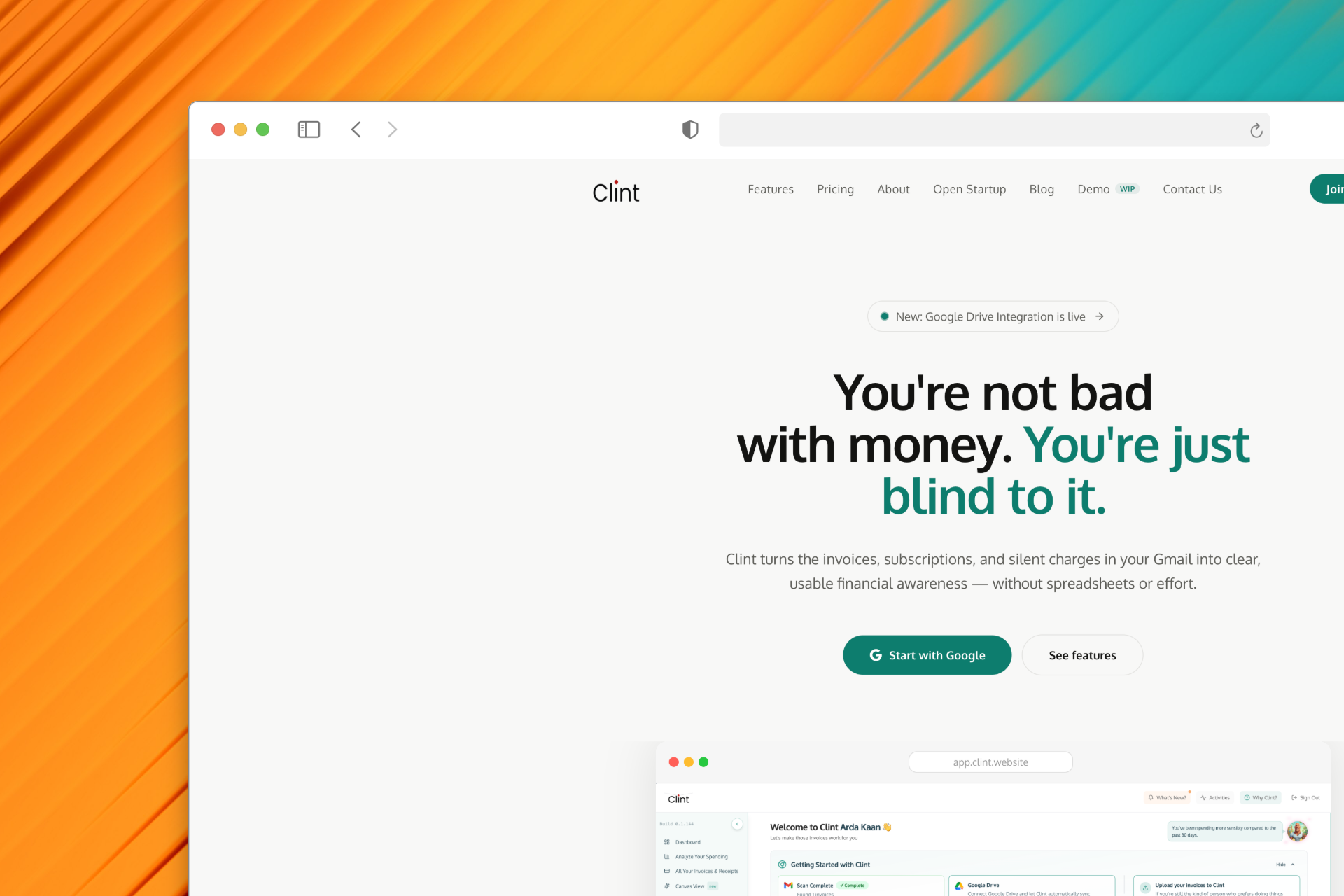
Clint tracks expenses and subscriptions by reading invoices from Gmail, Google Drive, PDFs, photos or manual entry, with no bank login required. AI extracts vendor, amount, date and line items, then builds subscription alerts and spending analytics. Free tier plus credit-based paid plans for individuals, freelancers and small teams.
Clint is an expense management and subscription tracking app built around a deliberate constraint: it never asks for your bank login. Instead of pulling transactions from a financial data provider, it reads the invoices and receipts you already receive. Gmail sync, Google Drive sync, PDF uploads, photo scans and manual entry all feed the same system, and the AI extracts vendor names, amounts, dates, taxes and line items from those documents. That document-first approach is what lets Clint operate outside the United States, where bank-aggregation tools often fail, and it supports multi-currency tracking across USD, EUR, GBP, TRY and others. The subscription tracker is the feature most users gravitate toward. Clint detects recurring payments from scanned invoices and emails, lists every active subscription in one place, and flags renewal dates before they arrive. It also surfaces services that appear unused, so dormant charges become visible rather than silently accumulating. On top of that sit spending analytics: monthly trends, top vendors and category breakdowns generated without manual tagging. Smaller conveniences round out the workflow, including full-text search by vendor, amount or date, tag-and-group collections with comments, swipe-to-classify review, and a map heatmap of where spending happens. Freelancers, small teams and households tracking personal and business costs are the core audience, and the plan tiers map to that: Flow for individuals, Pro for freelancers and small teams, Maximus for power users juggling multiple entities. Anyone comparing Clint to Expensify, Ramp, Dext or Zoho Expense should note the difference in inputs. Those tools tend to start from a bank feed or corporate card; Clint starts from documents in your inbox and files. Privacy is handled with unusual transparency. Clint runs one documented Gmail search query for messages containing invoice, receipt or fatura, and states that its access scope was audited by Tac Security, a CASA assessor. Billing runs on AI credits: one credit per scan, unused credits roll over, and misreads are refunded automatically when you delete the bad invoice.
No time-limited trial, but a permanently free tier: 40 AI credits and 50 manual entries per month, Gmail and Google Drive sync, and all core features, with no credit card required.
Learn moreCredit-based plans in USD: Free with 40 AI credits and 50 manual entries per month; Flow at $5/mo for 150 credits with one month of rollover; Pro at $12/mo for 600 credits with three months of rollover and priority email support; Maximus at $24/mo for 1,000 credits. One credit per AI scan, manual entries free, misreads refunded, yearly billing takes 20 percent off.
Learn morePriority email support is listed on the Pro and Maximus plans. Misread invoices are resolved by automatic credit refunds rather than support tickets.
Gmail and Google Drive sync are the documented connections, with PDF upload, photo scan and manual entry as alternative inputs. No bank or card integrations, and no Plaid dependency.
Learn moreAI invoice scanning across Gmail, Google Drive, PDF upload and photo capture plus manual entry; automatic subscription detection with renewal alerts and unused-service flags; spending analytics with monthly trends, vendor costs and category breakdowns; full-text invoice search, tag and group collections, swipe review, spending heatmap and multi-currency support.
Learn more AI Angels400+ customizable AI girlfriends for NSFW chat, voice calls, and roleplay
 Candy AIExperience the future of companionship with AI friends who chat, role-play, and connect with you on a human level.
 ourdream.aiA vast AI roleplay platform with millions of characters for chat, images, video and voiceAI Angels400+ customizable AI girlfriends for NSFW chat, voice calls, and roleplayCandy AIExperience the future of companionship with AI friends who chat, role-play, and connect with you on a human level.ourdream.aiA vast AI roleplay platform with millions of characters for chat, images, video and voice