Integrations
Routes translation through Microsoft Translator, Google Translate, OpenAI, Claude, DeepSeek, Google Gemini and BigModel, and installs as a Chrome, Edge or Firefox extension.
Learn moreAI bilingual translation for pages, subtitles, PDFs and images

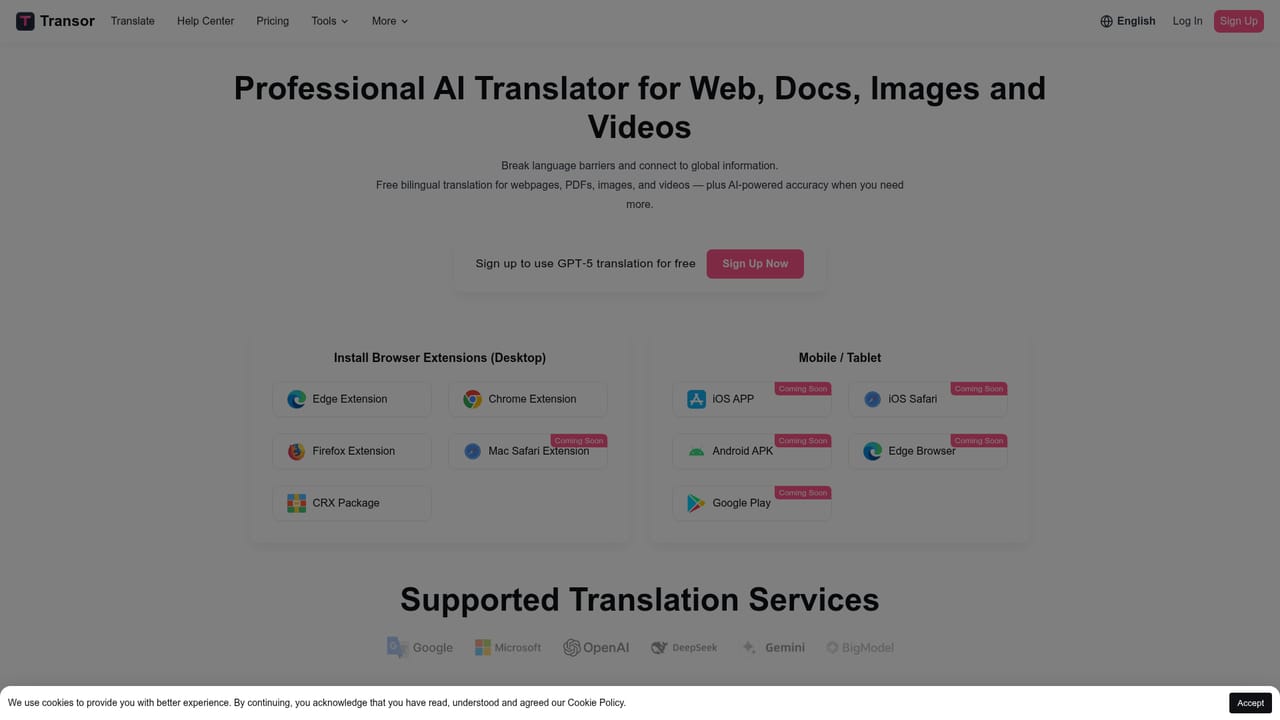
Transor is an AI translation tool that shows bilingual results for web pages, YouTube and Netflix subtitles, PDFs and images. It supports multiple backends including Google, Microsoft, OpenAI, Claude, DeepSeek and Gemini, and runs primarily as a browser extension for Chrome, Edge and Firefox, with mobile apps listed as coming soon.
Transor is a translation tool built around a bilingual reading experience rather than plain text substitution. It detects the main content area of a web page and renders the translated text alongside the original, so the source language stays visible while the target language is added. That layout is aimed at readers who want foreign content to stay comprehensible without losing access to the original wording. The tool covers more surface area than a typical page translator. Web pages get low-intrusion bilingual rendering. Video platforms including YouTube and Netflix get real-time bilingual subtitles that keep the original audio running underneath captions. PDFs are translated with the same side-by-side approach, which suits academic papers and business contracts. Image text can be translated via right-click or hover using OCR plus in-paint processing, so replacement text sits inside the original design instead of covering it. Selected text can be translated and saved to favorites, then exported, and text typed into a web input box can be converted by pressing Space three times (English is the default target and can be changed). Under the hood, Transor routes requests through multiple translation backends rather than one engine. The site lists Microsoft Translator, Google Translate, OpenAI, Claude, DeepSeek, Google Gemini and BigModel, and positions this roster as its main differentiator against comparable products. The practical effect is that users can pick a model suited to the material: a conventional engine for straightforward pages, or a large language model for longer professional documents where phrasing matters. Distribution is mostly browser-led. Desktop users can install the Chrome, Edge or Firefox extension or grab the CRX package for manual loading. The iOS app, iOS Safari extension, Android APK, Edge browser build and Google Play release are all marked as coming soon, which means mobile coverage is announced but not yet shipping. Transor fits best for readers, students, researchers and professionals who consume foreign-language material regularly and want translation layered over the original, and it competes with single-engine readers by offering model choice instead of one fixed pipeline.
Routes translation through Microsoft Translator, Google Translate, OpenAI, Claude, DeepSeek, Google Gemini and BigModel, and installs as a Chrome, Edge or Firefox extension.
Learn moreBilingual translation for web pages with automatic core content detection, real-time bilingual subtitles on YouTube and Netflix, PDF translation with side-by-side reading, image text translation through OCR and in-paint, selected text translation with favorites and export, and input box translation triggered by pressing Space three times.
Learn more AI Angels400+ customizable AI girlfriends for NSFW chat, voice calls, and roleplay
 Candy AIExperience the future of companionship with AI friends who chat, role-play, and connect with you on a human level.
 ourdream.aiA vast AI roleplay platform with millions of characters for chat, images, video and voiceAI Angels400+ customizable AI girlfriends for NSFW chat, voice calls, and roleplayCandy AIExperience the future of companionship with AI friends who chat, role-play, and connect with you on a human level.ourdream.aiA vast AI roleplay platform with millions of characters for chat, images, video and voice