Conju

Two AI assistants that chase old quotes and answer every call for home service crews.

Beginner
Screenshot of Conju, Two AI assistants that chase old quotes and answer every call for home service crews

What is Conju?

Conju is an AI calls tool. Conju provides home service companies with two AI assistants: a Revenue Recovery tool that texts unsigned estimates and dormant customers to book jobs, and a 24/7 voice and text receptionist that catches missed calls.

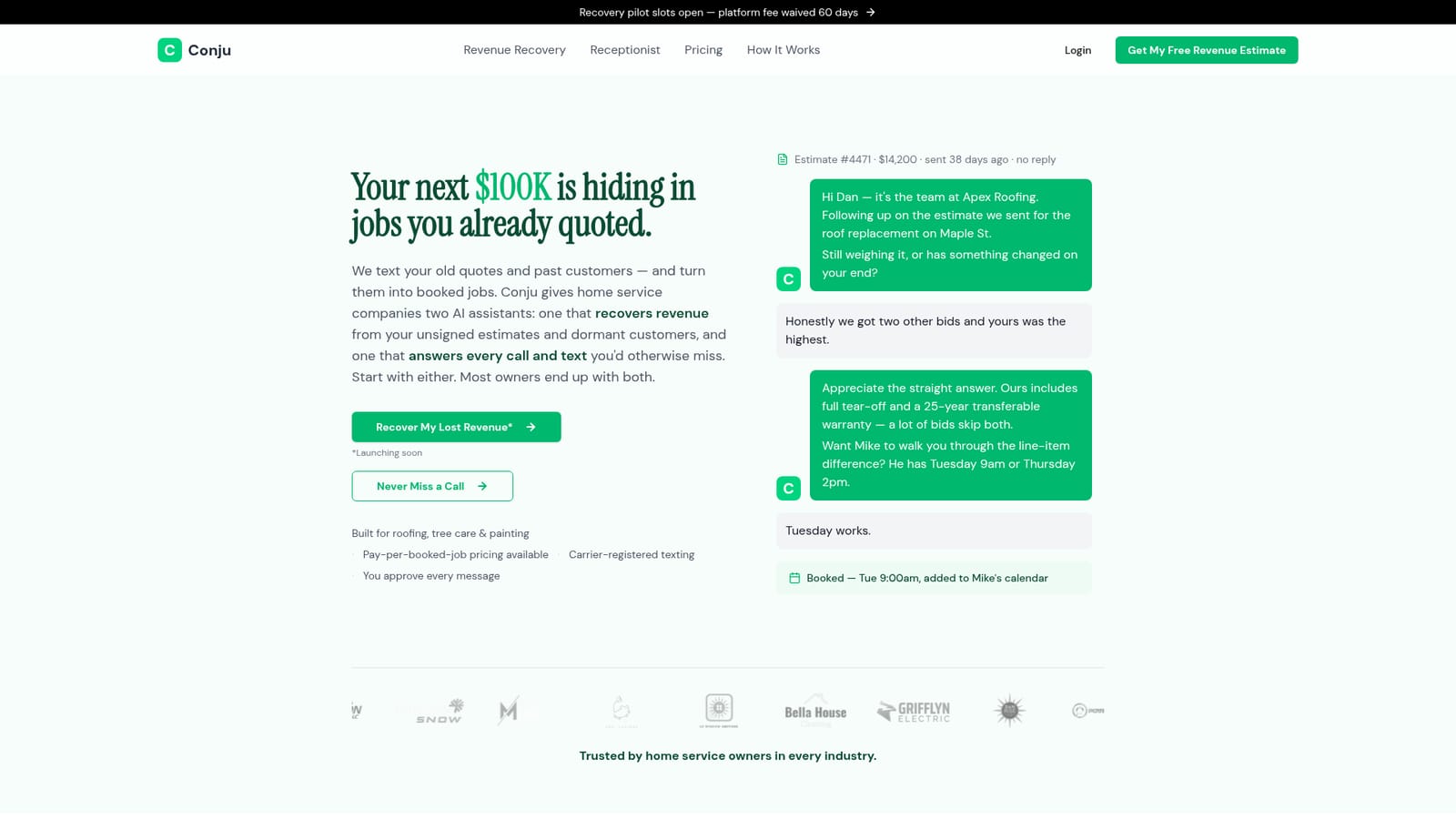
Conju is a pair of AI assistants built specifically for home service companies such as roofers, tree care outfits and painters. The first, a Revenue Recovery Assistant, works the backlog of unsigned estimates and dormant customers that office staff never get time to follow up on. It texts those contacts, handles the back and forth, draws out the real objection (price, timing, a competing bid) and books the resulting appointment onto the calendar. The second, a Voice and Text Receptionist, answers calls and texts around the clock, quotes business hours, captures job details and books the appointment. It also sends an instant text back on any missed call. The tools are designed to be adopted separately. Owners who mainly lose new inquiries can start with the Receptionist, which has a flat monthly price and can be live in days. Owners sitting on a pile of stale quotes can start with Revenue Recovery, which is priced per booked job so nothing is owed when nothing books. Running both closes the loop: leads captured by the Receptionist that later go quiet get picked up automatically by Recovery. In practice, the owner keeps control. Message templates are approved before anything sends, outreach goes out under the company's own number and name, messaging is capped at four touches and kept to business hours, and opt-outs are honored immediately. Every conversation and booked job stays visible for review, and the texting is carrier-registered business messaging rather than a generic AI texting layer. The product targets small and mid-sized contractors rather than enterprise sales teams, and it is narrower than a full CRM or field service platform. Revenue Recovery is marked as launching soon on the site, and the company also offers a free Revenue Estimate that models recoverable work from a shop's open estimate count and customer list size.

How do you use Conju?

  1. 1Decide which assistant fits your shop
    The Receptionist stops missed inquiries now, while Revenue Recovery targets quotes and customers already on file. Owners unsure of the math can request the free Revenue Estimate first.
    Conju — Decide which assistant fits your shop
  2. 2Read how revenue recovery conversations work
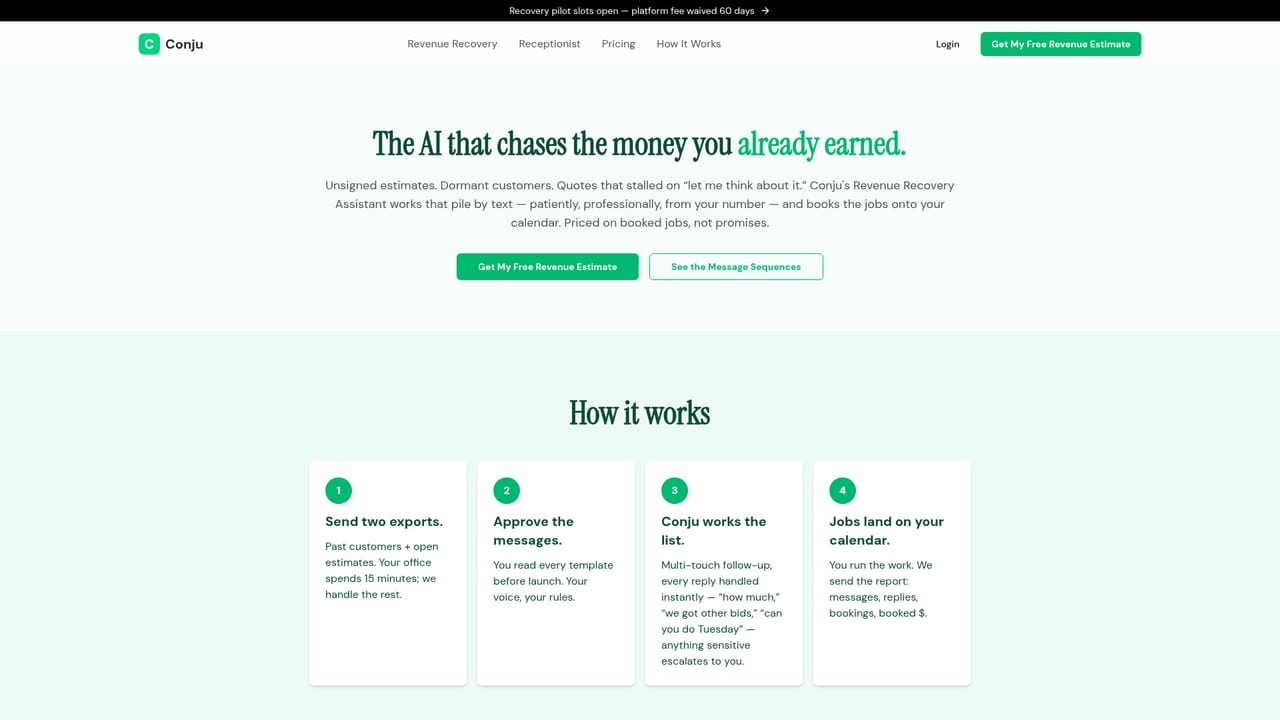
    The recovery page walks through a real revived estimate exchange, from the first follow-up text to a booked appointment on the calendar, so you know what outreach looks like.
    Conju — Read how revenue recovery conversations work
  3. 3Compare receptionist and bundle pricing
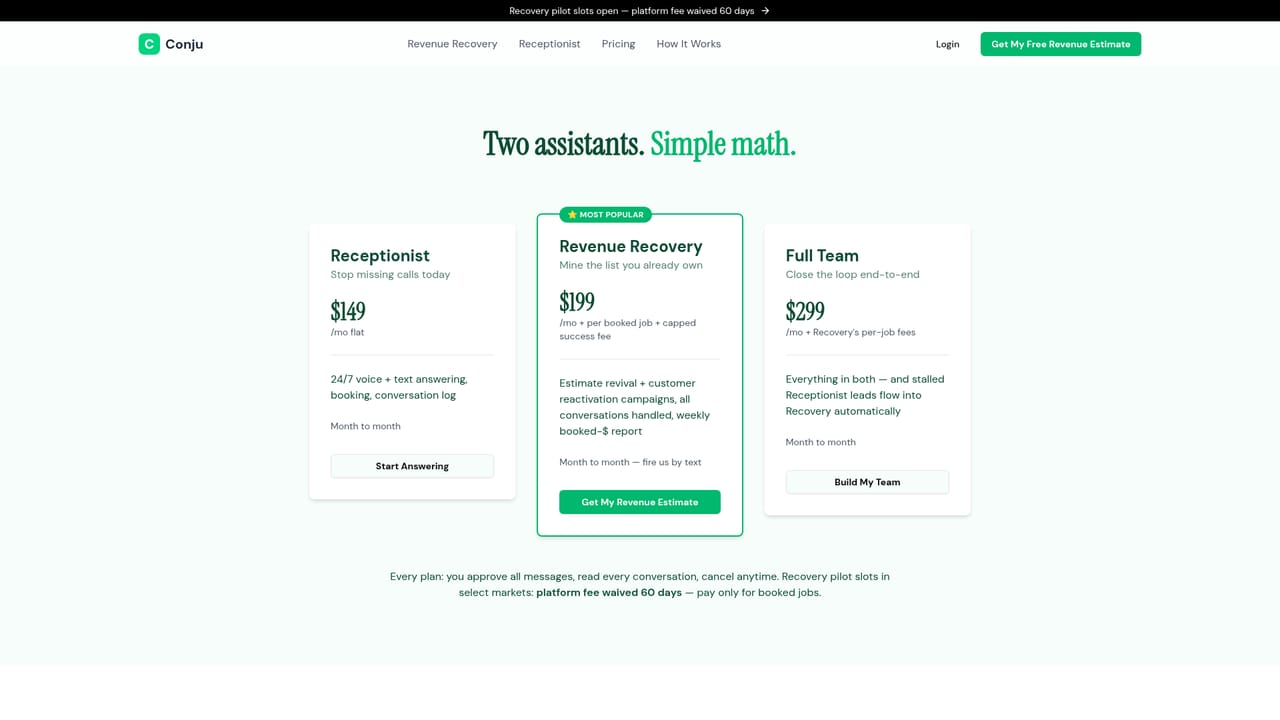
    The pricing page lays out the flat monthly Receptionist plan, the per-booked-job Recovery option and bundle terms so you can size the spend against your open estimate volume.
    Conju — Compare receptionist and bundle pricing
  4. 4Create your account
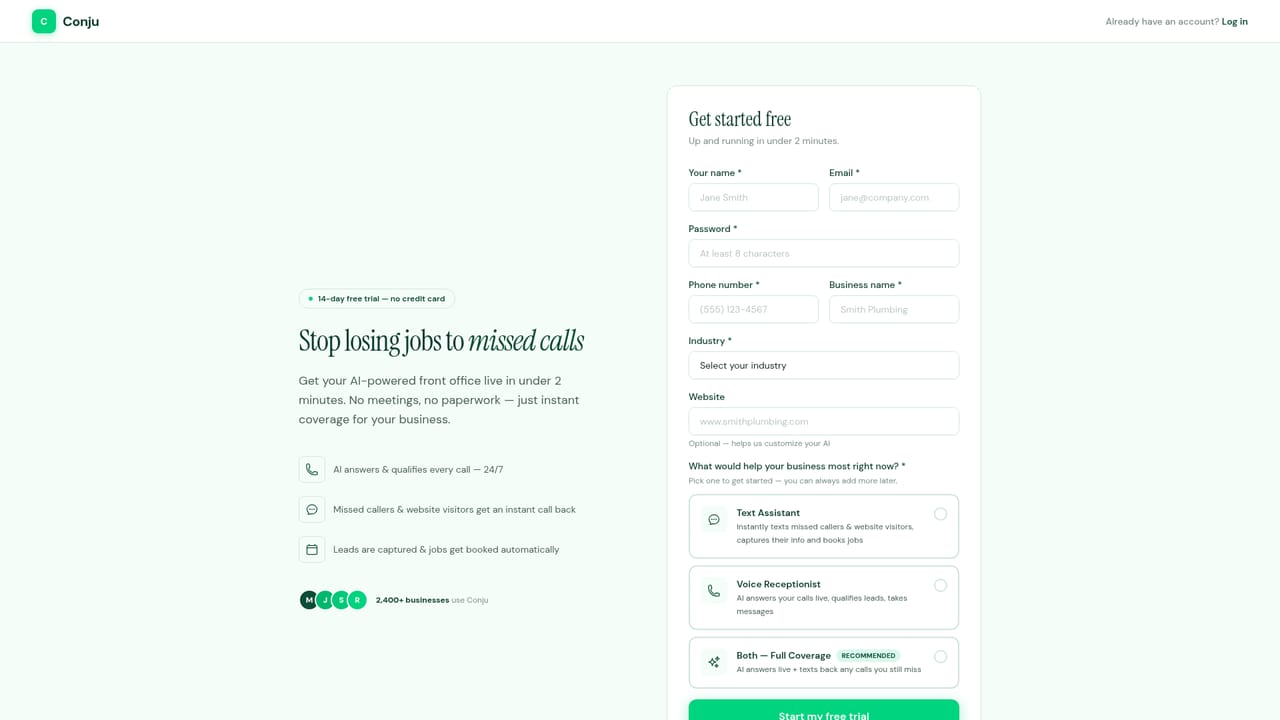
    Sign up to start the Receptionist, which the site describes as live in days. Onboarding covers your company details, business hours and calendar connection.
    Conju — Create your account
  5. 5Approve message templates
    Before anything sends, review and sign off on the follow-up and receptionist templates. This is where you set tone, company name and the number customers will see.
  6. 6Review conversations and booked jobs
    Once live, check the conversation log and booked appointments regularly. Every exchange is readable, so you can audit what the assistants said and tune templates over time.

Pros and cons

Pros

  • Purpose-built for home service trades such as roofing, tree care and painting, with example conversations that read like real contractor follow-upAI
  • Owners approve message templates before sending, and outreach goes out under the company's own number and nameAI
  • Revenue Recovery can be priced per booked job, so a shop pays nothing when no work booksAI
  • Hard limits on outreach: four touches maximum, business hours only, instant opt-out honoredAI
  • Carrier-registered business texting addresses deliverability that generic AI texting tools often lackAI

Cons

  • Revenue Recovery, the flagship assistant, is listed as launching soon, so buyers cannot rely on it immediatelyAI
  • No named integrations with Jobber, Housecall Pro or other field service platforms are published on the homepageAI
  • No self-serve pricing figures appear on the homepage, so budgets require a quote from the vendorAI
  • The pitch is tightly scoped to home service trades; other sales teams will find little of useAI
  • Effectiveness depends on having structured estimate and customer data to feed the recovery engineAI

How much does Conju cost?

Pricing

Two pricing models are described. The Voice and Text Receptionist carries a flat monthly price. Revenue Recovery is available on a pay-per-booked-job basis, with nothing owed if no job books. The homepage does not publish figures, and bundle pricing is directed to the pricing page.

Learn more

Support

Questions can be sent to support@conju.ai. The site also offers a free Revenue Recovery Estimate built from a shop's real open-estimate count and customer list size.

Features

Revenue Recovery texts unsigned estimates and dormant customers, surfaces objections and books appointments to the calendar. The Voice and Text Receptionist answers calls and texts 24/7, sends instant text-back on missed calls, quotes hours, captures job details, books appointments and escalates sensitive matters. Both include owner-approved templates, company-branded numbers, a four-touch cap, business-hours sending and full conversation logs.

Learn more

Frequently asked questions about Conju

  • How much does Conju cost?
    Two pricing models are described. The Voice and Text Receptionist carries a flat monthly price. Revenue Recovery is available on a pay-per-booked-job basis, with nothing owed if no job books. The homepage does not publish figures, and bundle pricing is directed to the pricing page.
  • How do you use Conju?
    The walkthrough on this page covers 6 steps: 1. Decide which assistant fits your shop 2. Read how revenue recovery conversations work 3. Compare receptionist and bundle pricing 4. Create your account 5. Approve message templates 6. Review conversations and booked jobs.
  • What platforms does Conju support?
    Conju is available on Web App.
  • What are the limitations of Conju?
    Revenue Recovery, the flagship assistant, is listed as launching soon, so buyers cannot rely on it immediately. No named integrations with Jobber, Housecall Pro or other field service platforms are published on the homepage. No self-serve pricing figures appear on the homepage, so budgets require a quote from the vendor.

Status

StatusActive
Views0
Outbound clicks0
Added10/21/2026

Platforms

Web App

Pricing

PaidSubscription