ConnectTheDots Generator

Turn photos or text prompts into printable dot-to-dot worksheets

Beginner
Screenshot of ConnectTheDots Generator, Turn photos or text prompts into printable dot-to-dot worksheets

What is ConnectTheDots Generator?

ConnectTheDots Generator is a content generation tool that turns photos or text prompts into printable dot-to-dot worksheets. A web tool that turns uploaded photos or text prompts into printable dot-to-dot worksheets with adjustable difficulty and dot count, exporting PDF or PNG.

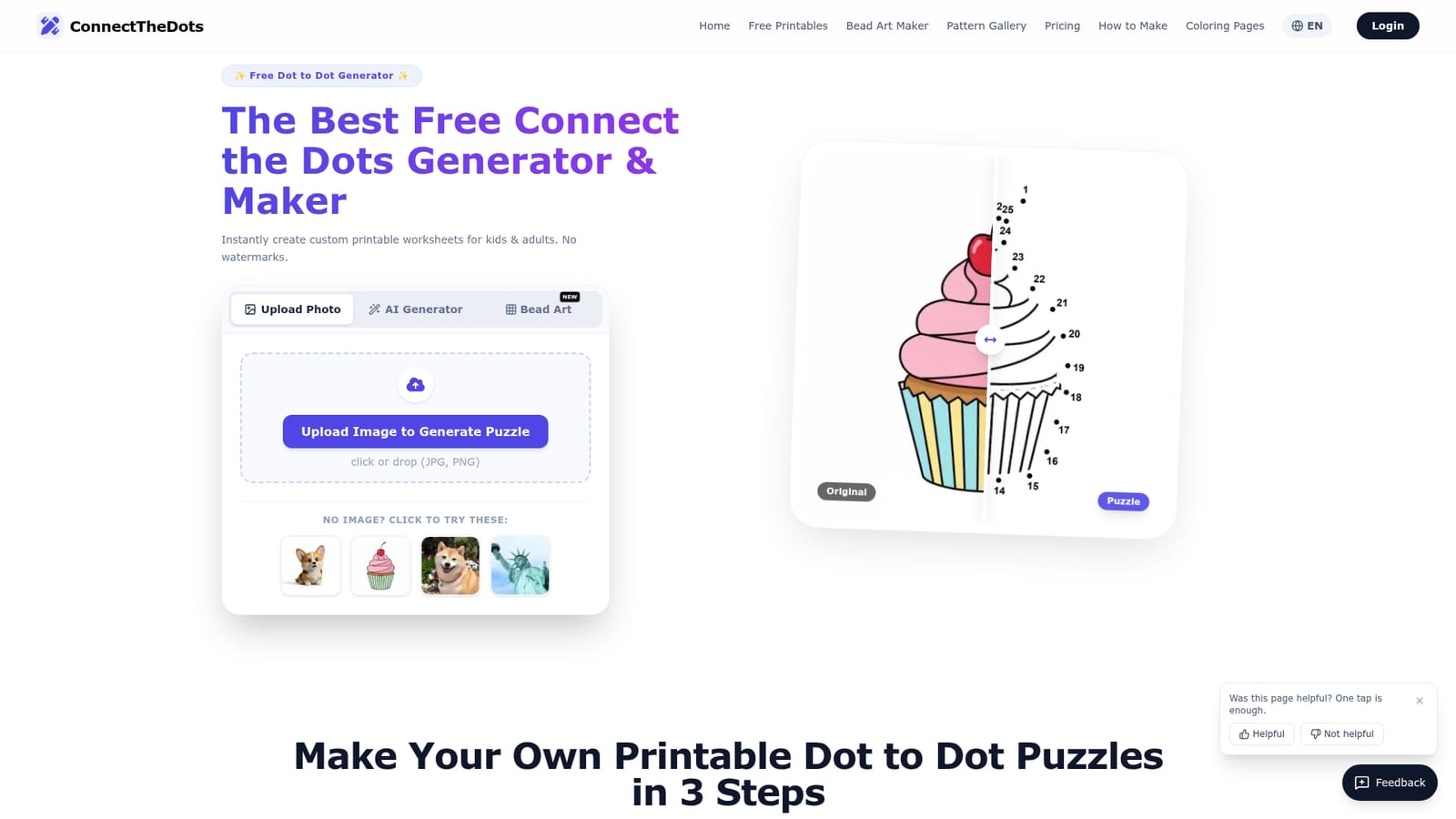
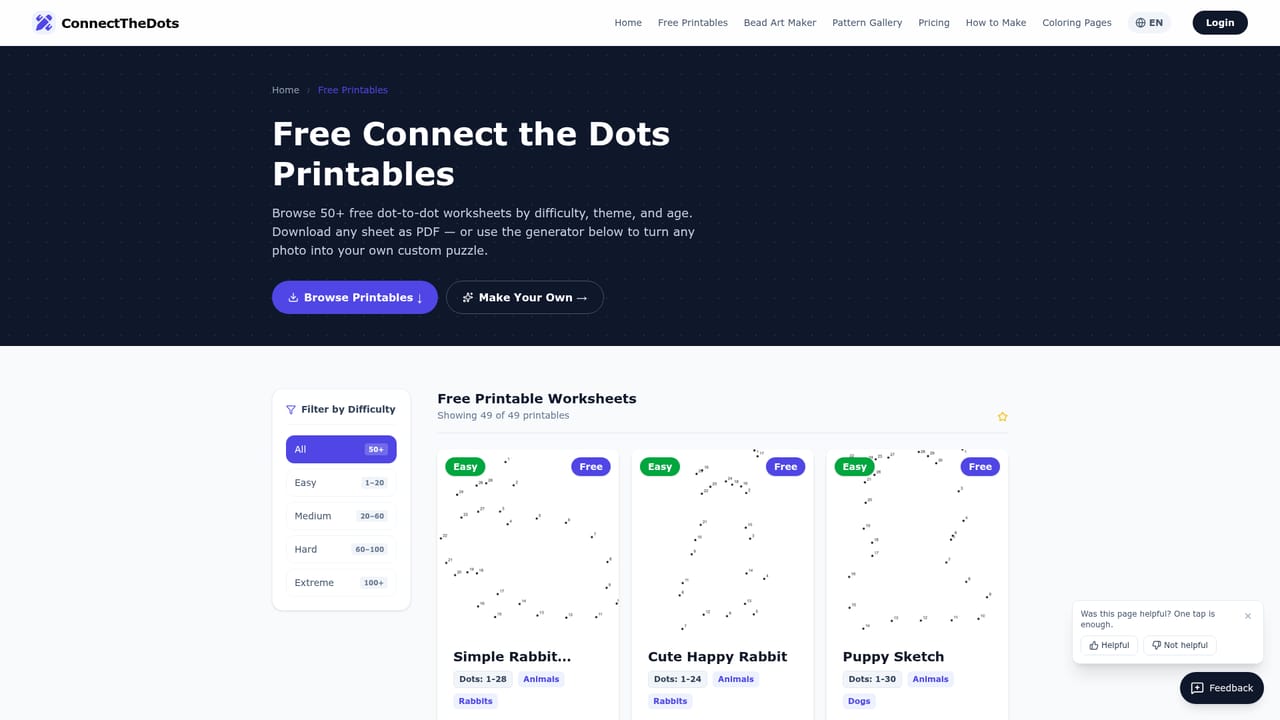
ConnectTheDots Generator is a web-based tool that converts images into printable dot-to-dot puzzles. A user uploads a JPG or PNG, picks a difficulty, and receives a numbered worksheet that can be exported as a high-resolution PDF or PNG. The site states that output carries no watermarks and that basic use needs no sign-up, although the AI generation mode asks visitors to sign in and mentions two free credits. The generator exposes several controls. Difficulty comes in Easy, Medium and Hard presets, and the dot count, font size, dot radius and dot color can be set by hand for finer matching to a learner's skill. A background hint option offers a smart hint, a light trace or no hint, and an eraser lets the user clean up the canvas. For real photographs, the tool can remove the background first so dots land on the subject rather than on clutter. A separate AI mode builds a puzzle from a text description, aiming for clean, vector-like outlines suited to dot mapping. Beyond custom creation, the site keeps a library of ready-made printables sorted into collections for kids, adults, animals, Christmas and holidays, harder mandala-style designs, and educational alphabet worksheets. Each listing shows its difficulty and dot range, and the PDFs download directly. A printing guide covers paper size, scaling for younger children and ink saving. The licence is limited: printables are for personal and educational use, and commercial resale is not allowed. Some premium designs may carry a small fee. A newer section converts photos into Perler bead patterns, with a gallery and print-ready PDFs that include color guides and bead counts. Teachers, parents and puzzle hobbyists are the natural audience. Compared with generic worksheet makers or static template sites, its strength is turning a specific image into a puzzle quickly. It is narrower than general design or education suites, since it does one job: dot-to-dot activities and related craft patterns.
How do you use ConnectTheDots Generator?

  1. 1Upload an image
    Open the generator and drop in a JPG or PNG, or pick one of the sample images. Clear, high-contrast photos or simple line art give the best results.
    ConnectTheDots Generator — Upload an image
  2. 2Remove the background if needed
    For real photographs, choose to remove the background so dots follow the subject instead of surrounding clutter.
  3. 3Set difficulty and dot count
    Choose Easy, Medium or Hard, then fine-tune dot count, font size, dot radius and color. Pick a background hint style if a trace is helpful.
  4. 4Download and print
    Export the puzzle as a PDF or PNG. Print on letter paper at actual size, in high quality, and scale up for younger children.
  5. 5Browse ready-made printables
    Skip creation by opening the library and downloading a premade puzzle from categories like animals, Christmas or adult designs.
    ConnectTheDots Generator — Browse ready-made printables

Pros and cons

Pros

  • Converts any uploaded image into a numbered dot-to-dot puzzle with adjustable difficulty and manual dot countAI
  • Exports high-resolution PDF or PNG files with no watermarks, according to the siteAI
  • Large library of ready-made printables sorted by kids, adults, animals, holidays and educationAI
  • Background removal option helps photos produce cleaner dot placementAI
  • Extra Perler bead pattern maker adds value for crafters and teachersAI

Cons

  • AI generation requires signing in and the homepage mentions only two free credits, so heavy use may be limitedAI
  • Printables are restricted to personal and educational use, with no commercial resale allowedAI
  • Works best with high-contrast images or simple line art, so busy photos may need cleanupAI
  • Some premium designs may carry a fee, and the homepage does not publish pricesAI
  • Focused on one worksheet type, so it does not replace a broader teaching or design platformAI

How much does ConnectTheDots Generator cost?

Free trial

Signing in grants 2 free credits for the AI generator. Basic printables are free without sign-up.

Learn more

Pricing

The homepage says basic printables are free to download with no payment or subscription. Some premium designs may cost a small fee and are marked. AI generation needs sign-in, with two free credits offered. Exact prices are not stated.

Learn more

Support

Support is available by email through a contact link on the homepage, which also invites feature requests. A printing guide and FAQ are included, plus a page helpfulness feedback prompt.

Features

Photo-to-puzzle conversion, text-prompt AI generation, Easy/Medium/Hard presets, custom dot count, font size, dot radius and color, background hints, eraser, background removal, PDF and PNG export, printable library, and a Perler bead pattern maker.

Frequently asked questions about ConnectTheDots Generator

  • How much does ConnectTheDots Generator cost?
    The homepage says basic printables are free to download with no payment or subscription. Some premium designs may cost a small fee and are marked. AI generation needs sign-in, with two free credits offered. Exact prices are not stated.
  • Does ConnectTheDots Generator offer a free trial?
    Signing in grants 2 free credits for the AI generator. Basic printables are free without sign-up.
  • How do you use ConnectTheDots Generator?
    The walkthrough on this page covers 5 steps: 1. Upload an image 2. Remove the background if needed 3. Set difficulty and dot count 4. Download and print 5. Browse ready-made printables.
  • What platforms does ConnectTheDots Generator support?
    ConnectTheDots Generator is available on Web App.
  • What are the limitations of ConnectTheDots Generator?
    AI generation requires signing in and the homepage mentions only two free credits, so heavy use may be limited. Printables are restricted to personal and educational use, with no commercial resale allowed. Works best with high-contrast images or simple line art, so busy photos may need cleanup.

Status

StatusActive
Views0
Outbound clicks0
Added10/18/2026

Platforms

Web App

Pricing

Freemium