MuleRun

A chat-based AI agent that builds sites, games, videos and analyses

Beginner
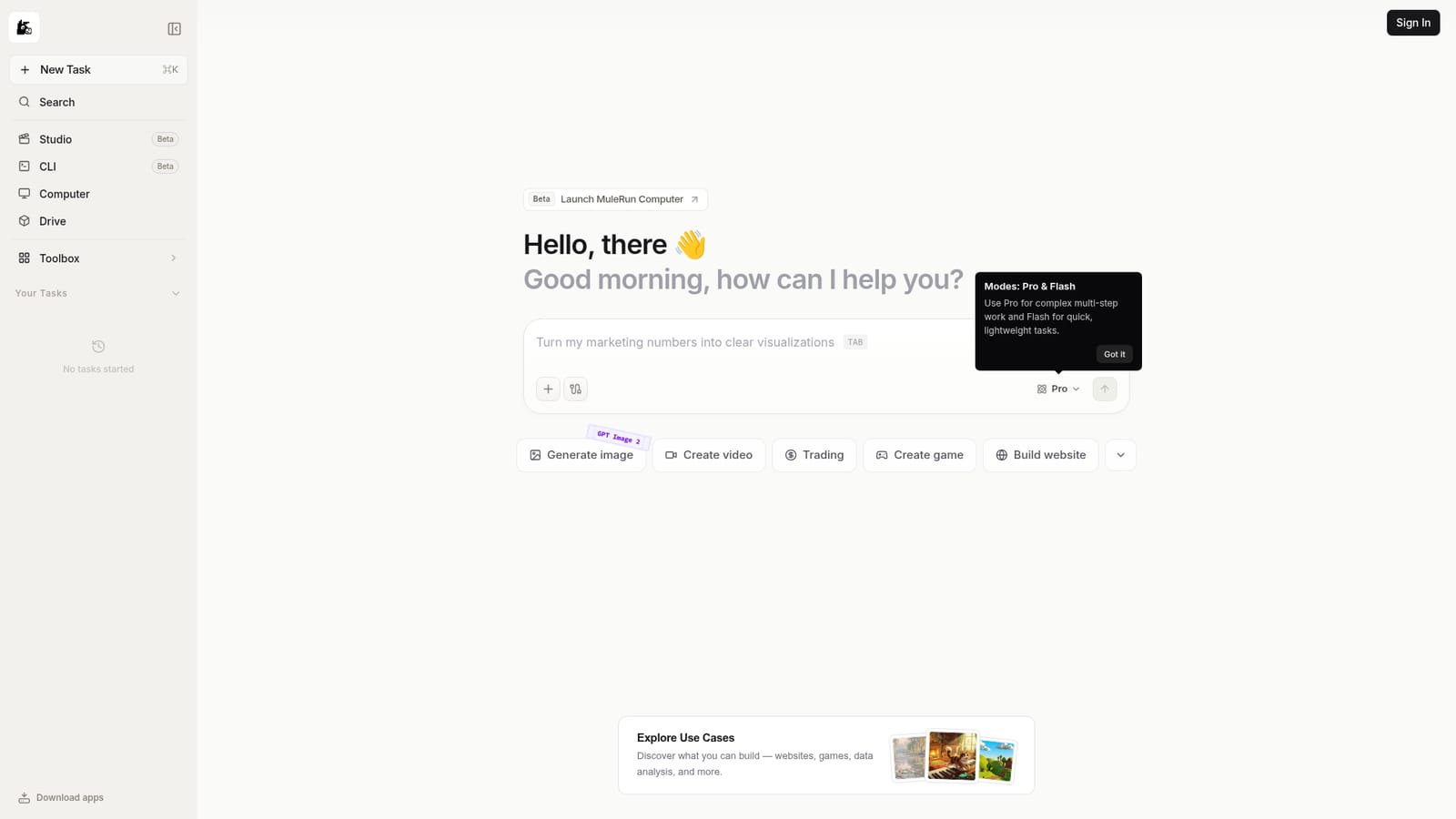
Screenshot of MuleRun, A chat-based AI agent that builds sites, games, videos and analyses

What is MuleRun?

MuleRun Chat is a beta browser-based AI agent that takes prompts for websites, games, videos, image generation and data analysis. It offers Pro and Flash modes and a use-case gallery for inspiration, aimed at people who want finished output from one chat window.

MuleRun Chat is a browser-based AI agent interface built around the idea of finishing tasks rather than only answering questions. The landing screen greets the user with a prompt box and a row of quick-start shortcuts covering building a website, e-commerce, trading, creating a game, creating a video, analyzing trends and generating images. Each shortcut hints at the range of work the agent is meant to handle: output that is a deliverable, such as a page, a game or a chart, instead of a block of advice. The interface offers two working modes. Pro is intended for complex, multi-step jobs, while Flash targets quick, lightweight requests. Choosing between them lets a user trade depth for speed depending on the task. An image generation option labeled GPT Image 2 appears in the prompt area, which suggests image creation can be triggered from the same conversation. A sample prompt on the page, turning marketing numbers into clear visualizations, shows the kind of data-to-chart request the agent is pitched at. An Explore Use Cases section links out to a gallery of examples, with thumbnails that point to creations such as a painterly dreamscape, an illustrated scene and a block-based game world. This gallery works as inspiration for newcomers who are unsure what to ask for. The page also marks the product as Beta and promotes a separate MuleRun Computer launch, so the platform appears to be expanding beyond chat. Access begins with a Sign In step. MuleRun fits among general-purpose agent platforms and multimodal assistants. It suits solo builders, marketers, small online sellers and curious hobbyists who want one prompt window to produce websites, visuals, games or analysis without stitching together separate tools. Compared with single-purpose generators, the appeal is breadth. Compared with mature coding or research agents, the beta status and the limited detail on the homepage mean buyers should test it against their own workflows before relying on it for production work.

How do you use MuleRun?

  1. 1Sign in to MuleRun Chat
    Open the chat page and use the Sign In button to create or access an account. The prompt box is available once signed in.
    MuleRun — Sign in to MuleRun Chat
  2. 2Pick a starting point
    Choose one of the shortcuts such as Build website, Create game or Analyze trends, or skip them and type a request in your own words.
  3. 3Choose Pro or Flash mode
    Select Pro for complex multi-step work or Flash for quick, lightweight tasks before sending the prompt.
  4. 4Describe the result you want
    State the deliverable plainly, for example turning marketing numbers into clear visualizations, and include any data or constraints.
  5. 5Browse use cases for ideas
    Open Explore Use Cases to see examples of websites, games and analyses, then adapt a similar prompt to your own project.

Pros and cons

Pros

  • Covers a wide range of tasks in one chat: websites, games, videos, images and trend analysisAI
  • Pro and Flash modes let users match depth and speed to the job at handAI
  • Use-case gallery gives newcomers concrete examples of what to ask forAI
  • Quick-start shortcuts on the landing screen reduce the blank-prompt problemAI
  • Image generation is reachable from the same prompt area without switching toolsAI

Cons

  • Labeled Beta, so features and stability may change and results can be unevenAI
  • Homepage gives no pricing, credit limits or free tier details before sign-inAI
  • Account sign-in is required before anything can be triedAI
  • No documentation, integrations list or support channels are visible on the pageAI
  • Breadth may come at the cost of depth compared with specialist coding, video or research toolsAI

How much does MuleRun cost?

Features

Chat-based agent with Pro mode for multi-step work and Flash mode for quick tasks. Shortcuts for websites, e-commerce, trading, games, video, trend analysis and image generation (GPT Image 2). Includes a use-case gallery and a data visualization example. Currently in Beta.

Frequently asked questions about MuleRun

  • How do you use MuleRun?
    The walkthrough on this page covers 5 steps: 1. Sign in to MuleRun Chat 2. Pick a starting point 3. Choose Pro or Flash mode 4. Describe the result you want 5. Browse use cases for ideas.
  • What platforms does MuleRun support?
    MuleRun is available on Web App.
  • What are the limitations of MuleRun?
    Labeled Beta, so features and stability may change and results can be uneven. Homepage gives no pricing, credit limits or free tier details before sign-in. Account sign-in is required before anything can be tried.

Status

StatusActive
Views0
Outbound clicks0
Added10/18/2026

Platforms

Web App

Pricing

Freemium