Free trial
A free starting tier is advertised on the homepage with no credit card required and a two-minute setup, but the site does not publish what limits apply to the free plan or when a paid upgrade becomes necessary.
Learn moreAn AI coach that steps in when cravings hit, not after
Own Crave-Guide.Ai? Verify ownership to get a dofollow link
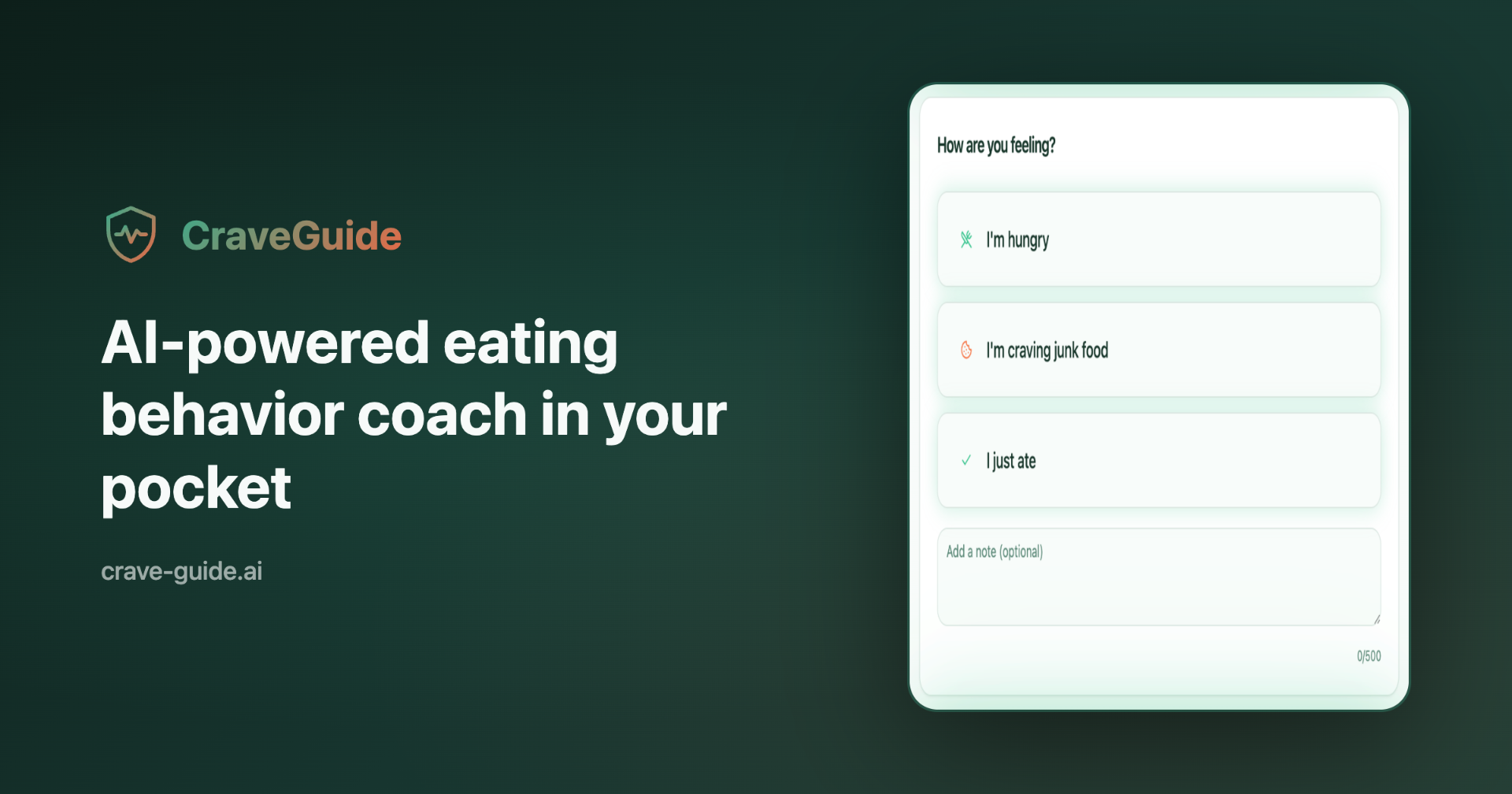
Crave-Guide.Ai is an accountability buddy tool. CraveGuide is a behavior-first eating coach. One-tap logs of hunger, cravings and meals feed a real-time AI that replies with blunt 2 to 3 sentence nudges, and scheduled check-ins cover the high-risk windows a user defines during setup.
CraveGuide is an eating behavior coach that deliberately avoids the mechanics of dieting. There is no calorie database, no meal plan and no food diary to maintain. Instead, the product treats eating as a chain of moments (a craving at 3 PM, a stress spike after a difficult call, a late-night raid on the kitchen) and tries to insert itself into those moments with short, direct advice. It is aimed at people who understand what they should eat but keep losing the argument with themselves at predictable times of day. The mechanics rest on three building blocks the site calls primitives. Logging is a single tap on one of three states: hungry, craving junk, or just ate. No photographs, no portion estimates, no descriptions. Each tap triggers a real-time nudge, generated in about two seconds and constrained to two or three sentences, which draws on the user's known triggers, their risk windows and their last three logged events. The third piece is pattern recognition: over time the tool names the danger windows, main triggers and behavior loops that emerge from the log, so awareness rather than restriction is meant to do the work. During onboarding the user selects two or three daily high-risk time blocks, such as a mid-afternoon energy dip or evening munching. CraveGuide schedules proactive check-ins inside those windows to catch the craving before it starts, with a throttle of roughly one message per hour to prevent nagging. The interface is a single dashboard with an activity feed, and setup is advertised as a two-minute job. The positioning is clear: this sits opposite calorie counters and macro trackers, and closer to habit and behavior change apps. Anyone who wants nutritional data, portion analysis or a structured eating plan will find it thin. Anyone who has quit three tracking apps because the logging itself felt like a chore is the intended audience.
A free starting tier is advertised on the homepage with no credit card required and a two-minute setup, but the site does not publish what limits apply to the free plan or when a paid upgrade becomes necessary.
Learn moreThree core primitives: one-tap logging of hunger, cravings and meals with no calorie math; real-time AI nudges of two to three sentences generated in roughly two seconds from your triggers, time of day and last three events; and pattern recognition that surfaces danger windows, main triggers and behavior loops. Onboarding adds two or three daily high-risk blocks that receive proactive, throttled check-ins.
 AI Angels400+ customizable AI girlfriends for NSFW chat, voice calls, and roleplay
 Candy AIExperience the future of companionship with AI friends who chat, role-play, and connect with you on a human level.
 ourdream.aiA vast AI roleplay platform with millions of characters for chat, images, video and voiceAI Angels400+ customizable AI girlfriends for NSFW chat, voice calls, and roleplayCandy AIExperience the future of companionship with AI friends who chat, role-play, and connect with you on a human level.ourdream.aiA vast AI roleplay platform with millions of characters for chat, images, video and voice