Free trial
The homepage offers a free trial through the signup page. No trial length, usage cap or card requirement is stated.
Learn moreAI sales agents that find, score and message leads for you

Dalil is an AI Sales OS that runs outbound end to end: agents watch for buying signals, score leads against your ICP, write personalized messages for LinkedIn, WhatsApp and email, and book demos into a built-in CRM.
Dalil positions itself as an AI Sales OS: a single system where autonomous agents watch for buying signals, research the people behind them, write outreach, send it across several channels and drop the resulting demos into a built-in CRM. The workflow is presented as six linked stages (find, enrich, personalize, reach out, reply, track), and the agent layer runs continuously rather than on a list you upload once. The finding stage is the core of the pitch. A component called Lead Scout scans profiles around the clock and picks up triggers such as a job change, a funding round, a hiring push, a product comment, or repeated visits to your pricing page. Each profile is scored against your ideal customer profile, and high scorers move into research where the agent assembles supporting detail before any message is drafted. Writing then happens in a configured voice, with samples on the homepage set to a direct, short-sentence style, and each draft opens with the specific signal that triggered it rather than a generic introduction. Sequences span LinkedIn, WhatsApp and email, and the homepage states that a reply on any channel halts the remaining touches. Multi-touch cadences are staggered by day, delivery is described as verified email plus LinkedIn, and booked meetings land in the Dalil CRM with pipeline tracked from first touch onward. This is aimed at sales teams, founders and revops leads who want the prospecting motion executed rather than merely assisted. It sits closer to an autonomous outbound engine than to a contact database or a sequencing tool, and the homepage explicitly frames it as additive to existing stacks such as Salesforce, Outreach and Signal rather than a replacement. Teams that want tight manual control over every message may find the automation heavy. The vendor says it also exposes an MCP server with more than 50 tools, so Claude, ChatGPT, Gemini, GitHub Copilot and Cursor can drive parts of the pipeline.
The homepage offers a free trial through the signup page. No trial length, usage cap or card requirement is stated.
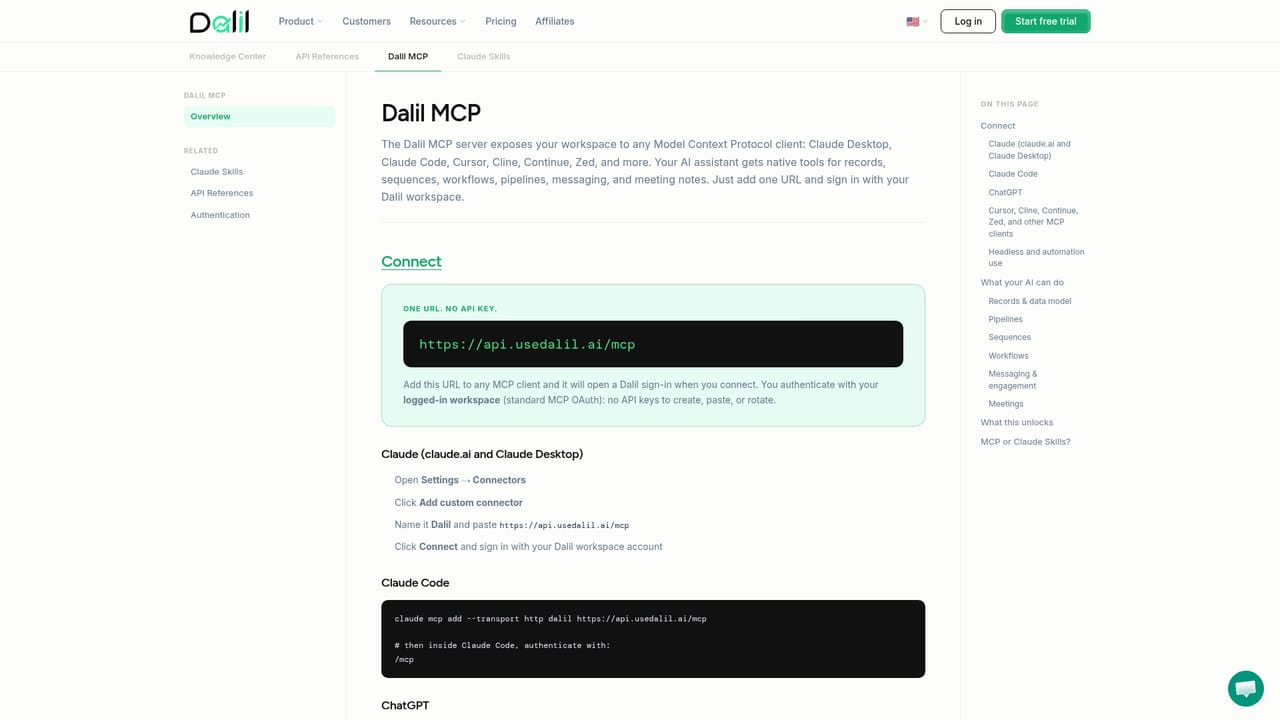
Learn moreDalil exposes an MCP server with over 50 tools that works with Claude, ChatGPT, Gemini, GitHub Copilot and Cursor. The homepage also references plugging in alongside existing Salesforce and Outreach setups.
Learn moreCore pieces include Lead Scout signal monitoring and ICP scoring, AI enrichment and research on each lead, personalized copy written in your voice, multi-channel sequences across LinkedIn, WhatsApp and email with reply-based stopping, and a built-in CRM for demos and pipeline. The vendor also lists an MCP server with more than 50 tools for use from external AI assistants.
Learn more AI Angels400+ customizable AI girlfriends for NSFW chat, voice calls, and roleplay
 Candy AIExperience the future of companionship with AI friends who chat, role-play, and connect with you on a human level.
 ourdream.aiA vast AI roleplay platform with millions of characters for chat, images, video and voiceAI Angels400+ customizable AI girlfriends for NSFW chat, voice calls, and roleplayCandy AIExperience the future of companionship with AI friends who chat, role-play, and connect with you on a human level.ourdream.aiA vast AI roleplay platform with millions of characters for chat, images, video and voice


