Pricing
Three US dollars, charged once at checkout on Gumroad. The listing shows no subscription tier, no upgrade path and no mention of future paid updates.
Learn moreA $3 desktop debugger that returns corrected code

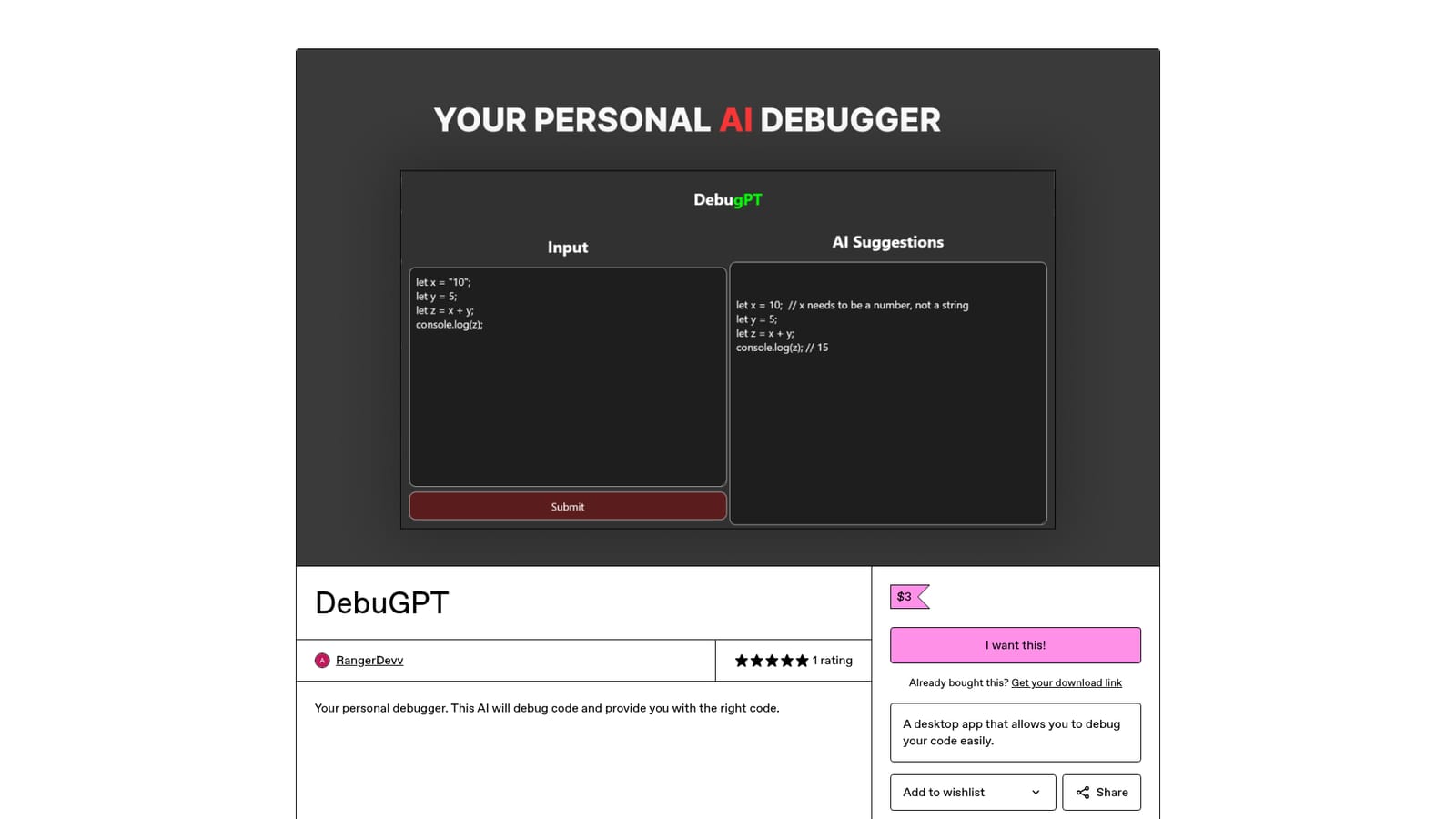
DebugPT is a developer tool. A cheap desktop debugging app sold on Gumroad that takes broken code, explains the problem, and returns a corrected version. Narrow in scope and priced at three dollars as a one time purchase, with little public documentation beyond the store listing.
DebugPT (sold on Gumroad under the DebuGPT name) is a desktop application built around a single promise: paste in broken code, and the AI returns a corrected version of it. The product is sold as a one time download through the RangerDevv Gumroad store rather than as a hosted web service, so the debugging loop runs from an installed app on the user's machine instead of a browser tab. The positioning is deliberately narrow. This is not a full IDE, a linter, or a test runner. It is a debugging assistant, and the vendor describes it as a personal debugger that both diagnoses the fault and hands back the right code. That makes it most useful for developers who already know what they want to build but are stuck on a stack trace, a silent failure, or a block of code that refuses to compile. Students working through assignments and hobbyists patching scripts fall into the same bucket. In practice the workflow is short: open the app, supply the code and whatever error context is relevant, and read the suggested fix. Because the tool lives on the desktop, it suits people who prefer not to paste proprietary snippets into a browser based chat window, though nothing on the store page describes any specific privacy or offline guarantee, so that remains an assumption rather than a stated feature. Among alternatives, DebugPT sits at the low end of both price and scope. General purpose chat assistants cover debugging as one task among many and usually cost more per month, while IDE embedded copilots require a subscription and a supported editor. DebugPT competes on cost and focus: three dollars, one job. Buyers should weigh that against the thin public footprint, which is a single Gumroad listing with one rating and no documentation beyond the marketing copy.
Three US dollars, charged once at checkout on Gumroad. The listing shows no subscription tier, no upgrade path and no mention of future paid updates.
Learn moreNo support channel is described on the listing. Gumroad hosts the purchase, and a license key lookup page lets buyers retrieve their download link if it is lost.
Learn moreDiagnoses faulty code and returns a corrected version, which the seller frames as a personal debugger. It runs as a desktop application. Supported languages, input size limits and any model details are not documented on the store page.
 AI Angels400+ customizable AI girlfriends for NSFW chat, voice calls, and roleplay
 Candy AIExperience the future of companionship with AI friends who chat, role-play, and connect with you on a human level.
 ourdream.aiA vast AI roleplay platform with millions of characters for chat, images, video and voiceAI Angels400+ customizable AI girlfriends for NSFW chat, voice calls, and roleplayCandy AIExperience the future of companionship with AI friends who chat, role-play, and connect with you on a human level.ourdream.aiA vast AI roleplay platform with millions of characters for chat, images, video and voice


