Free trial
The homepage offers a Start Free Trial button that leads to the sign-up page. No trial length, credit allowance or watermarking terms are stated on the site.
Learn moreAI lip-sync for translating, correcting, and reshooting video
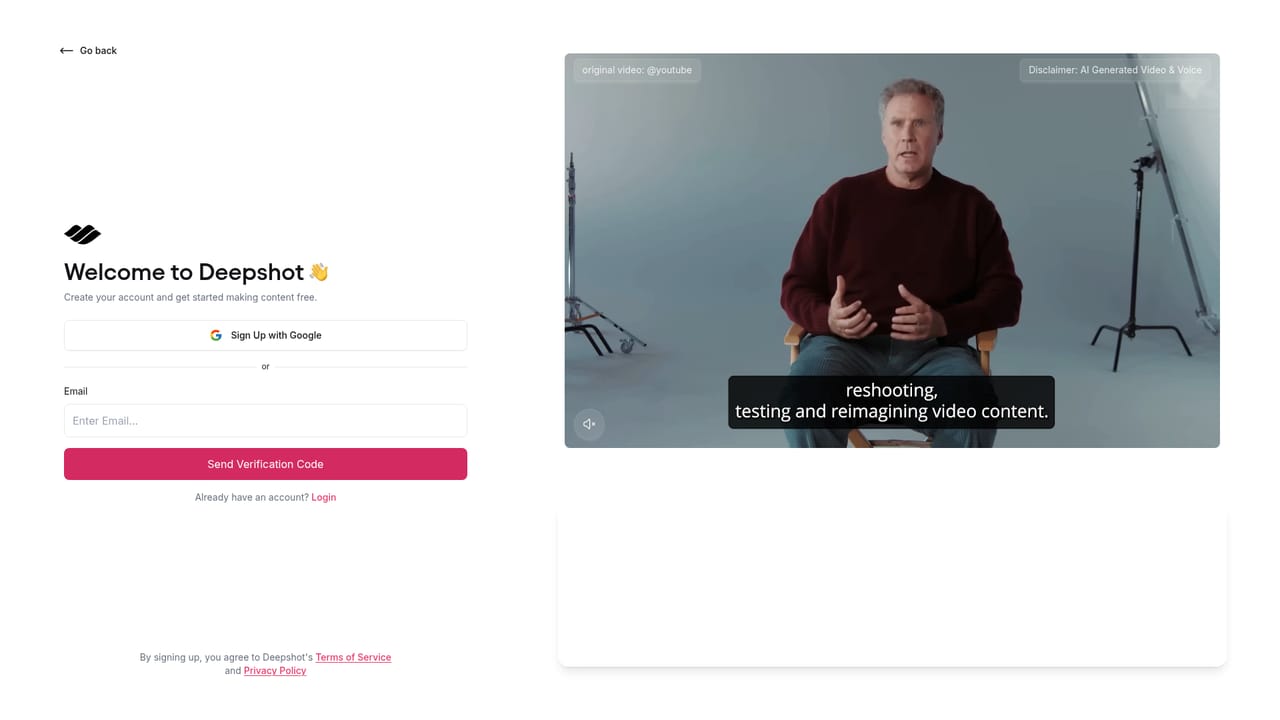
Deepshot is an AI lip-sync tool for reworking existing video: translate dialogue, fix spoken errors, produce alternate hooks for testing, or pair old footage with a new script, without scheduling a reshoot.
Deepshot is an AI lip-sync platform built around a single idea: the mouth in a video can be re-animated to match new dialogue. Instead of booking a shoot to fix a line, translate a message, or try a different opening hook, a creator uploads existing footage and hands the tool a script. Deepshot regenerates the lip movement so the speaker appears to say the new words, while the rest of the source footage is retained. The product is organised around a handful of jobs rather than a single export button. Translation takes a finished video and swaps the spoken language while keeping the original performance. Correction targets small errors in an otherwise usable take, such as a misstatement in a podcast or a slip in a product demo. Creation lets a team draft a fresh script and attach it to older footage instead of filming again. Testing produces alternate versions of a hook so an advertiser can compare two openings before committing spend. Onboarding and outreach work sit on the same mechanics, aimed at keeping training material and personal brand videos current. In practice the workflow follows the marketing pitch of being as easy as writing copy. A user brings their own video, writes or supplies replacement dialogue, and reviews the rendered result before publishing. The homepage also points to a partnership with ElevenLabs, which matters for anyone pairing generated voice with the lip output rather than recording audio themselves. Responsible use is treated as part of the offer, with published material on safety and safe usage, which is worth reading before deploying the tool on client or public-facing work. Deepshot competes with general video editors that have added lip-sync features and with standalone dubbing services. Its case rests on the reshooting use case specifically: fixing, translating and variant-testing existing footage rather than generating video from scratch. Teams that already have strong footage and a recurring need to change what is said will find the closest fit.
The homepage offers a Start Free Trial button that leads to the sign-up page. No trial length, credit allowance or watermarking terms are stated on the site.
Learn moreThe site publishes blog guidance on responsible AI and safe usage rather than a help centre. No support channels, response times or documentation portal are listed on the homepage.
Learn moreElevenLabs is the one integration documented on the site, described as a partnership for AI-driven content. No other connectors, export formats or API details are published on the homepage.
Learn moreCore capabilities are AI lip-sync driven: translating dialogue into other languages, correcting spoken mistakes without a reshoot, generating a new spoken performance over old footage from a written script, and producing alternate takes for hook testing. Adjacent uses listed include onboarding and training updates plus networking videos.
 AI Angels400+ customizable AI girlfriends for NSFW chat, voice calls, and roleplay
 Candy AIExperience the future of companionship with AI friends who chat, role-play, and connect with you on a human level.
 ourdream.aiA vast AI roleplay platform with millions of characters for chat, images, video and voiceAI Angels400+ customizable AI girlfriends for NSFW chat, voice calls, and roleplayCandy AIExperience the future of companionship with AI friends who chat, role-play, and connect with you on a human level.ourdream.aiA vast AI roleplay platform with millions of characters for chat, images, video and voice