Free trial
A free starting balance of 70 credits is available at signup with no credit card required, enough to generate a few test videos before subscribing.
Learn moreTurn scripts and product ideas into finished vertical shorts.
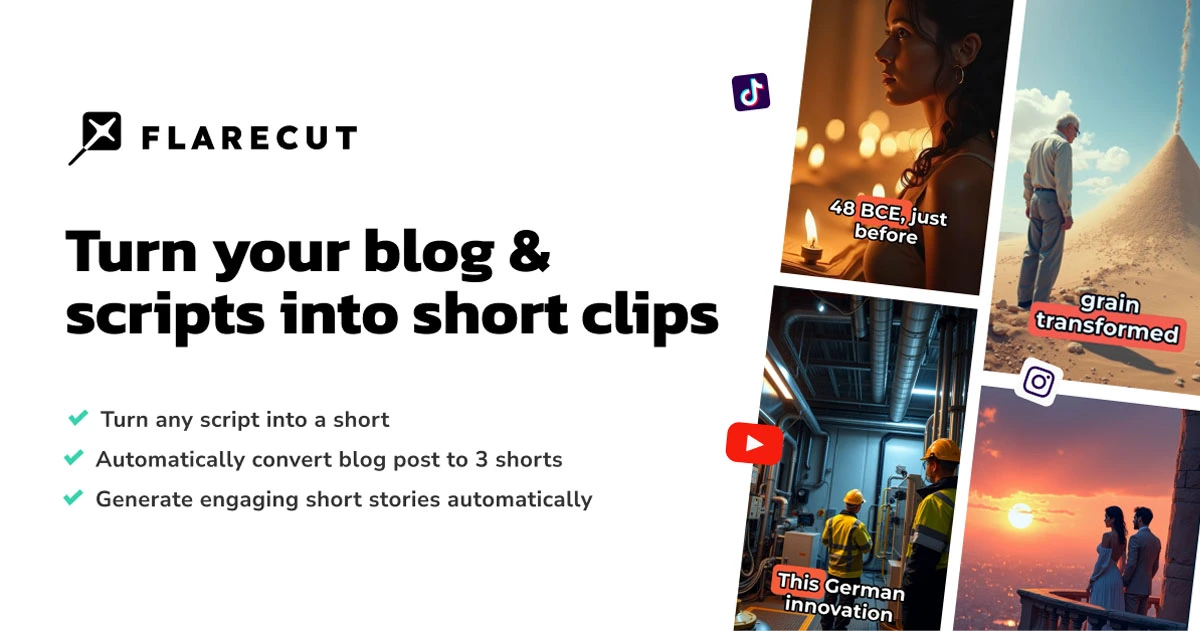
Flarecut is an AI video talk tool that turns scripts and product ideas into finished vertical shorts. Flarecut generates finished vertical shorts for TikTok, Reels, and Shorts from a script, prompt, or product idea. Presets cover storytelling, UGC ads, talking avatars, and gameplay formats.
Flarecut is a browser based AI video studio aimed at short form social platforms: TikTok, Instagram Reels, and YouTube Shorts. It accepts a script, a URL, a one line prompt, or a product idea and returns a finished vertical video with voiceover, captions, and scene visuals already assembled. Unlike general purpose AI video generators that output a single clip, Flarecut builds a complete short with multiple scenes cut to the rhythm of the narration, so the output is closer to a publishable post than a raw asset. The product is organized around distinct studios rather than one generic editor. Storytelling handles cinematic narrated content (facts, history, educational stories) with art direction options such as cinematic, Pixar style, Ghibli inspired, and dark fantasy. A talking avatar and AI influencer studio creates creator style UGC ads, including the option to upload a product photo that gets placed into the scene when the script calls for it. Additional presets cover kids stories, true crime, viral AI clips, and gameplay commentary. Each preset preconfigures the controls for that niche, so the workflow starts from a working format instead of a blank timeline. In practice, a user picks a format, pastes or writes a script or prompt, chooses a narrator voice, selects an art style, and generates. Flarecut handles scene construction, voiceover with word level timing, and captions designed for retention (word highlights, karaoke style, placement options for vertical video). Character consistency is maintained across scenes, either through auto generated characters or reference images supplied by the user. Individual still scenes can be animated with a single click without regenerating the whole project. Who it is for: faceless channel operators, social media managers, dropshippers and app marketers producing UGC style ads, and educational creators who need volume without a production crew. It is not a replacement for a full NLE; there is no timeline editing, no manual keyframing, and no multi track compositing. The tradeoff is speed and format fit over frame level control.
A free starting balance of 70 credits is available at signup with no credit card required, enough to generate a few test videos before subscribing.
Learn moreFlarecut uses a credit system. New accounts receive 70 starter credits with no card required. Paid plans include a Creator plan (referenced at 2,000 credits) and a Studio plan, and credits are consumed at different rates depending on the video format and models used. Credits reset monthly on subscription plans. Exact prices are not stated on the homepage.
Learn moreNo dedicated support page is listed. The homepage includes a FAQ section covering credits, plans, and workflows, and the site maintains a blog with guides on faceless channels and AI voice monetization.
Format specific studios for storytelling, UGC ads, talking avatars, gameplay, and viral AI clips. Script, URL, or prompt to finished vertical video. Expressive voiceover synced to word level timing, retention focused captions (word highlight, karaoke), consistent characters via auto generation or reference images, multiple art styles, one click scene animation, product image placement, and 9:16 vertical output.
 AI Angels400+ customizable AI girlfriends for NSFW chat, voice calls, and roleplay
 Candy AIExperience the future of companionship with AI friends who chat, role-play, and connect with you on a human level.
 ourdream.aiA vast AI roleplay platform with millions of characters for chat, images, video and voiceAI Angels400+ customizable AI girlfriends for NSFW chat, voice calls, and roleplayCandy AIExperience the future of companionship with AI friends who chat, role-play, and connect with you on a human level.ourdream.aiA vast AI roleplay platform with millions of characters for chat, images, video and voice