Free trial
The homepage says users can start using DevKit for free and then pick a paid plan, but it does not describe a time limited free trial of DevGPT or the Pro features.
Learn moreAI coding assistant with multi-model access and 30+ dev tools

DevGPT is the AI coding assistant included in the DevKit subscription. It offers access to multiple model families (GPT-4o series, Gemini, Llama on Groq) plus 30+ mini tools and AI powered DevTools, aimed at developers who want an assistant and a utility bundle under one paid plan.
DevGPT is the AI coding assistant bundled inside DevKit, a subscription toolkit for software developers. It pairs an AI assistant with more than 30 mini tools intended to speed up everyday development work, and the plan also unlocks AI powered DevTools. Access is tied to a DevKit subscription rather than sold as a standalone product, so the assistant and the surrounding utilities are meant to be used together. The assistant draws on several model families: the GPT-4o series, Gemini, and Llama running on Groq. That means a developer can route different kinds of work, from code explanations to quick generation tasks, to the model that suits it instead of being locked to a single provider. In practice DevGPT sits alongside the mini tools in the same workspace, so a session can move from a question about a snippet to a utility that handles a narrow task without switching products. The audience is working developers and small engineering teams who want one subscription covering an AI assistant and a set of complementary tools. Complete access to DevGPT and the AI powered DevTools requires the paid Pro plan; the free tier is positioned as a starting point before upgrading. Paid subscribers also get an ad-free experience, entry to exclusive Discord channels, priority on feature requests, and early updates. Compared with standalone coding assistants, DevGPT differentiates on breadth: the multi-model lineup and the mini tool collection are the draw, and the pricing is a single yearly subscription instead of per-seat assistant pricing. Teams that only need a chat assistant may find the bundle larger than necessary, while developers who already juggle several small utilities may see the value in consolidation.
The homepage says users can start using DevKit for free and then pick a paid plan, but it does not describe a time limited free trial of DevGPT or the Pro features.
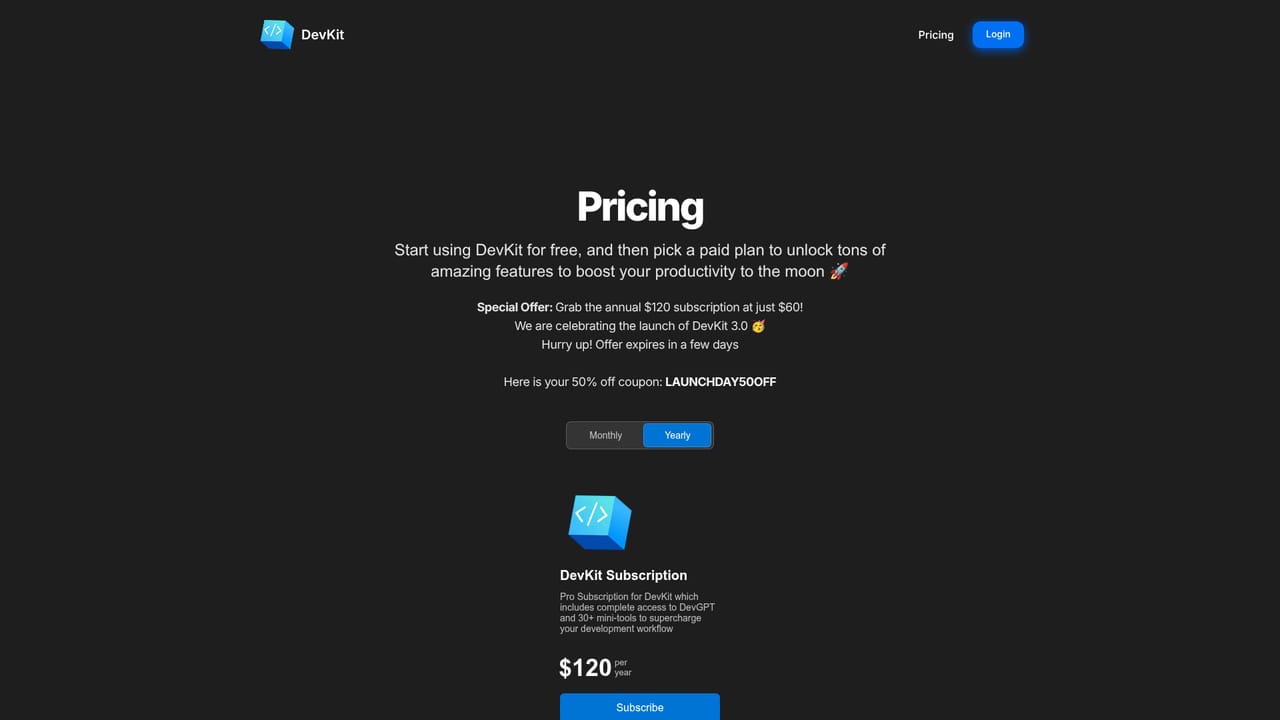
Learn moreDevKit Pro is billed at $120 per year, with a monthly option also listed. The plan includes complete access to DevGPT, AI powered DevTools, 5+ models (GPT-4o series, Gemini, Llama on Groq), an ad-free experience, exclusive Discord channels, prioritized feature requests, and early updates. A launch offer advertises the annual plan at $60 with coupon LAUNCHDAY50OFF.
Learn moreSupport is offered through exclusive Discord channels available to paid subscribers, and feature requests from subscribers are prioritized. No email or help centre support is mentioned.
The homepage lists Llama models powered by Groq as part of the model lineup. No other third party integrations are described.
DevGPT provides an AI coding assistant with access to more than five models across the GPT-4o series, Gemini, and Llama on Groq. The subscription also includes over 30 mini tools, AI powered DevTools, an ad-free experience, exclusive Discord channels, priority on feature requests, and early updates.
Learn more AI Angels400+ customizable AI girlfriends for NSFW chat, voice calls, and roleplay
 Candy AIExperience the future of companionship with AI friends who chat, role-play, and connect with you on a human level.
 ourdream.aiA vast AI roleplay platform with millions of characters for chat, images, video and voiceAI Angels400+ customizable AI girlfriends for NSFW chat, voice calls, and roleplayCandy AIExperience the future of companionship with AI friends who chat, role-play, and connect with you on a human level.ourdream.aiA vast AI roleplay platform with millions of characters for chat, images, video and voice


