Support
Contact is offered by email and Telegram for integration questions and feedback. A blog covers topics such as the legality of watermark removal and comparisons of rival remover tools.
AI watermark removal for photos, videos and PDFs without visible blur
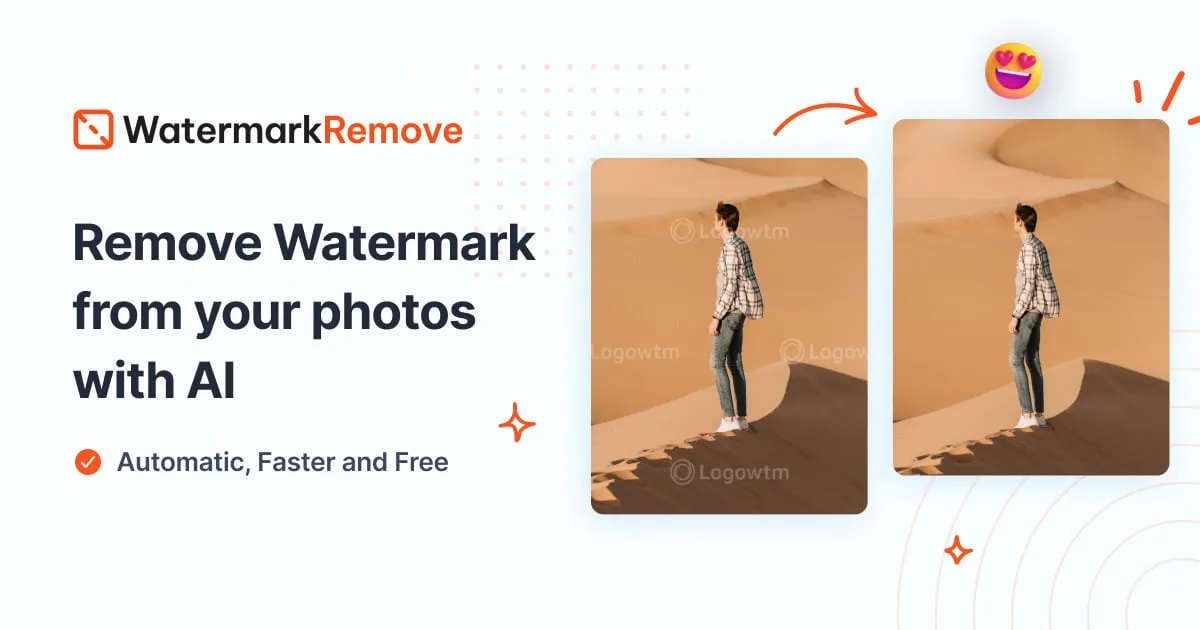
Dewatermark removes watermarks, logos, timestamps and text from photos, videos and PDFs using inpainting AI. It offers three removal models, a manual touch-up brush, batch processing for up to 50 images, an enhancer and background cutout, plus an API and MCP server for automation.
Dewatermark is a watermark removal service built around inpainting and GAN models. It detects a watermark layer on an image, separates it from the underlying picture, and reconstructs the background so the cleaned area keeps its original texture, gradients and color. The same engine handles text overlays, brand logos, diagonal proof patterns, transparent marks, date stamps, photographer signatures and full-screen tiled watermarks, which is a wider range than most single-purpose erasers attempt. In practice the workflow is short. A file is dropped in or pasted from the clipboard, the AI scans it, and a cleaned result arrives in a few seconds. Three removal models are offered, and the choice matters: Auto Remove 2.0 targets emojis and simple overlays, Auto Remove 3.0 covers most everyday watermarks, and the newer Auto Remove 4.0 model is positioned for the hardest cases at a higher credit cost. A PRO Remove option reaches watermarks at very low opacity. When automation leaves traces, a manual AI brush paints over the leftover area and applies inpainting only to that region, which is the practical route for signatures and irregular shapes. The tool is aimed at people who process images in volume rather than one at a time. Batch mode takes up to 50 images with shared settings and returns a single ZIP, a fit for e-commerce catalogs and media libraries. Beyond the core image remover, Dewatermark ships dedicated pages for video, TikTok, CapCut and Snapchat marks, a PDF watermark remover, an image enhancer with batch upscaling, a background cutout tool, and an API plus an MCP server for teams wiring removal into their own pipelines. Desktop apps exist for Windows and macOS, and there are iOS and Android versions. The main caveat is legal rather than technical. The service states plainly that it should be used only on files you own or are authorized to edit, and removal of a mark does not transfer any rights. Against Photoshop or generic healing tools, Dewatermark wins on speed and on handling repeated patterns; against lightweight browser erasers, it wins on model choice and batch throughput. Heavy users should watch the credit system, since stronger models cost more per image.
Contact is offered by email and Telegram for integration questions and feedback. A blog covers topics such as the legality of watermark removal and comparisons of rival remover tools.
A Watermark Remover API and a separate API pricing page cover programmatic access, and an MCP server connects Dewatermark to AI agents. Integration requests and feedback are taken by email or Telegram.
Learn moreCore features include three AI removal models plus a PRO tier for low-opacity marks, a manual inpainting brush for leftovers, batch processing of up to 50 images as a ZIP, and dedicated removers for video, TikTok, CapCut, Snapchat, PDF, text and emoji. Extra tools cover image enhancement, batch upscaling and background cutout, with an API and MCP server for integration.
Learn more AI Angels400+ customizable AI girlfriends for NSFW chat, voice calls, and roleplay
 Candy AIExperience the future of companionship with AI friends who chat, role-play, and connect with you on a human level.
 ourdream.aiA vast AI roleplay platform with millions of characters for chat, images, video and voiceAI Angels400+ customizable AI girlfriends for NSFW chat, voice calls, and roleplayCandy AIExperience the future of companionship with AI friends who chat, role-play, and connect with you on a human level.ourdream.aiA vast AI roleplay platform with millions of characters for chat, images, video and voice




