Pricing
The homepage does not publish prices. The core upload and transcribe flow appears to be available without an account, and a Pro tier is referenced only through a waitlist signup page, with no rates or included limits stated.
Learn moreTurn audio files into text with OpenAI's Whisper API

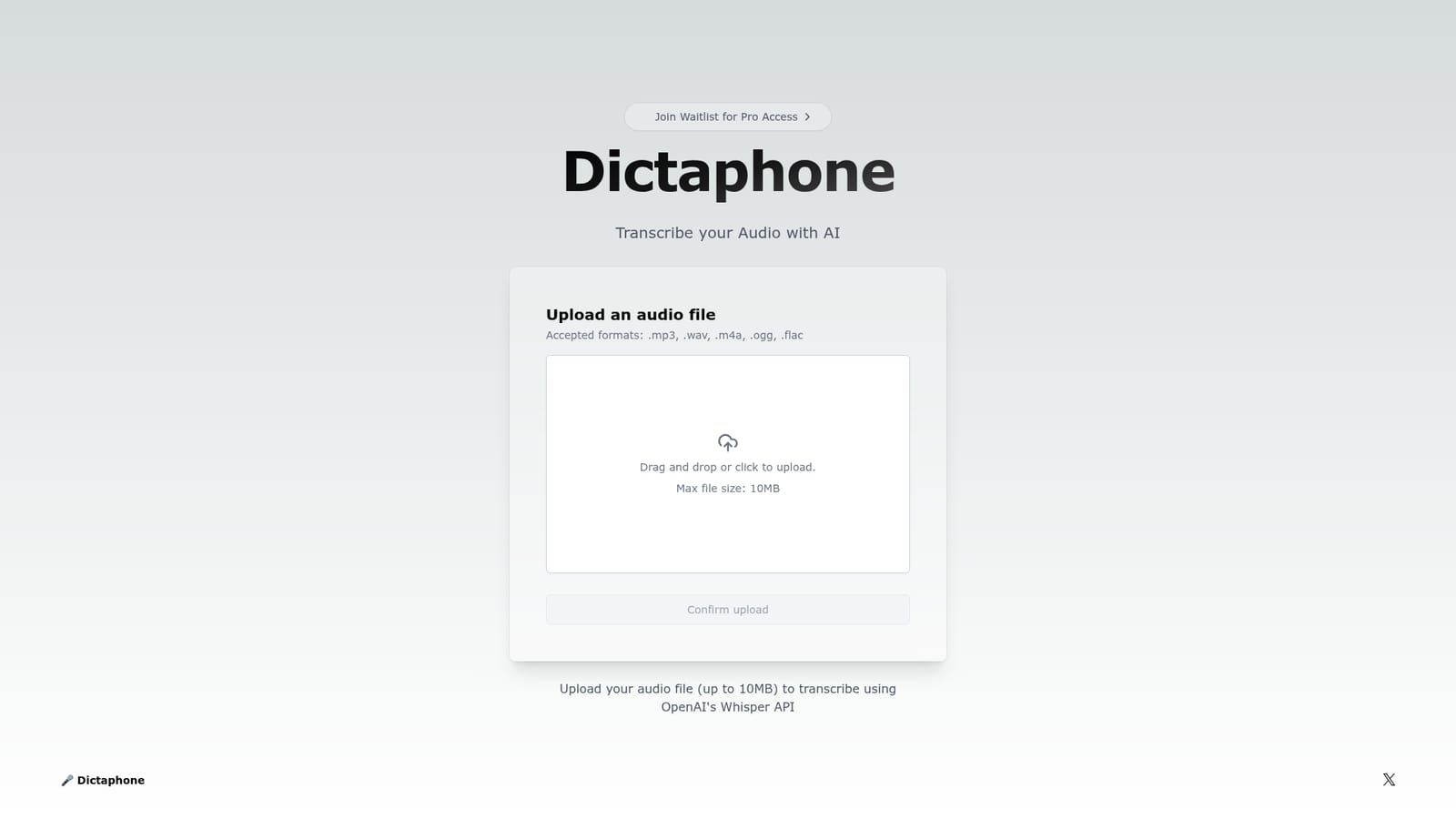
Dictaphone is an AI transcriber tool that turns audio files into text with OpenAI's Whisper API. A no frills web tool that transcribes audio files with OpenAI's Whisper API. Upload an mp3, wav, m4a, ogg or flac file up to 10MB and get text back in seconds, with no editing or library features attached.
Dictaphone is a browser based transcription utility that converts spoken audio into written text using OpenAI's Whisper API. The workflow is deliberately narrow: a user uploads a single audio file, confirms the upload, and receives a transcription of the speech it contains. The uploader accepts .mp3, .wav, .m4a, .ogg and .flac files, so most recordings captured on a phone, a laptop or a standalone recorder can be dropped in without a conversion step first. The tool fits people who occasionally need a spoken recording turned into text and do not want to install desktop software or configure a speech recognition model. Journalists working through interview clips, students revisiting recorded lectures, and anyone with a voice memo worth searching later are the obvious audience. Because transcription runs through Whisper, the quality of the output tracks the underlying model rather than any proprietary tuning on the Dictaphone side. In practice the process is short. Open the site, drag a file into the upload area or click to browse for it, then confirm the upload to start transcription. The file size limit is 10MB, which is the constraint that shapes how the tool gets used: short recordings go through comfortably, while hour long meetings or full interview tapes will usually need to be split into segments or compressed before they fit. The site describes results arriving in seconds. Dictaphone sits in the lightweight end of the transcription market. Dedicated services such as dedicated meeting note platforms bundle speaker labels, collaborative editing and searchable archives, while desktop transcription suites add offline processing and custom vocabularies. Dictaphone offers none of that scaffolding, which makes it a reasonable pick for a quick one off conversion and a poor fit for anyone who needs a persistent library of transcripts, team access or bulk processing. A Pro tier is signalled through a waitlist link, so the roadmap points toward a paid offering beyond the current free upload flow.
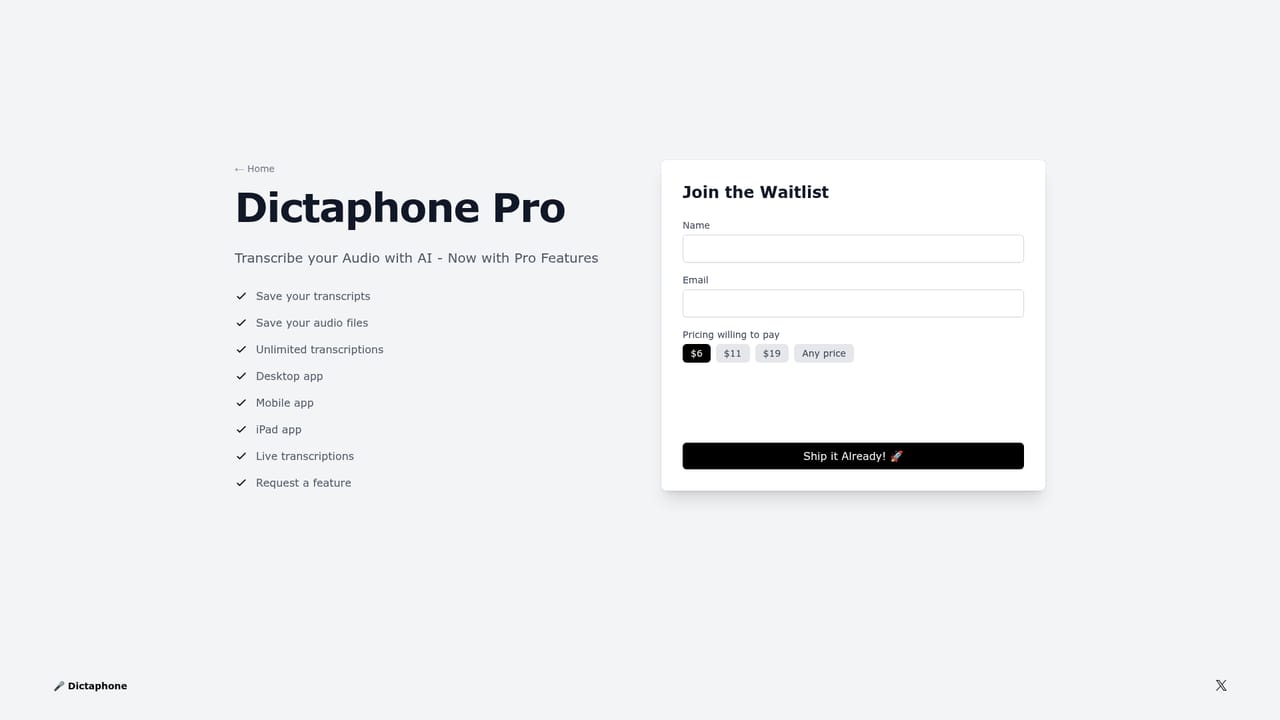
The homepage does not publish prices. The core upload and transcribe flow appears to be available without an account, and a Pro tier is referenced only through a waitlist signup page, with no rates or included limits stated.
Learn moreOpenAI's Whisper API is the only integration the homepage names: audio is sent to it for speech to text conversion. No other connectors or export destinations are listed.
Upload of .mp3, .wav, .m4a, .ogg and .flac files up to 10MB, drag and drop or click to browse, an upload confirmation step, and transcription powered by OpenAI's Whisper API. The site advertises results in seconds and does not describe editing, speaker labels, timestamps or a saved transcript library.
 AI Angels400+ customizable AI girlfriends for NSFW chat, voice calls, and roleplay
 Candy AIExperience the future of companionship with AI friends who chat, role-play, and connect with you on a human level.
 ourdream.aiA vast AI roleplay platform with millions of characters for chat, images, video and voiceAI Angels400+ customizable AI girlfriends for NSFW chat, voice calls, and roleplayCandy AIExperience the future of companionship with AI friends who chat, role-play, and connect with you on a human level.ourdream.aiA vast AI roleplay platform with millions of characters for chat, images, video and voice







