Free trial
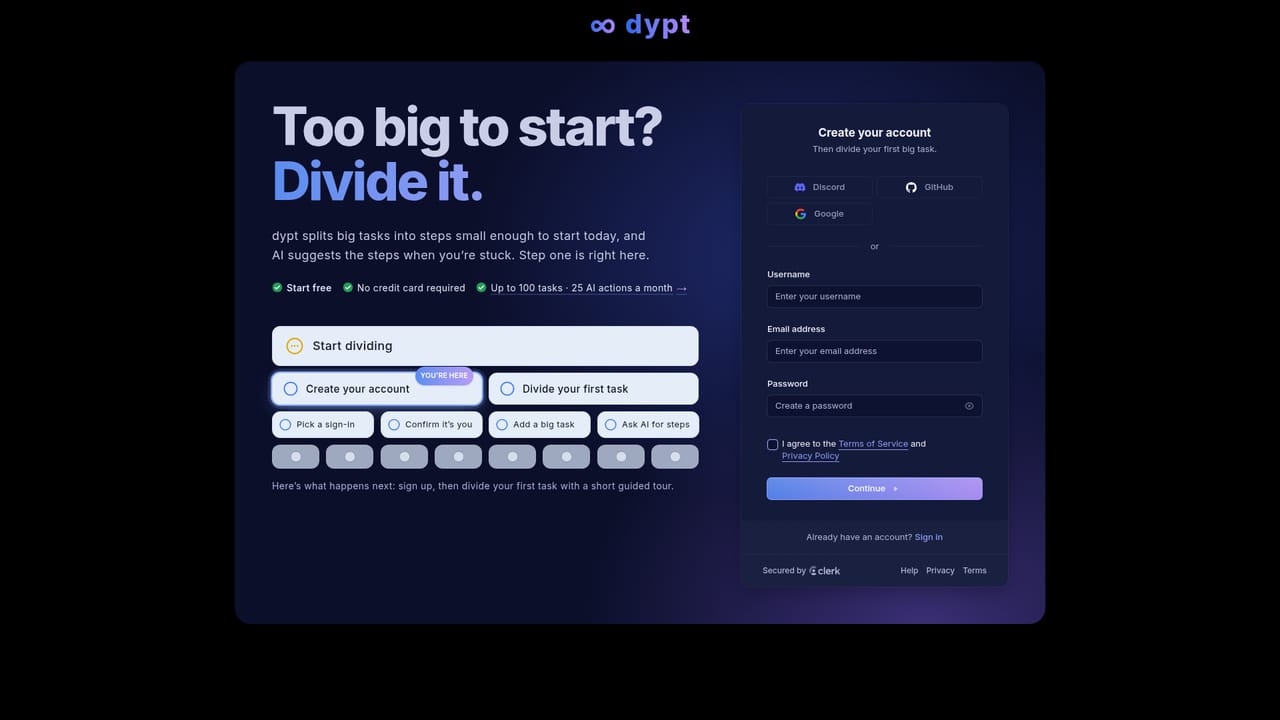
No separate trial is offered: the Starter plan is free indefinitely with 100 tasks and 25 AI actions, and no credit card is required. Paid plans are covered by a 14-day refund policy.
Learn moreBreak big tasks into smaller steps, with AI filling in the gaps

Dypt is an AI project builder tool. A task manager built around infinite task breakdown, where AI suggests subtasks, estimates time and turns notes or photos into structured to-dos. Deadlines, reminders, recurring tasks, dependencies, sharing and a CLI round it out, with generous hierarchy but tight free-plan limits.
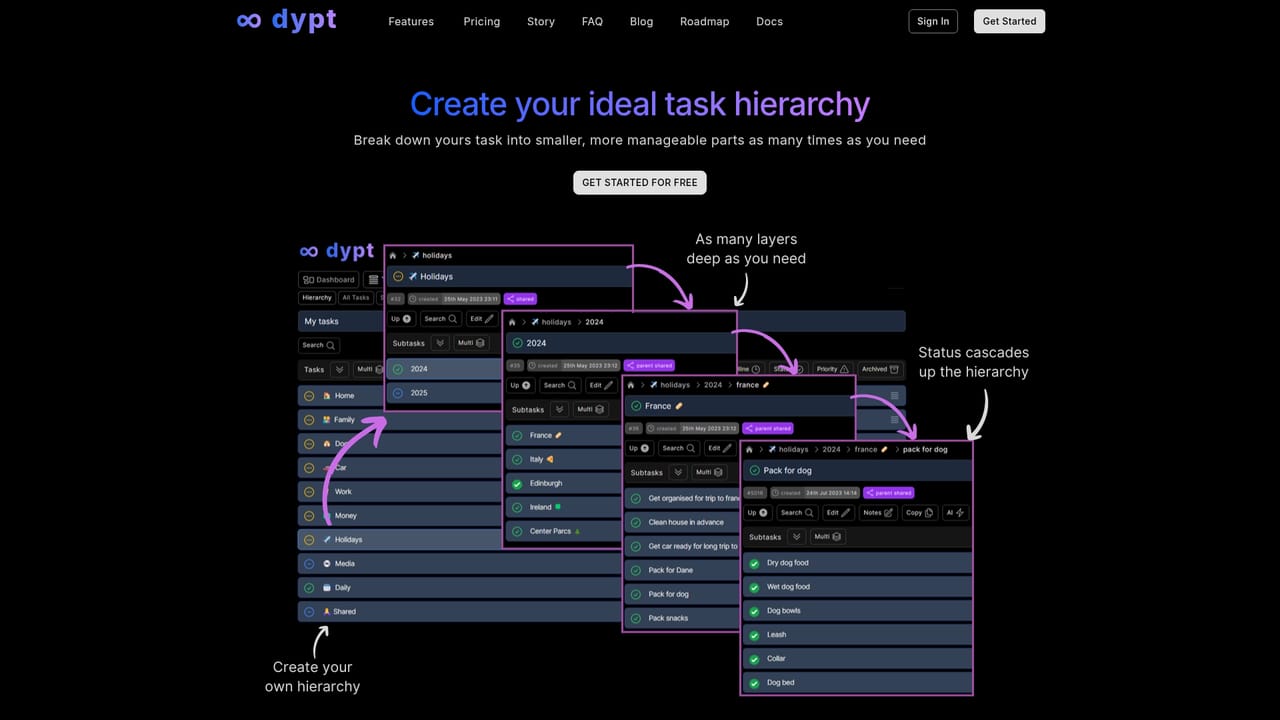
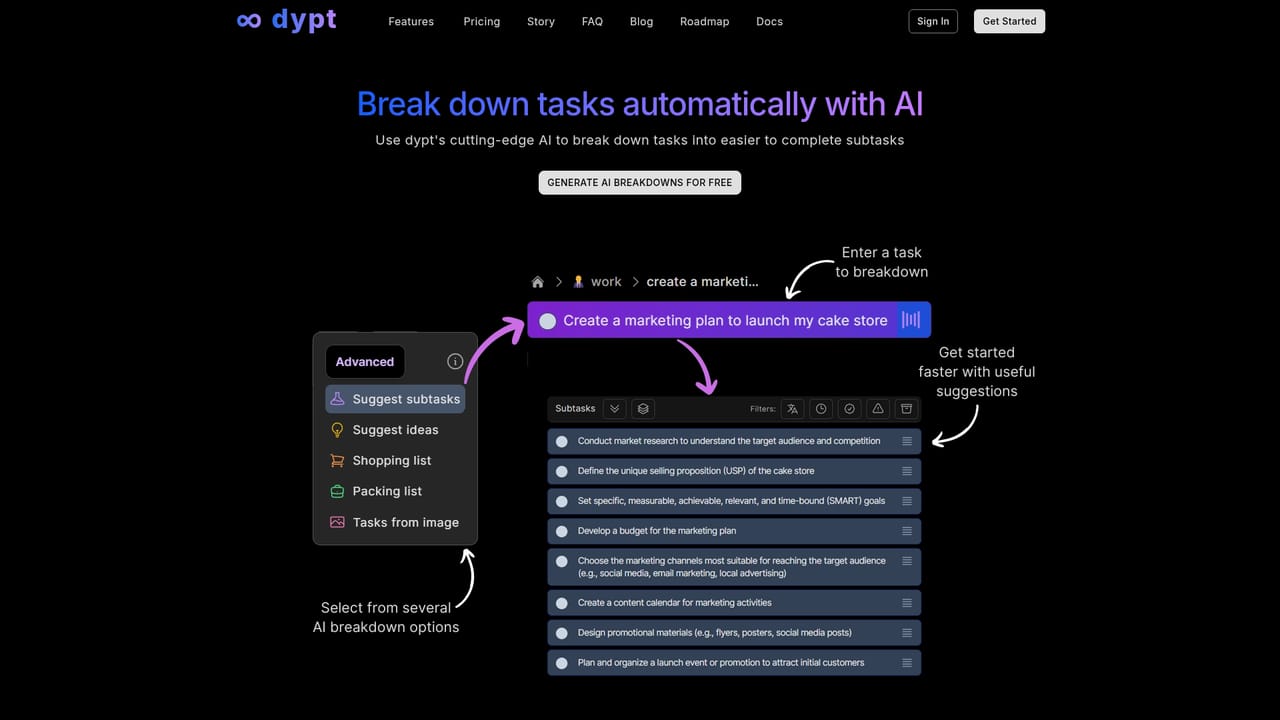
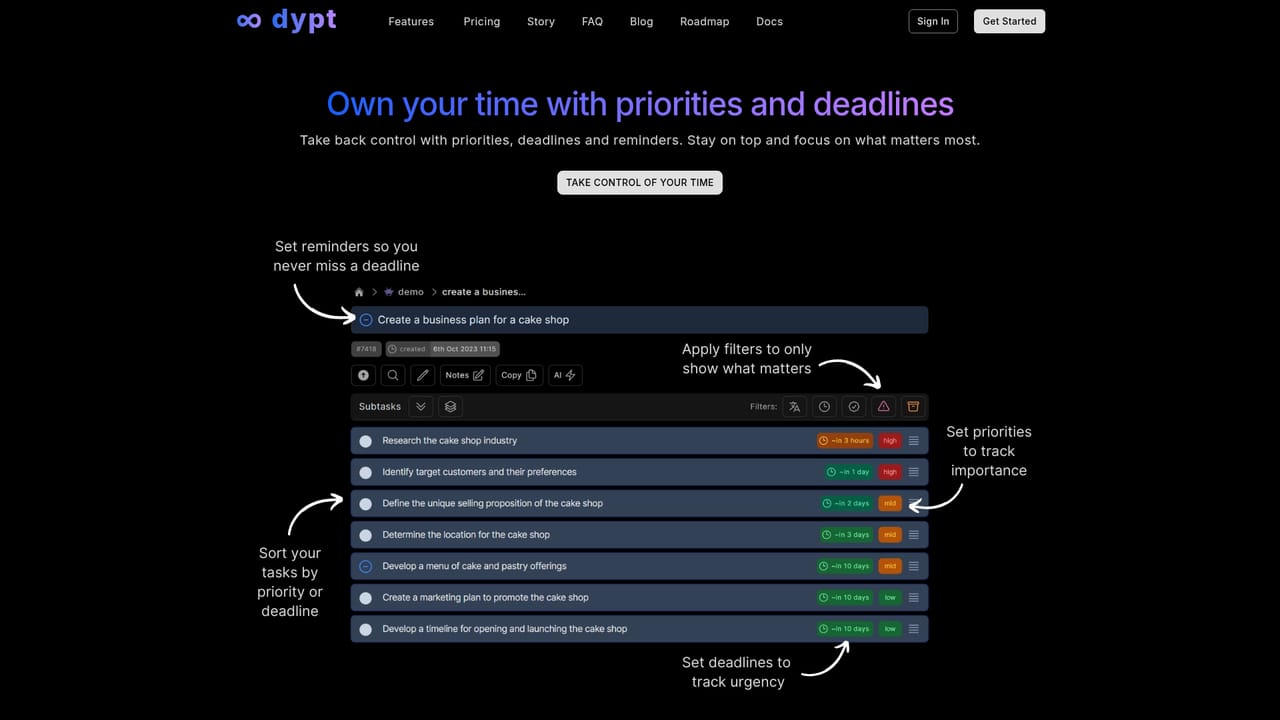
Dypt is a task manager built around a single idea: work that feels too large to start becomes manageable once it is split into smaller pieces. Every task can be divided into subtasks, and those subtasks divided again, with no fixed limit on nesting depth. When the next step is unclear, the built-in AI proposes the missing subtasks, estimates how long work will take, or turns a photo of handwritten notes and whiteboards into structured tasks. Day to day, dypt behaves like a conventional to-do app with unusual depth. Tasks carry low, medium or high priorities, deadlines with push reminders, time estimates and actuals for tracking, markdown notes, reusable tags and note templates. Dependencies link tasks so blocked work is visible, and tasks can repeat on daily, weekly, monthly or yearly schedules. A calendar view and a list view cover planning, a command palette handles fast navigation, and weekly or daily email reports summarise progress. Sharing is a core feature rather than an afterthought. Tasks can be published publicly for anyone to view without an account, or shared privately with a set number of collaborators depending on plan, and the community library lets users copy public tasks into their own account and adapt them. A published command line interface extends the tool beyond the app, aimed at people and AI agents that work with structured task data and JSON output. Role-based starting points exist too, with an accountant workflow covering client work, month-end close, review notes and deadlines, and more roles listed as coming. Dypt sits between simple personal to-do apps and heavyweight project platforms. It is a reasonable fit for individuals and small teams who want hierarchy and light AI assistance, though anyone needing large free task volumes, per-seat pricing or a deep integration ecosystem will find the limits and modest collaboration caps restrictive.
No separate trial is offered: the Starter plan is free indefinitely with 100 tasks and 25 AI actions, and no credit card is required. Paid plans are covered by a 14-day refund policy.
Learn moreStarter is free with 100 tasks, 25 AI actions and private sharing with 1 person. Pro is $4 per month billed annually ($48/yr) or $5 monthly, with 5,000 tasks, 200 AI actions and sharing with 5 people. VIP is $7 per month annually ($84/yr) or $9 monthly, with 25,000 tasks, 500 AI actions and 20 collaborators.
Learn moreHelp is offered through a contact form on the site, and a refund policy page sets out the 14-day terms. There is no stated live chat or phone support.
Learn moreInfinite task nesting, AI breakdown and time estimates, image-to-tasks, note cleanup and task extraction, markdown notes and templates, dependencies, priorities, deadlines and reminders, recurring schedules, calendar and list views, time tracking, tags and filters, a command palette, public and private sharing, email reports and a published CLI.
Learn more AI Angels400+ customizable AI girlfriends for NSFW chat, voice calls, and roleplay
 Candy AIExperience the future of companionship with AI friends who chat, role-play, and connect with you on a human level.
 ourdream.aiA vast AI roleplay platform with millions of characters for chat, images, video and voiceAI Angels400+ customizable AI girlfriends for NSFW chat, voice calls, and roleplayCandy AIExperience the future of companionship with AI friends who chat, role-play, and connect with you on a human level.ourdream.aiA vast AI roleplay platform with millions of characters for chat, images, video and voice


