Free trial
A free starting point is advertised: the site says to start building free and that no credit card is required, though the exact limits of the free allowance are not stated on the homepage.
Learn moreBuild, deploy and run AI phone and chat agents from one workspace.

echowin is an AI calls tool that builds deploy and run AI phone and chat agents from one workspace. echowin is a workspace for creating AI voice and chat agents that answer calls, handle FAQs, book appointments and transfer to staff.
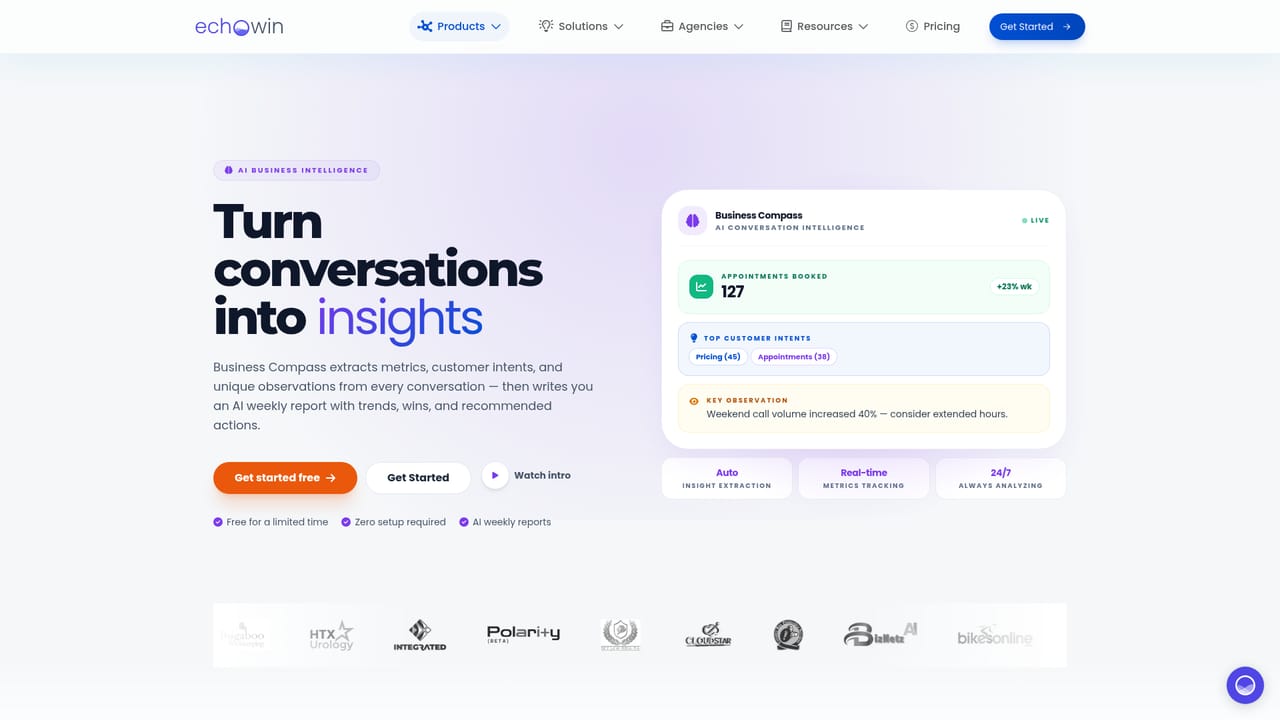
echowin is a platform for building AI agents that answer phone calls and chat messages, aimed at small and mid sized businesses that handle a steady flow of inbound conversations. Instead of stitching together telephony, speech models and orchestration tools, teams configure an agent in one workspace and move it from draft to production across phone, website chat and WhatsApp. The site frames the philosophy plainly: no models to train, no infrastructure to run. The build process is intentionally plain English. You start by describing the business and the agent's role, and the platform researches public information from your website to seed its understanding. Knowledge then comes from pages and documents, with automatic syncs keeping sources current. Instructions cover tone, accents and workflows, and tools can be attached for actions like checking inventory or sending a follow up SMS. A sample agent on the homepage shows the pattern: collect vehicle details, consult stock, quote approved options, and pass urgent requests to a manager. Once live, echowin leans on monitoring. Call transcripts and sentiment are tracked, while Business Compass surfaces trends, anomalies and revenue signals without requiring a review of every recording. Metrics such as call volume, resolution rate and response time sit alongside an agent health score that reflects instruction coverage, knowledge quality and tool readiness. The platform claims unlimited parallel calls, low latency and support for more than 100 languages, with the same agent deployable across channels in a few clicks. The tool sits in the same territory as hosted voice agent builders, but differentiates on breadth: a single agent definition spans voice and chat, and integrations extend into a wide catalogue of business apps plus a REST API. That suits operations leads and founders who want an AI front desk without engineering staff. Teams with highly custom telephony or compliance needs should still verify fit before committing.

A free starting point is advertised: the site says to start building free and that no credit card is required, though the exact limits of the free allowance are not stated on the homepage.
Learn moreThe homepage invites users to build free with no credit card required, but it does not publish plan tiers, per call rates or subscription details. Usage and billing appear as a workspace section, yet actual pricing must be confirmed with the vendor.
Learn moreA REST API is listed for custom connections, and the homepage claims access to more than 8000 integrations, though the specific catalogue is not detailed there. WhatsApp is a first class deployment channel alongside phone and web chat.
Agent instructions in plain English, knowledge synced from websites and documents, tool connections, and one click deployment to phone, web chat and WhatsApp. Conversation analytics include live transcripts, sentiment, risk and revenue tagging, and an agent health score. The platform also advertises 100 plus languages, low latency, unlimited parallel calls, a REST API and a Claude / OpenClaw skill.
 AI Angels400+ customizable AI girlfriends for NSFW chat, voice calls, and roleplay
 Candy AIExperience the future of companionship with AI friends who chat, role-play, and connect with you on a human level.
 ourdream.aiA vast AI roleplay platform with millions of characters for chat, images, video and voiceAI Angels400+ customizable AI girlfriends for NSFW chat, voice calls, and roleplayCandy AIExperience the future of companionship with AI friends who chat, role-play, and connect with you on a human level.ourdream.aiA vast AI roleplay platform with millions of characters for chat, images, video and voice


