Free trial
No time limited trial is described. A free plan allows export of 2,000 comments with replies included, and new users are told they get 2,000 credits free.
Learn morePull TikTok video comments into CSV or Excel with one paste

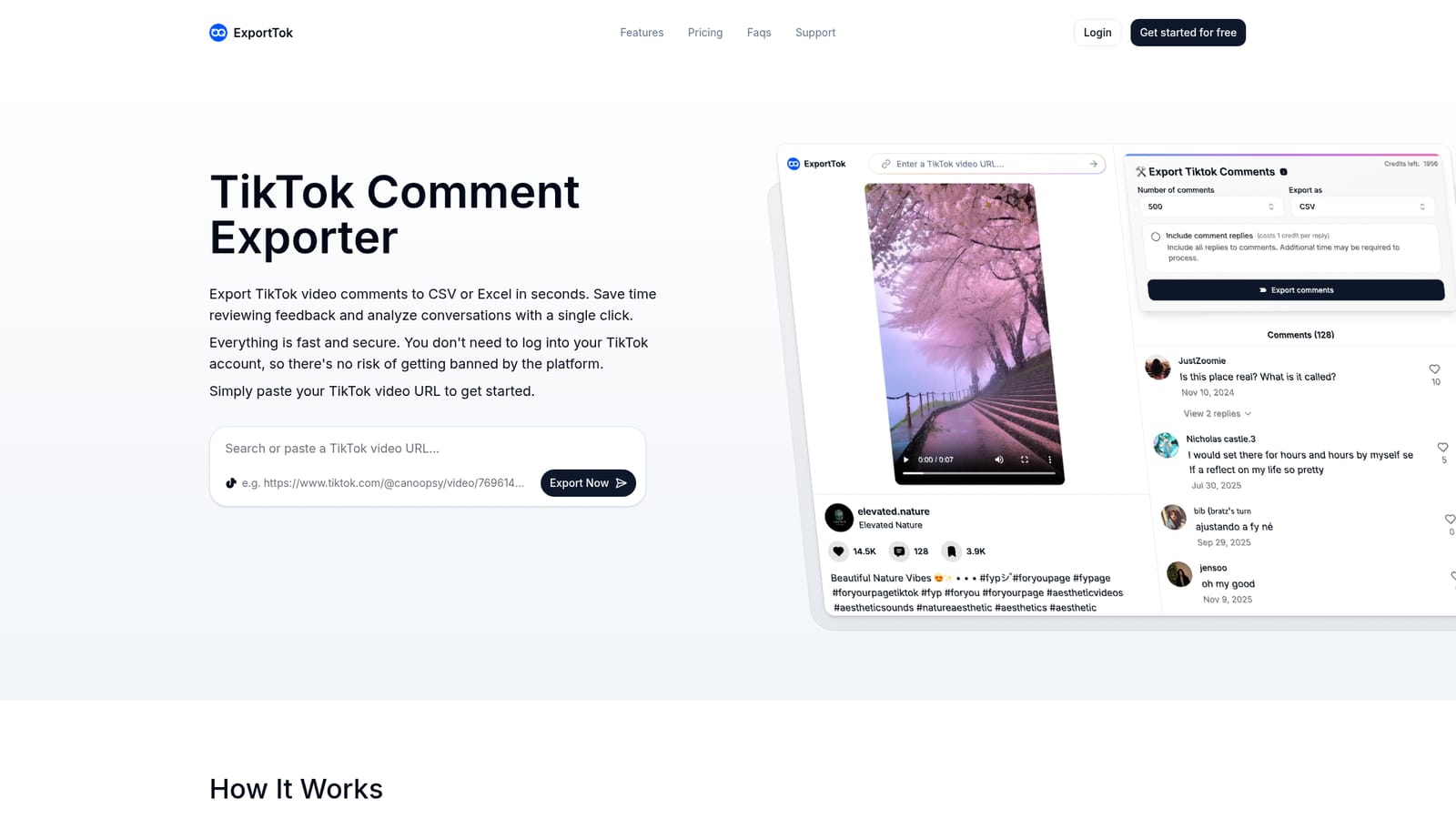
ExportTok turns a TikTok video link into a downloadable CSV or XLSX of its comments, including user details, timestamps, likes, reply counts and profile links. It needs no TikTok login, supports batch exports and reply inclusion, and runs on a credit system with a free allowance plus three paid monthly tiers.
ExportTok is a web based TikTok comment exporter built around a single input field: you paste a video link, choose how many comments to pull, pick CSV or XLSX, and the file downloads for analysis. It is aimed at marketers, creators, community managers and social media researchers who need comment threads in a spreadsheet rather than scrolled on a phone screen. The tool states that no TikTok login is required, so exports run without tying the work to a personal account. The export payload is reasonably complete. Each row carries comment text, comment ID, user ID, username, nickname, comment time, like count, reply count, pinned status and a profile link. Replies can be included or left out, and batch exports across multiple videos are supported for larger projects. ExportTok also says it works on photo posts and non standard link formats, and that it bypasses official rate limits so repeated pulls stay consistent with what TikTok serves. In practice the workflow is research oriented: run a competitor's viral video through the exporter, open the CSV in Excel or Google Sheets, then sort, keyword filter or sentiment tag the rows. The site points to content strategy review, campaign reporting, community management, giveaway winner selection and academic studies as typical uses. Pricing is credit based, with a free allowance and three monthly tiers that scale from 500,000 to 3,000,000 credits. Among TikTok scraping options, ExportTok sits in the low effort, single purpose bracket rather than a full social listening suite. It does not appear to offer scheduling, dashboards or automated recurring exports, so teams wanting ongoing monitoring will still pair it with a separate analytics platform. Its selling points are speed, anonymity and clean tabular output rather than breadth of channels.
No time limited trial is described. A free plan allows export of 2,000 comments with replies included, and new users are told they get 2,000 credits free.
Learn moreFreemium with credit based monthly plans. The free tier exports 2,000 comments. Paid tiers are Essential at $9.99 per month for 500,000 credits, Growth at $14.99 for 1,000,000 credits and Pro at $19.99 for 3,000,000 credits. Yearly billing is advertised at 50% off. All tiers list reply inclusion, fast extraction and priority support.
Learn moreA support page and contact channel are provided, and priority support appears on every plan including the free tier. FAQ content covers link formats, export contents, count discrepancies, privacy, cancellation and upgrades.
Learn moreNo direct integrations are listed. Output is standard CSV and XLSX, which the site positions for use with Excel, Google Sheets and statistical software.
Single click export of TikTok comments to CSV or XLSX. Rows include comment text, comment ID, user ID, username, nickname, comment time, like count, reply count, pinned status and profile links. Replies can be included, batch exports across several videos are supported, photo posts and alternate link formats are handled, and no TikTok login is needed. The site says data is processed locally so exported comments are not sent to its servers.
 AI Angels400+ customizable AI girlfriends for NSFW chat, voice calls, and roleplay
 Candy AIExperience the future of companionship with AI friends who chat, role-play, and connect with you on a human level.
 ourdream.aiA vast AI roleplay platform with millions of characters for chat, images, video and voiceAI Angels400+ customizable AI girlfriends for NSFW chat, voice calls, and roleplayCandy AIExperience the future of companionship with AI friends who chat, role-play, and connect with you on a human level.ourdream.aiA vast AI roleplay platform with millions of characters for chat, images, video and voice


