Free trial
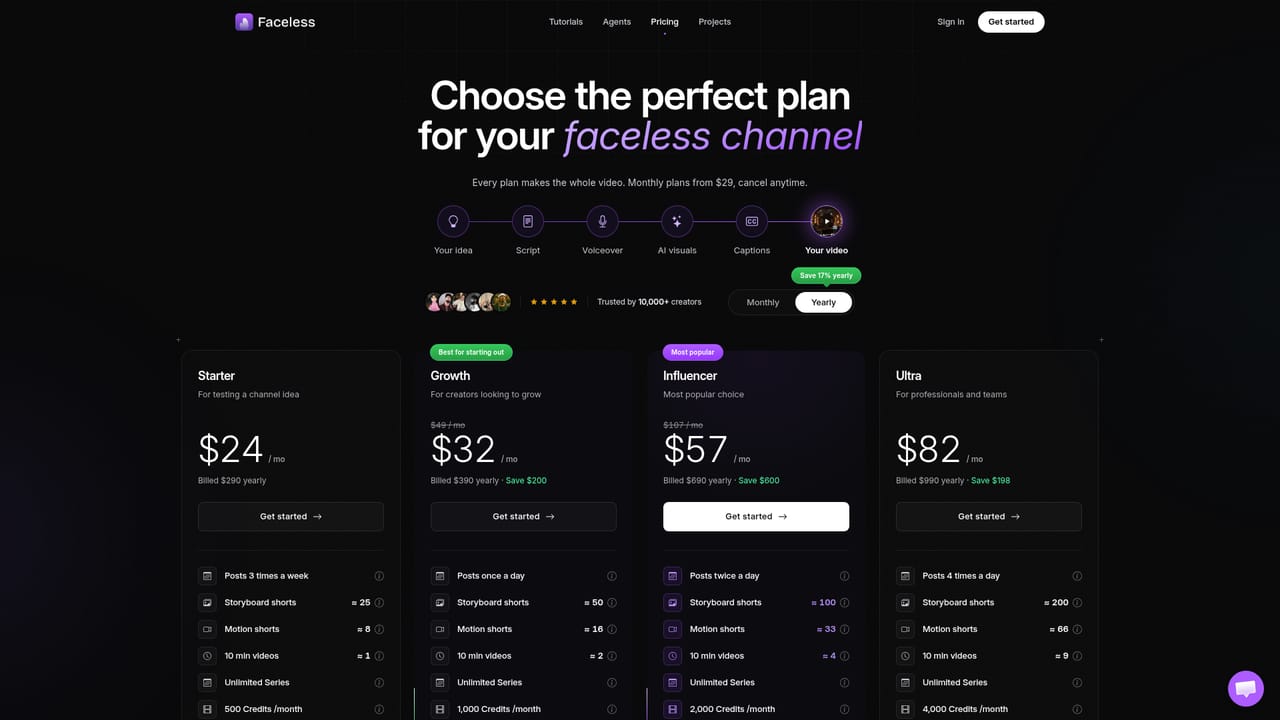
Signing up is free, and plans are billed monthly from $29 with cancellation at any time. The homepage does not describe a separate time-limited free trial.
Learn moreAI builds and posts faceless videos for seven social platforms on autopilot.

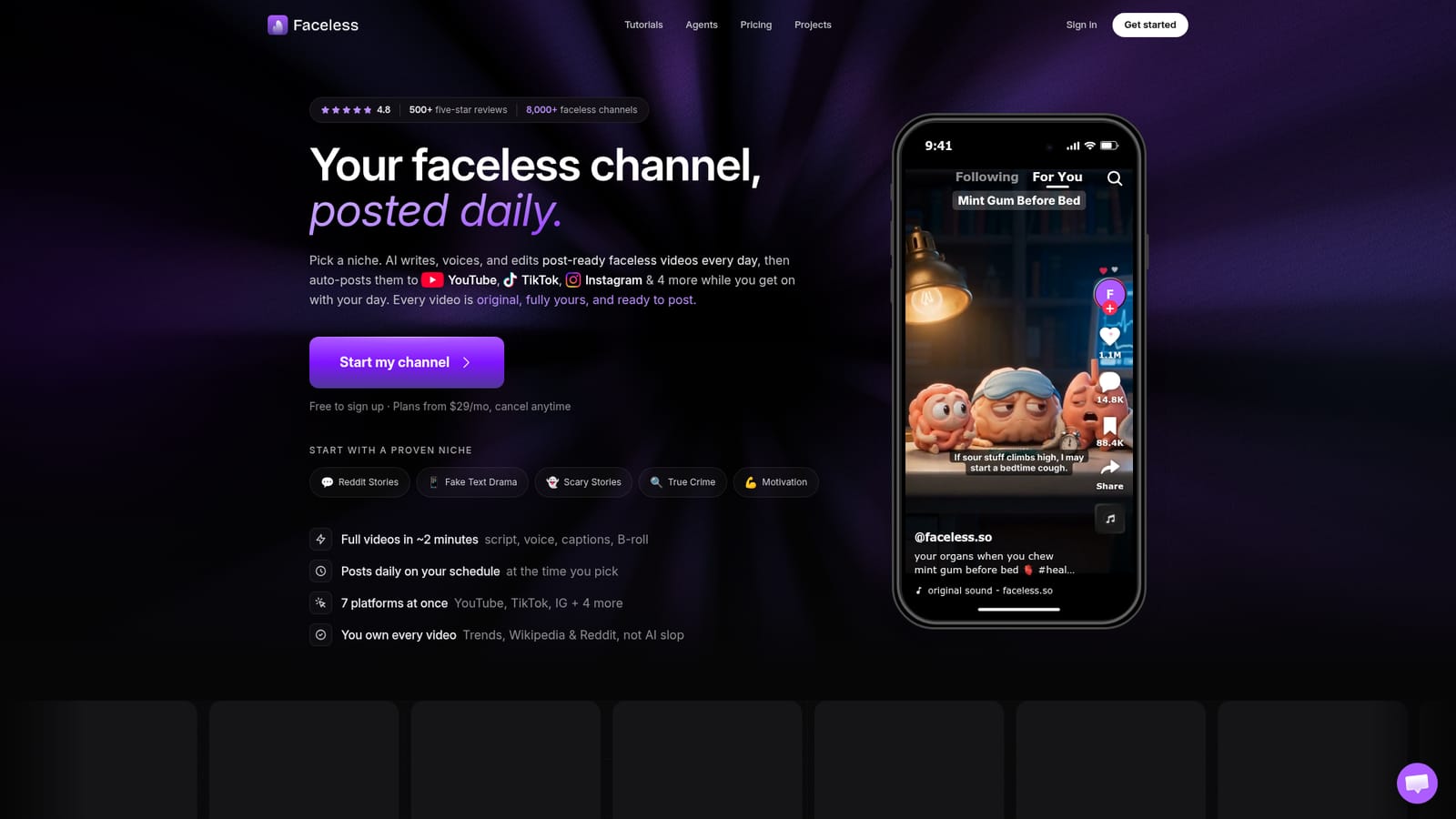
Faceless.so generates short-form faceless videos from live research sources, then auto-posts them to YouTube, TikTok, Instagram and four more platforms on a schedule. Creators pick a niche and style once, review each video, and can fine-tune in a desktop Studio editor.
Faceless.so is a scheduled content engine for faceless short-form video. A creator picks a niche, a visual style, a voice and a caption style once, and the service then produces a finished vertical video on a recurring basis: researched script, voiceover, word-timed captions, matching B-roll and background music. The first video is ready in roughly two minutes, and subsequent ones land in a review queue for approval, editing or skipping before publication. The research layer is the main differentiator. Instead of sending a bare prompt to a language model, Faceless seeds each script from live sources such as Google Trends, Google News, Wikipedia and real Reddit threads, with fact snippets gathered before writing begins. That suits creators running Reddit story, true crime, scary story, history, motivation, wealth, conspiracy, language learning or fake text drama channels, plus the 28 preset niches and a custom prompt path for anything else. Voice options span more than 90 languages, including the ability to clone a voice. Distribution is handled in the same product. Accounts connect once and finished videos auto-post to YouTube Shorts, TikTok, Instagram Reels, Facebook, LinkedIn, Threads and X on the days and times chosen, with a phone-friendly queue for review and a desktop Studio editor for timeline-level polishing of captions, music, effects and B-roll. TikTok slideshow carousels are also supported. The site states that videos are created per account, never recycled across customers, and that creators keep full rights to the output. Faceless sits in the automated channel niche rather than the manual AI video editor niche. Tools like generic text-to-video generators hand you clips and stop there; Faceless owns the whole loop from research to publishing. The trade is control and price: plans start at $29 per month, so it makes most sense for people committed to publishing frequently, and a public comparison against Faceless Video suggests buyers should weigh it against dedicated competitors directly.
Signing up is free, and plans are billed monthly from $29 with cancellation at any time. The homepage does not describe a separate time-limited free trial.
Learn morePlans start at $29 per month with the option to cancel anytime. Signing up is free. The homepage does not break down tiers, video quotas or feature limits per plan.
Learn moreThe site advertises 24/7 support. Specific contact channels and response times are not detailed on the homepage.
Publishes directly to YouTube Shorts, TikTok, Instagram Reels, Facebook, LinkedIn, Threads and X. Accounts are connected once inside the product.
Researched scripts from Google Trends, Google News, Wikipedia, Reddit and fact grounding; voiceovers in 90+ languages with voice cloning; word-timed captions, B-roll and music; 28 niches plus custom prompts; TikTok slideshow carousels; review queue; desktop Studio editor with timeline control; auto-posting to seven platforms.
Learn more AI Angels400+ customizable AI girlfriends for NSFW chat, voice calls, and roleplay
 Candy AIExperience the future of companionship with AI friends who chat, role-play, and connect with you on a human level.
 ourdream.aiA vast AI roleplay platform with millions of characters for chat, images, video and voiceAI Angels400+ customizable AI girlfriends for NSFW chat, voice calls, and roleplayCandy AIExperience the future of companionship with AI friends who chat, role-play, and connect with you on a human level.ourdream.aiA vast AI roleplay platform with millions of characters for chat, images, video and voice


