Free trial
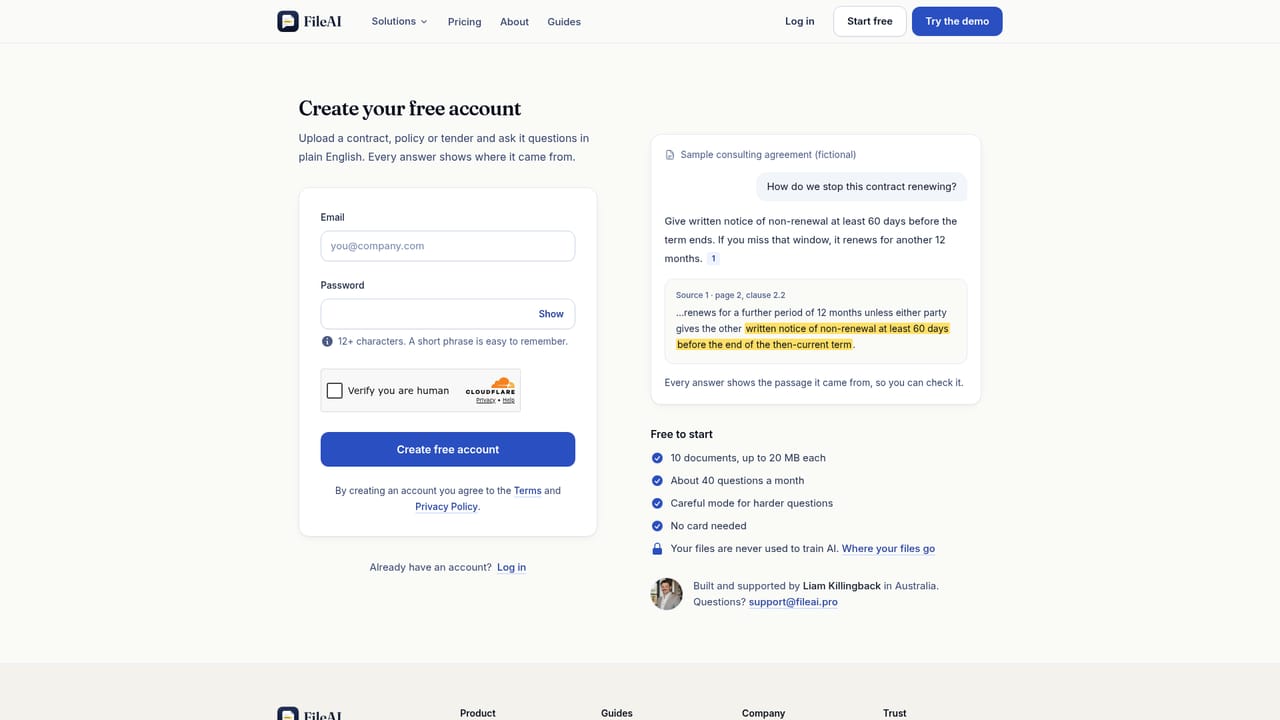
A free plan provides 10 documents and about 40 questions a month without a card. Paid plans include a 14-day money-back guarantee rather than a separate trial.
Learn moreAsk your documents questions and see the exact sentence behind every answer.

FileAI is a file organizer tool. FileAI lets you upload a PDF, Word or PowerPoint file and ask questions in plain English. Every answer includes numbered sources that open the exact passage in your document, and the tool states when an answer is not in the file.
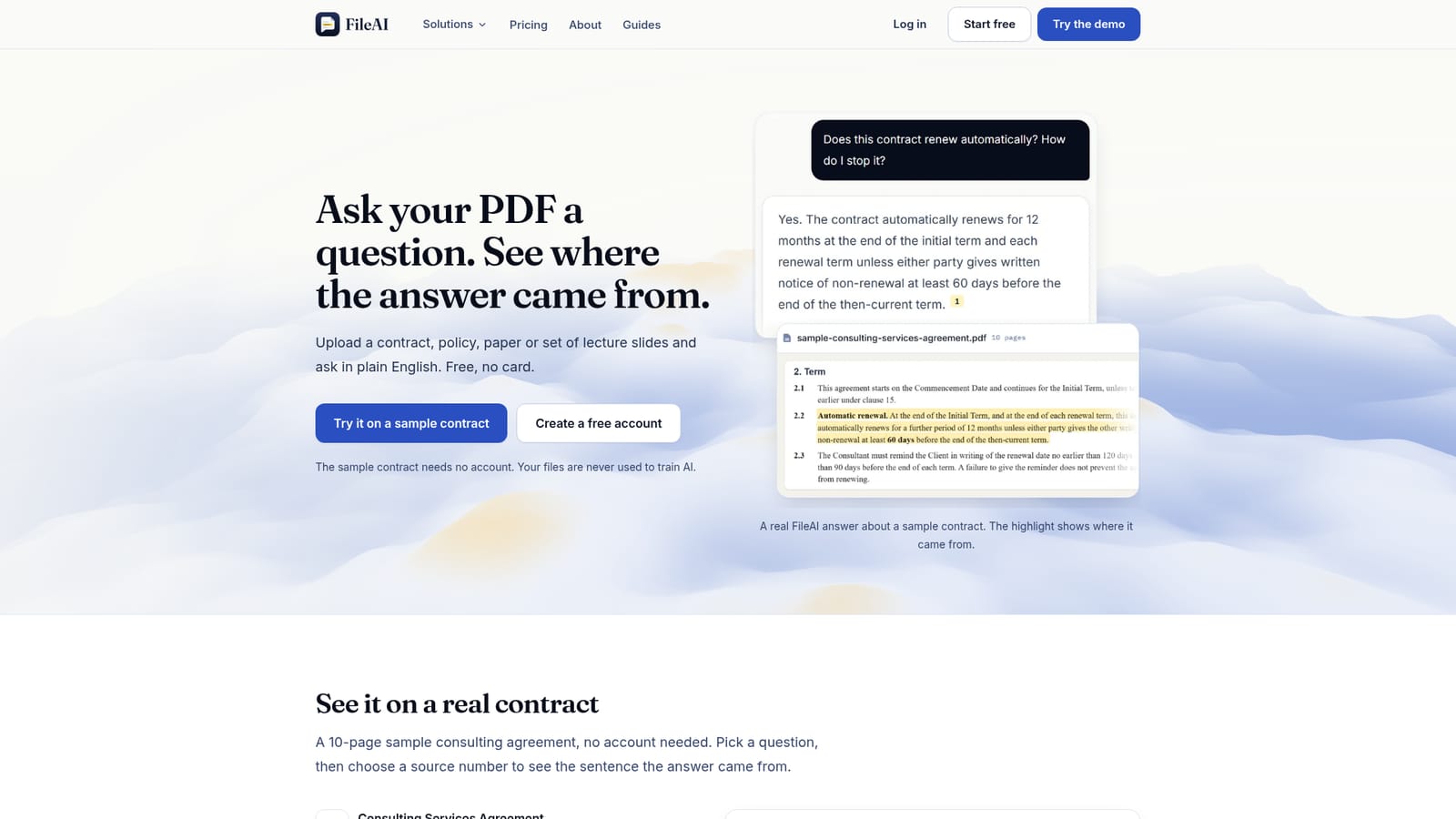
FileAI is a document question answering tool. You upload a PDF, Word document, PowerPoint deck, plain text, Markdown, HTML or JSON file and ask questions in plain English. The system reads your file and returns an answer built from its contents, not from the open web or a model's memory. Each answer carries numbered sources; clicking one opens your document at the passage the answer came from, with the relevant sentence highlighted in PDFs. If the document does not address your question, FileAI says so instead of inventing a response. The product is aimed at people who need to verify what a document says before acting on it. That includes anyone reviewing contracts, leases, insurance policies, staff handbooks or procedures, as well as researchers and students working through long reports, papers or lecture slides. The workflow is straightforward: create a free account, upload a supported file (up to 20 MB per file on the free plan), then type a question. The answer appears with source numbers, and you can jump to the cited passage to check it word for word. A public demo uses a fictional 10-page consulting agreement so you can test the citation behaviour without signing up. FileAI is built and supported by a single founder in Australia, and support requests go directly to him. Privacy is stated plainly: files sit in private, encrypted storage; text is sent to OpenAI's API to generate answers, and OpenAI does not train its models on API data; deleting a file removes it from storage and from OpenAI, and deleting your account removes all files and chats. The tool does not offer legal or financial advice, and it does not handle scanned PDFs made of page images. Among alternatives, FileAI sits closer to a citation-first reading assistant than to a general chatbot. Where a chatbot might answer from general knowledge, FileAI restricts itself to your file and shows its evidence. It competes with other document chat tools on the strength of its source highlighting and its explicit refusal to guess, though its format support and monthly question limits are narrower than some rivals.
A free plan provides 10 documents and about 40 questions a month without a card. Paid plans include a 14-day money-back guarantee rather than a separate trial.
Learn moreFree plan costs $0 and includes 10 documents plus about 40 questions a month, with no card required. Pro is US$19 per month or US$190 per year for up to 100 documents and many more questions. Pro and US checks are billed in USD; tender and strata checks in AUD. Paid plans carry a 14-day money-back guarantee.
Learn moreSupport is handled personally by founder Liam Killingback in Australia via support@fileai.pro. The homepage says he answers questions directly.
Learn moreFileAI sends document text to OpenAI's API to generate answers. No other third-party integrations, such as cloud storage or document management systems, are mentioned on the homepage.
Upload PDF, Word, PowerPoint, TXT, Markdown, HTML or JSON files (up to 20 MB each on the free plan). Ask questions in plain English and receive answers built only from your document, with numbered sources that open the cited passage and highlight the sentence in PDFs. The tool states when an answer is not in the file. Files are stored privately, never used to train AI, and deleted from storage and OpenAI when you delete them.
Learn more AI Angels400+ customizable AI girlfriends for NSFW chat, voice calls, and roleplay
 Candy AIExperience the future of companionship with AI friends who chat, role-play, and connect with you on a human level.
 ourdream.aiA vast AI roleplay platform with millions of characters for chat, images, video and voiceAI Angels400+ customizable AI girlfriends for NSFW chat, voice calls, and roleplayCandy AIExperience the future of companionship with AI friends who chat, role-play, and connect with you on a human level.ourdream.aiA vast AI roleplay platform with millions of characters for chat, images, video and voice


